
1. Introduction
This manual provides detailed instructions for the assembly, operation, and maintenance of your FABATO Queen Size Bed Base. This modern platform bed features an upholstered headboard with integrated LED lighting, two AC power outlets, and two USB charging ports for convenience. The robust metal frame includes 13 sturdy metal bars and 9 support legs, ensuring stability and a 900 lbs load capacity. Additionally, it offers 12.6 inches of under-bed storage space.
2. Safety Information
- Always follow assembly instructions carefully.
- Ensure all bolts and screws are securely tightened before use. Periodically check and re-tighten as necessary.
- Do not exceed the maximum weight capacity of 900 lbs.
- Use suitable bedding materials to prevent choking hazards, especially if children will be using the bed.
- Keep electrical components (LED lights, AC/USB outlets) away from liquids.
- Avoid placing heavy or sharp objects on the headboard shelf to prevent damage or injury.
3. Package Contents
Before beginning assembly, verify that all components listed below are present and undamaged. Refer to the included hardware pack for small parts.
- Upholstered Headboard with integrated LED lights, AC outlets, and USB ports
- Metal Bed Frame components (side rails, center support beams, legs)
- Wooden Slats (13 pieces)
- Hardware Pack (bolts, washers, Allen wrench, spare parts)
- Remote Control for LED lights

Image: All bed frame components laid out for assembly.
4. Setup & Assembly
Assembly typically takes approximately 1 hour with two people. Ensure you have enough space and the necessary tools (an Allen wrench is usually provided).
4.1. Unpacking and Preparation
- Carefully unpack all components and lay them out on a clean, soft surface to prevent scratches.
- Identify all parts by comparing them with the parts list in the included manual.
4.2. Assembling the Frame
- Attach the side rails to the headboard and footboard using the provided bolts and Allen wrench. Ensure connections are secure.
- Install the center support beam(s) and their legs. These are crucial for mattress support and stability.
- Place the wooden slats across the frame. Many slats feature a plastic snap-lock system or Velcro to keep them in place. Ensure each slat is properly seated.

Image: Queen bed frame dimensions and components.

Image: Fully assembled bed frame with LED lighting.
4.3. Headboard Features Setup
- Connect the power cord from the headboard to a wall outlet.
- Test the LED lights using the provided remote control.
- Verify the functionality of the AC outlets and USB ports by plugging in devices.

Image: Headboard with integrated AC and USB charging ports.

Image: LED lights on the headboard and footboard with control options.
4.4. Assembly Videos
Video: ADORNEVE LED Bed Frame assembly and features overview. This video demonstrates the assembly process and highlights key features like storage drawers, adjustable headboard, and RGB LED lights.
Video: ADORNEVE Bed Frame with LED Lights and USB Ports. This video provides a closer look at the LED lighting and USB port functionality of the bed frame.
5. Operating Instructions
5.1. LED Lights Operation
- Use the provided remote control to power on/off the LED lights.
- Select from 20 static colors and 22 dynamic modes to customize your room's ambiance.
- Adjust brightness and speed settings for dynamic modes using the remote.
5.2. USB and AC Outlets
- The headboard includes 2 AC outlets and 2 USB ports (5V/2A, including 1 Type-C port).
- Plug in your electronic devices directly to the headboard for convenient charging.
- Ensure the bed is properly connected to a power source for these features to function.

Image: Detail of the upholstered headboard material.
6. Maintenance
6.1. Cleaning
- Upholstered Headboard: Gently wipe with a damp cloth and mild soap. Avoid harsh chemicals. For spills, blot immediately with a clean, dry cloth.
- Metal Frame: Wipe with a soft, dry cloth. For stubborn dirt, use a slightly damp cloth and dry thoroughly.
- Electrical Components: Ensure the bed is unplugged before cleaning around outlets and USB ports. Use a dry cloth to wipe dust.
6.2. General Care
- Periodically check all bolts and connections to ensure they remain tight.
- Avoid dragging the bed when moving it; lift it to prevent damage to the frame or floor.
- Protect your floor from scratches using plastic pads on the bed legs.
7. Troubleshooting
- LED Lights Not Working: Ensure the power cord is securely plugged into both the headboard and the wall outlet. Check the remote control battery.
- USB/AC Outlets Not Functioning: Confirm the bed is plugged into a live power source. Test with a different device to rule out device issues.
- Bed Frame Squeaks or Wobbles: Re-tighten all assembly bolts and screws. Ensure all wooden slats are properly seated and secured.
- Mattress Sagging: Verify that all 13 metal bars and 9 support legs are correctly installed and intact.
8. Specifications
| Feature | Detail |
|---|---|
| Size | Queen |
| Material | Iron frame, Upholstered headboard |
| Product Dimensions (L x W x H) | 86.61" x 59.06" x 46.06" (220cm x 150cm x 117cm) |
| Under-bed Storage Height | 12.6 inches (30cm) |
| Special Features | LED lights, 2 AC outlets, 2 USB ports (5V/2A, 1 Type-C) |
| Included Components | Headboard, Frame, Slats, Hardware, Remote Control |
| Maximum Weight Recommendation | 900 lbs (408.23 kg) |
| Assembly Required | Yes |
| Color | Black |
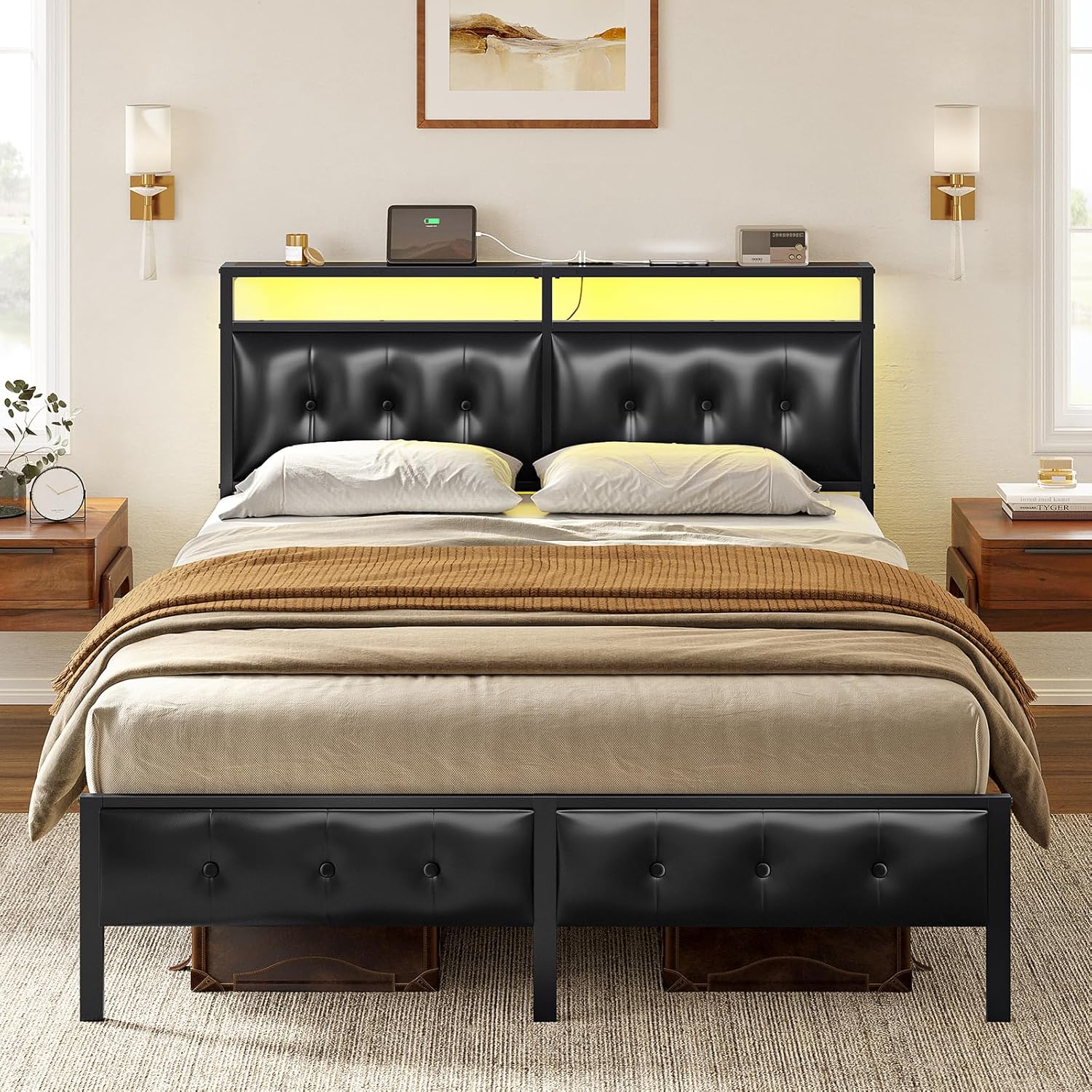
Image: Under-bed storage space.
9. Warranty & Support
For warranty information, product support, or to order replacement parts, please contact FABATO customer service. Refer to your purchase documentation for specific warranty terms and contact details.