Introduction
Thank you for purchasing the Supersonic SC-810HV Cordless Multi-Function 4-in-1 Hand Vacuum Cleaner. This device is designed for versatile cleaning, offering vacuuming, blowing, inflating, and compressing functions. Please read this manual thoroughly before operation to ensure proper use, maintenance, and safety.
Important Safety Instructions
When using electrical appliances, basic precautions should always be followed, including the following:
- Read all instructions before using this appliance.
- Do not use outdoors or on wet surfaces.
- Do not allow to be used as a toy. Close attention is necessary when used by or near children.
- Use only as described in this manual. Use only manufacturer's recommended attachments.
- Do not handle charger or appliance with wet hands.
- Do not put any object into openings. Do not use with any opening blocked; keep free of dust, lint, hair, and anything that may reduce airflow.
- Keep hair, loose clothing, fingers, and all parts of body away from openings and moving parts.
- Do not pick up anything that is burning or smoking, such as cigarettes, matches, or hot ashes.
- Do not use without dust bin and/or filters in place.
- Turn off all controls before unplugging.
- Use extra care when cleaning on stairs.
- Do not use to pick up flammable or combustible liquids, such as gasoline, or use in areas where they may be present.
- Store the appliance indoors.
- Recharge only with the charger specified by the manufacturer.
- Do not incinerate the appliance even if it is severely damaged. Batteries can explode in a fire.
Package Contents
Verify that all items are present in the package:
- Supersonic SC-810HV Hand Vacuum Cleaner
- Crevice Nozzle Extension
- Large Removable Brush Head
- Wide Floor Nozzle
- Air Blower Extension
- Small Removable Brush Head
- Multi-Function Nozzles (for inflating/compressing)
- Washable HEPA Filter (pre-installed or separate)
- USB-A to USB-C Charging Cable
- Instruction Manual (this document)

Figure 1: Main unit and included accessories. This image displays the hand vacuum cleaner along with its various attachments, including vacuum tools, blowing tools, multi-function nozzles, and the USB-C charging cable.
Product Overview

Figure 2: Side view of the Supersonic SC-810HV hand vacuum cleaner, showing the main body, handle, and transparent dust bin with the filter visible.

Figure 3: Front view of the hand vacuum, highlighting the power button on the handle and the suction/blowing port.
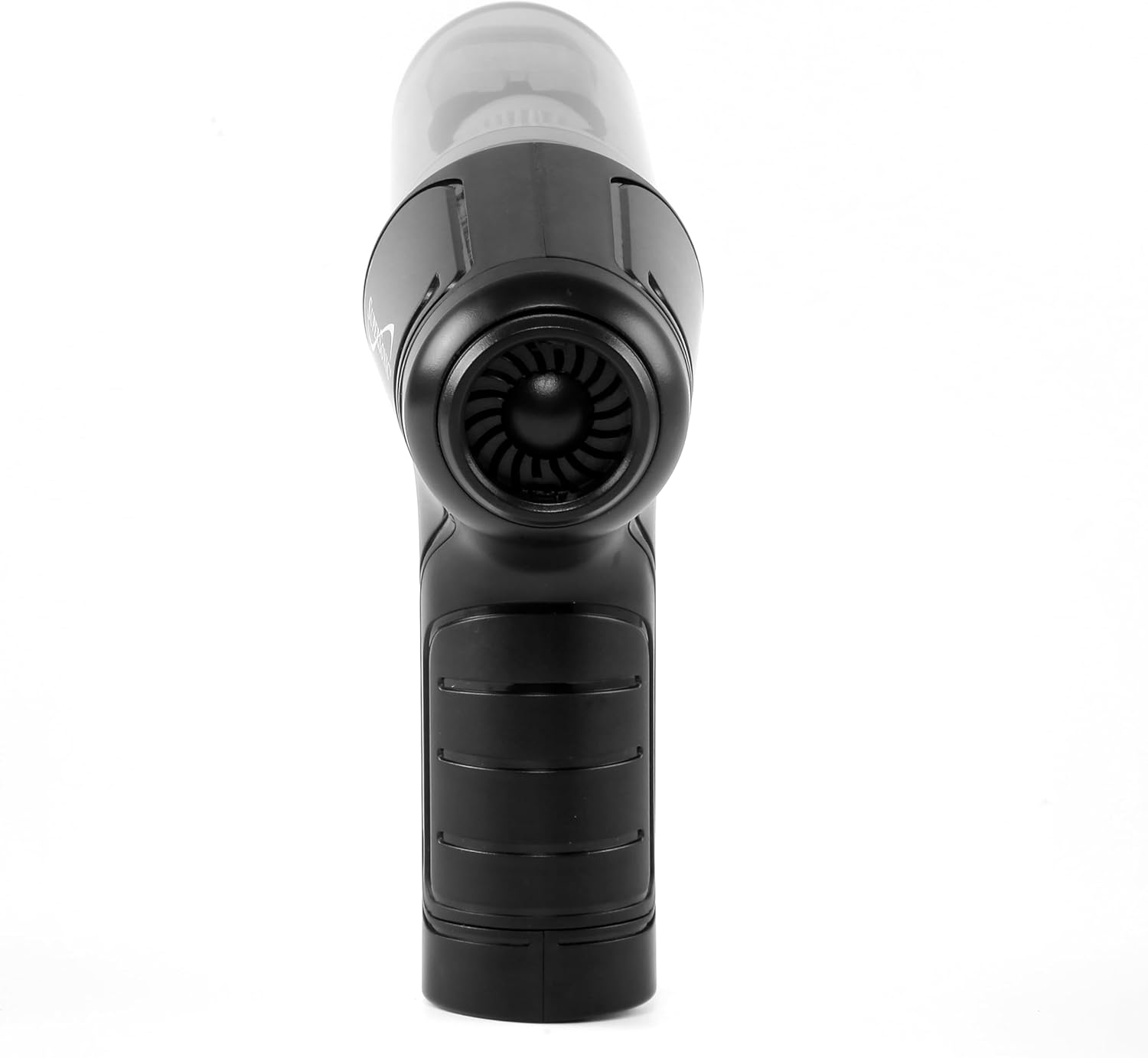
Figure 4: Rear view of the hand vacuum, showing the blower outlet and the ergonomic grip.
The Supersonic SC-810HV features a compact design with a powerful motor. Key components include the main unit with integrated handle, a transparent dust bin, a washable HEPA filter, and various interchangeable nozzles for different functions.
Setup
1. Initial Charging
Before first use, fully charge the device. Connect the provided USB-A to USB-C cable to the charging port on the vacuum and plug the USB-A end into a compatible USB power adapter (not included). The charging indicator light will illuminate during charging and change when fully charged. A full charge typically takes approximately 2-3 hours.
2. Attaching Accessories
To attach an accessory, align the desired nozzle or brush head with the appropriate port (suction or blowing) and push firmly until it clicks into place. Ensure a secure connection for optimal performance.
- For Vacuuming: Attach crevice nozzle, large brush head, or wide floor nozzle to the front suction port.
- For Blowing: Attach air blower extension or small removable brush head to the rear blowing port.
- For Inflating/Compressing: Attach multi-function nozzles to the rear blowing port.

Figure 5: The hand vacuum cleaner displayed with its full set of accessories, illustrating how they connect to the main unit.
Operating Instructions
Power On/Off
Press the power button located on the handle to turn the device on. Press it again to turn the device off.
1. Vacuum Function
Attach a suitable vacuum tool (e.g., crevice nozzle for tight spaces, wide floor nozzle for larger surfaces, or large brush head for upholstery) to the front suction port. Turn on the device and move the nozzle over the area to be cleaned. The powerful suction will collect dust and debris into the transparent dust bin.

Figure 6: The hand vacuum cleaner demonstrating its versatility for cleaning in different environments such as home, office, and car interiors.
2. Blowing Function
Attach the air blower extension or small removable brush head to the rear blowing port. Turn on the device. This function is ideal for clearing dust from keyboards, delicate electronics, or small crevices where vacuuming is not suitable.
3. Inflate Function
Select the appropriate multi-function nozzle for inflation and attach it to the rear blowing port. Turn on the device and insert the nozzle into the item to be inflated (e.g., small inflatable toys, swim rings). Monitor the inflation process to prevent over-inflation.
4. Compress Function
Attach a multi-function nozzle to the rear blowing port. This function can be used with compatible compression storage bags to remove air and reduce volume for storage or travel.
Maintenance
1. Emptying the Dust Bin
For optimal suction, empty the dust bin regularly, especially when it appears full or suction power decreases. To empty:
- Ensure the device is turned off.
- Twist and detach the transparent dust bin from the main unit.
- Carefully remove the HEPA filter from the dust bin.
- Empty the contents of the dust bin into a waste receptacle.
- Reassemble the filter and dust bin, ensuring they are securely attached.
2. Cleaning the HEPA Filter
The HEPA filter is washable and reusable. Clean it regularly to maintain filtration efficiency and suction power.
- Remove the HEPA filter as described in "Emptying the Dust Bin".
- Rinse the filter under cool, running water until clean. Do not use detergents or hot water.
- Allow the filter to air dry completely for at least 24 hours before reinserting it into the device. Do not use the vacuum with a wet filter.

Figure 7: A close-up view of the various accessories, including the washable HEPA filter, which is crucial for maintaining air quality.
3. General Cleaning
Wipe the exterior of the device with a soft, damp cloth. Do not use abrasive cleaners or immerse the unit in water.
Troubleshooting
| Problem | Possible Cause | Solution |
|---|---|---|
| Device does not turn on. | Battery is depleted. | Charge the device fully. |
| Low suction power. | Dust bin is full. Filter is clogged. Nozzle is blocked. | Empty the dust bin. Clean or replace the HEPA filter. Clear any obstructions from the nozzle or suction port. |
| Device stops unexpectedly. | Battery is low. Overheating protection activated. | Recharge the battery. Turn off the device and allow it to cool down for 30 minutes before resuming use. |
| Blowing/Inflating function is weak. | Blowing port or nozzle is blocked. | Clear any obstructions from the blowing port or attached nozzle. |
Specifications
| Feature | Detail |
|---|---|
| Model Name | SC-810HV |
| Brand | Supersonic |
| Power Source | Battery Powered |
| Special Feature | Bagless, Cordless |
| Filter Type | HEPA Filter (Washable) |
| Capacity | 300 Milliliters (Dust Bin) |
| Wattage | 50 Watts |
| Maximum Suction | 16.08 Inches (of water lift) |
| Battery Life | Up to 20 minutes |
| Product Dimensions | 8.4"L x 6.4"W x 2.6"H |
| Item Weight | 11.8 ounces |
| Motor Power | Approximately 0.07 Horsepower |
| Included Components | 8 attachments, HEPA Filter, Manual, USB-A to USB-C Cable |
Warranty and Support
This product comes with a 90-day warranty from the date of purchase. This warranty covers manufacturing defects under normal use. It does not cover damage caused by misuse, accident, alteration, or unauthorized repair.
For technical support, warranty claims, or replacement parts, please contact Supersonic customer service. Refer to the product packaging or the official Supersonic website for current contact information.
Please retain your proof of purchase for warranty purposes.


