
1. Introduction
Thank you for choosing the SUNITEC BH880 Bluetooth Headset. This headset is designed for clear communication and audio enjoyment, featuring a noise-canceling microphone and versatile connectivity options. This manual provides detailed instructions to help you set up, operate, and maintain your headset for optimal performance.
2. What's in the Box
Please check the package contents to ensure all items are present:
- SUNITEC BH880 Bluetooth Headset
- 3.5mm Audio Cable
- USB-C Charging Cable
- USB Dongle
- User Manual (this document)

3. Product Overview
The SUNITEC BH880 headset is designed for comfort and functionality across various applications, from professional calls to casual listening.
Key Features:
- Noise Canceling Microphone: Ensures clear voice transmission by reducing ambient noise.
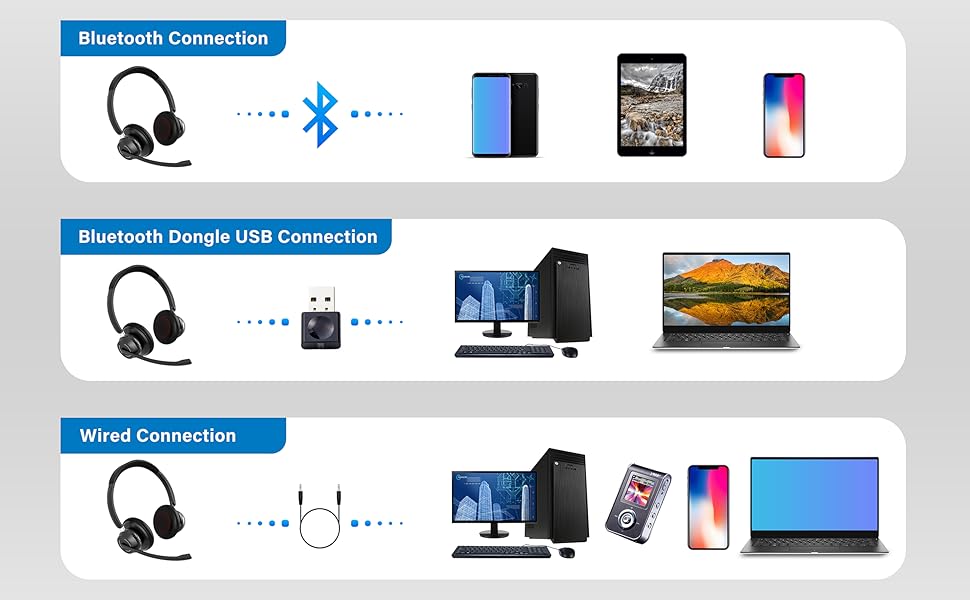
- Multiple Connection Methods: Supports Bluetooth, USB Dongle, and Wired 3.5mm connections.
- Long Battery Life: Up to 45 hours of wireless talking time.
- Comfortable Design: Features memory foam earpads for extended wear.
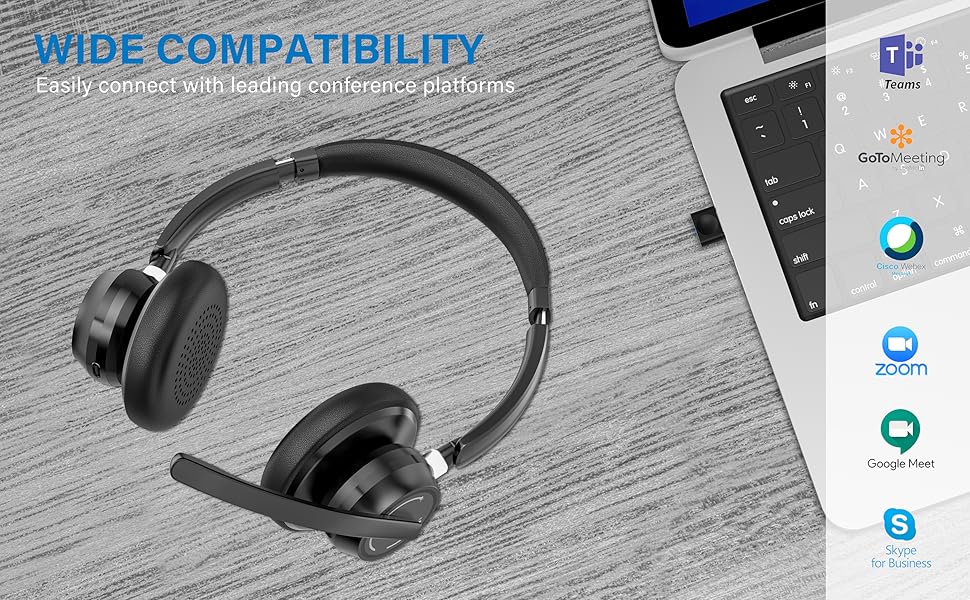
- Wide Compatibility: Works with various Bluetooth-enabled devices, computers, and smartphones.


4. Setup
The SUNITEC BH880 headset offers three primary connection methods:
4.1. Bluetooth Connection
- Ensure the headset is charged.
- Press and hold the Multi-Function Button (MFB) on the headset for 3-5 seconds until the LED indicator flashes blue and red, indicating pairing mode.
- On your device (smartphone, tablet, etc.), go to Bluetooth settings and enable Bluetooth.
- Select "BH880" from the list of available devices.
- Once connected, the LED indicator on the headset will show a solid blue light.
4.2. Bluetooth Dongle USB Connection
- Plug the provided USB dongle into an available USB port on your computer.
- The computer should automatically recognize and install the necessary drivers.
- Ensure the headset is in pairing mode (LED flashing blue and red).
- The headset will automatically connect to the USB dongle. The LED on both the headset and dongle will show a solid blue light once connected.

4.3. Wired Connection
- Connect one end of the 3.5mm audio cable to the audio jack on your SUNITEC BH880 headset.
- Connect the other end of the 3.5mm audio cable to the audio output port on your device (computer, smartphone, etc.).
- The headset will function as a wired headset, and Bluetooth functionality will be temporarily disabled.
5. Operating Instructions
Familiarize yourself with the headset controls for seamless operation.
5.1. Power On/Off
- Power On: Press and hold the MFB for approximately 2 seconds.
- Power Off: Press and hold the MFB for approximately 4 seconds.
5.2. Call Management
- Answer/End Call: Short press the MFB.
- Reject Call: Press and hold the MFB for 2 seconds.
- Redial Last Number: Double press the MFB.
- Mute/Unmute Microphone: Press the dedicated mute button on the microphone boom.

5.3. Music Playback
- Play/Pause: Short press the MFB.
- Next Track: Long press the '+' button.
- Previous Track: Long press the '-' button.
5.4. Volume Control
- Volume Up: Short press the '+' button.
- Volume Down: Short press the '-' button.
6. Charging
To charge your SUNITEC BH880 headset:
- Connect the USB-C charging cable to the charging port on the headset.
- Connect the other end of the USB-C cable to a USB power source (e.g., computer USB port, wall adapter).
- The LED indicator will show a red light during charging and turn blue when fully charged.
- A full charge takes approximately 1.5 hours and provides up to 45 hours of talking time or 40 hours of music time.
7. Maintenance
Proper care ensures the longevity of your headset:
- Keep the headset dry. Do not expose it to water or moisture.
- Clean the earpads and surfaces with a soft, dry cloth.
- Avoid extreme temperatures.
- Store the headset in a cool, dry place when not in use.
- Do not attempt to disassemble the headset, as this may void the warranty.
8. Troubleshooting
| Problem | Solution |
|---|---|
| Cannot power on the headset. | Ensure the headset is fully charged. Connect it to a power source using the USB-C cable. |
| Cannot pair with a Bluetooth device. |
|
| No sound or low volume. |
|
| Microphone not working. |
|
| Intermittent connection. |
|
9. Specifications
| Feature | Detail |
|---|---|
| Model Name | BH880 |
| Connectivity Technology | Wireless (Bluetooth), Wired (3.5mm) |
| Wireless Communication Technology | Bluetooth |
| Included Components | Headset, 3.5mm Audio Cable, USB-C Charging Cable, USB Dongle |
| Material | Plastic |
| Specific Uses For Product | Calling, Gaming, Professional Applications |
| Compatible Devices | Bluetooth-enabled devices, computers, smartphones |
| Control Type | Media Control |
| Water Resistance Level | Not Water Resistant |
| Style | On Ear |
| Control Method | Voice, Button |
| Battery Life | 45 Hours (Talking) |
| Audio Driver Type | Dynamic Driver |
| Audio Latency | 150 Milliseconds |
| Earpiece Shape | Ear Cup |
| Noise Control | Active Noise Cancellation (Microphone) |
| Product Dimensions | 5.91 x 5.91 x 1.97 inches |
| Item Weight | 10.5 ounces |
| Batteries | 1 Lithium Polymer battery (included) |
10. Warranty & Support
SUNITEC products are designed for reliability and performance. For warranty information, technical support, or customer service inquiries, please refer to the contact details provided on the SUNITEC official website or your purchase documentation.
Please retain your proof of purchase for warranty claims.
