Introduction
Welcome to the user manual for your OhO sunshine Smart Bluetooth Sunglasses & 4K Camera Sunglasses. This device combines high-quality sunglasses with advanced smart features, including Bluetooth audio connectivity and a 4K camera for capturing photos and videos. Please read this manual carefully to ensure proper use, optimal performance, and longevity of your product.

Image: OhO sunshine Smart Bluetooth Sunglasses, showcasing the integrated camera and various interchangeable lens options (black, clear, yellow, orange).
Setup
1. Charging the Device
Before first use, fully charge your sunglasses.
- Locate the charging port, typically on one of the temples.
- Connect the provided USB charging cable to the sunglasses and a power source (e.g., computer USB port or wall adapter).
- The LED indicator will show charging status (e.g., red for charging, blue/green for fully charged).
- Charging time may vary, typically 1-2 hours for a full charge.
2. Inserting a MicroSD Card (for Camera Function)
A MicroSD card (not included) is required for recording videos and taking photos.
- Locate the MicroSD card slot, usually near the charging port.
- Gently insert the MicroSD card with the gold contacts facing down until it clicks into place.
- Ensure the card is properly formatted (FAT32 recommended) for optimal performance.
3. Bluetooth Pairing
Pair your sunglasses with your smartphone or other Bluetooth-enabled device for audio playback and calls.
- Ensure the sunglasses are charged and powered on.
- Activate Bluetooth on your smartphone.
- Put the sunglasses into pairing mode (refer to specific button press combination in the operating section, usually holding the power button). The LED indicator will flash rapidly.
- On your smartphone, search for available Bluetooth devices and select "OhO sunshine" or similar name.
- Once paired, the LED indicator will change to a steady blue/green light.
Operating Instructions
Power On/Off
- Power On: Press and hold the Power button for approximately 3 seconds until the LED indicator lights up.
- Power Off: Press and hold the Power button for approximately 5 seconds until the LED indicator turns off.
Camera Operation (Video Recording & Photo Capture)
Ensure a MicroSD card is inserted and formatted.
- Start Video Recording: With the device powered on, short press the Camera button. The LED indicator will flash slowly during recording.
- Stop Video Recording: Short press the Camera button again. The LED indicator will return to standby mode.
- Take a Photo: While in standby mode, double-press the Camera button quickly. The LED indicator will flash once to confirm a photo has been taken.

Image: A man wearing the OhO sunshine Smart Bluetooth Sunglasses with blue mirrored lenses, demonstrating typical use.
Bluetooth Audio & Call Functions
- Play/Pause Music: Short press the Multi-function button (often the same as Power button).
- Next Track: Long press the Volume Up button.
- Previous Track: Long press the Volume Down button.
- Answer Call: Short press the Multi-function button when a call comes in.
- End Call: Short press the Multi-function button during a call.
- Reject Call: Long press the Multi-function button when a call comes in.
- Volume Adjustment: Short press Volume Up (+) or Volume Down (-) buttons.
Maintenance
Cleaning
- Use a soft, clean microfiber cloth to wipe the lenses and frame.
- For stubborn smudges, use a lens cleaning spray specifically designed for optical lenses.
- Avoid using abrasive materials or harsh chemicals, as they can damage the lenses and frame.
Storage
- Store the sunglasses in their protective case when not in use to prevent scratches and damage.
- Avoid exposing the device to extreme temperatures (hot or cold) or direct sunlight for prolonged periods.
Battery Care
- To prolong battery life, avoid fully discharging the battery frequently.
- Charge the device regularly, even if not in frequent use.
- If storing for an extended period, charge the battery to about 50% before storage.
Troubleshooting
| Problem | Possible Cause | Solution |
|---|---|---|
| Device won't power on. | Low battery. | Charge the device fully. |
| Cannot pair via Bluetooth. | Sunglasses not in pairing mode; Bluetooth off on phone; interference. | Ensure sunglasses are in pairing mode. Turn phone's Bluetooth off/on. Move closer to phone. |
| Camera not recording/taking photos. | No MicroSD card; card full; card not formatted; low battery. | Insert/replace MicroSD card. Format card. Charge device. |
| Poor audio quality. | Bluetooth interference; low battery; distance from paired device. | Reduce interference. Charge device. Stay within Bluetooth range. |
Specifications
- Brand: OhO sunshine
- Model: B0CP3XVQD7
- Style: Smart Bluetooth Sunglasses & 4K Camera Sunglasses
- Material: Plastic
- Control Type: Media Control
- Recommended Uses: Outdoor activities, sports, travel
- Connectivity: Bluetooth 5.0 (implied by "Smart bluetooth sunglasses")
- Camera Resolution: 4K (implied by "4k Camera Sunglasses")
- Storage: Supports MicroSD card (capacity not specified, but 256GB mentioned in an image)
- Weight: 37g (from image PT05)
- Water Resistance: Yes (from image PT05)
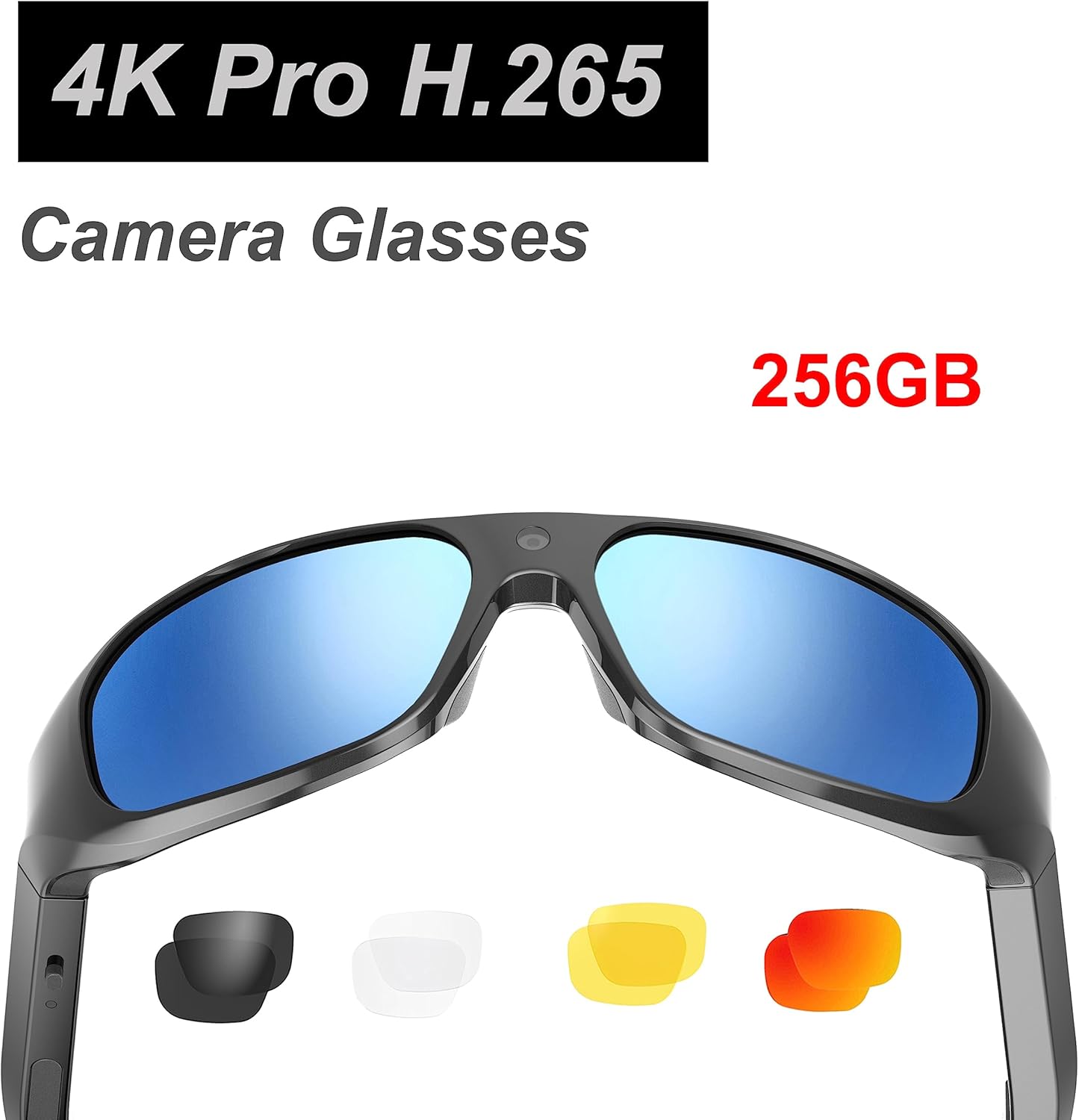
Image: Product packaging highlighting "4K Pro H.265 Camera Glasses" and "256GB" storage capability.
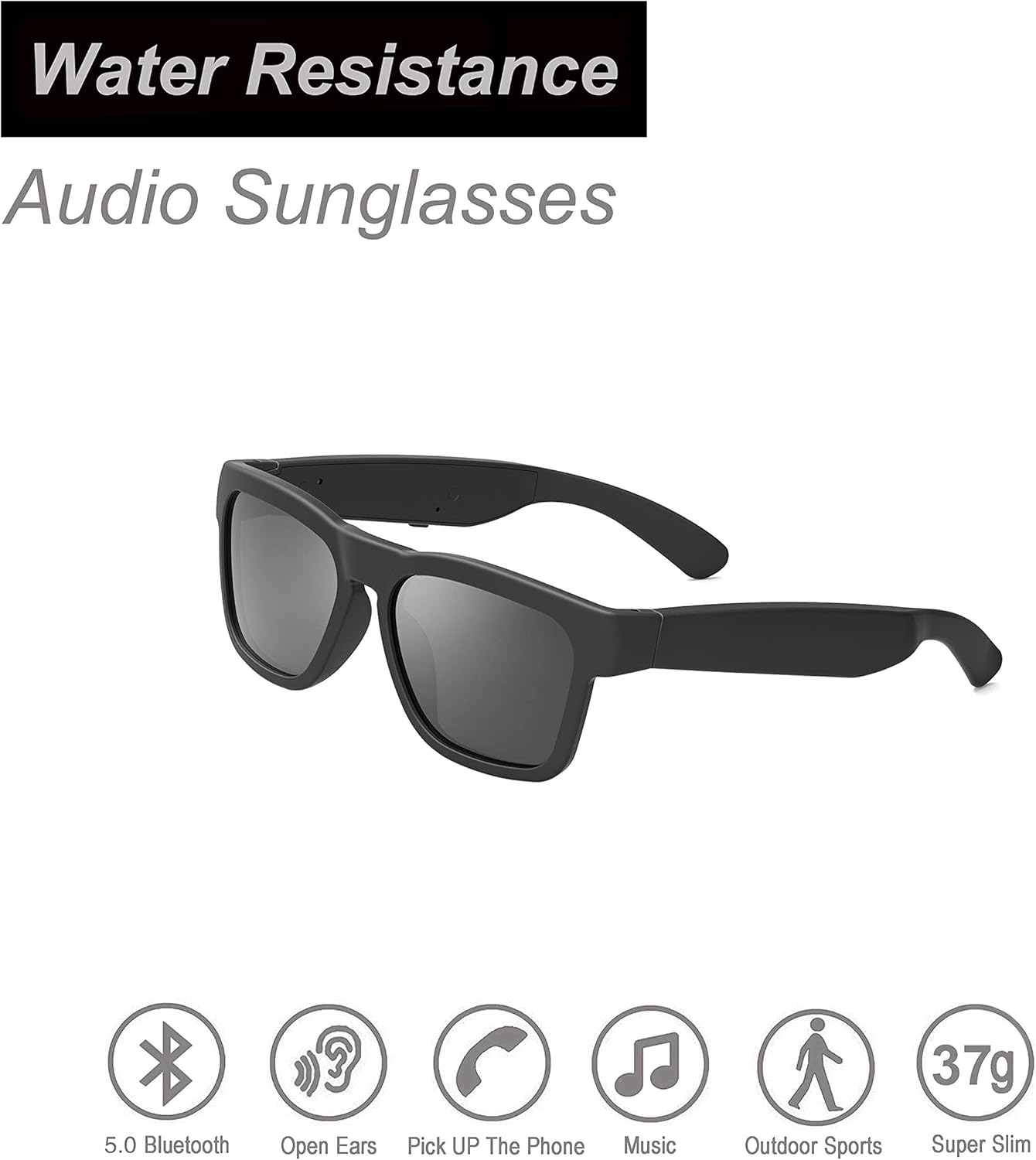
Image: OhO sunshine Audio Sunglasses highlighting "Water Resistance" and features like 5.0 Bluetooth, Open Ears, Pick Up The Phone, Music, Outdoor Sports, and Super Slim (37g).
Warranty and Support
For warranty information and technical support, please refer to the official OhO sunshine website or contact their customer service directly. Keep your purchase receipt as proof of purchase for any warranty claims.
Online Support: Visit the OhO sunshine store on Amazon or their official website for FAQs and support resources.OhO sunshine Amazon Store


