
WUPRO Gallery Fixed Frame Projector Screen 120-inch
WUPRO Gallery Fixed Frame Projector Screen
Model: 120-inch Black Crystal
Instruction Manual
1. Introduction
This manual provides essential instructions for the proper setup, operation, and maintenance of your WUPRO Gallery Fixed Frame Projector Screen. Please read this manual thoroughly before installation and use to ensure optimal performance and longevity of your product.

Image 1.1: WUPRO Gallery Fixed Frame Projector Screen, 120-inch Black Crystal.
2. Setup and Installation
The WUPRO Gallery Fixed Frame Projector Screen requires manual assembly and wall mounting. Follow the steps below for a secure installation. It is recommended to have two people for assembly and mounting.
2.1 Unpacking and Component Check
- Carefully unpack all components from the packaging.
- Verify that all parts listed in the included assembly guide are present and undamaged.
- Keep packaging materials until installation is complete in case of return or transport.
2.2 Frame Assembly
Assemble the aluminum frame according to the detailed instructions provided in the separate assembly guide. The quick-install trolley system is designed for straightforward setup.

Image 2.1: Visual guide for the easy installation process, showing how to push the screen close to the wall, insert the hanging piece, and compress the spring.

Image 2.2: Close-up of the Gallery framework details, illustrating the pre-installed spare parts and adjustable spring tensioning system for easier assembly.
2.3 Screen Material Attachment
Once the frame is assembled, carefully attach the Black Crystal screen material. Ensure the material is taut and evenly stretched across the frame using the adjustable spring tensioning system.
2.4 Wall Mounting
Mount the assembled screen to a sturdy wall using appropriate hardware (not included) and following the specific instructions in the assembly guide. Ensure the screen is level and securely fastened.
3. Operation Guidelines
The WUPRO Gallery Fixed Frame Projector Screen is designed to enhance your viewing experience with specific operational characteristics.
3.1 Projector Compatibility
- This screen is optimized for standard/long-throw projectors.
- A projector with 1800 ANSI lumens or higher is recommended for optimal performance.
- The screen is incompatible with ultra-short-throw projectors.
- For tricolor laser projectors, there is limited speckle control.

Image 3.1: Illustration of screen compatibility with standard/long-throw projectors, noting incompatibility with ultra-short-throw projectors.
3.2 Ambient Light Rejection (ALR)
The Black Crystal screen features Ambient Light Rejection (ALR) technology, blocking up to 70% of overhead light interference. This optimizes the screen for normal lighting conditions, providing clear images in daylight, low light, and dark environments.

Image 3.2: Visual comparison demonstrating the 70% ambient light rejecting capability of the WUPRO Gallery Black Crystal screen.
3.3 Viewing Angle
The screen offers a 160° wide viewing angle, ensuring broad visibility from various positions within a room. This makes it suitable for diverse viewing environments.
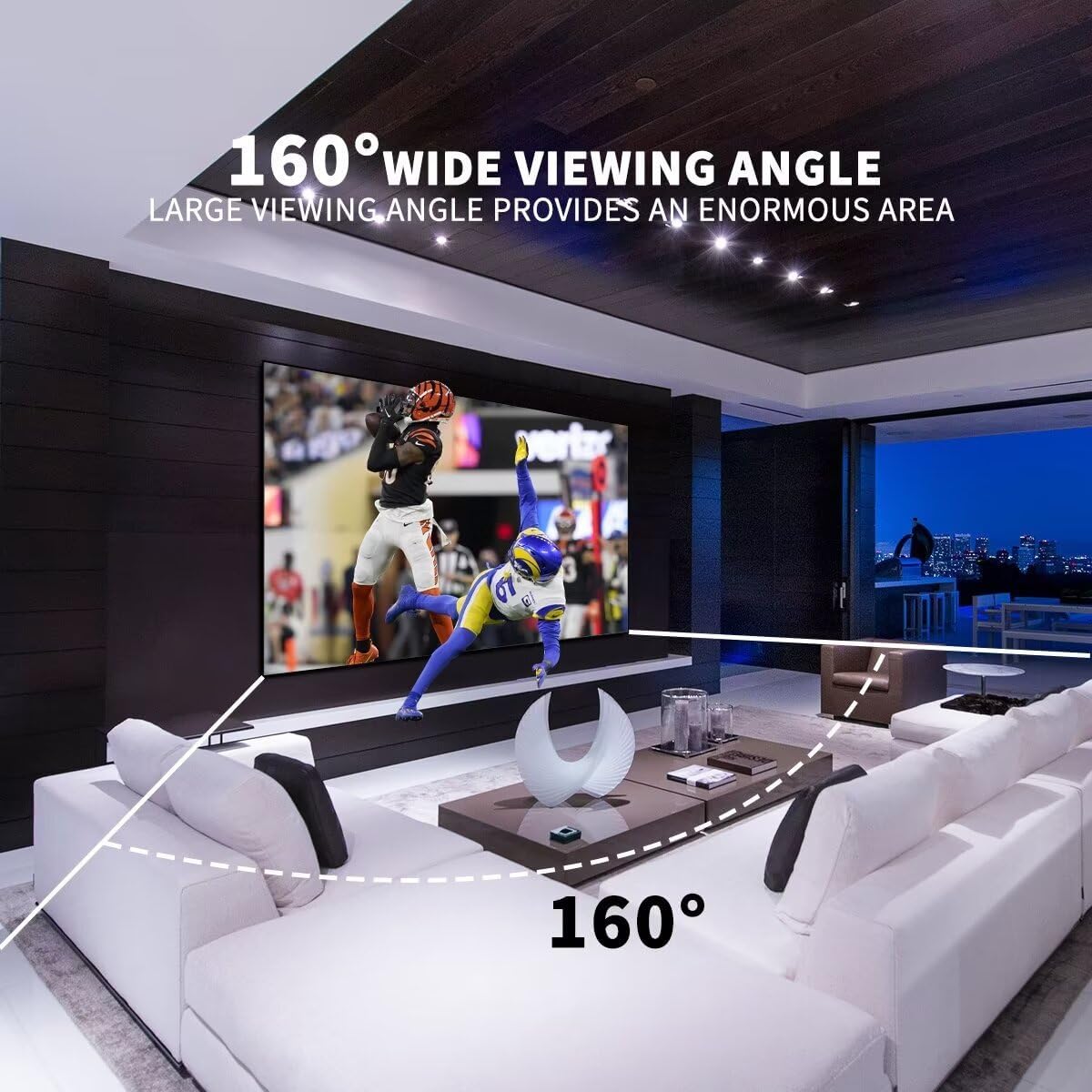
Image 3.3: Diagram illustrating the 160° wide viewing angle, indicating a broad visual experience for viewers.
3.4 Supported Formats
The screen supports 4K/8K resolution, HDR (High Dynamic Range), and Active 3D content, providing a high-quality cinematic experience.

Image 3.4: Example of the WUPRO Fixed Frame Projection Screen displaying 1080P Full HD, 4K Ultra HD, and 3D projection in 16:9 proportion.
4. Maintenance
To maintain the quality and performance of your projector screen, follow these simple maintenance guidelines:
- Cleaning: Gently wipe the screen surface with a soft, lint-free cloth. For stubborn marks, use a slightly damp cloth with mild soap and water, then dry immediately with a clean, dry cloth. Avoid abrasive cleaners or harsh chemicals.
- Handling: Avoid touching the screen surface directly with your hands to prevent fingerprints or damage.
- Storage: If the screen needs to be temporarily stored, ensure it is protected from dust, moisture, and extreme temperatures.
5. Troubleshooting
If you encounter any issues with your WUPRO Gallery Fixed Frame Projector Screen, consider the following:
- Image Quality: Ensure your projector is compatible with the screen (standard/long-throw, 1800 ANSI lumens or higher). Verify projector settings for resolution and aspect ratio.
- Screen Size Selection: Before purchasing, it is recommended to project an image onto your wall to determine the appropriate screen size for your viewing environment. This helps avoid purchasing a mismatched screen.
- Installation Issues: Re-check all assembly steps and wall mounting to ensure the frame is rigid and the screen material is evenly tensioned. Refer to the detailed assembly guide.
- Persistent Problems: If issues persist after reviewing the setup and operation guidelines, please contact WUPRO customer support for assistance.
6. Specifications
Key technical specifications for the WUPRO Gallery Fixed Frame Projector Screen (120-inch Black Crystal model):
- Material: Aluminum, Crystal (PVC)
- Item Weight: 16.4 pounds
- Product Dimensions (Overall): 105.43"W x 59.65"H
- Display Dimensions (Image Area): 104.57"W x 58.82"H
- Mounting Type: Wall Mount
- Gain: 1.0
- Contrast Ratio: 1.5
- Screen Thickness: 0.32mm
- Viewing Angle: 160°
- Ambient Light Rejection: ≥70% (optimized for normal lighting conditions)
- Aspect Ratio: 16:9
6.1 Product Dimensions Table
| Aspect Ratio | Diag. Size | Screen Length L1 (mm) | Screen Height H1 (mm) | Screen Thickness T (mm) | Frame Width W (mm) | Image Length L2 (mm) | Image Height H2 (mm) | G.W. (kg) | Package Size |
|---|---|---|---|---|---|---|---|---|---|
| 16:9 | 70" | 891 | 1569 | 25 | 10 | 871 | 1549 | 10 | 1171*230*140 |
| 16:9 | 84" | 1066 | 1879 | 25 | 10 | 1046 | 1859 | 11.8 | 1300*230*140 |
| 16:9 | 92" | 1163 | 2052 | 25 | 10 | 1143 | 2032 | 13 | 1440*230*140 |
| 16:9 | 100" | 1266 | 2235 | 25 | 10 | 1245 | 2214 | 14.2 | 1520*226*134 |
| 16:9 | 110" | 1391 | 2458 | 25 | 10 | 1371 | 2438 | 15.2 | 1671*230*140 |
| 16:9 | 120" | 1515 | 2678 | 25 | 10 | 1494 | 2656 | 16.4 | 1770*226*134 |
| 16:9 | 130" | 1639 | 2898 | 25 | 10 | 1619 | 2878 | 19 | 1970*230*170 |
| 16:9 | 150" | 1888 | 3340 | 25 | 10 | 1868 | 3320 | 21 | 2170*230*170 |
Table 6.1: Detailed dimensions and weight for various screen sizes in the WUPRO Gallery Fixed Frame series.

Image 6.1: Product description highlighting key specifications such as material (PVC), gain (1), thickness (0.32mm), viewing angle (160°), and ambient light conditions.
7. Warranty and Price Protection
WUPRO offers a 30-Day Price Protection policy for WUPRO Series Screens purchased on Amazon.
7.1 30-Day Price Protection
Should the price of your WUPRO Series Screen drop within 30 days of purchase, WUPRO will refund the difference. This policy applies solely to Amazon store prices.
How to Claim:
- Purchase WUPRO Series Screens on Amazon.
- Spot a lower price within 30 days.
- Take a screenshot of the lower price and contact WUPRO support.
- Receive your refund.

Image 7.1: Details of the WUPRO 30-Day Price Protection policy and claim process.
8. Customer Support
For further assistance, inquiries, or support regarding your WUPRO product, please use the following contact methods:
- Amazon Information: For general product information or order-related queries, please refer to your Amazon purchase details.
- WhatsApp Support: +86 15892099803
- WUPRO Store: Visit the Official WUPRO Amazon Store for more products and information.
Ask a question about this manual
Ask about setup, troubleshooting, compatibility, parts, safety, or missing instructions. Manuals+ will review the question and use this page’s manual context to help answer it.