
1. Product Overview
The Bruni Screen Protector is specifically designed for the Senwa Fusion S319T, offering crystal clear protection for your device's display. This protective film is engineered to safeguard your screen from scratches and impacts while maintaining optimal touch sensitivity and visual clarity.
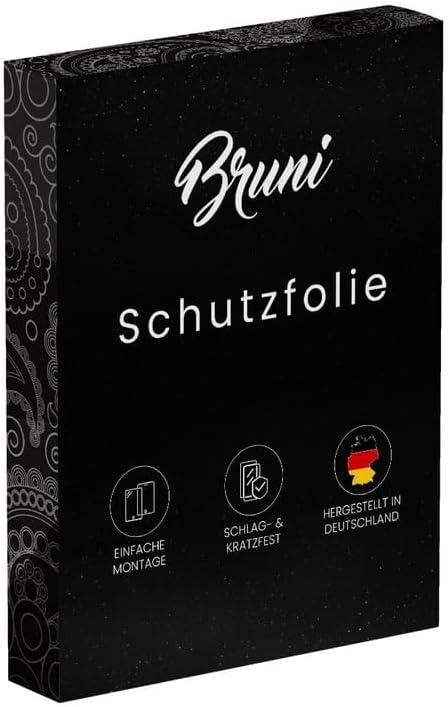
Image: Bruni Screen Protector packaging, showing the brand logo and product type.
Key Features:
- Precision Fit: Accurately developed and compatible with Senwa Fusion S319T.
- Durable Material: Made of scratch-resistant, highly transparent PET material.
- Easy Application: Can be applied easily and without bubbles, and can be removed or repositioned at any time.
- Secure Adhesion: Glue-free film ensures optimal edge adhesion without slipping once attached.
- Touch Optimized: Optimized for use on touch displays, ensuring unadulterated display of screen contents and no impairment of usability.
- Made in Germany: Manufactured with high-quality standards.

Image: Visual representation of key benefits including simple installation, sensitive touch, scratch resistance, clear colors, German manufacturing, and maximum shatterproof quality.
2. Package Contents
Your Bruni Screen Protector package typically includes the following items:
- Bruni Screen Protector Film (2X)
- Mounting Aid / Installation Tool
- Microfiber Cleaning Cloth
- Installation Instructions (this manual)

Image: Depiction of the package contents, including the screen protector film, mounting aid, microfiber cloth, and installation guide.
3. Installation Guide (Setup)
Follow these steps carefully for a bubble-free and precise application of your Bruni Screen Protector:
- Clean the Screen: Thoroughly clean your device's screen using the provided microfiber cloth to remove all dust, smudges, and fingerprints. Ensure the screen is completely dry before proceeding.
- Align the Protector: Carefully peel back a small portion of the protective layer (usually marked "Step 1" or similar) from one end of the screen protector. Align the exposed edge of the protector with the corresponding edge of your device's screen, paying close attention to cutouts for speakers, cameras, and sensors.
- Apply Gradually: Slowly and steadily peel off the rest of the protective layer while simultaneously applying the screen protector to the device. Use the provided mounting aid or a credit card wrapped in the microfiber cloth to gently push out any air bubbles as you go, working from the applied edge towards the unapplied edge.
- Remove Top Layer: Once the entire screen protector is applied and all bubbles are smoothed out, carefully peel off the top protective film (usually marked "Step 2" or similar).
- Final Polish: Use the microfiber cloth to gently wipe down the newly installed screen protector, removing any remaining smudges or dust.
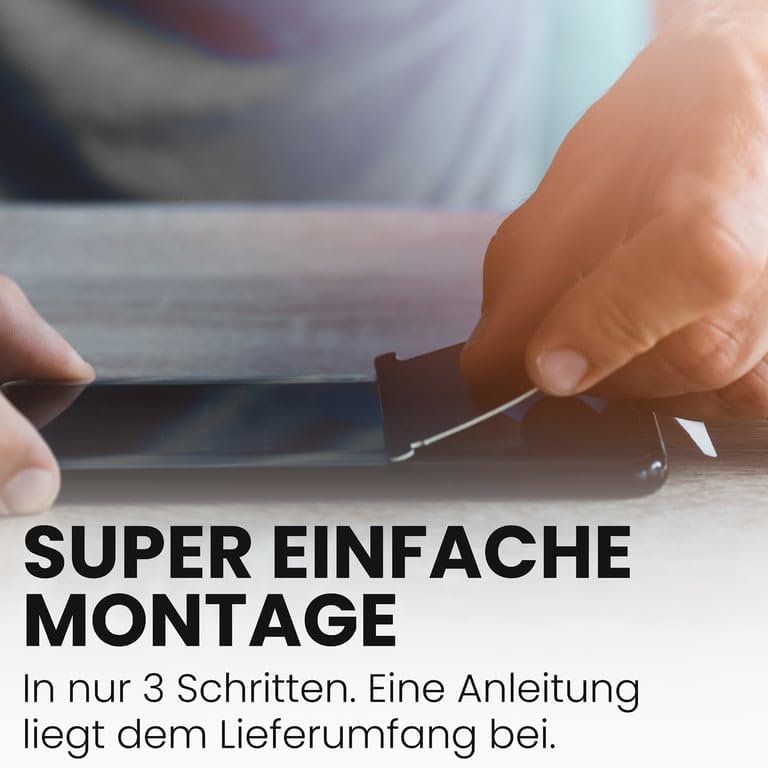
Image: A person's hands carefully applying the screen protector to a smartphone, demonstrating the alignment process.
4. Usage (Operating)
The Bruni Screen Protector is designed to integrate seamlessly with your Senwa Fusion S319T, ensuring full functionality and an uncompromised user experience.
Touch Sensitivity:
The film is optimized for touch displays, providing lightning-fast, highly sensitive, and precise touch response. You should experience no degradation in touch accuracy or responsiveness after installation.

Image: A finger interacting with a smartphone screen, illustrating the responsive touch experience with the screen protector.
Display Clarity:
The crystal clear nature of the protective film ensures an unadulterated display of screen contents. Colors remain vibrant and true, with no attenuation or distortion.

Image: A smartphone screen displaying a colorful floral image, demonstrating the clear and true color reproduction through the screen protector.
5. Care and Maintenance
To ensure the longevity and optimal performance of your Bruni Screen Protector, follow these simple care guidelines:
- Cleaning: Use the provided microfiber cloth or a similar soft, lint-free cloth to gently wipe the screen protector. For stubborn smudges, slightly dampen the cloth with water or a screen-safe cleaning solution. Avoid harsh chemicals or abrasive materials.
- Avoid Sharp Objects: While the protector is scratch-resistant, extreme pressure from sharp objects can still cause damage. Avoid placing your device face down on rough surfaces or in pockets with keys and coins.
- Temperature: Avoid exposing your device to extreme temperatures, as this can affect the adhesive properties of the screen protector over time.
- Removal: If you need to remove or reposition the protector, gently lift one corner and slowly peel it off. It is designed to be residue-free upon removal.
6. Troubleshooting
Here are solutions to common issues you might encounter during or after installation:
| Issue | Solution |
|---|---|
| Bubbles Under the Protector | Most small bubbles will disappear within 24-48 hours. For larger bubbles, gently lift the nearest edge of the protector and re-apply, using the mounting aid to push the air out towards the edge. Ensure the screen is clean before re-application. |
| Dust Particles Trapped | If dust is trapped, carefully lift the nearest edge of the protector. Use a piece of adhesive tape to gently dab the dust particle off both the screen and the adhesive side of the protector. Re-apply the protector. |
| Protector Not Sticking at Edges | Ensure the screen is thoroughly clean and free of oils or residue, especially near the edges. Press firmly along the edges after application. If the issue persists, the protector might be misaligned or the screen might have a slight curve not fully compatible with flat film protectors. |
| Reduced Touch Sensitivity | This is rare with Bruni protectors. Ensure the protector is applied smoothly without air gaps. If the issue persists, check your device's touch settings or consider re-applying the protector. |
7. Product Specifications
Detailed specifications for the Bruni Screen Protector compatible with Senwa Fusion S319T:
| Brand | Bruni |
| Compatible Devices | Senwa Fusion S319T |
| Material | Polyethylenterephthalat (PET) |
| Item Hardness | 4H |
| Finish Type | Glossy (Glänzend) |
| Screen Surface Description | Smooth (Glatt) |
| Product Dimensions | 1.26 x 0.91 x 0.5 inches (Packaging) / 1.3"L x 0.9"W (Film) |
| Item Weight | 0.176 ounces |
| Model Number | Bruni Basics-Clear 4052225358660 |
| Manufacturer | atFoliX GmbH |
| Country of Origin | Germany |
8. Warranty and Support
Warranty Information:
Bruni products are manufactured with high-quality standards. For specific warranty details regarding your screen protector, please refer to the information provided at the point of purchase or contact the manufacturer directly. Generally, screen protectors are consumable items, and warranty typically covers manufacturing defects rather than wear and tear or improper installation.
Customer Support:
Should you have any questions, require assistance with installation, or encounter any issues not covered in this manual, please contact Bruni customer support or the retailer from whom you purchased the product. Contact information can usually be found on the product packaging or the manufacturer's official website.
For more information about Bruni products and technology, you may visit their official channels.

Image: Bruni's commitment to protecting valuable devices, highlighting their expertise in screen protection since 2007.