
1. Introduction and Overview
The PROHEAR Electronic Shooting Earmuffs are designed to provide superior hearing protection while enhancing situational awareness. Featuring advanced noise reduction technology and sound amplification, these earmuffs are ideal for shooting, hunting, and other noisy environments. The integrated Bluetooth connectivity allows for seamless audio streaming and communication.
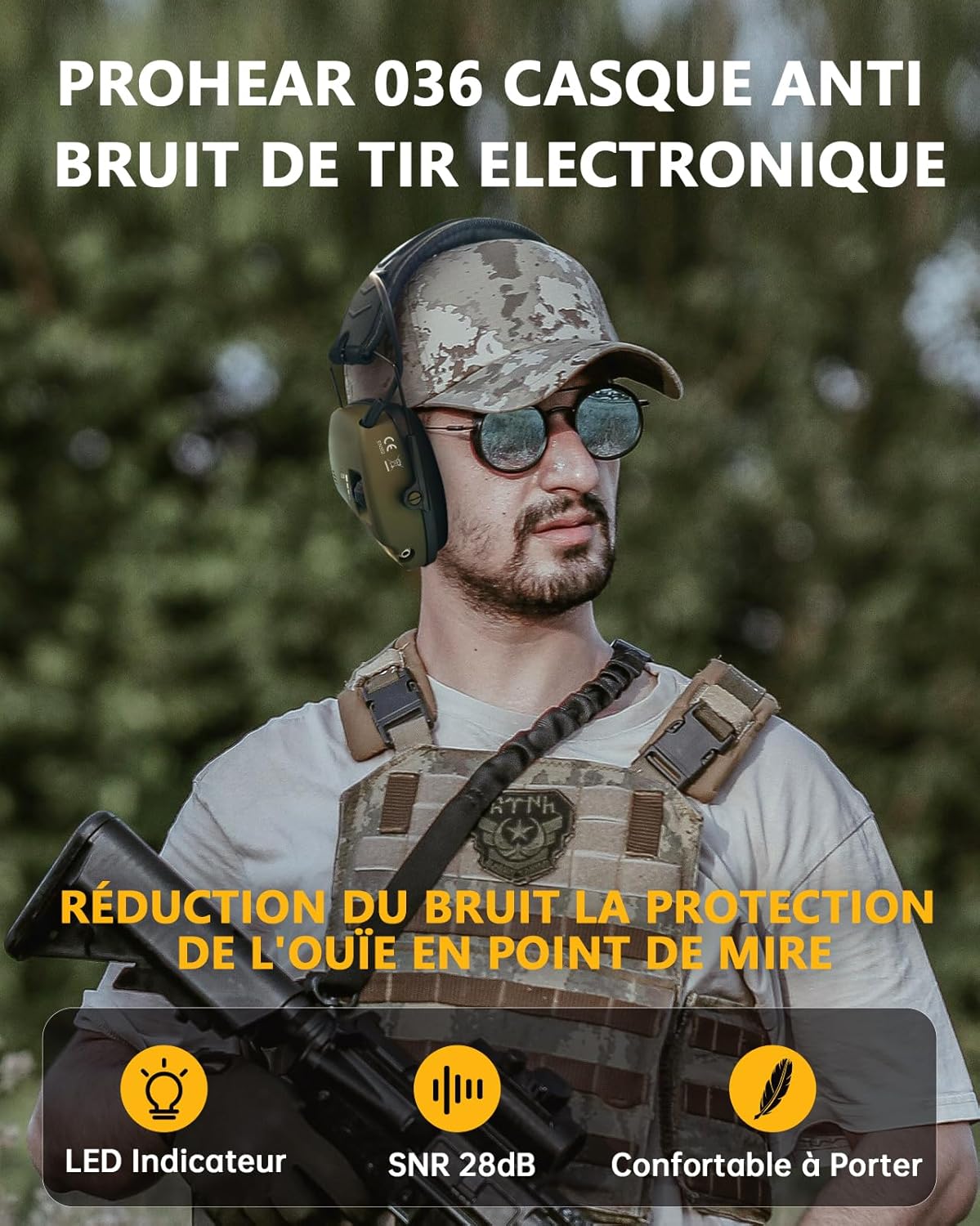
Image 1.1: User wearing PROHEAR electronic shooting earmuffs, demonstrating their use in a tactical environment. The earmuffs feature an LED indicator, SNR 28dB noise reduction, and are designed for comfortable wear.
Key Features:
- NRR 23dB / SNR 28dB Noise Reduction: Effectively blocks harmful impulse noise from firearms.
- Sound Amplification: Built-in omnidirectional microphones amplify ambient sounds below 82 dB, improving communication and awareness.
- Automatic Noise Cutoff: Sound amplification automatically deactivates when noise levels exceed 82 dB.
- Bluetooth Connectivity: For wireless audio streaming and communication.
- Comfortable Design: High-quality interchangeable silicone ear cushions and a padded, adjustable synthetic leather headband ensure extended comfort.
- Slim Profile Earcups: Designed with cutouts to prevent interference with firearm stocks.
- 3.5mm Audio Input: For connecting external audio devices.
- LED Indicators: Provide operational status feedback.
- Foldable and Portable: Compact design for easy storage and transport.
- Power Source: Operates on 2 AAA batteries (not included).
2. Safety Information
Please read and understand all safety instructions before using this product. Improper use can result in hearing damage or other injuries.
- Always wear hearing protection in noisy environments, especially during shooting activities.
- Ensure the earmuffs fit snugly over your ears to achieve optimal noise reduction.
- Do not modify the earmuffs or attempt to repair them yourself. Contact customer service for assistance.
- Keep batteries out of reach of children. If swallowed, seek immediate medical attention.
- Remove batteries if the earmuffs will not be used for an extended period to prevent leakage.
- Clean ear cushions regularly and replace them when worn or damaged to maintain hygiene and effectiveness.
3. Package Contents
Verify that all items listed below are present in your package:
- 1 x PROHEAR Electronic Shooting Earmuffs
- 1 x Standard 3.5mm Stereo Audio Cable
- 1 x User Manual (English)
- 1 x Black Storage Bag
Note: 2 AAA batteries are required for operation and are not included in the package.
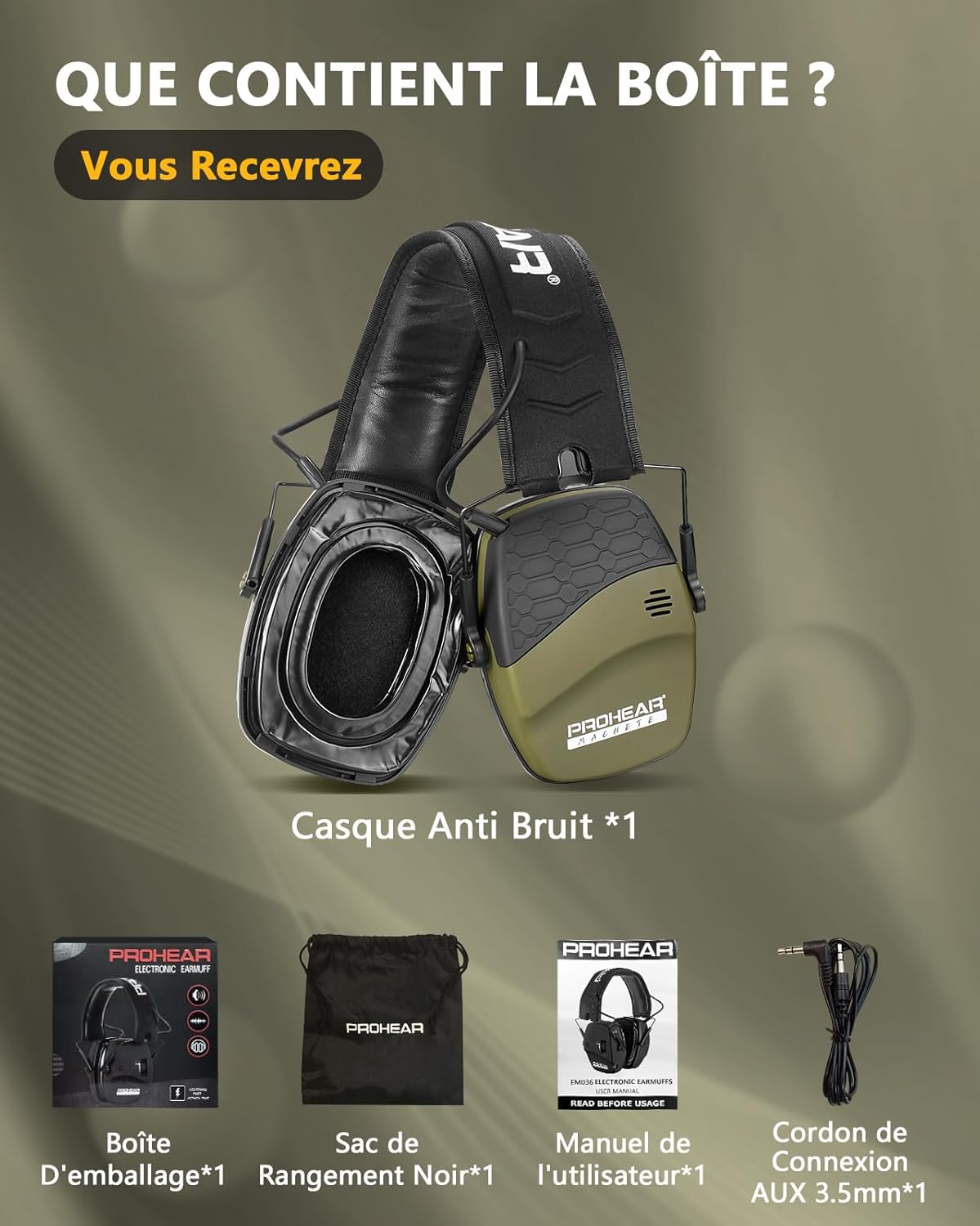
Image 3.1: Illustration of the package contents, including the earmuffs, packaging box, black storage bag, user manual, and 3.5mm AUX connection cable.
4. Setup
4.1 Battery Installation
- Locate the battery compartment on one of the earcup shells.
- Gently open the battery compartment cover.
- Insert 2 AAA batteries, ensuring correct polarity (+/-) as indicated inside the compartment.
- Close the battery compartment cover securely.
4.2 Adjusting the Headband
For optimal comfort and noise reduction, adjust the headband to fit your head snugly.
- Extend or retract the headband slides on each side until the earcups cover your ears completely and comfortably.
- Ensure the earmuffs create a tight seal around your ears without excessive pressure.
5. Operating Instructions
5.1 Power On/Off and Volume Control
- Locate the power/volume knob on the earcup.
- Rotate the knob clockwise to power on the earmuffs. An LED indicator may light up.
- Continue rotating the knob clockwise to increase the amplification volume of ambient sounds. Rotate counter-clockwise to decrease volume.
- To power off, rotate the knob counter-clockwise until it clicks off and the LED indicator turns off.

Image 5.1: User demonstrating the active noise reduction mode. The image highlights the LED indicator and volume control knob, illustrating how the earmuffs amplify low-intensity sounds while actively reducing noises above 82dB with a quick response time of 0.0005s.
5.2 Sound Amplification and Noise Reduction
The earmuffs feature intelligent sound processing:
- Amplification: Built-in microphones capture and amplify low-level ambient sounds (e.g., speech, animal movements) up to 5 times, as long as they are below 82 dB. This enhances communication and awareness in quiet moments.
- Noise Reduction: When sudden loud noises (e.g., gunshots) exceed 82 dB, the amplification system instantly shuts off, and the earmuffs provide passive noise reduction (NRR 23dB / SNR 28dB) to protect your hearing. This reaction time is approximately 0.0005 seconds.

Image 5.2: Visual explanation of the earmuffs' sound processing. It shows how ambient sounds below 82dB are amplified, while sounds above 82dB trigger an automatic deactivation of amplification and engage effective noise reduction.
5.3 Bluetooth Pairing (If Applicable)
If your model includes Bluetooth functionality:
- Ensure the earmuffs are powered on.
- Activate Bluetooth on your mobile device.
- Search for available devices and select "PROHEAR Earmuffs" (or similar name) from the list.
- Once paired, you can stream audio or make calls through the earmuffs.
5.4 Using the 3.5mm Audio Input
To connect an external audio device:
- Plug one end of the provided 3.5mm audio cable into the AUX input jack on the earcup.
- Plug the other end into the audio output of your external device (e.g., radio, MP3 player).
- Adjust the volume on your external device and the earmuffs as needed.

Image 5.3: A user wearing the earmuffs, illustrating key features such as the LED indicator, integrated microphone, 4-hour automatic shut-off, gel ear cushions, and the 3.5mm audio input jack. This image emphasizes the premium wearing experience, comfort, durability, and low power consumption.
6. Maintenance
6.1 Cleaning Ear Cushions
Regular cleaning helps maintain hygiene and comfort.
- Wipe the ear cushions with a damp cloth and mild soap as needed.
- Do not immerse the earmuffs in water or use harsh cleaning agents.
- Allow ear cushions to air dry completely before use.
6.2 Replacing Ear Cushions
Replace ear cushions when they show signs of wear, cracking, or reduced sealing effectiveness.
- Gently peel off the old ear cushions from the earcup.
- Align the new ear cushions with the earcup and press firmly around the edges until they are securely attached.
6.3 Battery Replacement
Replace batteries when the earmuffs no longer power on or the sound amplification becomes weak or distorted.
- Follow the battery installation steps in Section 4.1.
- Dispose of used batteries responsibly according to local regulations.
7. Troubleshooting
If you encounter issues with your PROHEAR Electronic Shooting Earmuffs, refer to the following common solutions:
| Problem | Possible Cause | Solution |
|---|---|---|
| No power/Earmuffs do not turn on | Dead or incorrectly installed batteries | Replace batteries with fresh AAA batteries, ensuring correct polarity. |
| No sound amplification | Volume too low; Batteries low; Microphones blocked | Increase volume. Replace batteries. Ensure microphones are clear of obstructions. |
| Poor noise reduction | Improper fit; Worn ear cushions | Adjust headband for a snug fit. Replace ear cushions if damaged or worn. |
| Bluetooth not pairing | Earmuffs not in pairing mode; Device Bluetooth off | Ensure earmuffs are on. Turn Bluetooth off/on on your device. Try re-pairing. |
| Distorted audio from AUX input | Cable issue; Device volume too high | Try a different 3.5mm cable. Adjust volume on both the earmuffs and the external device. |
If the problem persists after trying these solutions, please contact PROHEAR customer service for further assistance.
8. Specifications
- Noise Reduction Rating (NRR): 23 dB
- Signal-to-Noise Ratio (SNR): 28 dB
- Weight: 350 Grams
- Material Type: Faux leather, Silicone gel
- Power Source: 2 x AAA Batteries (not included)
- Audio Input: 3.5mm Stereo Jack
- Noise Control: Sound Isolation, Electronic Amplification/Reduction
- Automatic Shut-off: 4 hours (for power saving)
- Color: Green (vert une)
- Manufacturer: PROHEAR
- Country of Origin: China

Image 8.1: The lightweight (345g) and foldable design of the PROHEAR earmuffs, illustrating their compact nature for improved portability and storage.
9. Warranty and Support
PROHEAR is committed to providing high-quality products and customer satisfaction.
9.1 Warranty Information
Specific warranty details may vary by region. Please refer to the product packaging or the official PROHEAR website for the most current warranty policy.
9.2 Customer Support
If you have any questions, concerns, or require technical assistance with your PROHEAR Electronic Shooting Earmuffs, please do not hesitate to contact our customer service team. Our representatives are available to help you with product inquiries, troubleshooting, and warranty claims.
Contact information can typically be found on the PROHEAR official website or on the product packaging.


