
Introduction
Thank you for choosing the Deerma DEM-T30W Cordless Stick Vacuum Cleaner. This manual provides important information regarding the safe operation, maintenance, and troubleshooting of your new appliance. Please read it thoroughly before use and keep it for future reference.
Safety Information
- Read all instructions before using the appliance.
- This appliance is for household use only. Do not use outdoors or on wet surfaces.
- Do not allow children to operate the vacuum cleaner. Close supervision is necessary when used near children.
- Do not pick up flammable or combustible liquids, such as gasoline, or use in areas where they may be present.
- Do not pick up anything that is burning or smoking, such as cigarettes, matches, or hot ashes.
- Do not use without the dust cup and/or filters in place.
- Turn off the appliance before connecting or disconnecting the battery pack, or before performing any maintenance.
- Use only manufacturer-recommended attachments.
- Keep hair, loose clothing, fingers, and all parts of the body away from openings and moving parts.
- Store the appliance indoors in a cool, dry place.
Package Contents
Please check the contents of the box to ensure all items are present and in good condition:
- Deerma DEM-T30W Main Unit (Motor and Dustbin Assembly)
- Extension Wand
- Motorized Floor Brush
- Crevice Tool
- 2-in-1 Brush Tool
- Wall Mount / Charging Dock
- Power Adapter
- User Manual
Product Overview
Familiarize yourself with the main components of your Deerma DEM-T30W vacuum cleaner.
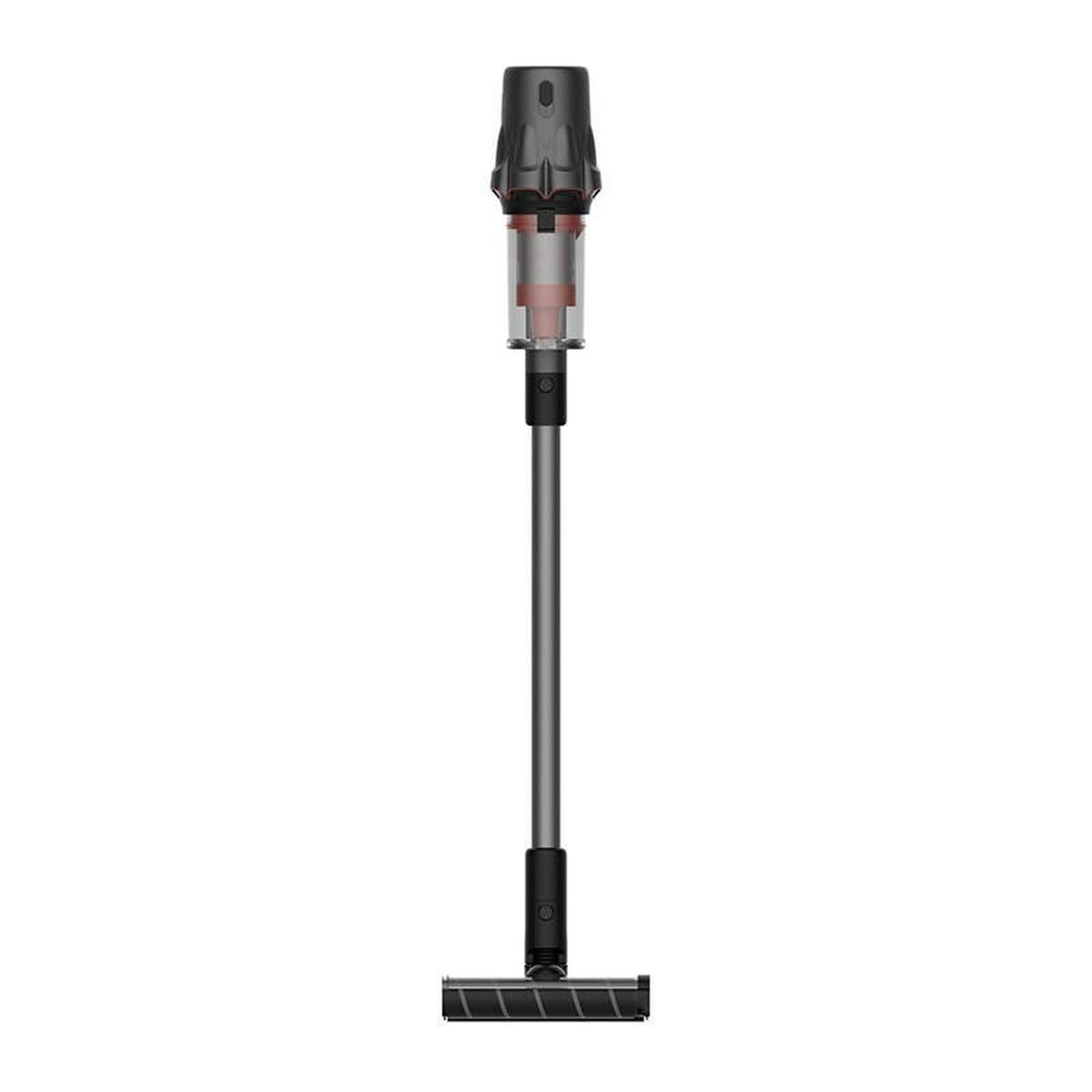
Image: The Deerma DEM-T30W Cordless Stick Vacuum Cleaner, showcasing its sleek design and main components. This image displays the main unit, extension wand, and floor brush assembled.
- Main Unit: Contains the motor, dustbin, and control panel.
- Dustbin: Collects dust and debris. Easily detachable for emptying.
- Filter System: Multi-stage filtration, including a cyclonic filter and washable HEPA filter.
- Extension Wand: Connects the main unit to the floor brush or other attachments for extended reach.
- Motorized Floor Brush: Equipped with a rotating brush bar for effective cleaning on various floor types.
- Battery Pack: Rechargeable lithium-ion battery, integrated into the main unit.
- Power Button: Turns the vacuum on/off.
- Mode Selector: Adjusts suction power (if applicable).
Setup
Assembly
- Attach the Extension Wand: Insert the top end of the extension wand into the main unit until it clicks securely into place.
- Attach the Floor Brush: Insert the bottom end of the extension wand into the motorized floor brush until it clicks securely.
- Install Accessories: For handheld use, attach the crevice tool or 2-in-1 brush tool directly to the main unit. For extended reach, attach them to the extension wand.
Charging the Battery
Before first use, fully charge the battery. The battery capacity is 2500 mAh.
- Connect the power adapter to the charging port on the main unit or the wall mount.
- Plug the power adapter into a wall outlet.
- The charging indicator lights will illuminate, showing the charging status.
- Once fully charged, the indicator lights will change (e.g., turn solid green or turn off). Unplug the charger.
Note: It is normal for the battery and charger to become slightly warm during charging.
Operating Instructions
Starting the Vacuum Cleaner
- Ensure the battery is sufficiently charged.
- Press the power button on the main unit to turn the vacuum cleaner on.
- The vacuum will start in standard suction mode.
Adjusting Suction Power
If your model supports multiple suction modes:
- Press the mode selector button (if available) to switch between different suction levels (e.g., Eco, Standard, Max).
- Use lower power for light cleaning and longer battery life, and higher power for stubborn dirt.
Using Attachments
- Motorized Floor Brush: Ideal for carpets and hard floors. The rotating brush helps lift embedded dirt.
- Crevice Tool: Perfect for narrow gaps, corners, and edges.
- 2-in-1 Brush Tool: Use the brush for delicate surfaces like upholstery or curtains, and the nozzle for general dusting.
Stopping the Vacuum Cleaner
Press the power button again to turn off the vacuum cleaner.
Maintenance
Regular maintenance ensures optimal performance and extends the lifespan of your vacuum cleaner.
Emptying the Dustbin
Empty the dustbin after each use or when the MAX fill line is reached.
- Ensure the vacuum cleaner is turned off.
- Press the dustbin release button to detach the dustbin from the main unit.
- Hold the dustbin over a trash can and press the bottom release latch to open the dustbin flap and empty its contents.
- Close the flap and reattach the dustbin to the main unit until it clicks.
Cleaning the Filters
Clean the filters regularly (e.g., monthly, or more often with heavy use) to maintain suction power. The filter type is Cyclon.
- Turn off the vacuum cleaner and detach the dustbin.
- Remove the filter assembly from the dustbin. This typically includes a mesh filter and a HEPA filter.
- Tap the filters gently over a trash can to remove loose dust.
- Rinse the filters under cold running water until the water runs clear. Do not use detergent.
- Allow the filters to air dry completely for at least 24 hours before reassembling. Do not use a hairdryer or other heating devices.
- Once completely dry, reassemble the filters and place them back into the dustbin, then reattach the dustbin to the main unit.
Cleaning the Brush Bar
Periodically check the motorized floor brush for tangled hair or debris.
- Turn off the vacuum cleaner and detach the floor brush.
- Locate the brush bar release mechanism (usually a latch or screw).
- Remove the brush bar.
- Use scissors or a cleaning tool to cut and remove any tangled hair or fibers.
- Reinsert the brush bar and secure it in place.
Troubleshooting
If you encounter issues with your vacuum cleaner, refer to the following common problems and solutions:
| Problem | Possible Cause | Solution |
|---|---|---|
| Vacuum does not turn on. | Battery is not charged. | Charge the battery fully. |
| Battery not properly installed. | Ensure the battery pack is securely clicked into place. | |
| Low suction power. | Dustbin is full. | Empty the dustbin. |
| Filters are clogged. | Clean or replace the filters. Ensure they are completely dry before reinstallation. | |
| Hose or nozzle is blocked. | Check for and remove any blockages in the extension wand, floor brush, or main unit intake. | |
| Brush bar not rotating. | Brush bar is tangled with hair or debris. | Clean the brush bar as described in the Maintenance section. |
| Floor brush attachment not properly connected. | Ensure the floor brush is securely attached to the extension wand. | |
| Short battery life. | Battery not fully charged. | Ensure the battery is fully charged before use. |
| Using Max power mode continuously. | Use standard or eco mode for longer run time. |
If the problem persists after trying these solutions, please contact Deerma customer support.
Specifications
| Feature | Specification |
|---|---|
| Model Number | DEM-T30W |
| Brand | Deerma |
| Power | 240 Watts |
| Voltage | 240 Volts |
| Battery Capacity | 2500 mAh |
| Noise Level | 82 Decibels |
| Dimensions (L x W x H) | 19.5 x 33 x 75 cm |
| Item Weight | 4.68 Kilograms |
| Filter Type | Cyclon |
| Surface Recommendation | Hard Floor, Carpet |
| Power Source | Battery Powered |
| Cordless | Yes |
Warranty and Support
Specific warranty details for the Deerma DEM-T30W are not provided in this manual. Please refer to the warranty card included with your product or visit the official Deerma website for detailed warranty information and terms and conditions.
For technical support, spare parts, or service inquiries, please contact Deerma customer service through their official channels. Have your model number (DEM-T30W) and purchase date ready when contacting support.


