
BKIFU WPF-20
User Manual: BKIFU WPF-20 Universal Refrigerator Thermostat
Model: WPF-20 | Brand: BKIFU
1. Introduction
This manual provides essential information for the safe and effective use of the BKIFU WPF-20 Universal Refrigerator Thermostat. The WPF-20 is designed to control the temperature in various cooling appliances, including refrigerators, freezers, display cabinets, congealers, and beverage coolers. It is a universal 2-pin thermostat compatible with models such as WPF-16, WPF-18, WPF-20, WPF-22, WPF-24, and WPF-30.
Please read this manual thoroughly before installation and operation to ensure proper function and to prevent potential hazards.

Image 1.1: The WPF-20 thermostat with its coiled capillary tube, highlighting its model number and electrical specifications.
2. Important Safety Information
WARNING: This product operates with AC 220V-250V electrical current. Improper installation or handling can result in electric shock, fire, or personal injury. Always observe the following safety precautions:
- Disconnect Power: Always ensure the appliance's power supply is completely disconnected before attempting any installation, maintenance, or repair.
- Professional Installation Recommended: Due to the electrical nature of this component, installation by a qualified technician is strongly recommended.
- Voltage Compatibility: Verify that the thermostat's voltage rating (AC 220V-250V) matches your appliance's requirements.
- Avoid Moisture: Do not expose the thermostat to water or excessive moisture.
- Secure Connections: Ensure all electrical connections are secure and properly insulated to prevent short circuits.
- Handle with Care: The capillary tube is delicate. Avoid bending it sharply or damaging it, as this can affect thermostat performance.
3. Product Overview
The BKIFU WPF-20 is a universal 2-pin refrigerator thermostat designed for precise temperature control. It features a robust metal and plastic construction, with a silver-tone finish. The thermostat includes a temperature sensing probe (capillary tube) that monitors the internal temperature of the appliance and activates/deactivates the compressor to maintain the desired setting.

Image 3.1: Front view of the WPF-20 universal refrigerator thermostat, showing its metal casing, control shaft, and electrical terminals.
Key Components:
- Control Shaft: Used for adjusting the temperature setting.
- Electrical Terminals: For connecting to the appliance's wiring.
- Capillary Tube (Temperature Probe): Senses the temperature within the cooling compartment.
- Mounting Bracket: For securing the thermostat in place.

Image 3.2: Close-up view of the WPF-20 thermostat, detailing the control shaft and mounting bracket.

Image 3.3: Bottom view of the WPF-20 thermostat, showing the electrical connection pins and the capillary tube entry point.
4. Specifications
| Feature | Specification |
|---|---|
| Model | WPF-20 |
| Voltage Rating | AC 220V-250V 6A |
| Frequency | 50/60HZ |
| Main Material | Metal, Plastic |
| Color | Silver Tone |
| Adjustable Temperature Range | 26.5°F to -4°F (-3°C to -20°C) |
| Warm In Temperature | +12.5 Celsius Degree |
| Cold In Temperature | +5 Celsius Degree |
| Cold Out Temperature | +1.5 Celsius Degree |
| Temperature Probe Length | 27.5 inches (70 cm) |
| Package Dimensions | 3.35 x 3.27 x 1.61 inches |
| Item Weight | 2.08 ounces |
| Compatibility | WPF-16, WPF-18, WPF-20, WPF-22, WPF-24, WPF-30 and others |
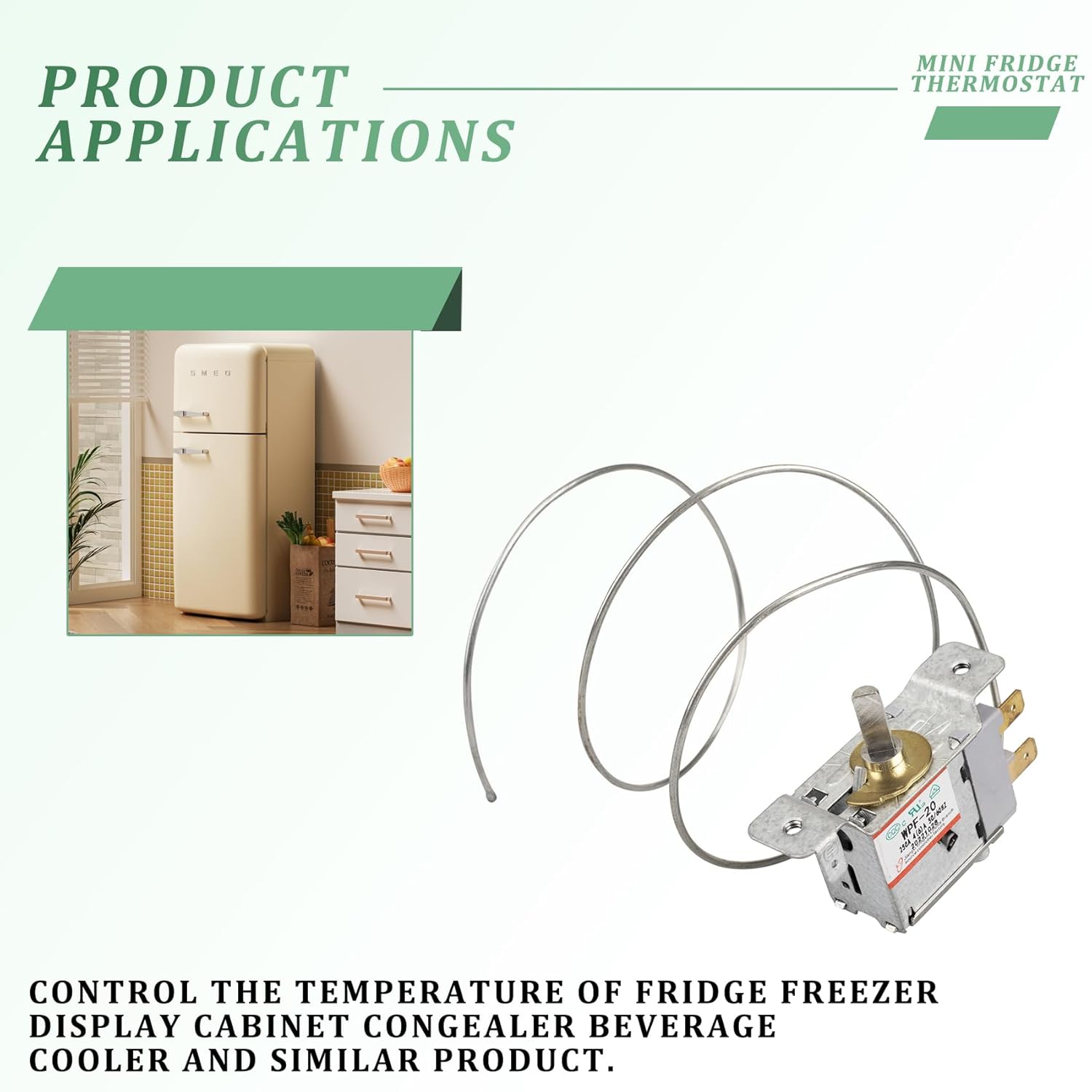
Image 4.1: Diagram illustrating the dimensions of the WPF-20 thermostat, including its length, width, and probe length.
5. Setup and Installation
WARNING: Ensure the appliance is unplugged and power is completely off before beginning installation. If you are not comfortable working with electrical components, consult a qualified technician.
General Installation Steps:
- Access the Old Thermostat: Locate the existing thermostat in your refrigerator or freezer. This usually involves removing a control panel or access cover.
- Document Wiring: Carefully note or photograph the wiring connections to the old thermostat. This is crucial for correct re-connection.
- Remove Old Thermostat: Disconnect the wires and carefully remove the old thermostat and its capillary tube. The capillary tube is often routed along the evaporator coils or inside the appliance wall.
- Install New Thermostat: Mount the new WPF-20 thermostat in the same location as the old one, using the existing mounting points.
- Route Capillary Tube: Carefully route the new capillary tube in the same path as the old one. Avoid sharp bends or kinks. Ensure the probe tip is positioned correctly to accurately sense the temperature.
- Connect Wiring: Reconnect the electrical wires to the WPF-20 thermostat's terminals according to your documented wiring scheme. Ensure connections are tight and secure.
- Secure Covers: Replace any control panels or access covers removed during installation.
- Restore Power: Plug the appliance back in and restore power.
The WPF-20 is designed for universal use, making it suitable for a variety of different brands and models. Its application extends to controlling the temperature of various cooling units.
Image 5.1: Illustrative image showing typical applications of a mini fridge thermostat in various cooling units.
6. Operating Instructions
Once installed, the WPF-20 thermostat controls the temperature of your appliance automatically. The primary operation involves setting the desired temperature.
Temperature Adjustment:
- The thermostat features an adjustable screw or knob (depending on the specific model's external interface) that allows you to set the temperature.
- Turning the screw/knob clockwise typically reduces the temperature (makes it colder).
- Turning the screw/knob counter-clockwise typically increases the temperature (makes it warmer).
- The adjustable temperature range is approximately 26.5°F to -4°F (-3°C to -20°C).
- Allow several hours for the appliance to stabilize at the new temperature setting after adjustment.

Image 6.1: Side view of the WPF-20 thermostat, indicating the temperature adjustment screw and the general range of temperature control.
7. Maintenance
The WPF-20 thermostat is designed for reliable operation with minimal maintenance. However, periodic checks can help ensure its longevity and proper function.
- Keep Dry: Ensure the thermostat and its electrical connections remain dry and free from condensation.
- Clean Connections: If accessible and with power disconnected, periodically check electrical terminals for corrosion or loose connections. Clean as necessary.
- Inspect Capillary Tube: Visually inspect the capillary tube for any signs of damage, kinks, or sharp bends. A damaged tube can lead to inaccurate temperature readings.
- Dust Removal: If the thermostat is in an area prone to dust accumulation, gently clean it with a soft, dry cloth to prevent buildup that could affect performance.
8. Troubleshooting
If your appliance is not cooling correctly after thermostat installation, consider the following common issues:
- Appliance Not Cooling:
- Check if the appliance is plugged in and receiving power.
- Verify that the thermostat's wires are securely connected.
- Ensure the temperature setting is not too high (warm).
- Inspect the capillary tube for damage or improper placement.
- Appliance Over-Cooling / Freezing:
- Check if the temperature setting is too low (cold). Adjust it to a warmer setting.
- Ensure the capillary tube is correctly positioned and not directly touching a cold plate or evaporator, which could cause it to sense a colder temperature than the ambient air.
- Compressor Short Cycling: If the compressor turns on and off too frequently, it might indicate an issue with the thermostat's calibration or placement of the capillary tube.
If troubleshooting steps do not resolve the issue, it is recommended to consult a qualified appliance repair technician. Do not attempt complex electrical repairs yourself unless you are qualified.
9. Warranty and Support
Specific warranty details for the BKIFU WPF-20 thermostat may vary depending on the retailer and region of purchase. Please refer to your purchase documentation or contact the seller directly for information regarding warranty coverage and claims.
For technical support or further inquiries, please contact the manufacturer or your point of purchase.
Related Documents - WPF-20
 |
DH48S-S-2Z Digital Cycle Timer Relay User Manual Comprehensive user manual for the DH48S-S-2Z Digital Cycle Timer Relay, detailing its product description, specifications, instructions for use, precautions, storage, maintenance, and warning information. |
 |
Major Tech MTD7 Digital Programmable Timer: User Guide and Features A comprehensive guide to the Major Tech MTD7 Digital Programmable Timer, detailing its safety features, technical specifications, setup procedures, programming options, and special functions for efficient time control. |
 |
Schaerer Coffee Soul C Utility Specifications and Requirements Detailed utility specifications for the Schaerer Coffee Soul C, including power, water supply, and access requirements, dimensions, and clearances. |
 |
Towel Warmer User Manual: Performance, Introduction, and Specifications Comprehensive user manual for the Towel Warmer, detailing performance characteristics, operating instructions, important attentions, and technical specifications for various models. |
 |
AQUASTRONG PSP200T Swimming Pool Pump Battery Replacement Guide Detailed steps for replacing the button battery (CR2032) in the AQUASTRONG PSP200T Swimming Pool Pump. Learn how to safely open the motor box, remove the old battery, and install a new one for optimal pump operation. |
 |
Family Heat User Manual - HEAT Warming Device Comprehensive user manual for the HEAT Family Heat warming device, covering product parts, usage instructions, maintenance, and troubleshooting. Learn how to safely operate your device. |
Ask a question about this manual
Ask about setup, troubleshooting, compatibility, parts, safety, or missing instructions. Manuals+ will review the question and use this page’s manual context to help answer it.