
1. Introduction
This manual provides essential information for the proper installation, operation, and maintenance of your SteFik Replacement Charger Base. This product is designed to be compatible with Roborock S5 Max, S6 Pure, and S6 MaxV robot vacuum cleaners, serving as a direct replacement for the original charging dock. Please read this manual thoroughly before use to ensure safe and efficient operation.
2. Safety Information
- Indoor Use Only: This charger base is designed for indoor use. Do not expose it to rain, moisture, or extreme temperatures.
- Read Manual: Always read the complete instruction manual before connecting or using the charger base.
- Power Source: Ensure the power outlet matches the voltage specifications indicated on the charger.
- Avoid Damage: Do not use the charger base if the power cord or plug is damaged. Do not attempt to disassemble or repair the unit yourself. Contact qualified service personnel.
- Children and Pets: Keep the charger base and its cable out of reach of children and pets to prevent accidents.
3. Package Contents
Verify that all items are present in your package:
- 1 x Charger Base
- 1 x EU Charger Cable
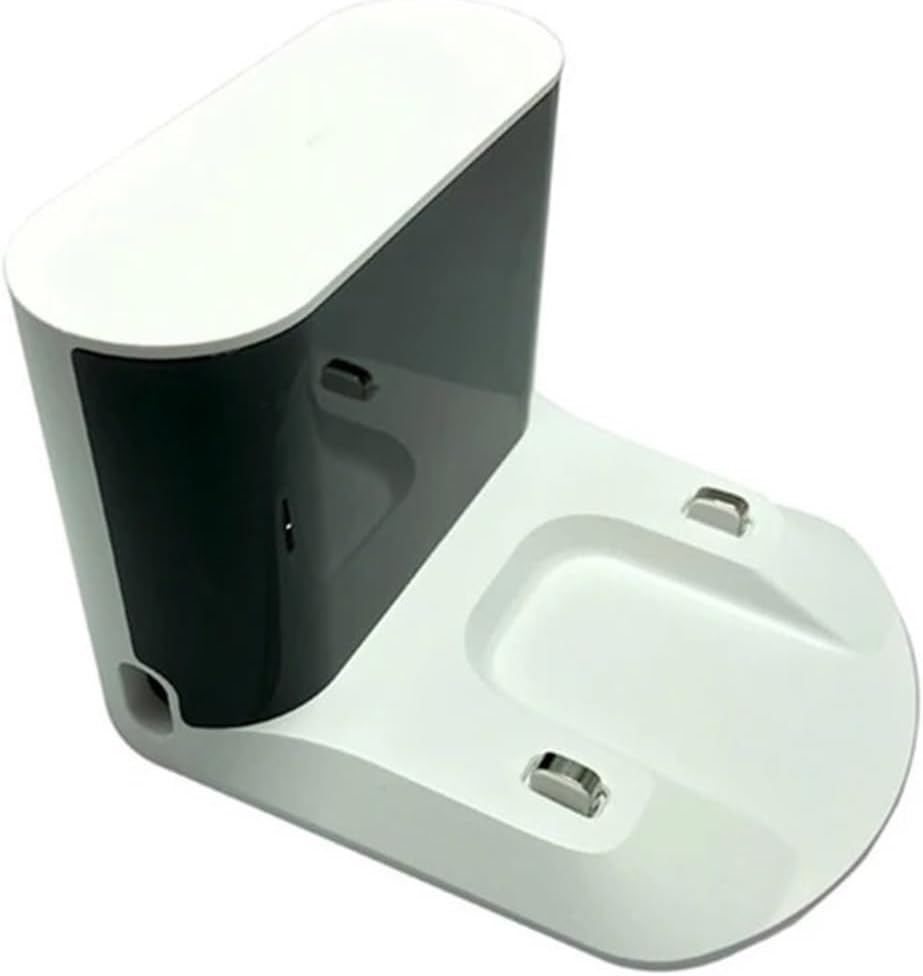
Image 3.1: Contents of the package, showing the charger base and the EU charger cable.
4. Setup
- Choose a Location: Select a flat, stable surface against a wall for the charger base. Ensure there is adequate clear space around the base (approximately 0.5 meters on both sides and 1.5 meters in front) for the robot vacuum to dock properly.
- Connect Power: Insert the EU charger cable into the power input port on the back of the charger base. Then, plug the other end of the charger cable into a suitable wall outlet.
- Indicator Light: Once connected to power, the indicator light on the charger base should illuminate, indicating it is ready for use.
- Position Robot Vacuum: Place your compatible Roborock robot vacuum onto the charging contacts of the base. Ensure the metal contacts on the vacuum align with the charging contacts on the base for a secure connection.

Image 4.1: Close-up view of the charging contacts on the base, where the robot vacuum connects.
5. Operating
The SteFik Replacement Charger Base functions automatically once properly set up.
- Automatic Charging: When the robot vacuum's battery is low, it will automatically return to the charger base to recharge.
- Manual Charging: You can also manually place the robot vacuum onto the charger base to initiate charging. Ensure the charging contacts are aligned.
- Charging Status: Refer to your robot vacuum's indicator lights or mobile application for its current charging status. The charger base itself typically has a simple power indicator.
6. Maintenance
Regular maintenance ensures optimal performance and longevity of your charger base.
- Cleaning: Periodically wipe the charger base and its charging contacts with a dry, soft cloth. Do not use wet cloths or harsh cleaning agents, as this can damage the electronics.
- Inspect Cable: Regularly check the power cable for any signs of damage, such as cuts, fraying, or kinks. If damage is found, discontinue use and replace the cable.
- Environment: Keep the area around the charger base clear of dust, debris, and obstructions that could interfere with the robot vacuum's docking or charging.
7. Troubleshooting
If you encounter issues with your charger base, refer to the following common problems and solutions:
- Robot Vacuum Not Charging:
- Ensure the charger base is properly plugged into a working power outlet.
- Verify that the power indicator light on the charger base is on.
- Clean the charging contacts on both the charger base and the robot vacuum with a dry cloth to remove any dust or debris.
- Ensure the robot vacuum is correctly docked and its charging contacts are aligned with the base's contacts.
- Charger Base Indicator Light Off:
- Check the power connection to the wall outlet and the charger base.
- Test the wall outlet with another device to confirm it is functional.
- Inspect the power cable for any damage.
- Robot Vacuum Cannot Find Base:
- Ensure the charger base is placed in an open area, away from obstacles that might block the robot vacuum's navigation.
- Confirm the charger base is powered on.
8. Specifications
| Feature | Specification |
|---|---|
| Product Name | Dock Charger |
| Product Model | CD210RR (as per label) / zhangmeifengf (internal model number) |
| Rated Input | 100-240VAC, 50-60Hz |
| Rated Power | 28W |
| Rated Output | 20VDC, 1.2A |
| Compatibility | Roborock S5 Max, S6 Pure, S6 MaxV |
| Package Dimensions | 1.18 x 0.79 x 0.39 inches |
| Item Weight | 1.76 ounces |

Image 8.1: Bottom label of the charger base, detailing product name, model, input/output ratings, and safety warnings.
9. Warranty and Support
For any questions, technical support, or warranty inquiries regarding your SteFik Replacement Charger Base, please contact your retailer or the manufacturer directly. Keep your purchase receipt as proof of purchase.
Contact Information: Please refer to your purchase documentation or the seller's information on the platform where the product was acquired for specific contact details.