
SteFik zhangmeifengf
SteFik Vacuum Docking Station User Manual
Comprehensive guide for your Roborock S7, S70, S75, S8 series vacuum cleaner docking station.
Product Overview
This document provides instructions for the SteFik Vacuum Docking Station, designed specifically for Roborock S7, S70, S75, and S8 series robotic vacuum cleaners. This docking station serves as a charging base and a home for your robotic vacuum.
Key features of this docking station include:
- Compatibility with Roborock S7, S70, S75, S8 robotic vacuums.
- Designed for efficient and stable charging.
- Integrated design for neat storage of the vacuum cleaner.
- Safety mechanisms including overcharge and short circuit protection.

Image: The SteFik Vacuum Docking Station in white, showcasing its compact design and the included power cord. This is the primary component for charging and housing your compatible Roborock vacuum.
Setup
Follow these steps to set up your new vacuum docking station:
- Choose a Location: Select a flat, stable surface against a wall with clear space around it. Ensure there are no obstacles within 1.5 meters (5 feet) in front of the dock and 0.5 meters (1.6 feet) on either side to allow the robot vacuum to easily return for charging.
- Connect Power: Plug the power adapter (if separate) into the docking station's power input port. Then, plug the power cord into a standard electrical outlet. Ensure the power cord is neatly tucked away to prevent entanglement.
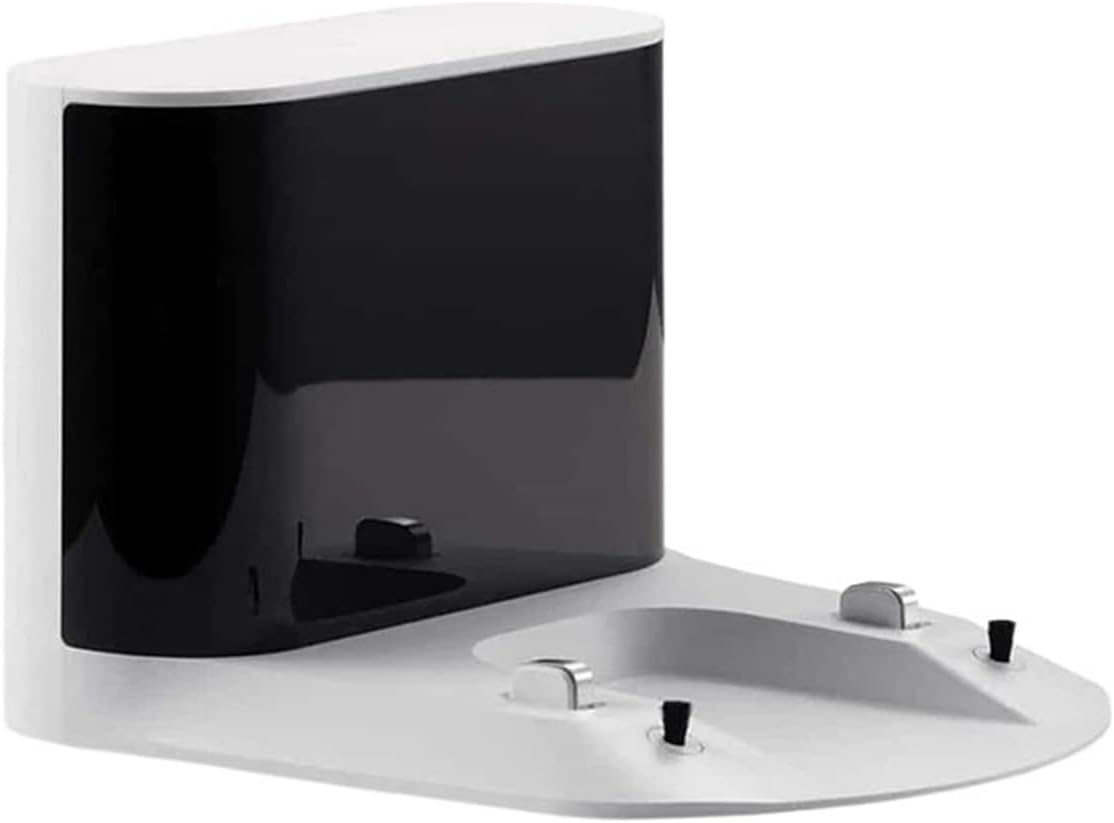
Image: An angled view of the white SteFik Vacuum Docking Station, highlighting its sleek design and the charging contact points. This view helps in understanding the physical layout for placement.
- Position the Dock: Place the docking station firmly against the wall. The station should not be moved frequently once set up.
- Initial Charging: Place your compatible Roborock S7/S8 series vacuum cleaner onto the docking station. Ensure the charging contacts on the vacuum align with those on the dock. The vacuum should indicate that it is charging. Allow for a full charge before initial use.

Image: A close-up view of the charging contacts and a small brush on the white docking station. This detail shows the precise points where the robot vacuum connects for charging and potential debris removal.
Operating the Docking Station
The SteFik Vacuum Docking Station operates automatically once properly set up with your Roborock vacuum cleaner.
- Automatic Return: Your Roborock vacuum cleaner is programmed to automatically return to the docking station when its battery is low or after completing a cleaning cycle.
- Charging Indicator: Refer to your Roborock vacuum cleaner's user manual for specific charging indicator lights or sounds, as the docking station itself does not have external indicators.
- Continuous Power: Keep the docking station plugged into a power outlet at all times to ensure the vacuum can charge whenever it returns.

Image: A direct front view of the black SteFik Vacuum Docking Station, showing the charging bay and contact points. This perspective is useful for understanding how the vacuum aligns with the dock.
Maintenance
Regular maintenance ensures optimal performance and longevity of your docking station.
- Cleaning the Charging Contacts: Periodically inspect the metal charging contacts on the docking station and on the robot vacuum. Use a clean, dry cloth to wipe away any dust or debris that may accumulate. Do not use water or cleaning solutions directly on the contacts.
- Cleaning the Docking Station: Wipe the exterior of the docking station with a soft, dry cloth. Avoid using abrasive cleaners or solvents.
- Power Cord Inspection: Regularly check the power cord for any signs of damage, fraying, or kinks. If any damage is found, discontinue use and contact the seller for assistance.
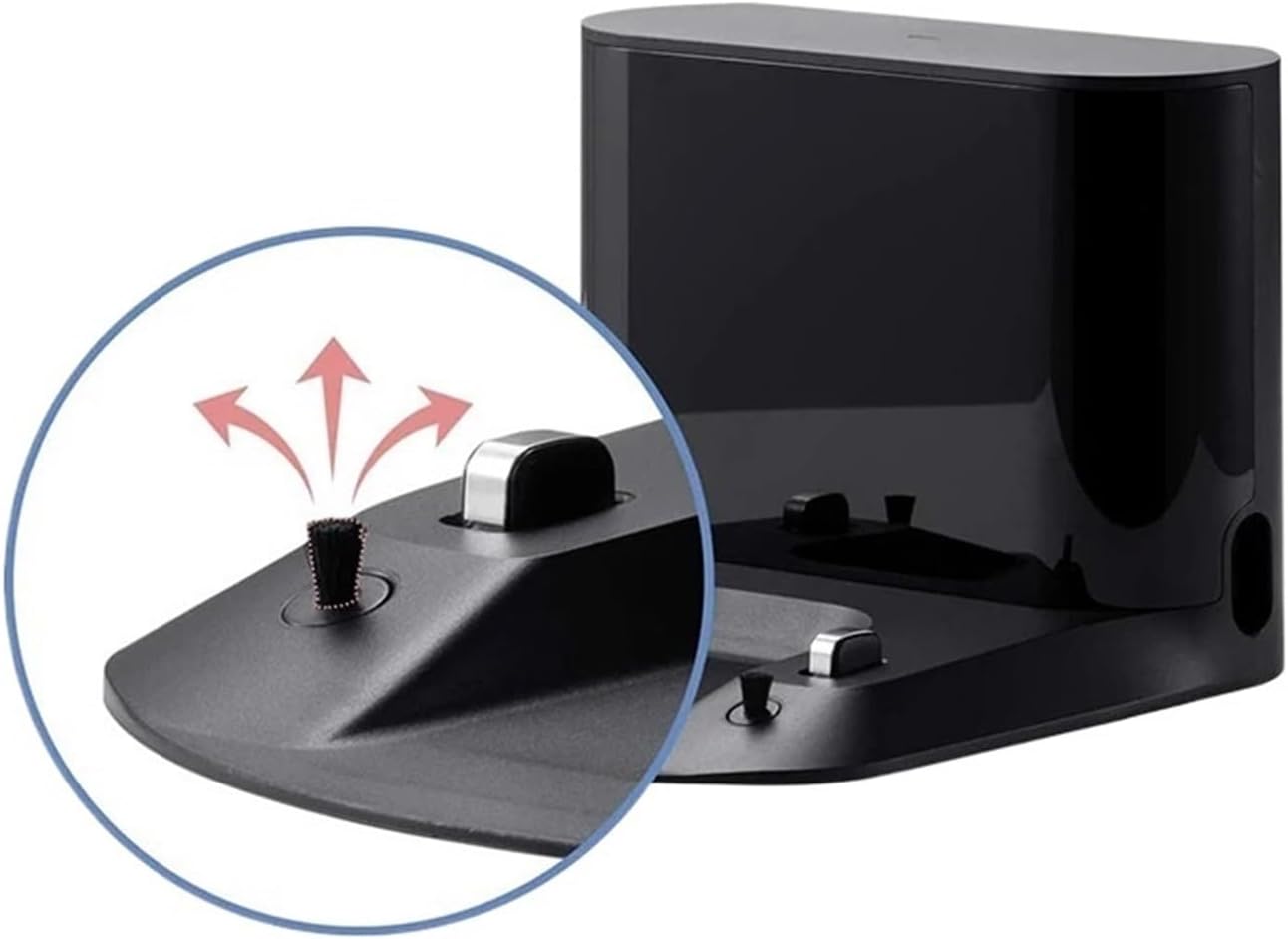
Image: A detailed close-up of the charging contacts and the small cleaning brush on the black version of the docking station. This highlights the areas that require periodic cleaning to ensure proper electrical connection.
Troubleshooting
If you encounter issues with your docking station, refer to the following common problems and solutions:
| Problem | Possible Cause | Solution |
|---|---|---|
| Robot vacuum not charging when docked. |
|
|
| Robot vacuum cannot find the docking station. |
|
|
| Docking station appears damaged. | Physical damage or wear. | Discontinue use immediately. Contact the seller or manufacturer for repair or replacement options. |
For further assistance, please refer to your Roborock vacuum cleaner's user manual or contact SteFik customer support.
Specifications
| Feature | Detail |
|---|---|
| Product Name | Vacuum Docking Station |
| Brand | SteFik |
| Model Compatibility | Roborock S7, S70, S75, S8 Robotic Vacuums |
| Rated Power | 28W |
| Rated Input | 100-240VAC |
| Rated Output | 20VDC 1.2A |
| Dimensions (Package) | 1.18 x 0.79 x 0.39 inches |
| Item Weight | 1.76 ounces |
| Assembly Required | No |
| Certifications | CE |
Warranty and Support
For warranty information, please refer to the documentation provided at the time of purchase or contact the seller directly. SteFik aims to provide high-quality products and customer satisfaction.
If you have any questions, require technical support, or need assistance with your SteFik Vacuum Docking Station, please contact the seller through the platform where the purchase was made. They are equipped to help you with any issues or inquiries.
Ask a question about this manual
Ask about setup, troubleshooting, compatibility, parts, safety, or missing instructions. Manuals+ will review the question and use this page’s manual context to help answer it.