
Introduction
The Weytoll Industrial Endoscope MCR5484619947013PG is a versatile inspection tool designed for various applications such as automotive inspection, pipe observation, air conditioning checks, and object retrieval. Featuring a 3.9mm lens, 6 adjustable LED lights, and a 4.3-inch 1080P LCD screen, it provides clear visuals in hard-to-reach areas. Its IP67 waterproof probe ensures reliable performance in wet environments. This manual provides essential information for safe and effective operation.

Image: The Weytoll Industrial Endoscope main unit with its flexible probe.
Product Overview
The Weytoll Industrial Endoscope is equipped with advanced features for detailed inspections. Key components include:
- Main Unit: Features a 4.3-inch 1080P LCD screen for real-time viewing and control buttons.
- Flexible Probe: A 3.9mm diameter lens with 6 adjustable LED lights, designed for navigating narrow spaces.
- IP67 Waterproof Rating: The camera probe is waterproof, allowing for use in wet or submerged environments.
- Rechargeable Battery: Built-in 2600mAh battery for portable operation.
- TF Card Slot: Supports external storage for capturing photos and videos (TF card not included).
- Attachments: Includes side-view mirror, hook, and magnet for enhanced functionality.

Image: Detailed view of the endoscope's 4.3-inch LCD screen, 1080P camera, and 6 LED lights.

Image: The endoscope's 2600mAh battery, TF card slot, USB charging port, and various attachments.
Setup
- Charge the Device: Connect the endoscope to a USB power source using the provided USB cable. The built-in 2600mAh battery needs to be fully charged before first use.
- Insert TF Card: If you intend to capture photos or record videos, insert a TF card (not included) into the designated TF card slot on the side of the main unit. Ensure the card is inserted correctly.
- Attach Probe: Securely connect the flexible camera probe to the main unit. Ensure a firm connection to prevent dislodging during operation.
- Attach Accessories (Optional): If needed, attach the side-view mirror, hook, or magnet to the camera probe tip for specific inspection tasks.

Image: Location of the TF card slot and USB charging port on the endoscope.
Operating Instructions
- Power On/Off: Press and hold the power button (usually marked with a power symbol) to turn the device on or off. The 4.3-inch LCD screen will illuminate.
- Adjust LED Brightness: Use the dedicated brightness adjustment buttons (often marked with sun icons or up/down arrows) to cycle through the 6 adjustable LED light levels. This helps illuminate dark inspection areas.
- View Live Feed: The camera's live feed will be displayed on the 4.3-inch 1080P LCD screen. Maneuver the flexible probe into the desired inspection area.
- Focusing: The endoscope has a fixed focus range of 40mm to 5000mm. Position the camera within this range for clear images.
- Capture Photos: Press the photo capture button (usually marked with a camera icon) to take a still image. The image will be saved to the inserted TF card.
- Record Videos: Press the video recording button (often marked with a video camera icon) to start recording. Press it again to stop recording. Videos will be saved to the TF card.
- Review Media: Use the menu navigation buttons to access the gallery or playback mode to review captured photos and videos.
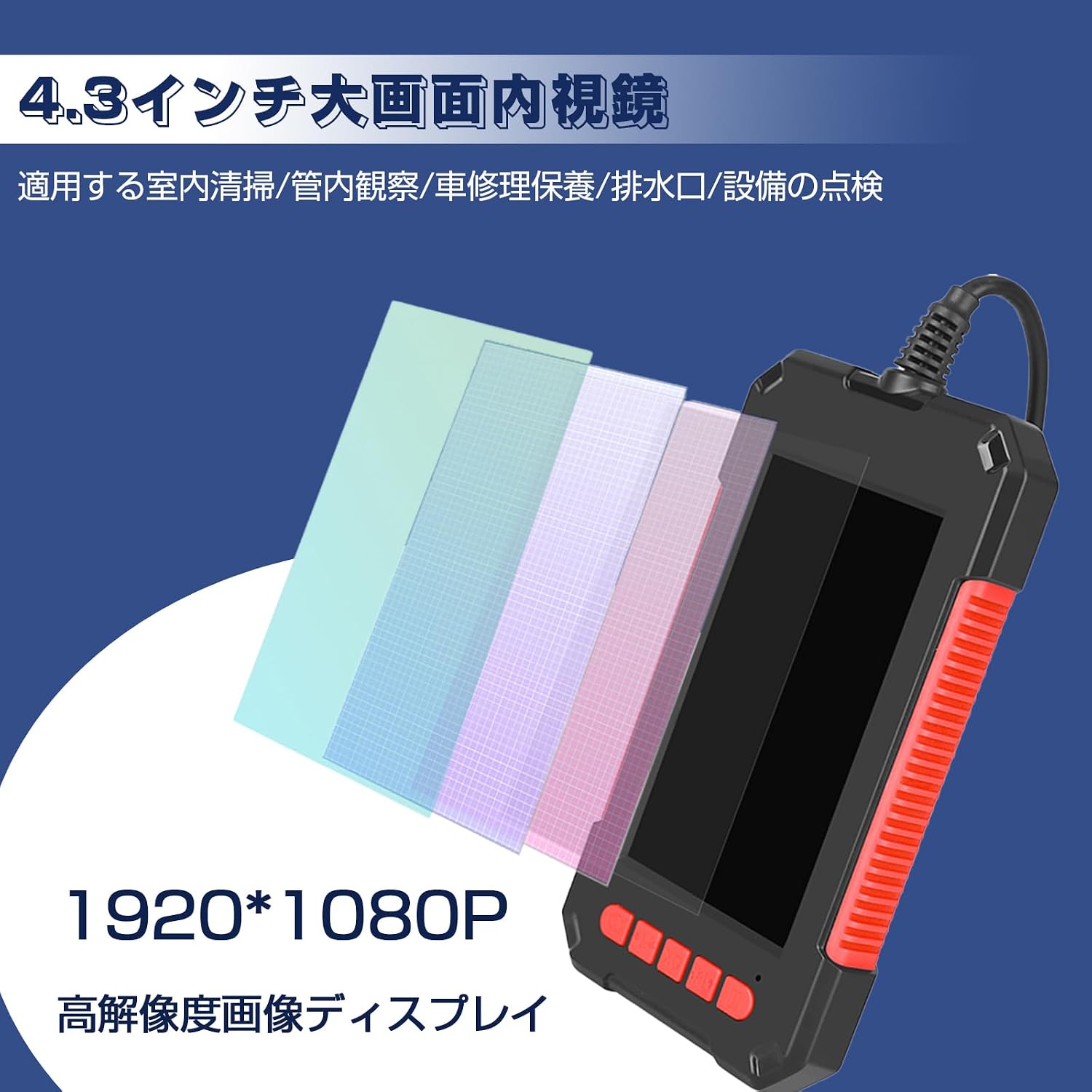
Image: Demonstration of the three adjustable LED brightness modes for optimal visibility.

Image: The 4.3-inch LCD screen showing a clear 1080P image during an inspection.
Maintenance
- Cleaning the Lens: After each use, especially in dirty or wet environments, gently wipe the camera lens with a soft, dry cloth. For stubborn dirt, use a lens cleaning solution.
- Cleaning the Probe: The IP67 waterproof probe can be cleaned with a damp cloth. Ensure it is completely dry before storage. Do not immerse the main unit in water.
- Battery Care: To prolong battery life, avoid fully discharging the battery frequently. Charge the device regularly, even if not in use for extended periods. Store in a cool, dry place.
- Storage: Store the endoscope and its accessories in a clean, dry place, away from extreme temperatures and direct sunlight.

Image: The IP67 waterproof camera probe being used in a wet environment.
Troubleshooting
| Problem | Possible Cause | Solution |
|---|---|---|
| Device does not power on | Low battery; Device not charged | Charge the device fully. Ensure the power button is pressed correctly. |
| Blurry image on screen | Lens is dirty; Object out of focus range | Clean the camera lens. Adjust the distance between the lens and the object (optimal focus 40mm-5000mm). |
| Cannot capture photos/videos | No TF card inserted; TF card full or corrupted | Insert a compatible TF card. Delete unnecessary files or format the TF card (backup data first). |
| LED lights not working | Brightness set to lowest; Malfunction | Increase LED brightness using the adjustment buttons. If issue persists, contact support. |
Specifications
| Feature | Detail |
|---|---|
| Model Number | MCR5484619947013PG |
| Lens Diameter | 3.9mm |
| Display Screen | 4.3-inch LCD |
| Camera Resolution | 1080P (1920 x 1080) |
| Field of View | 70 degrees |
| Light Source | 6 Adjustable LED Lights |
| Focus Distance | 40mm - 5000mm |
| Waterproof Rating | IP67 (for probe only) |
| Battery Capacity | 2600mAh (Rechargeable) |
| Storage | TF Card Slot (Max 32GB, card not included) |
| Cable Length | 2 meters |

Image: Dimensions of the Weytoll Industrial Endoscope main unit.

Image: Cross-section view of the endoscope cable construction.
Warranty and Support
This Weytoll product comes with a standard manufacturer's warranty. For detailed warranty information, product support, or service inquiries, please refer to the warranty card included with your purchase or visit the official Weytoll website. Please retain your proof of purchase for warranty claims.