
1. Introduction
This manual provides detailed instructions for the assembly, operation, and maintenance of your LITFAD Modern Computer Desk. Please read this manual thoroughly before assembly and use to ensure proper function and longevity of your product. This desk is designed for home office environments, offering a spacious work surface and integrated storage solutions.

Image 1.1: The LITFAD Modern Computer Desk, showcasing its brown wood finish, black sled base, and integrated storage.
2. Safety Information
WARNING: Assembly required. Handle all components with care.
- Always follow the assembly instructions provided to prevent injury or damage to the product.
- Use caution when handling heavy equipment or placing heavy loads on the desk. Ensure the desk is on a stable, level surface.
- Keep small parts and assembly tools out of reach of children.
- Do not stand or sit on the desk.
- Regularly check all fasteners to ensure they remain tight.
3. Setup and Assembly
The LITFAD Modern Computer Desk requires assembly. An assembly tool and instruction manual are included in the packaging. While the instructions are designed to be clear, careful attention to detail is recommended during the process.
3.1. Unpacking and Inventory
- Carefully unpack all components from the packaging.
- Lay out all parts on a clean, soft surface (e.g., a blanket or carpet) to prevent scratches.
- Refer to the included parts list in the separate instruction manual to verify all components are present and undamaged. If any parts are missing or damaged, contact customer support immediately.
3.2. Assembly Steps
Follow the step-by-step instructions provided in the separate assembly manual. It is advisable to have a second person assist with assembly, especially when handling larger or heavier components.
- Ensure all screws and fasteners are tightened securely, but do not overtighten to avoid damaging the wood.
- Pay close attention to the orientation of each piece as indicated in the diagrams.
- Once assembled, gently move the desk to its desired location. Avoid dragging the desk, as this can damage the sled base or floor.

Image 3.1: Dimensional view of the desk, indicating its length (55" / 140cm), width (23.5" / 60cm), and height (30" / 77cm).
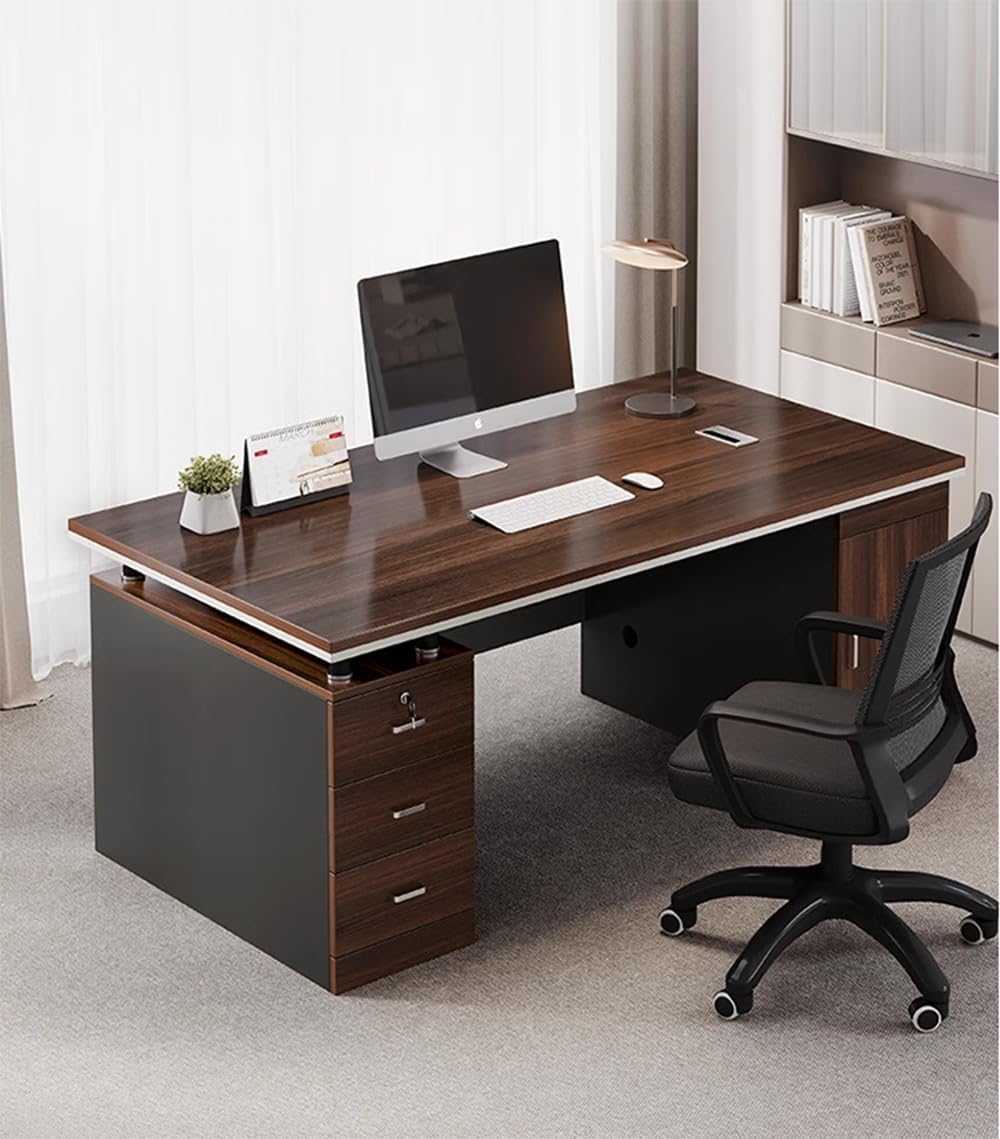
Image 3.2: Detail of the three drawers, highlighting the locking mechanism on the top drawer.
4. Operating Instructions
The LITFAD Modern Computer Desk is designed for functional use in a home office environment. Its features enhance organization and workflow.
4.1. Work Surface
The spacious 55"L x 24"W work surface accommodates various office essentials, including laptops, monitors, keyboards, and other accessories. Ensure even weight distribution to maintain stability.
4.2. Storage Drawers
The desk includes three drawers for organized storage. The top drawer features a locking mechanism for securing important documents or personal items. Use the provided key to lock and unlock this drawer.
4.3. Storage Cabinet
A large side cabinet provides additional storage space, suitable for larger items or a conventional computer tower. The cabinet door opens to reveal internal storage.
4.4. Wire Management
The desk is equipped with wire holes on the side of the cabinet to facilitate cable routing for electronic devices, helping to maintain a tidy workspace.

Image 4.1: Detail of the integrated wire hole for cable management.
5. Maintenance
Proper care and maintenance will extend the life and appearance of your LITFAD Office Desk.
- Cleaning: Wipe surfaces with a soft, damp cloth. Avoid harsh chemicals, abrasive cleaners, or excessive moisture, as these can damage the wood finish.
- Spills: Immediately wipe up any spills to prevent staining or water damage.
- Heat and Moisture: Protect the desk from direct sunlight, extreme temperatures, and high humidity. Use coasters under hot or cold beverages.
- Scratches: Use desk pads or placemats to protect the surface from scratches, especially when using sharp objects or heavy equipment.
- Fasteners: Periodically check all screws and bolts to ensure they are tight. Retighten as necessary to maintain structural integrity.
6. Troubleshooting
This section addresses common issues you might encounter with your desk.
- Desk Wobbles:
- Ensure the desk is placed on a level surface.
- Check all assembly screws and bolts. Tighten any loose fasteners.
- Drawers Stick or Don't Close Properly:
- Verify that the drawer slides are correctly installed and aligned.
- Ensure no objects are obstructing the drawer's path.
- Check if the desk itself is level.
- Locking Drawer Malfunction:
- Ensure the key is fully inserted and turned correctly.
- Avoid forcing the lock. If it's stiff, a small amount of graphite lubricant might help, but consult customer support first.
- Scratches or Dents:
- Minor scratches can sometimes be concealed with wood repair markers or furniture polish. For significant damage, professional repair may be necessary.
If you encounter issues not covered here, or if troubleshooting steps do not resolve the problem, please contact LITFAD customer support.
7. Specifications
| Feature | Detail |
|---|---|
| Brand | LITFAD |
| Model Number | LT1206939M |
| Overall Dimensions (L x W x H) | 55"L x 24"W x 30"H (140cm L x 60cm W x 77cm H) |
| Material | Wood (Environmentally friendly board, formaldehyde-free) |
| Color | Brown (Wood finish) |
| Style | Modern |
| Base Type | Sled Base |
| Number of Drawers | 3 (One locking drawer) |
| Number of Cabinets | 1 |
| Wire Management | Integrated wire holes |
| Assembly Required | Yes |
| Included Components | Assembly Tool, Instruction Manual |
8. Warranty and Support
8.1. Warranty Information
This LITFAD Office Desk comes with a Limited Warranty. For specific details regarding coverage, duration, and terms, please refer to the warranty card included with your product or contact LITFAD customer service.
8.2. Customer Support
LITFAD provides 24/7 customer service to assist you with any questions, concerns, or issues you may encounter with your product. If you require assistance with assembly, parts, or troubleshooting, please do not hesitate to contact us.
For further information or support, please visit the official LITFAD store on Amazon: LITFAD Store.