
Introduction
Thank you for choosing the AODK Computer Desk. This manual provides essential information for the assembly, operation, and maintenance of your new 55-inch Vintage computer desk. Designed for home office and study environments, this desk features integrated power outlets, LED lighting, a pull-out keyboard tray, and versatile storage solutions including a fabric file cabinet and printer shelf. Please read these instructions carefully before beginning assembly or use to ensure proper function and longevity of your product.
Important Safety Information
For your safety and to prevent damage to the product, please adhere to the following guidelines:
- Always follow the assembly instructions carefully.
- Keep electrical components away from water and do not overload USB ports.
- Always unplug the desk when not in use or when leaving the room.
- Ensure all connections are secure before use.
- Do not place excessively heavy items on the desk or shelves beyond the stated weight capacity.
- Keep small parts and packaging materials away from children.
Package Contents
Before assembly, verify that all components are present and undamaged. If any parts are missing or damaged, please contact customer support.
- Desk Panels (Main desktop, monitor stand, side shelves)
- Metal Frame Components
- Pull-out Keyboard Tray and Rails
- Fabric File Cabinet and Drawer
- Movable PC Stand
- Integrated Power Outlet Unit (3 AC outlets, 2 USB ports)
- LED Light Strip with Controller
- Assembly Hardware (Screws, bolts, nuts, Allen wrench, etc.)
- Instruction Manual (this document)
Setup and Assembly
The AODK Computer Desk is designed for straightforward assembly. All parts are clearly labeled, and detailed instructions are provided in the separate assembly guide included with your package. It is recommended that two people assemble the desk for ease and safety.
- Unpack and Identify Parts: Lay out all components and hardware. Refer to the parts list in the assembly guide to ensure everything is present.
- Follow Step-by-Step Instructions: Adhere strictly to the numbered steps in the assembly guide. Do not overtighten screws until instructed.
- Reversible Design: The desk features a reversible design, allowing you to configure the side storage unit (file cabinet and printer shelf) on either the left or right side of the main desk. Plan your desired orientation before starting assembly.
- Secure Connections: Ensure all screws and fasteners are tightened securely once assembly is complete.

Figure 1: The reversible design allows for flexible placement of the storage unit.

Figure 2: Desk dimensions and key components.
Operating Instructions
1. USB Ports & Power Outlets
The desk features an integrated power center with 3 AC outlets (120V/12A) and 2 USB ports (5V/2A). This allows for convenient charging of your electronic devices directly from your workspace. To use, simply plug the desk's main power cord into a standard wall outlet. Then, connect your devices to the available AC or USB ports.
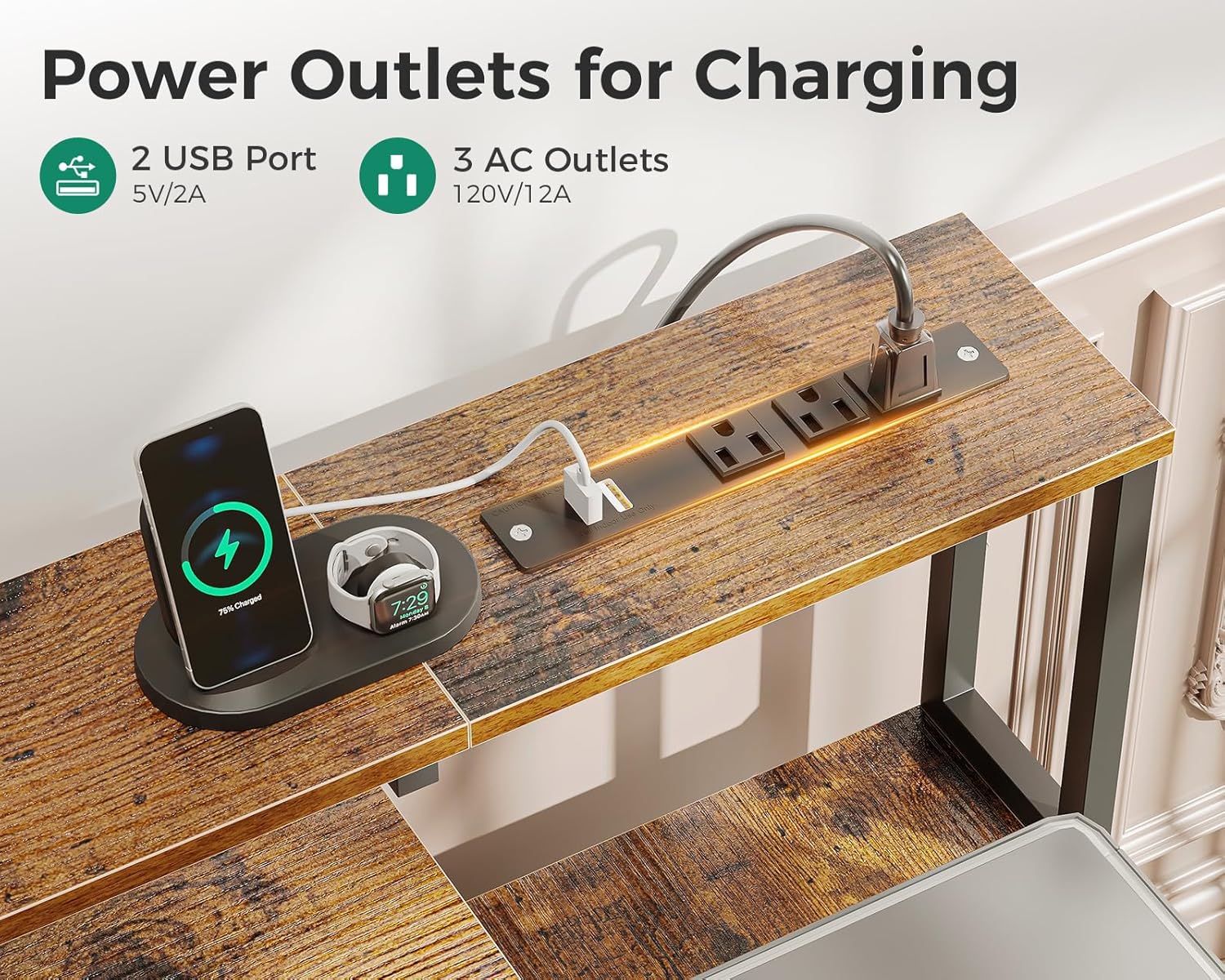
Figure 3: Integrated power outlets and USB ports.
2. Pull-out Keyboard Tray
The smooth-sliding pull-out keyboard tray is designed to enhance typing comfort and save desktop space. It can accommodate both full-size 108-key and 87-key keyboards, with additional space for a mouse. Simply pull the tray outwards to use and push it back in when not needed. A baffle is included to prevent the keyboard from slipping out.

Figure 4: Pull-out keyboard tray in use.
3. Fabric File Cabinet and Printer Shelf
The desk includes a fabric file cabinet suitable for letter, A4, and legal-sized files, along with an additional fabric drawer. These drawers are pre-assembled, easy to clean, and provide private storage for your documents and office supplies. The side shelf above the file cabinet is designed to hold most standard printers or can be used for additional office supplies, keeping them within easy reach.

Figure 5: Fabric file cabinet and printer shelf.
4. Colorful LED Lights
The integrated LED strip offers customizable lighting with 10 static colors, 6 brightness grades, and 10 dynamic modes. Use the included switching controls to adjust the lighting to your preference. Proper lighting can reduce eye strain, enhance focus, and create a comfortable ambiance for work or gaming.

Figure 6: LED lighting in action.
5. Full Monitor Stand
The desk includes a long monitor stand (5.9 inches high) that spans the length of the main desktop. This stand helps raise your monitor(s) to an ergonomic height, reducing neck and back strain. It also provides additional storage space underneath for small items or to keep your desktop tidy.
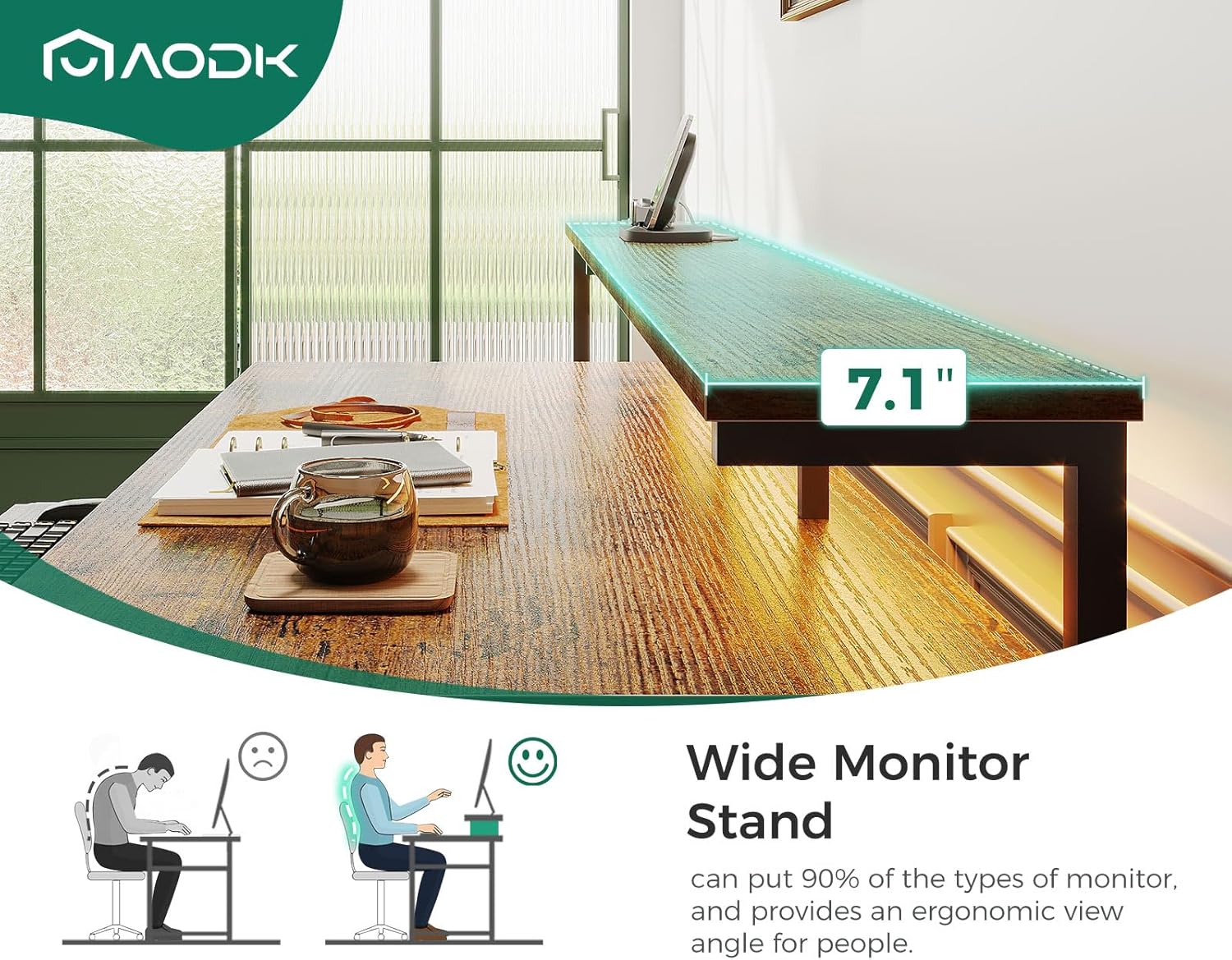
Figure 7: Ergonomic monitor stand.
6. Movable PC Stand
A separate movable PC stand is included to keep your computer tower off the floor, protecting it from dust and improving airflow. Its movable design allows you to position your PC wherever is most convenient for your setup.

Figure 8: Movable PC stand.
Maintenance
Regular maintenance will help preserve the appearance and functionality of your AODK Computer Desk.
- Cleaning: Wipe surfaces with a soft, damp cloth. Avoid harsh chemicals or abrasive cleaners, which can damage the finish. For the fabric drawers, spot clean with a mild detergent if necessary.
- Hardware: Periodically check all screws and fasteners to ensure they remain tight. Retighten as needed to maintain stability.
- Electrical Components: Keep the power outlets and USB ports clean and free of dust. Do not expose them to liquids.
- Avoid Direct Sunlight: Prolonged exposure to direct sunlight can cause fading or warping of the desk materials.
Troubleshooting
If you encounter any issues with your AODK Computer Desk, refer to the following common problems and solutions:
| Problem | Possible Cause | Solution |
|---|---|---|
| Desk is wobbly after assembly. | Loose fasteners or uneven floor. | Ensure all screws are fully tightened. Adjust leveling feet if present, or place shims under legs on uneven surfaces. |
| Power outlets/USB ports not working. | Desk not plugged in, circuit breaker tripped, or device issue. | Check if the desk's power cord is securely plugged into a working wall outlet. Check your home's circuit breaker. Test with a different device. |
| LED lights not illuminating or changing colors. | Loose connection, power issue, or controller malfunction. | Ensure the LED strip is properly connected to its power source and controller. Check the desk's main power supply. Refer to the LED light's specific instructions for troubleshooting its controller. |
| Keyboard tray does not slide smoothly. | Obstruction or misaligned rails. | Check for any debris in the rails. Ensure the rails are correctly installed and aligned according to the assembly instructions. |
If the problem persists or is not listed here, please contact AODK customer support for assistance.
Specifications
| Feature | Detail |
|---|---|
| Brand | AODK |
| Model | Vintage 55 Inch |
| Product Dimensions | 18.9"D x 55.3"W x 29.8"H |
| Color | Vintage |
| Style | Modern |
| Base Material | Metal |
| Finish Type | Powder Coated |
| Special Feature | Power Outlets, LED Lights, Keyboard Tray, File Cabinet, Printer Shelf, PC Stand, Reversible Design |
| Top Material Type | Engineered Wood |
| Number of Drawers | 1 (fabric file cabinet) |
| Number Of Shelves | 1 (printer shelf) |
| Tabletop Thickness | 0.75 Inches |
| Required Assembly | Yes |
| Recommended Number of People for Assembly | 2 |
| Power Outlet Specs | 3 AC Outlets (120V/12A), 2 USB Ports (5V/2A) |
| LED Light Features | 10 static colors, 6 brightness grades, 10 dynamic modes |
Warranty and Customer Support
AODK is committed to providing high-quality products and excellent customer service. While specific warranty details are not provided in this manual, AODK offers professional customer support to address any concerns you may have.
If your AODK desk arrives damaged, missing parts, or scratched, or if you encounter any issues during assembly or use, please do not hesitate to contact our customer support team. They are available to help you solve problems within 24 hours.
For support, please refer to the contact information provided on the product packaging or the seller's page where you purchased the item. You can also visit the official AODK store on Amazon for more information: AODK Amazon Store.
Official Product Videos
No official product videos from the seller were found to be embedded in this manual based on the provided data. Please refer to the product page for any available video content.


