
Introduction
This manual provides detailed instructions for the assembly, operation, maintenance, and troubleshooting of your AODK 55-inch Computer Desk. Designed for home office and gaming environments, this desk features integrated power outlets, vibrant LED lighting, a convenient pull-out keyboard tray, and a versatile reversible design. Please read this manual thoroughly before beginning assembly or use to ensure safe and proper operation.

Image: The AODK 55-inch Computer Desk, fully set up with monitors, a laptop, and various office accessories. The desk features a monitor stand, a pull-out keyboard tray, integrated power outlets, and LED lighting beneath the monitor stand. A PC tower sits on a movable stand, and a printer and file cabinet are located on the right side.
Setup and Assembly
Safety Precautions
- Always follow the assembly instructions carefully as provided in the packaging.
- Keep all electrical components, including the power strip and LED lights, away from water or excessive moisture.
- Do not overload the USB ports or AC outlets. Ensure total power draw does not exceed the specified limits.
- Consult a professional if you are unsure about any aspect of assembly or electrical connections.
- Ensure all screws and fasteners are securely tightened before use.
Unpacking and Component Check
Carefully unpack all components and lay them out on a clean, soft surface to prevent scratches. Verify that all parts listed in the included assembly guide are present and undamaged. If any parts are missing or damaged, contact AODK customer support immediately.
Assembly Instructions
The AODK Computer Desk is designed for straightforward assembly. Refer to the detailed step-by-step instructions and diagrams provided in the separate assembly manual included with your product. All parts are clearly labeled to assist with the process.
- Reversible Design: The desk's configuration, including the side cabinet and PC stand, can be assembled on either the left or right side to suit your space and preference. Follow the specific instructions in the manual for your desired orientation.
- Power Outlet Installation: Install the integrated power strip into the designated slot on the monitor stand. Ensure the power cord is routed safely and does not pose a tripping hazard.
- LED Light Strip Installation: Adhere the LED light strip to the underside of the monitor stand as indicated in the assembly guide. Connect it to the power source as instructed.

Image: A detailed diagram illustrating the dimensions of the AODK 55-inch Computer Desk, including the main desktop, monitor stand, keyboard tray, and the side cabinet with printer shelf and drawers. The image also highlights the reversible nature of the desk's configuration, allowing the side cabinet to be placed on either the left or right.

Image: Two AODK 55-inch Computer Desks are shown, one configured with the side cabinet on the right and the other with the side cabinet on the left, visually demonstrating the reversible design feature.
Operating Instructions
Integrated Power Outlets and USB Ports
The desk is equipped with a built-in power center featuring 3 standard AC outlets and 2 USB ports (5V/2A). Connect your devices directly to these outlets for convenient charging and power access. Ensure the desk's main power cord is plugged into a grounded wall outlet.

Image: A close-up view of the integrated power strip located on the monitor stand of the AODK desk. It clearly shows three AC power outlets and two USB charging ports. A smartphone is shown charging wirelessly on a pad, and a smartwatch is on a charging dock, both connected to the desk's power center.
Pull-out Keyboard Tray
The smooth-gliding pull-out keyboard tray provides an ergonomic space for your keyboard and mouse. It is designed to accommodate both full-size 108-key and compact 87-key keyboards, with additional space for a mouse. Gently pull the tray out for use and push it back in when not needed to save space.

Image: A close-up shot of the pull-out keyboard tray on the AODK desk, featuring a keyboard and mouse. An illustration points to a small baffle designed to prevent the keyboard from sliding off the tray.
Colorful LED Lights
The integrated LED light strip offers customizable ambient lighting for your workspace. Use the included controller to select from 10 static colors, adjust brightness across 6 grades, or choose from 10 dynamic modes to create your desired atmosphere. Proper lighting can help reduce eye strain and enhance focus.

Image: The AODK desk illuminated with blue LED lights, set up for gaming with a large monitor, laptop, and gaming console. The image also includes a graphic detailing 13 lighting modes and 7 color variations available for the LED strip.
Monitor Stand
The full-length monitor stand elevates your display to an optimal viewing height, helping to reduce neck and back strain. It provides ample space for multiple monitors or other desk accessories.
Fabric File Cabinet and Printer Shelf
Utilize the fabric file cabinet for organizing letter, A4, or legal-sized documents. The fabric drawer provides additional private storage for office supplies. Both are easy to clean. The dedicated side shelf is designed to accommodate most standard printers or can be used for other office equipment, keeping them within easy reach.

Image: A close-up view of the side cabinet of the AODK desk, highlighting its storage features. A printer is placed on the top shelf, a fabric drawer is visible beneath it, and a fabric file cabinet is at the bottom. Labels clearly identify each component: "Printer Stand," "Fabric Drawer," and "Fabric File Cabinet."
Movable CPU Stand
The desk includes a movable CPU stand, allowing you to position your computer tower conveniently on the floor while keeping it elevated for better airflow and protection from dust. Its mobility provides flexibility in arranging your workspace.
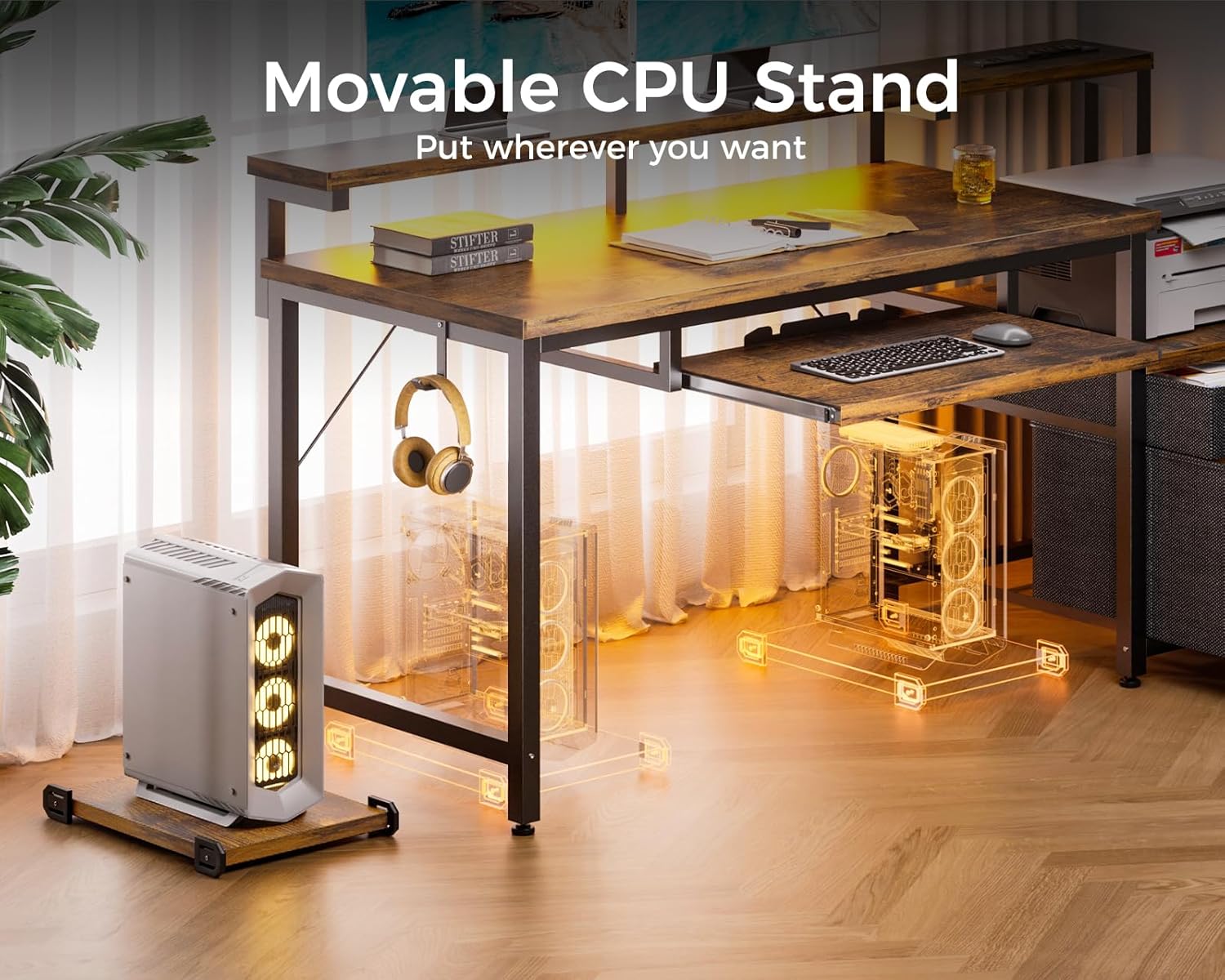
Image: A movable CPU stand is positioned next to the AODK desk, with a computer tower resting on it. The image highlights the stand's portability, indicating it can be placed anywhere in the workspace.
Maintenance
- Cleaning the Desk Surface: Wipe the desk surfaces with a soft, damp cloth. Avoid using harsh chemicals or abrasive cleaners, which can damage the finish.
- Fabric Drawers: The fabric drawers are designed to be easy to clean. Spot clean with a mild detergent and water, then air dry. Do not machine wash.
- Electrical Components: Ensure the power outlets and LED lights are kept dry. Periodically check the power cord for any signs of damage. Unplug the desk from the wall outlet before cleaning any electrical components.
- Tightening Fasteners: Periodically check all screws and fasteners to ensure they remain tight. Re-tighten as necessary to maintain the desk's stability.
Troubleshooting
| Problem | Possible Cause | Solution |
|---|---|---|
| Desk is wobbly or unstable. | Loose fasteners; uneven floor. | Check and tighten all screws and bolts. Ensure the desk is on a level surface. Adjust leveling feet if present. |
| LED lights are not working. | Power connection issue; faulty LED strip; controller malfunction. | Ensure the LED strip is properly connected to its power source and the desk is plugged in. Check the controller for battery issues if applicable. Contact support if the issue persists. |
| Power outlets/USB ports are not functioning. | Desk not plugged in; circuit breaker tripped; overloaded outlets. | Verify the desk's main power cord is securely plugged into a working wall outlet. Check your home's circuit breaker. Avoid overloading the outlets; distribute devices if possible. |
| Keyboard tray does not slide smoothly. | Obstruction in rails; dirty rails; misaligned installation. | Check for any debris in the sliding rails. Clean the rails. Ensure the tray was installed correctly according to the assembly manual. |
If you encounter a problem not listed here or if the suggested solutions do not resolve the issue, please contact AODK customer support for further assistance.
Specifications
| Feature | Detail |
|---|---|
| Brand | AODK |
| Model Number | B0CNVN7VDN |
| Product Dimensions (D x W x H) | 18.9"D x 55.3"W x 29.8"H |
| Monitor Stand Height | 5.9"H (above main desk surface) |
| Color | Black |
| Style | Modern |
| Base Material | Metal |
| Top Material Type | Engineered Wood |
| Finish Type | Powder Coated |
| Power Outlets | 3 AC Outlets (120V/12A) |
| USB Ports | 2 USB Ports (5V/2A) |
| LED Lights | RGB, 10 static colors, 6 brightness grades, 10 dynamic modes |
| Keyboard Tray | Pull-out, accommodates 108-key and 87-key keyboards |
| Storage | Fabric File Cabinet (Letter/A4/Legal), Fabric Drawer, Printer Shelf |
| Included Components | Keyboard Tray, Movable PC Stand |
| Assembly Required | Yes |
| UPC | 850056234832 |
Warranty Information
The AODK Computer Desk comes with a limited warranty. For specific details regarding the warranty period and coverage, please refer to the warranty card included in your product packaging or contact AODK customer support directly. This warranty typically covers manufacturing defects and material flaws under normal use.
Customer Support
For any questions, assistance with assembly, missing parts, or concerns regarding your AODK Computer Desk, please contact our professional customer support team. We are committed to helping you resolve any issues within 24 hours.
Contact Information:
- Please refer to the contact details provided in your product packaging or visit the official AODK website for the most current support information.
- For purchases made on Amazon, you may also contact the seller "AODK-US" directly through your Amazon order history.
When contacting support, please have your model number (B0CNVN7VDN) and purchase date ready to expedite assistance.

