
BENNING 2826055
BENNING Electrical Circuit Tester User Manual
Model: 05042101 / 2826055
1. Introduction
Thank you for choosing the BENNING Electrical Circuit Tester. This device is designed for precise and reliable electrical measurements, ensuring safety and accuracy in various applications. This manual provides essential information for the proper use, maintenance, and troubleshooting of your new circuit tester. Please read this manual thoroughly before operating the device and keep it for future reference.
2. Safety Information
Always adhere to the following safety precautions to prevent injury or damage to the device:
- Read all instructions: Before using the tester, read and understand all safety warnings and operating instructions.
- Qualified personnel: Only qualified and trained personnel should operate this device.
- Personal Protective Equipment (PPE): Always wear appropriate PPE, such as insulated gloves and safety glasses, when working with electrical circuits.
- Inspect the device: Before each use, inspect the tester and its accessories for any signs of damage. Do not use if damaged.
- Voltage limits: Do not exceed the maximum voltage ratings specified for the device.
- Live circuits: Exercise extreme caution when working on live circuits. Assume all circuits are live until proven otherwise.
- Battery safety: Ensure correct battery polarity and use only the specified battery type. Remove batteries if the device will not be used for an extended period.
- Environmental conditions: Do not use the device in wet or explosive atmospheres.
3. Package Contents
Upon unpacking, please verify that all items listed below are present and undamaged:
- BENNING Electrical Circuit Tester (Model 05042101 / 2826055)
- Test Leads (Red and Black)
- Alligator Clips
- USB Cable
- Carrying Bag
- AA Batteries (6 included)
- User Manual (This document)

Figure 3.1: The BENNING Electrical Circuit Tester shown with its complete set of accessories, including test leads, alligator clips, USB cable, and carrying bag.
4. Product Overview
The BENNING Electrical Circuit Tester is a robust and versatile device designed for comprehensive electrical testing. It features a clear display and intuitive controls for ease of use.

Figure 4.1: Front view of the BENNING Electrical Circuit Tester, highlighting the display and control buttons.
4.1 Key Components
- LCD Display: High-contrast screen for displaying measurement results and operational status.
- Function Buttons: Buttons for selecting measurement modes (e.g., RPE, Auto, VISO, NULL) and power control (ON/OFF).
- Input Terminals: Ports for connecting test leads.
- USB Port: For data transfer to a computer.
- Battery Compartment: Located on the rear for battery installation.
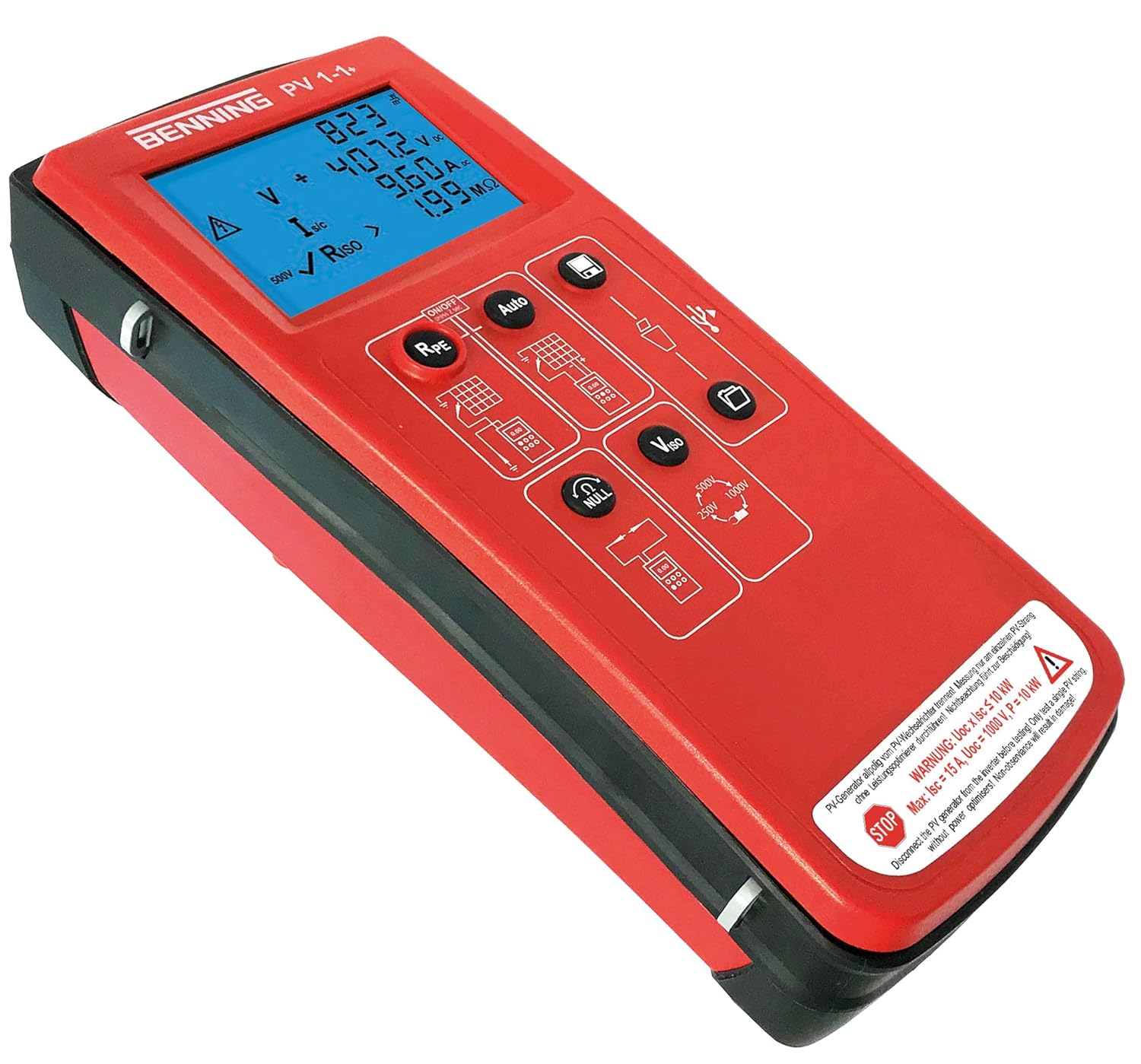
Figure 4.2: Angled view of the BENNING Electrical Circuit Tester, showing its ergonomic design and side profile.
5. Setup
5.1 Battery Installation
- Locate the battery compartment cover on the rear of the device.
- Use a suitable tool (e.g., screwdriver) to open the compartment.
- Insert 6 AA batteries, ensuring correct polarity as indicated inside the compartment.
- Replace the battery compartment cover and secure it firmly.
5.2 Connecting Test Leads
- Identify the red and black test leads.
- Connect the red test lead to the positive (+) input terminal on the tester.
- Connect the black test lead to the negative (-) input terminal on the tester.
- Ensure connections are secure before proceeding with any measurements.
6. Operating Instructions
6.1 Powering On/Off
- To power on the device, press the ON/OFF button. The display will illuminate.
- To power off the device, press and hold the ON/OFF button until the display turns off.
6.2 Measurement Modes
The BENNING Electrical Circuit Tester offers several measurement modes:
- RPE (Protective Earth Resistance): Used for measuring the resistance of protective earth conductors.
- Auto: Automatically detects the type of measurement required.
- VISO (Insulation Resistance): Measures insulation resistance at various test voltages (250V, 500V, 1000V).
- NULL: For nulling out lead resistance before measurements.
6.3 Performing a Measurement
- Power on the device.
- Select the desired measurement mode using the function buttons.
- Connect the test leads to the circuit or component to be measured, ensuring proper contact and safety.
- Read the measurement value displayed on the LCD screen.
- Disconnect the test leads after the measurement is complete.
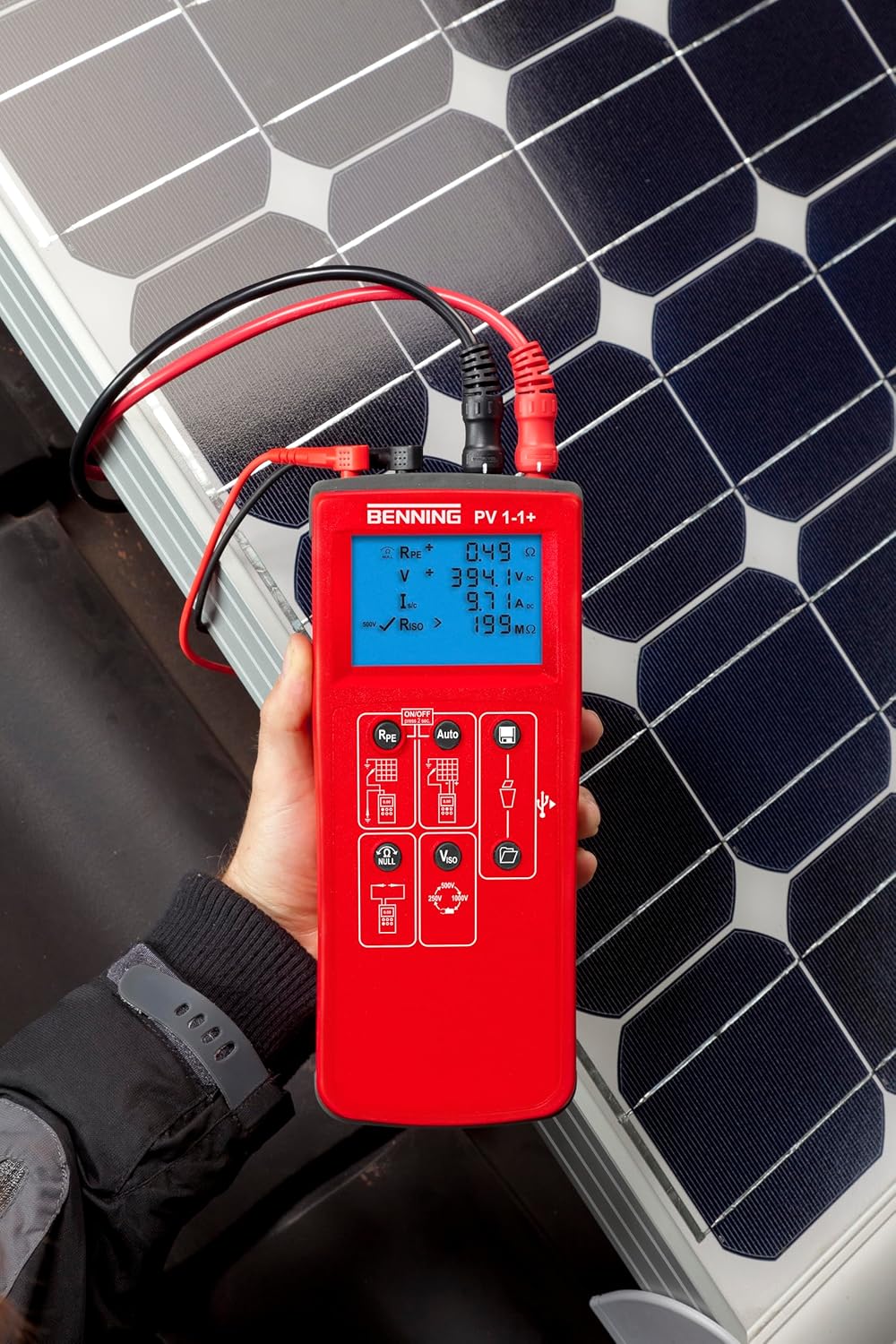
Figure 6.1: The circuit tester actively measuring parameters on a solar panel installation, demonstrating its application in renewable energy systems.

Figure 6.2: The device connected to electrical wiring, illustrating its use in checking circuit integrity and connections.

Figure 6.3: The circuit tester being used in conjunction with a clamp meter, showcasing its compatibility with other testing equipment for comprehensive diagnostics.
7. Maintenance
7.1 Cleaning
- Wipe the device with a soft, damp cloth. Do not use abrasive cleaners or solvents.
- Ensure the device is completely dry before storage or next use.
7.2 Storage
- Store the tester in a cool, dry place, away from direct sunlight and extreme temperatures.
- If storing for an extended period, remove the batteries to prevent leakage.
- Use the provided carrying bag to protect the device and its accessories.
8. Troubleshooting
| Problem | Possible Cause | Solution |
|---|---|---|
| Device does not power on. | Dead or incorrectly installed batteries. | Check battery polarity; replace batteries. |
| Inaccurate readings. | Poor test lead connection; incorrect mode selected; device malfunction. | Ensure leads are securely connected; select appropriate measurement mode; contact support if problem persists. |
| Display shows "OL" or "OVERLOAD". | Measurement exceeds device's range. | Disconnect from circuit; ensure voltage/current is within specified limits. |
9. Specifications
| Feature | Detail |
|---|---|
| Model Number | 05042101 / 2826055 |
| Brand | BENNING |
| Power Source | 6 x AA Batteries (included) |
| Product Dimensions | 18.7 x 12.99 x 12.99 inches |
| Item Weight | 1.2 Kilograms (2.65 Pounds) |
| Color | Multicoloured (Red/Black) |
| Style | Circuit Tester |
| First Available | January 5, 2024 |
10. Warranty and Support
For warranty information and technical support, please refer to the official BENNING website or contact their customer service directly. Keep your purchase receipt as proof of purchase for any warranty claims.
Manufacturer: Benning
Website: www.benning.de (Please check for regional websites)
Related documents2826055


Ask a question about this manual
Ask about setup, troubleshooting, compatibility, parts, safety, or missing instructions. Manuals+ will review the question and use this page’s manual context to help answer it.