
1. Introduction
This manual provides essential information for the safe and efficient operation of your TOPBULL MPPT Solar Charge Controller 40A. This device is designed to maximize energy harvest from solar panels and manage battery charging for 12V and 24V systems. It is suitable for various applications, including RVs, boats, and off-grid power systems.

Figure 1.1: Application scenarios for the TOPBULL MPPT Solar Charge Controller.
2. Product Features
- Innovative MPPT Technology: High tracking efficiency up to 99% and peak conversion efficiency of 98% for optimal solar energy utilization.
- Automatic System Voltage Recognition: Automatically detects 12V or 24V DC system voltage.
- Wide Battery Compatibility: Compatible with AGM, Sealed, Gel, Flooded, and Lithium batteries. Supports 0V charging for lithium battery activation.
- Comprehensive Electronic Protection: Includes safeguards against reverse polarity, battery overcharging, over-discharging, overload, short-circuiting, TVS lightning, overpower, overtemperature, and reverse current.
- LCD Display: Provides real-time information on solar charging, battery operation, customized parameters, and error codes.
- Efficient Heat Dissipation: Features a metal shell and dual high-speed smart fans for effective cooling.
- Temperature Compensation: Automatically adjusts charging and discharging parameters based on temperature to extend battery life.
- Dual USB Ports: Equipped with two USB ports for charging electronic devices.

Figure 2.1: Innovative MPPT technology and 4-stage charging process.

Figure 2.2: Key performance indicators and benefits of the MPPT controller.

Figure 2.3: Temperature compensation for optimized battery charging.

Figure 2.4: Internal components and quality features for proven performance.

Figure 2.5: Fast heat dissipation mechanism.
3. Safety Instructions
Please read all safety instructions carefully before installation and operation. Failure to follow these instructions may result in damage to the unit, personal injury, or property damage.
- Ensure correct polarity when connecting the solar panel, battery, and load to prevent damage.
- Install the controller in a well-ventilated area, away from flammable materials.
- Do not attempt to disassemble or repair the controller yourself. Contact qualified personnel for service.
- Protect the controller from direct sunlight, rain, and moisture.
- Ensure all connections are tight and secure to prevent loose contacts and overheating.
- The controller is designed for 12V/24V battery systems. Do not connect to other voltage systems.

Figure 3.1: Certified protection features of the controller.

Figure 3.2: Nine built-in charging protections for reliable operation.
4. Package Contents
Upon opening the package, please verify that all items are present and in good condition:
- TOPBULL MPPT Solar Charge Controller 40A
- User Manual
- Mounting Screws

Figure 4.1: Items included in the package.
5. Product Overview
The TOPBULL MPPT Solar Charge Controller features a robust design with an intuitive LCD display and control buttons for easy operation.
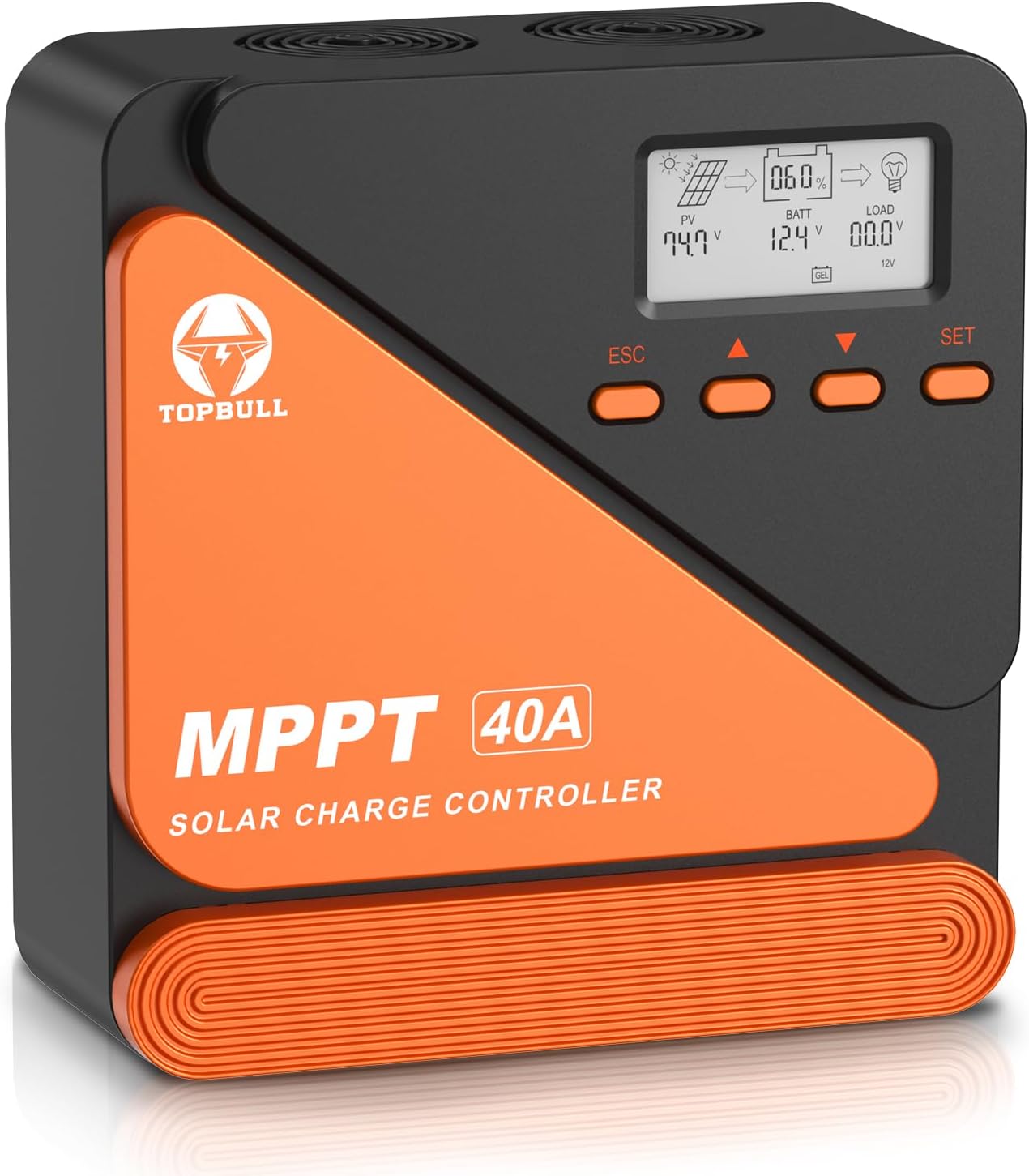
Figure 5.1: Front view of the TOPBULL MPPT Solar Charge Controller.

Figure 5.2: LCD display and control button functions.
6. Setup and Installation
Follow these steps for proper installation. Ensure all power sources are disconnected before making any connections.
- Connect the Battery: Connect the battery to the charge controller first. Ensure correct polarity (positive to positive, negative to negative). The controller will automatically recognize the system voltage (12V or 24V).
- Connect the Solar Panel: Connect the solar panel to the charge controller. Ensure correct polarity. The controller will begin charging the battery.
- Connect the DC Load (Optional): Connect your DC load to the charge controller. Ensure correct polarity.
- Connect the Inverter (Optional): If using an inverter for AC loads, connect it to the battery bank, not directly to the charge controller's load terminals.

Figure 6.1: General wiring diagram for the solar charge controller system.

Figure 6.2: Detailed connection diagram for the solar power system.
7. Operating Instructions
The controller's LCD display provides real-time system status and allows for parameter adjustments.
7.1. Main Interface Display
The controller automatically cycles through detection parameters every 5 seconds on the main page. You can manually switch between system settings and battery parameters using the Up and Down keys.
7.2. Parameter Setting
To enter the setting page, long press the SET key on the main page. The setting mode will be displayed in the lower left corner of the screen. Use the SET key to select the parameter type, then use the Up and Down keys to adjust values when they blink. If there is no operation for 10 seconds, the controller will automatically exit and save the parameters.

Figure 7.1: Steps for parameter setting on the LCD display.
7.3. Load Working Modes
The controller offers three load working modes:
- Light Control Mode (1H-23H): The controller automatically turns the load on or off according to the intensity of sunlight and the set time.
- Normally Closed Mode (0H): The load is always kept off, regardless of day or night. This mode is suitable for special occasions or debugging.
- Normally Open Mode (24H): The load is always kept on, providing 24-hour power supply.
The above three modes can be turned on or off by pressing the switch button. The next day, the controller will automatically resume operation in the mode it has been set to.

Figure 7.2: Three innovative load working modes.
7.4. Official Product Video
Video 7.3: Official video demonstrating the TOPBULL 40A MPPT Solar Charge Controller's features and operation.
8. Battery Type Settings
The controller supports various battery types. For FLD, GEL, and SLD battery types, charging parameters cannot be manually set as they are pre-configured. For USE (User-defined) and LI (Lithium) battery types, you can customize charging parameters.

Figure 8.1: Compatibility with multiple 12V/24V battery types.

Figure 8.2: Support for various battery chemistries, including lithium battery activation.
9. Maintenance
Regular maintenance ensures optimal performance and longevity of your solar charge controller:
- Periodically check all wiring connections for tightness and corrosion.
- Clean the controller's exterior with a dry cloth. Do not use liquids or solvents.
- Ensure the ventilation openings are clear of dust and debris to maintain proper heat dissipation.
- Monitor the LCD display for any error codes or abnormal readings.
10. Troubleshooting
If you encounter issues, refer to the following common problems and solutions:
- No Display/No Power: Check battery connections and ensure the battery voltage is within the operating range.
- No Charging: Verify solar panel connections and ensure sufficient sunlight. Check for any shading on the solar panels.
- Load Not Working: Check load connections, ensure the load is not overloaded, and verify the load working mode settings.
- Error Codes: Refer to the specific error code displayed on the LCD for detailed troubleshooting steps in the full manual.
- Battery Overcharging/Undercharging: Verify battery type settings and charging parameters.
11. Specifications
| Parameter | Value |
|---|---|
| Rated Charging Current | 40A |
| System Voltage | 12V/24V Auto Recognition |
| Max PV Input Voltage | 100V DC |
| Max Solar Input Power (12V System) | 520W |
| Max Solar Input Power (24V System) | 1040W |
| Battery Types Supported | AGM, Sealed, Gel, Flooded, Lithium |
| Display Type | LCD |
| USB Output | 2 USB Ports |
| Product Dimensions | 7.68 x 7.28 x 2.95 inches |
| Item Weight | 2.61 pounds |
12. Warranty and Support
For warranty information, technical support, or any questions regarding your TOPBULL MPPT Solar Charge Controller, please contact TOPBULL customer service through the retailer where the product was purchased or refer to the official TOPBULL website for contact details.