
1. Introduction
This manual provides essential information for the safe and efficient operation of your KIVI 55U740NB 55-inch Smart TV. Please read it thoroughly before using the device and retain it for future reference.
The KIVI 55U740NB Smart TV offers sharp, high-contrast images and excellent sound quality, powered by Dolby Audio technology. Its frameless design integrates seamlessly into any space. Featuring the Google TV system, it allows interaction with Google Assistant, access to Netflix, Google Chromecast, and content from external sources via USB and HDMI ports. The integrated KIVI Media app provides access to free cinema, games, and TV channels, while the DVB-T2 tuner ensures access to digital terrestrial television.
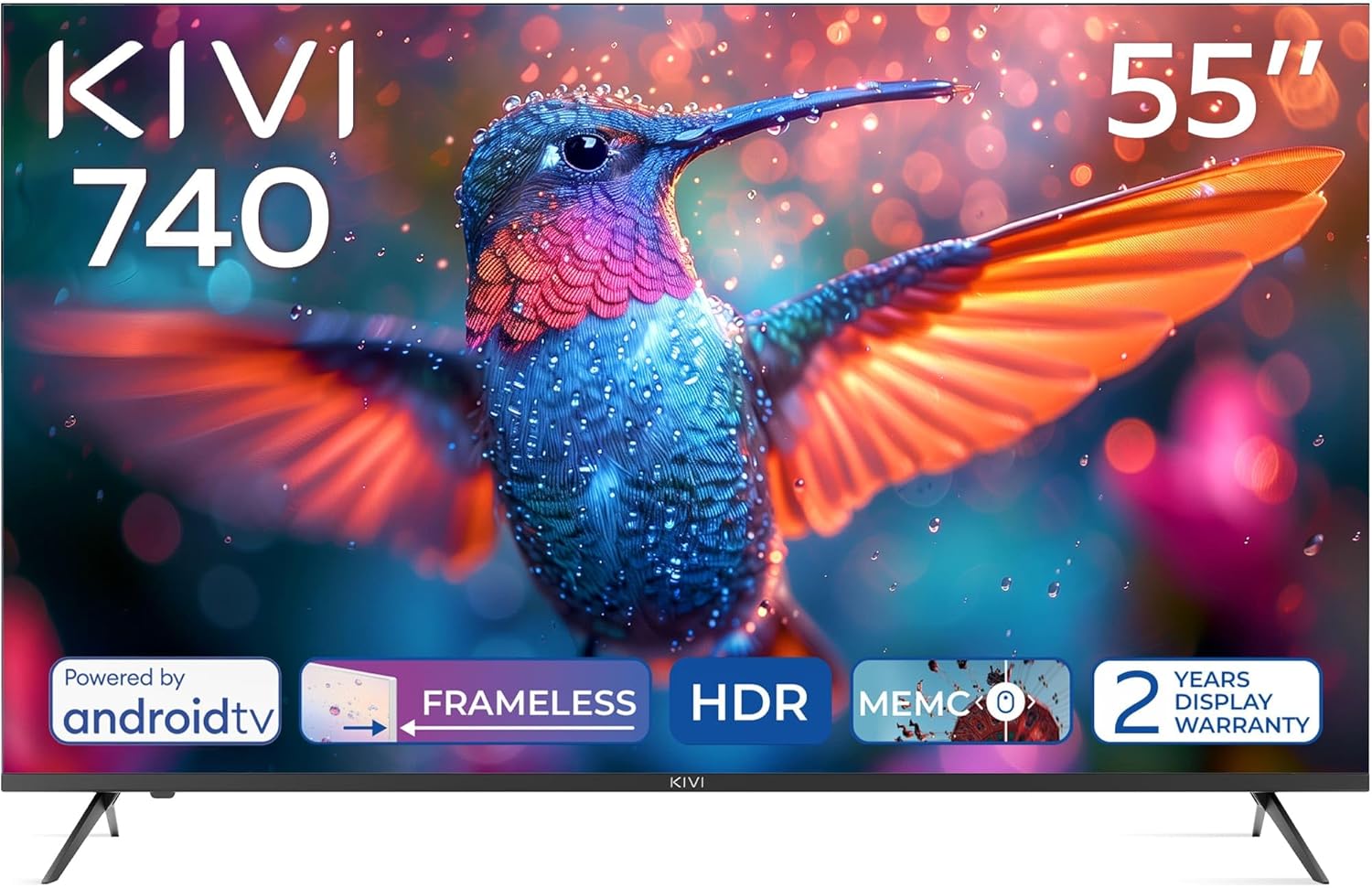
Front view of the KIVI 55U740NB 55-inch Smart TV, showcasing its frameless design and vivid display capabilities.
2. Package Contents
Ensure all items listed below are present in the packaging:
- KIVI 55U740NB Television
- Installation Manual
- User Manual
- Warranty Card
- Energy Label
- Microfiber Cloth
- Remote Control
- 2 x AAA Batteries
- 4 x Screws (for stand attachment)
- Composite Adapter
3. Setup
3.1. Stand Installation
- Carefully place the TV screen-down on a soft, flat surface to prevent damage.
- Align the TV stands with the corresponding slots on the bottom of the TV.
- Secure the stands using the provided screws. Ensure they are tightened firmly.
3.2. Wall Mounting
The TV supports VESA 400x300 wall mounts (sold separately). Follow the instructions provided with your wall mount bracket for proper installation. Ensure the wall can support the weight of the TV.
3.3. Connecting Peripherals
Refer to the rear panel image for port locations:

Detailed view of the rear panel of the KIVI 55U740NB Smart TV, illustrating the various input and output ports for external devices.
- HDMI: Connect external devices such as Blu-ray players, game consoles, or set-top boxes. This TV includes HDMI (eARC) for enhanced audio return channel functionality.
- USB: Insert USB drives for media playback.
- Antenna (75Ω): Connect a DVB-T2 antenna for digital terrestrial television reception. Note: This model does not include a satellite tuner.
- Ethernet: For a wired internet connection.
- Optical: For digital audio output to soundbars or home theater systems.
- Mini RCA: For connecting older analog devices using the composite adapter.
- Headphone: For connecting headphones.
- CI (Common Interface): For inserting a CAM module and smart card to access encrypted digital TV services.
3.4. Power On and First-Time Setup
- Connect the power cord to the TV and then to a power outlet.
- Press the power button on the remote control or the TV.
- Follow the on-screen instructions to complete the initial setup, including language selection, network connection (Wi-Fi or Ethernet), and Google account sign-in.
4. Operating Your TV
4.1. Remote Control
The TV comes with an IR/Bluetooth remote control. Insert the two AAA batteries (included) into the remote control, ensuring correct polarity. If you encounter difficulty inserting batteries, refer to the diagram inside the battery compartment.
4.2. Google TV System
Your KIVI Smart TV runs on Android TV 11, providing access to a vast ecosystem of apps and services:

The KIVI 55U740NB Smart TV showcasing its Android TV 11 operating system, highlighting the wide range of available applications and user interface.
- Google Assistant: Use voice commands to search for content, control smart home devices, and get information.
- Netflix & Other Streaming Apps: Access popular streaming services directly from your TV.
- Google Chromecast: Cast content from your smartphone or tablet to the TV screen.
- Google Play Store: Download additional apps, games, and content.
4.3. KIVI Media App
The integrated KIVI Media app offers a curated selection of free cinema, games, and TV channels, expanding your entertainment options.
4.4. Basic Navigation
Use the directional buttons on your remote to navigate menus and select options. The 'Back' button returns to the previous screen, and the 'Home' button takes you to the main Google TV interface.
5. Picture and Sound Settings
5.1. Picture Enhancement Features
The KIVI 55U740NB incorporates several technologies to optimize your viewing experience:

Visual representation of the KIVI 55U740NB's advanced picture technologies, including Max Vivid, Super Contrast Control, Ultra Clear, and ALLM & Game Mode.
- Max Vivid: Enhances SDR content to be as colorful as possible.
- Super Contrast Control: Makes SDR content more vibrant by optimizing contrast.
- Ultra Clear: Provides a clear picture with maximum detail.
- Automatic HDR Detection: The TV automatically detects and processes HDR content for improved dynamic range.
5.2. Sound Settings
The TV features Dolby Audio technology for an immersive sound experience. You can adjust sound modes and equalizer settings through the TV's audio menu. It supports a 5.1 surround sound channel configuration for compatible audio systems.
5.3. Gaming Features
For an optimized gaming experience, the TV includes:
- ALLM (Auto Low Latency Mode): Automatically switches to a low-latency mode when a game console is detected, reducing input lag.
- Game Mode: Further optimizes picture and sound settings for gaming.
6. Connectivity
The KIVI 55U740NB offers a variety of connectivity options:

Close-up of the KIVI 55U740NB Smart TV's rear panel, clearly labeling all available connection ports including HDMI, USB, Ethernet, and antenna input.
- HDMI Ports: Multiple HDMI 2.1 ports, including one with eARC support.
- USB Ports: Three USB 2.0 ports for connecting storage devices.
- Wi-Fi: Integrated Wi-Fi for wireless internet connection (supports 5G).
- Ethernet (LAN): For a stable wired internet connection.
- Optical Audio Out: For high-quality digital audio output.
- Antenna Input: For DVB-T2 terrestrial digital TV.
- Headphone Jack: Standard 3.5mm audio output.
- CI Slot: Common Interface slot for conditional access modules.
7. Maintenance
7.1. Cleaning the TV
- Screen: Gently wipe the screen with the provided microfiber cloth or a soft, lint-free cloth. For stubborn marks, lightly dampen the cloth with water or a specialized screen cleaner. Never spray liquid directly onto the screen.
- TV Body: Wipe the TV frame and stand with a soft, dry cloth. Avoid using abrasive cleaners or solvents.
Always unplug the TV from the power outlet before cleaning.
7.2. Software Updates
To ensure optimal performance and access to the latest features, regularly check for software updates:
- Ensure your TV is connected to the internet.
- Navigate to the 'Settings' menu on your Google TV.
- Select 'System' or 'About' and then 'Software Update' or 'System Update'.
- Follow the on-screen prompts to check for and install any available updates.
8. Troubleshooting
If you encounter issues with your TV, refer to the following common problems and solutions:
- No Power:
• Check if the power cord is securely connected to both the TV and the power outlet.
• Ensure the power outlet is functional by testing it with another device. - No Picture, But Sound is Present:
• Check the input source. Press the 'Source' button on your remote to cycle through inputs.
• Ensure all HDMI or other video cables are securely connected. - No Sound, But Picture is Present:
• Check the volume level and ensure the TV is not muted.
• If using external audio devices, ensure they are properly connected and powered on. Check the TV's audio output settings. - Remote Control Not Responding:
• Ensure the AAA batteries are correctly inserted and not depleted. Replace if necessary.
• Point the remote directly at the TV's IR sensor.
• For Bluetooth remote, ensure it is paired with the TV. Re-pair if connection is lost. - Network Connection Issues:
• For Wi-Fi, ensure your router is on and within range. Re-enter the Wi-Fi password if needed.
• For Ethernet, ensure the cable is securely connected to both the TV and your router. - No Satellite TV Channels:
• The KIVI 55U740NB is equipped with a DVB-T2 tuner for digital terrestrial television. It does not have an integrated satellite tuner (DVB-S2). To receive satellite channels, an external satellite receiver is required.
If the problem persists, consult the KIVI support website or contact customer service.
9. Specifications
Key technical specifications for the KIVI 55U740NB Smart TV:
| Feature | Specification |
|---|---|
| Brand | KIVI |
| Model | 55U740NB |
| Screen Size | 55 Inches |
| Display Technology | LED, VA Panel |
| Resolution | 3840 x 2160 Pixels (4K UHD) |
| Refresh Rate | 60 Hz |
| Operating System | Android TV |
| Internal Storage | 8 GB |
| Tuner Technology | DVB-T2 (Terrestrial Digital TV) |
| Special Features | Google TV, KIVI Media App, Super Contrast Control, Voice Assistant |
| Audio Output Mode | Surround (Dolby Audio) |
| Connectivity | Wi-Fi (5G), 3x USB ports, HDMI (eARC), Ethernet |
| Power Consumption | 83 Watts |
| Energy Efficiency Class | F |
| Product Dimensions (DxWxH) | 8.2 x 123.1 x 72 cm |
| Weight | 15 kg |
| Batteries Required | 2 AAA (included) |

Official product data sheet providing detailed technical specifications and compliance information for the KIVI 55U740NB Smart TV.

The EU energy efficiency label for the KIVI 55U740NB Smart TV, indicating its energy consumption rating and other relevant energy data.
For more detailed energy information, please visit the EPREL database: https://eprel.ec.europa.eu/qr/1320388
10. Warranty and Support
10.1. Warranty Information
The KIVI 55U740NB Smart TV comes with a 2-year display warranty and a 3-year product support guarantee. Please retain your proof of purchase for warranty claims. The warranty covers manufacturing defects under normal use conditions.
10.2. Customer Support
For technical assistance, warranty claims, or further inquiries, please refer to the contact information provided on your warranty card or visit the official KIVI website for support resources.


