
Introduction
The BAOFENG UV-18L is a versatile 4-band ham radio designed for reliable two-way communication. Featuring a 1.77-inch LCD screen, 999 programmable channels, and USB-C charging, this radio offers enhanced functionality for various applications. It supports VHF and UHF frequencies, includes NOAA weather alerts, and is built with a waterproof design for durability.
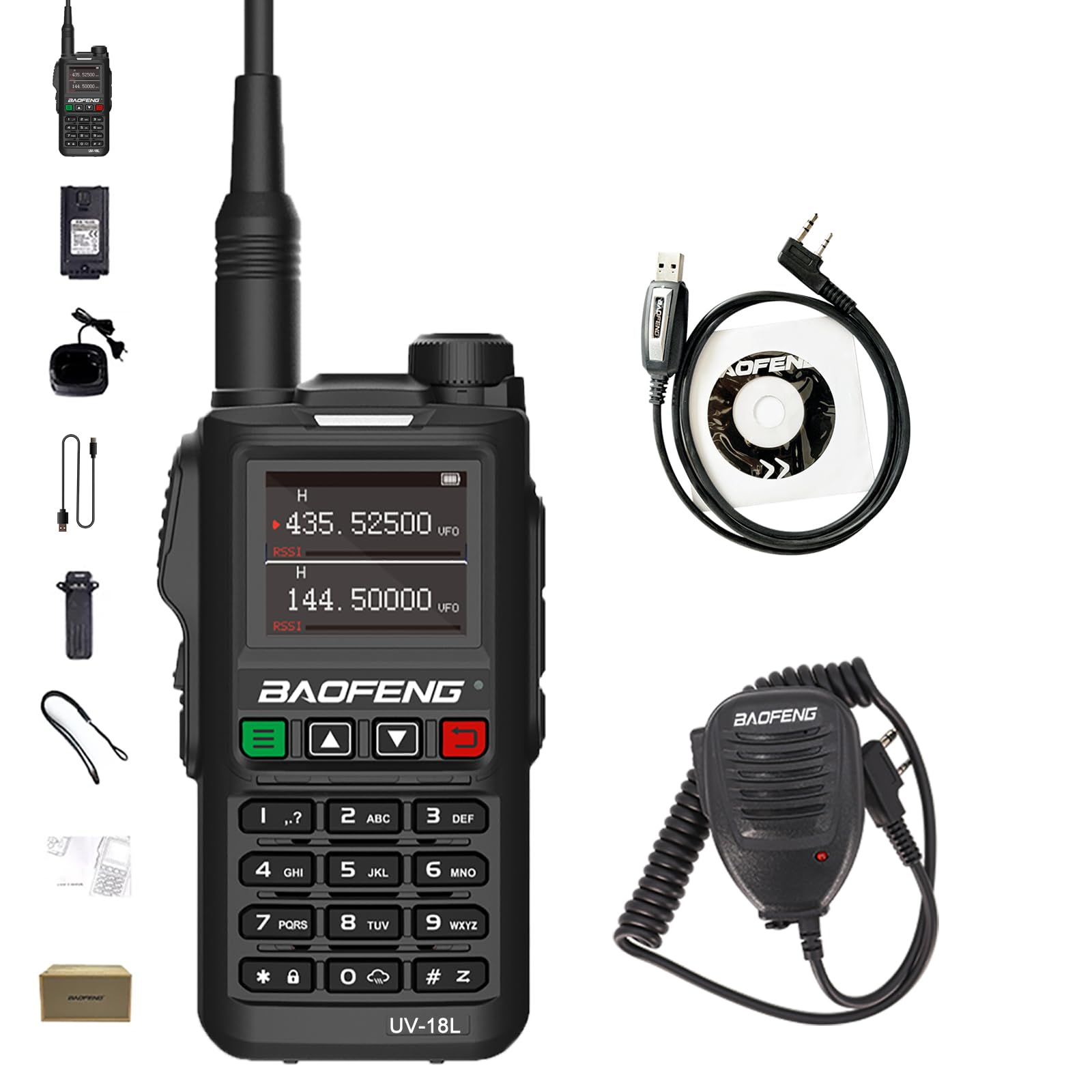
Front view of the BAOFENG UV-18L two-way radio, showcasing its keypad, display, and antenna.
Package Contents
Please check the package carefully to ensure all items are present:
- BAOFENG UV-18L Portable Radio
- USB-C Cable
- High Gain Antenna
- 1800mAh Large Capacity Battery
- Belt Clip
- Battery Charger (Dock and US Adapter)
- Hand Strap
- User's Manual
- Shoulder Speaker Microphone
- Programming Cable
Product Features
The BAOFENG UV-18L radio is equipped with a range of features to enhance your communication experience:
- Display: 1.77-inch LCD screen for clear information display.
- Channels: 999 programmable memory channels.
- Bands: Four-band operation including FM, VHF (144-148MHz), and UHF (420-450MHz).
- Charging: Convenient USB-C direct charging and traditional charger base compatibility.
- Power Output: 5 Watts for effective long-range communication.
- Battery: 1800mAh high-capacity Lithium-Ion battery.
- Water Resistance: Waterproof design for use in various environments.
- Scanning: Three scan modes (time/carrier/search), channel scan, CTCSS/DCS scan, VFO scan range setting.
- Weather Alert: NOAA weather alarm function with 10 dedicated channels.
- Voice Activation: VOX (Voice Operated Exchange) for hands-free operation.
- Signaling: DTMF (Dual-Tone Multi-Frequency) capability.
- Dual Watch: Monitor two frequencies simultaneously.
- Anti-Interference: Frequency hopping function for anti-interference and anti-crosstalk.
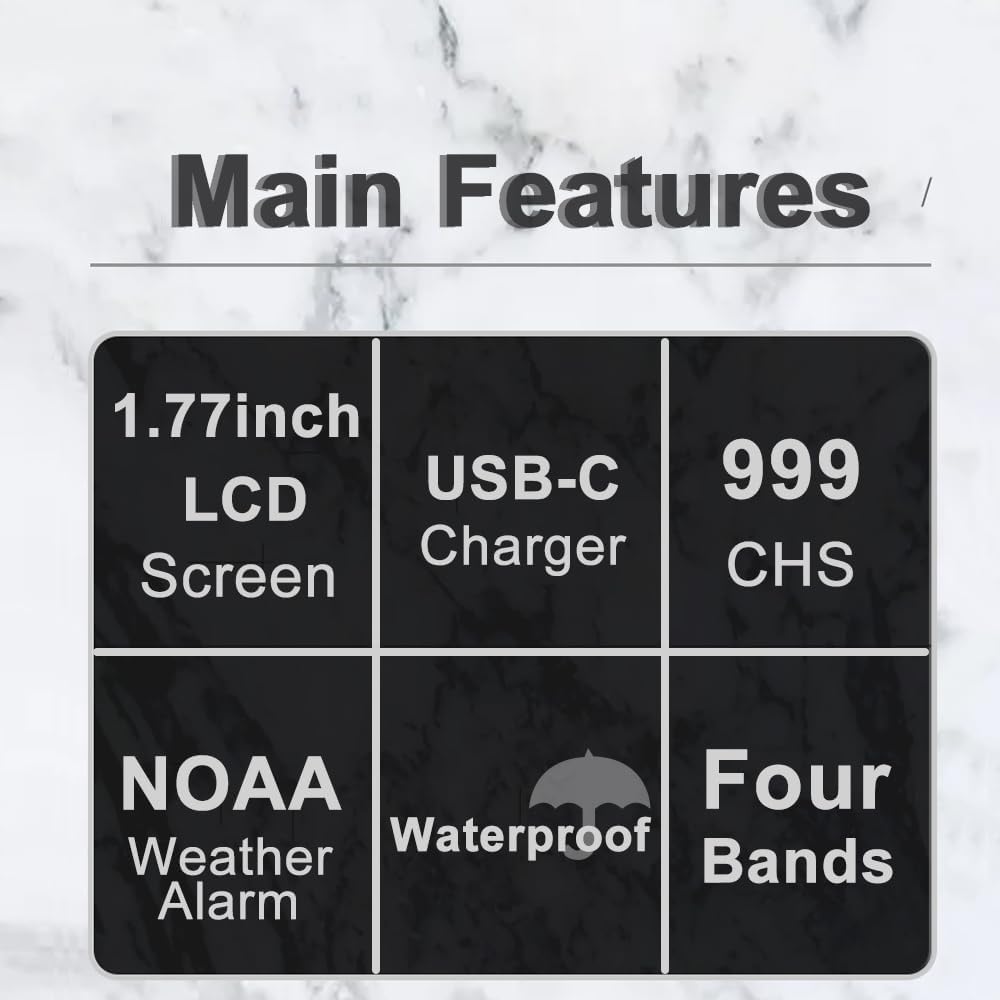
Graphic summarizing the main features of the BAOFENG UV-18L radio: 1.77-inch LCD screen, USB-C charger, 999 channels, NOAA weather alarm, waterproof rating, and four-band operation.
Setup
1. Battery Installation
- Ensure the radio is powered off.
- Locate the battery compartment on the back of the radio.
- Align the 1800mAh Lithium-Ion battery with the compartment's contacts.
- Gently push the battery into place until it clicks securely.
2. Antenna Attachment
- Take the high-gain antenna from the package.
- Screw the antenna clockwise onto the connector at the top of the radio until it is finger-tight. Do not overtighten.
3. Charging the Battery
The UV-18L offers two charging methods:
- USB-C Direct Charging: Connect the provided USB-C cable directly to the radio's USB-C port and to a power source (e.g., wall adapter, power bank, car charger, laptop). The charging indicator will illuminate.
- Charging Dock: Place the radio into the charging dock, ensuring the contacts align. Connect the US adapter to the dock and plug it into a power outlet. The indicator light on the dock will show charging status.
A full charge typically takes several hours. The charging indicator will change color or turn off when charging is complete.

Image illustrating the BAOFENG UV-18L radio's strong power for extended range and its versatile USB-C charging capability, compatible with car chargers, laptops, and power banks.
Operating Instructions

Close-up image of the BAOFENG UV-18L radio's 1.77-inch full LCD screen, displaying frequency and channel information.
1. Power On/Off
To power on the radio, rotate the volume knob clockwise until you hear a click. To power off, rotate it counter-clockwise until it clicks off.
2. Volume Control
Adjust the volume by rotating the volume knob. Clockwise increases volume, counter-clockwise decreases it.
3. Channel Selection (MR Mode)
In Channel Mode (MR), use the UP/DOWN arrow keys or the numeric keypad to select one of the 999 programmed channels. The display will show the channel number and frequency.
4. Frequency Mode (VFO Mode)
Press the VFO/MR button to switch to Frequency Mode. You can directly input frequencies using the numeric keypad. The radio supports VHF (144-148MHz) and UHF (420-450MHz) amateur bands.
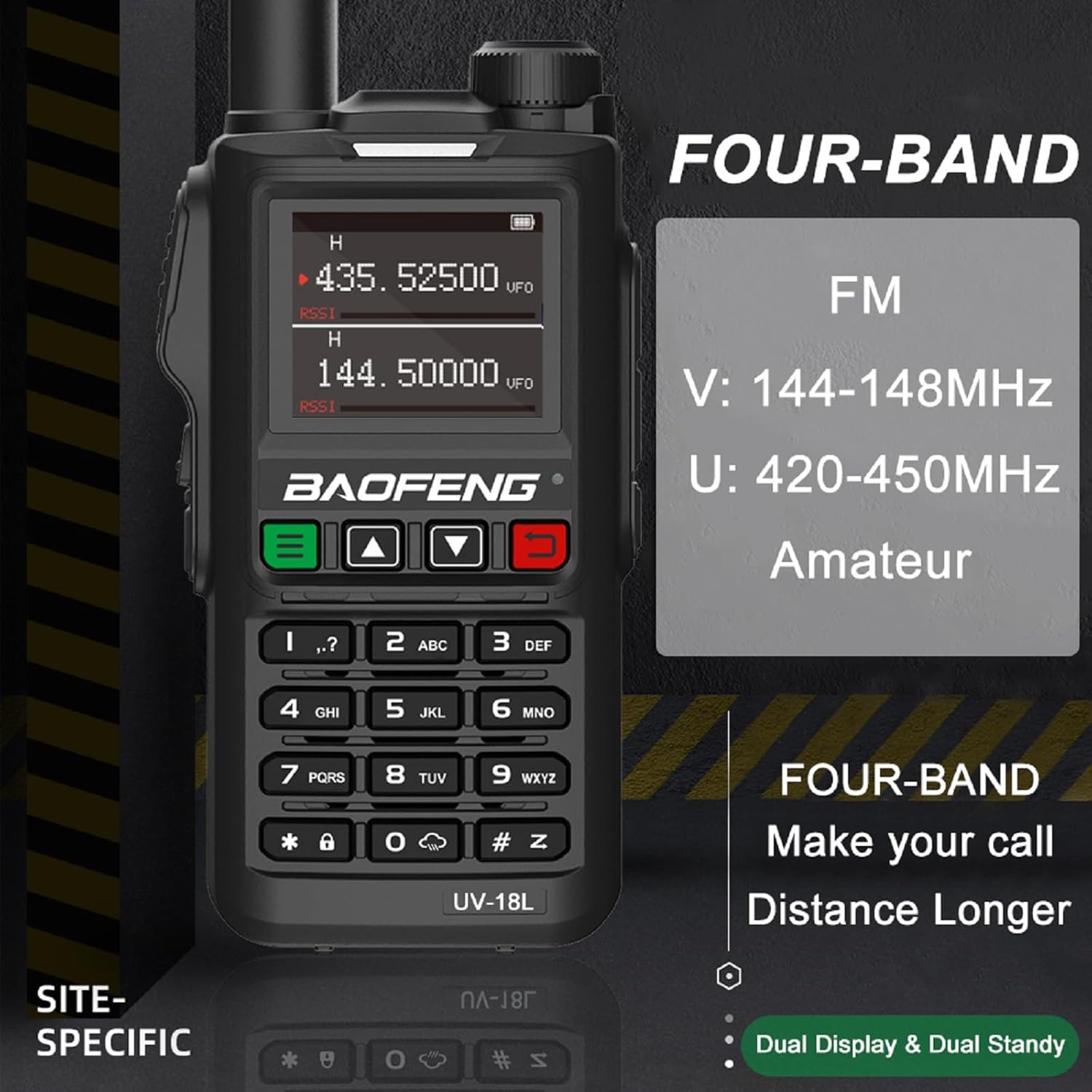
Image showing the BAOFENG UV-18L radio display with frequency information, highlighting its four-band capabilities including FM, VHF (144-148MHz), and UHF (420-450MHz) for amateur use.
5. Menu Navigation
Press the MENU button to access the radio's settings. Use the UP/DOWN arrow keys to scroll through options and the MENU button again to confirm selections. Press EXIT to leave the menu.
6. Scanning Functions
The UV-18L offers various scanning modes:
- Channel Scan: Scans through programmed channels.
- Frequency Scan (VFO Scan): Scans through a defined frequency range.
- CTCSS/DCS Scan: Detects sub-tones on a received signal.
To activate scanning, refer to the specific menu options for 'Scan' or 'S-SCAN'.
7. NOAA Weather Alert
The radio can receive NOAA weather alerts. Access the NOAA menu option to enable this feature and select from the 10 available NOAA channels to receive local weather broadcasts and alerts.
8. VOX Function
VOX (Voice Operated Exchange) allows for hands-free transmission. When enabled, the radio will transmit automatically when it detects your voice. Adjust the VOX sensitivity level in the menu to prevent accidental transmissions.
9. DTMF
DTMF (Dual-Tone Multi-Frequency) signaling can be used for various functions, such as controlling repeaters or accessing remote systems. Input DTMF tones using the numeric keypad during transmission.

Image depicting the BAOFENG UV-18L radio with visual representations of frequency hopping, indicating anti-interference and anti-crosstalk features, alongside DTMF functionality.
10. FM Radio
The UV-18L includes a built-in FM radio for entertainment. Press the FM button to switch to FM radio mode. Use the arrow keys to tune to desired stations.
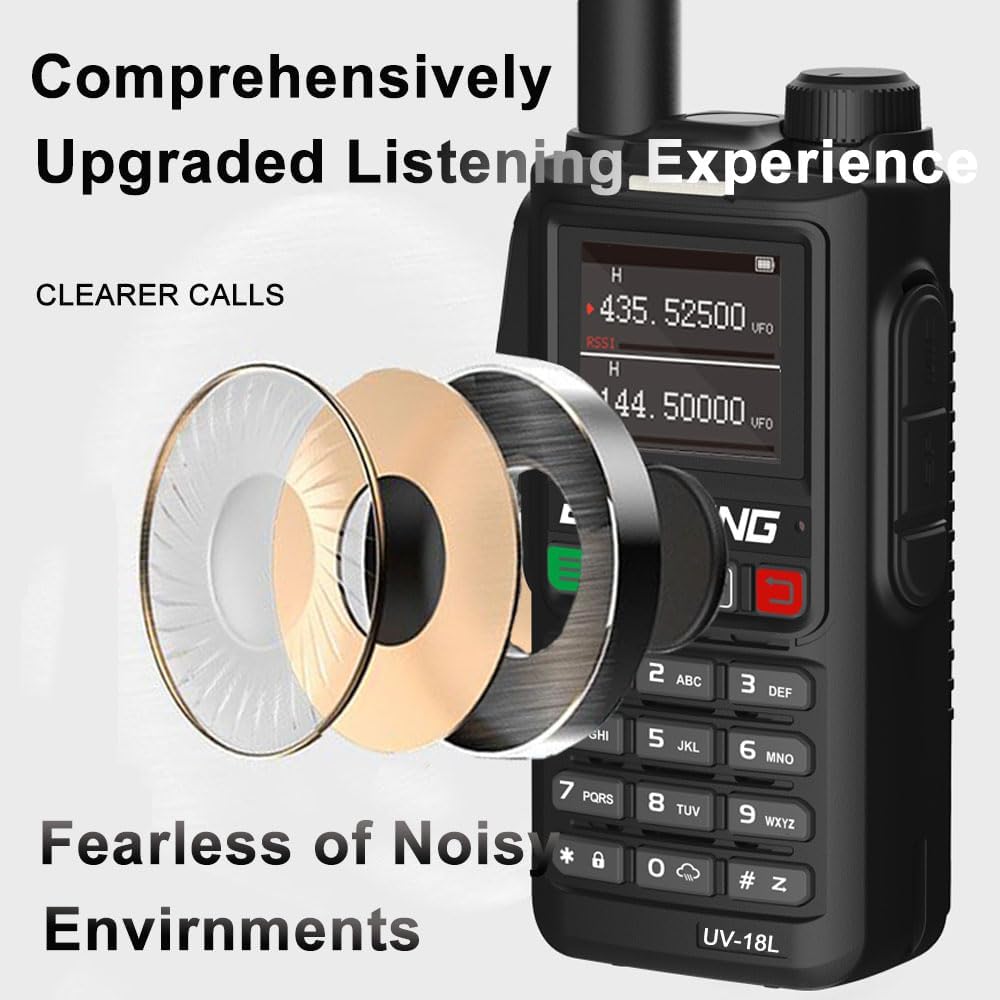
Diagram showing the internal speaker components of the BAOFENG UV-18L, emphasizing an upgraded listening experience for clearer calls and reduced noise in various environments.
Maintenance
1. Cleaning
Wipe the radio's exterior with a soft, damp cloth. Do not use harsh chemicals or abrasive cleaners. Ensure the USB-C port cover is properly sealed to maintain waterproofing.
2. Battery Care
To prolong the life of your 1800mAh Lithium-Ion battery:
- Avoid fully discharging the battery frequently.
- Charge the battery regularly, even if the radio is not in use.
- Do not expose the battery to extreme temperatures.
3. Storage
When storing the radio for extended periods, ensure the battery is partially charged (around 50%). Store the radio in a cool, dry place within the recommended working temperature range of -20℃ to +60℃.
Troubleshooting
| Problem | Possible Cause | Solution |
|---|---|---|
| Radio does not power on. | Battery is dead or not properly installed. | Charge the battery or re-install it correctly. |
| Cannot transmit or receive. | Incorrect frequency/channel, antenna not attached, or low battery. | Verify frequency/channel, attach antenna securely, charge battery. |
| Poor audio quality. | Low signal strength, incorrect squelch setting, or damaged speaker/mic. | Move to an area with better reception, adjust squelch level, check speaker/mic connections. |
| USB-C charging not working. | Cable or power source issue, or port obstruction. | Try a different USB-C cable or power source. Ensure the port is clean. |
Specifications
| Feature | Specification |
|---|---|
| Model | UV-18L |
| Power Output | 5 Watts |
| Channels | 999 |
| Battery Capacity | 1800mAh Lithium-Ion |
| Frequency Bands | FM; VHF: 144-148MHz; UHF: 420-450MHz |
| NOAA Channels | 10 |
| Display | 1.77-inch LCD |
| Working Temperature | -20℃ to +60℃ |
| Net Weight | 705g / 24.86 Ounces |
| Water Resistance Level | Waterproof |
| Voltage | 7.4 Volts (DC) |
| Talking Range Maximum | 3 Mile |
| Special Features | DTMF, Four-Band, NOAA Weather Alarm, USB-C Charger, Waterproof |
Warranty Information
The BAOFENG UV-18L radio comes with a 1-year warranty. This warranty is provided exclusively through Shiqun Electronics Co., Ltd. Please retain your proof of purchase for any warranty claims.
Support
For further assistance, technical support, or inquiries not covered in this manual, please contact the vendor or manufacturer directly. Refer to your purchase documentation for specific contact details.


