
GRASKY GDX-A11-22
GRASKY Eachine EX5 Propeller Blades User Manual
Model: GDX-A11-22
1. Product Overview
These quick-release foldable propeller blades are designed as spare parts for the Eachine EX5 5G 4K HD WiFi FPV Camera RC Quadcopter Drone. They are engineered for efficient flight and easy replacement.
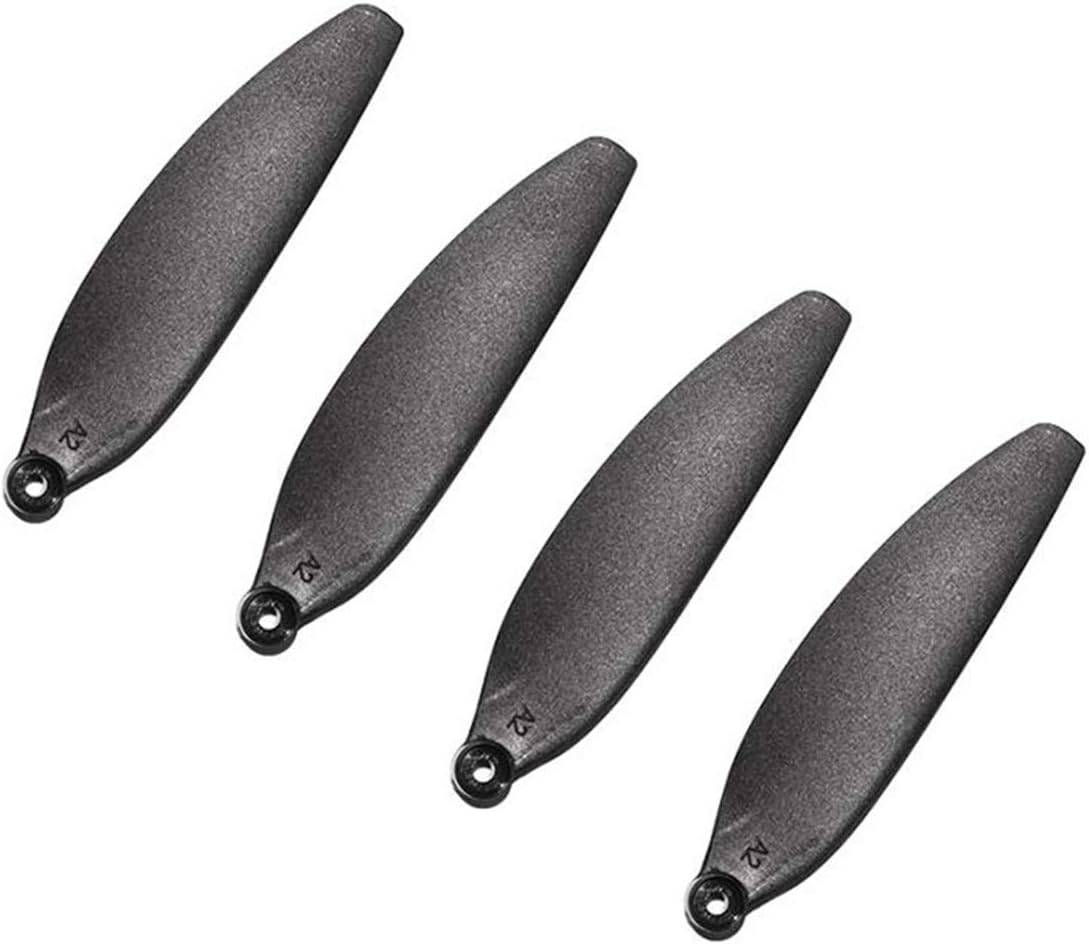
Image: A set of four black propeller blades, designed for quick release and folding, suitable for drone applications. Each blade features a small circular mounting hole at one end.
2. Specifications
| Feature | Description |
|---|---|
| Item Name | Quick Release Foldable Propeller |
| Color | Black |
| Weight | Approximately 10g per set (4pcs) |
| Compatibility | Eachine EX5 5G 4K HD WiFi FPV Camera RC Quadcopter Drone |
| Model Number | GDX-A11-22 |
3. Package Contents
Each package contains the following:
- Option 1: 4 x Propellers (A2 or B2 type)
- Option 2: 8 x Propellers (4 x A2 + 4 x B2 type)
Note: The specific quantity and type of propellers depend on the purchased option.
4. Setup: Propeller Installation
Proper installation of propellers is crucial for safe and stable drone flight. Always refer to your drone's specific user manual for detailed instructions, as propeller types (A2/B2) correspond to specific motor positions.
- Identify Propeller Type: Each propeller is marked (e.g., A2 or B2). Match these markings to the corresponding motor arms on your Eachine EX5 drone. Incorrect placement can lead to unstable flight or damage.
- Align and Attach: Gently align the propeller's mounting hole with the motor shaft. For quick-release propellers, push down and twist until it locks securely into place. Ensure there is no wobble.
- Verify Security: After installation, gently pull on each propeller to ensure it is firmly attached and cannot easily detach.
- Check for Damage: Before every flight, inspect all propellers for any cracks, bends, or chips. Damaged propellers must be replaced immediately.
5. Operating Considerations
While these are spare parts, their proper function is integral to drone operation. Consider the following:
- Flight Performance: New, undamaged propellers contribute to optimal flight stability, lift, and efficiency.
- Noise Reduction: Properly balanced and undamaged propellers help minimize flight noise.
- Safety: Always ensure propellers are clear of obstructions and bystanders before and during flight.
6. Maintenance
Regular maintenance of your propellers extends their lifespan and ensures safe drone operation.
- Inspection: Before each flight, visually inspect all propellers for any signs of wear, cracks, bends, or debris.
- Cleaning: If dust or dirt accumulates, gently wipe the propellers with a soft, dry cloth. Avoid using harsh chemicals.
- Storage: Store spare propellers in a clean, dry place, away from direct sunlight and extreme temperatures, to prevent material degradation.
- Replacement: Replace propellers immediately if any damage is observed, even minor chips, as this can affect flight dynamics and safety.
7. Troubleshooting
| Problem | Possible Cause | Solution |
|---|---|---|
| Drone unstable during flight / Excessive vibration | Damaged or bent propeller; Incorrect propeller installation (A2/B2 mismatch); Loose propeller. | Inspect all propellers for damage and replace if necessary. Ensure propellers are installed on the correct motor arms according to the drone's manual. Verify all propellers are securely locked in place. |
| Unusual noise from propellers | Propeller imbalance; Minor damage; Debris caught in propeller. | Inspect propellers for any visible damage or debris. Clean propellers if necessary. Replace any propeller that appears unbalanced or damaged. |
| Propeller detaches during flight | Improper installation; Worn quick-release mechanism. | Ensure propellers are pushed down and twisted until they securely lock. If the quick-release mechanism feels loose, replace the propeller. Refer to drone manual for proper installation. |
8. Warranty and Support
For specific warranty information regarding your GRASKY Eachine EX5 Propeller Blades, please refer to the purchase documentation or contact your retailer. As these are spare parts, warranty coverage typically applies to manufacturing defects.
For technical support or further inquiries, please contact the GRASKY customer service or the vendor from whom you purchased the product. Always provide your product model number (GDX-A11-22) and purchase details when seeking support.
Ask a question about this manual
Ask about setup, troubleshooting, compatibility, parts, safety, or missing instructions. Manuals+ will review the question and use this page’s manual context to help answer it.