
Cougar 3MPSD360.0002
Cougar Poseidon Elite 360 ARGB High Performance Liquid Cooler
User Manual - Model: 3MPSD360.0002
1. Product Overview
The Cougar Poseidon Elite 360 ARGB AIO liquid cooler is engineered to deliver superior cooling performance for your CPU. It features innovative 90-degree UTTERIGHT fins for optimized heat transfer, high-efficiency fans, and captivating Addressable RGB (ARGB) lighting with an infinity mirror design on the pump head. This combination ensures both optimal thermal performance and a stunning visual aesthetic for your computer system.

Figure 1: Overview of the Cougar Poseidon Elite 360 ARGB Liquid Cooler, showcasing the radiator, three ARGB fans, and the illuminated pump head.
2. Key Features
- "UTTERIGHT" Fins Design: The heat transfer surface is equipped with UTTERIGHT fins arranged at right angles. This configuration optimizes the heat transfer area and enhances efficiency compared to conventional fins.
- Dazzling ARGB Lighting with Infinity Mirror Design: The infinity mirror design of the ARGB lighting on the pump head enhances the visual appeal of your PC.
- Rotatable Pump Head For Logo Orientation: The rotatable pump head allows for easy logo re-orientation. Adjust it effortlessly during your PC assembly to ensure a perfect setup.
- High-Efficiency Fan for Radiator: The Poseidon Elite ARGB features high-powered ventilation ARGB fans that work seamlessly with the radiator. It delivers impressive performance, ensuring stable and durable cooling for your CPU.
- Control Fans & Lighting with Motherboard Sync Software: The Poseidon Elite ARGB offers motherboard software compatibility for seamless ARGB lighting control.
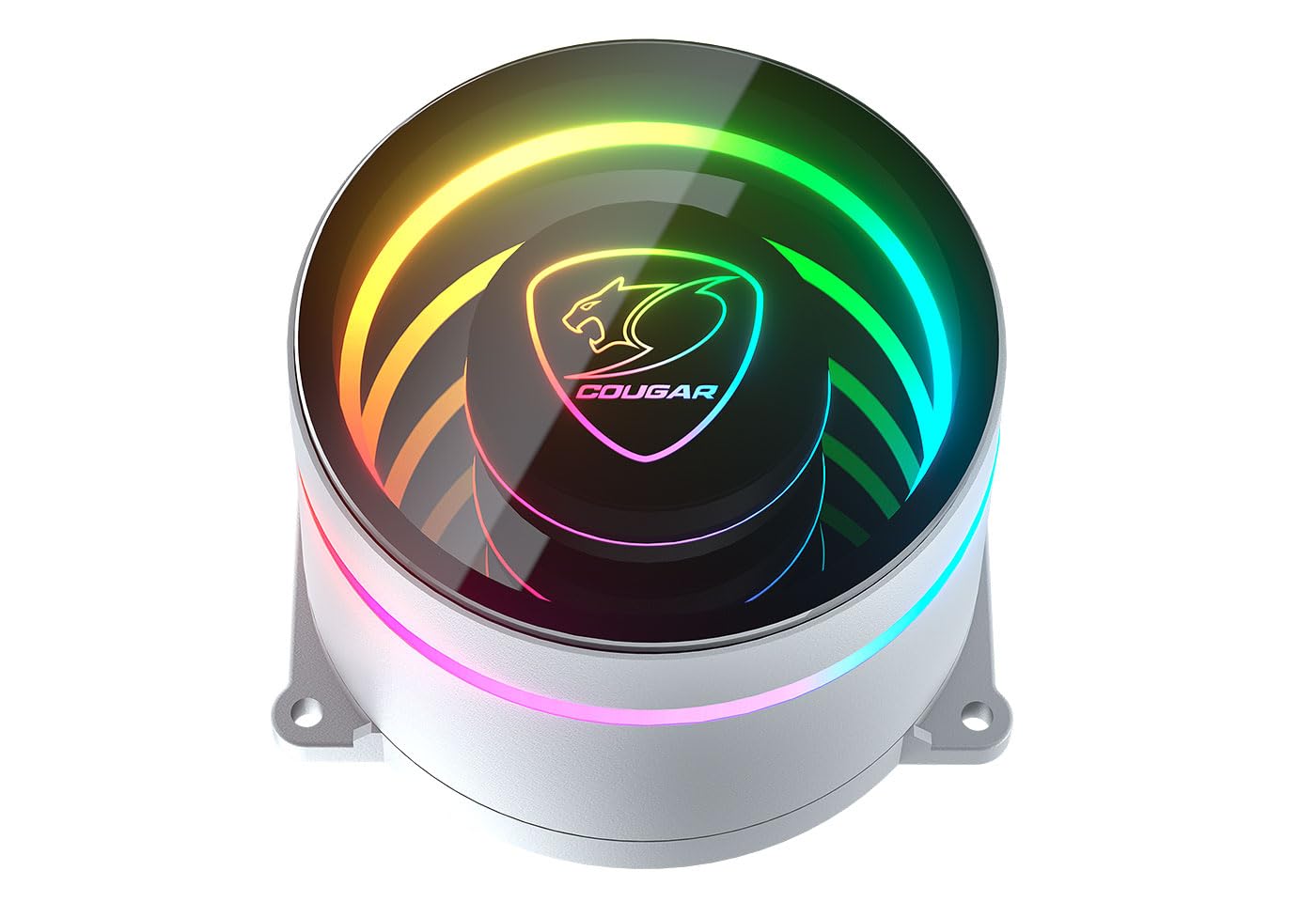
Figure 2: Detailed view of the ARGB pump head, highlighting the infinity mirror lighting effect.
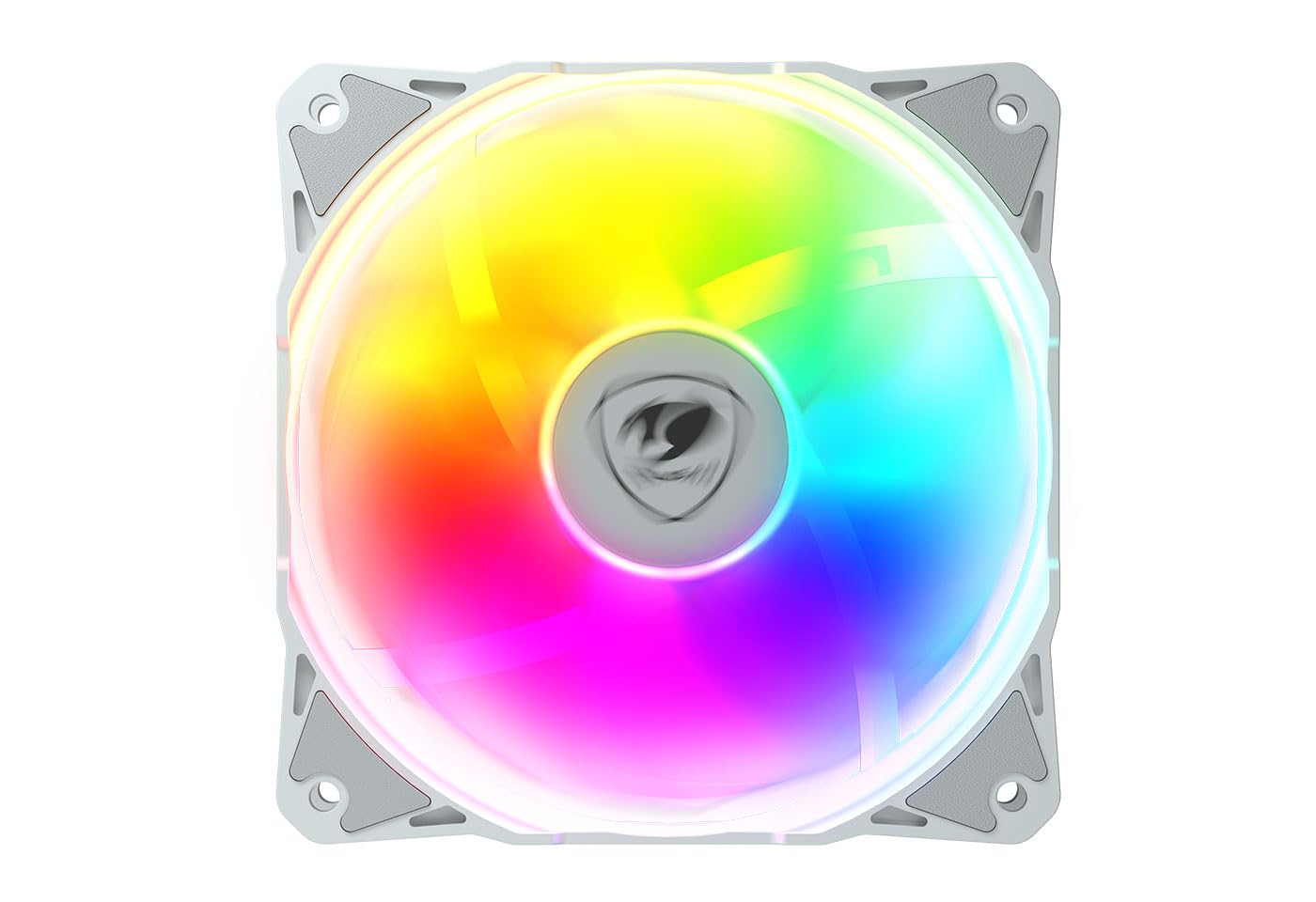
Figure 3: A single ARGB fan, demonstrating its design and illumination capabilities.
3. Product Specifications

Figure 4: Official specifications table provided by Cougar.
| Attribute | Value |
|---|---|
| Product Dimensions | 4.76 x 15.43 x 1.06 inches; 4.98 Pounds |
| Item Model Number | 3MPSD360.0002 |
| Date First Available | November 20, 2023 |
| Manufacturer | Cougar |
| ASIN | B0CNS2LCSW |
| Brand | Cougar |
| Power Connector Type | 3-Pin |
| Cooling Method | Water |
| Compatible Devices | Laptop, Desktop |
| Noise Level | 33.5 dB |
| Material | Polycarbonate |
| UPC | 192554006734 |
| Number of Items | 1 |
4. Package Contents
Upon unboxing your Cougar Poseidon Elite 360 ARGB Liquid Cooler, please verify that all components listed below are present and in good condition:
- 1x Radiator with Integrated Pump and Cold Plate
- 3x 120mm ARGB Fans
- Mounting Hardware Kit (for Intel and AMD sockets)
- Fan Screws and Radiator Screws
- ARGB Controller (if included with specific model variant)
- Thermal Paste (pre-applied or in a tube)
- User Manual (this document)

Figure 5: Product packaging, indicating the contents and model.
5. Installation Guide
This section provides general steps for installing the Cougar Poseidon Elite 360 ARGB Liquid Cooler. For detailed, step-by-step instructions specific to your CPU socket (Intel LGA1851/1700/1200/115X/1366, AMD AM5/AM4/AM3/AM2/FM2/FM1), please refer to the included quick installation guide or the official Cougar website.
- Prepare Motherboard: Install the appropriate backplate (for AMD) or standoffs (for Intel) onto your motherboard according to your CPU socket type.
- Mount Fans to Radiator: Attach the three 120mm ARGB fans to the radiator using the provided long screws. Ensure the fan airflow direction is as desired (typically pushing air through the radiator).
- Install Radiator: Mount the radiator assembly into your PC case. Common locations include the top or front of the case, depending on available space and fan configuration. Secure it with the appropriate screws.
- Apply Thermal Paste: If thermal paste is not pre-applied to the cold plate, apply a small, pea-sized amount to the center of your CPU's integrated heat spreader (IHS).
- Mount Pump/Cold Plate: Carefully place the pump/cold plate assembly onto your CPU, aligning it with the standoffs. Secure it using the provided thumb screws or mounting brackets, tightening them in a cross pattern until snug. Ensure the Cougar logo is oriented correctly using the rotatable pump head feature.
- Connect Cables:
- Connect the pump's 3-pin power cable to a dedicated AIO_PUMP or CPU_FAN header on your motherboard.
- Connect each fan's 4-pin PWM cable to available fan headers on your motherboard or a fan hub.
- Connect the ARGB cables from the pump and fans to your motherboard's 5V ARGB header (3-pin) or to the included ARGB controller.
- Cable Management: Route all cables neatly to ensure proper airflow and a clean build.
6. Operation and ARGB Control
Once installed and powered on, the Cougar Poseidon Elite 360 ARGB Liquid Cooler will automatically begin circulating coolant and cooling your CPU. The fans will adjust their speed based on CPU temperature, controlled by your motherboard's fan curves or BIOS settings.
The ARGB lighting on the pump head and fans can be controlled and synchronized using your motherboard's ARGB software (e.g., ASUS Aura Sync, MSI Mystic Light Sync, GIGABYTE RGB Fusion, ASRock Polychrome Sync). Connect the ARGB cables to the motherboard's 5V ARGB header and use the software to customize lighting effects, colors, and patterns.
7. Maintenance
Regular maintenance helps ensure optimal performance and longevity of your liquid cooler:
- Dust Cleaning: Periodically clean dust from the radiator fins and fan blades using compressed air or a soft brush. Ensure the system is powered off before cleaning.
- Check Connections: Occasionally inspect all cable connections (power, fan, ARGB) to ensure they are secure.
- Monitor Temperatures: Use monitoring software to keep an eye on your CPU temperatures to ensure the cooler is performing effectively.
- Inspect Tubing: Check the tubing for any signs of kinks, leaks, or damage.
8. Troubleshooting
If you encounter issues with your Cougar Poseidon Elite 360 ARGB Liquid Cooler, refer to the following common problems and solutions:
| Problem | Possible Cause | Solution |
|---|---|---|
| High CPU Temperatures | Improper cold plate contact, insufficient thermal paste, clogged radiator, pump failure, incorrect fan speed. | Re-seat pump, re-apply thermal paste, clean radiator, check pump power connection, adjust fan curves in BIOS. |
| Fans Not Spinning / No ARGB Lighting | Loose power/ARGB connections, incorrect header connection, software issue. | Verify all cables are securely connected to correct headers (CPU_FAN, AIO_PUMP, 5V ARGB), check motherboard BIOS settings, update/reinstall ARGB software. |
| Unusual Noise from Pump/Fans | Air bubbles in loop (pump), fan bearing noise, fan hitting cables. | Orient radiator correctly (tubes down), gently tilt case to dislodge air bubbles, check for cable interference with fans, consider fan replacement if noise persists. |
9. Warranty and Support
The Cougar Poseidon Elite 360 ARGB Liquid Cooler is manufactured by Cougar. For warranty information, technical support, or further assistance, please visit the official Cougar website or contact their customer service department.
You can find more information and support resources at the Official COUGAR Store on Amazon.
Related documents3MPSD360.0002


Ask a question about this manual
Ask about setup, troubleshooting, compatibility, parts, safety, or missing instructions. Manuals+ will review the question and use this page’s manual context to help answer it.