1. Introduction
The RDINSCOS MT18C1 is a versatile pin-type moisture meter designed for accurate and rapid measurement of moisture content in various materials. Equipped with high-precision probes and a clear LCD display, it is an essential tool for professionals in construction, flooring installation, and wood processing, as well as for home inspections. This manual provides detailed instructions for safe and effective use of your device.
2. What's in the Box
- 1 x RDINSCOS MT18C1 Pin-Type Moisture Meter
- 2 x AAA Batteries (included)
- 1 x User Manual

3. Product Features
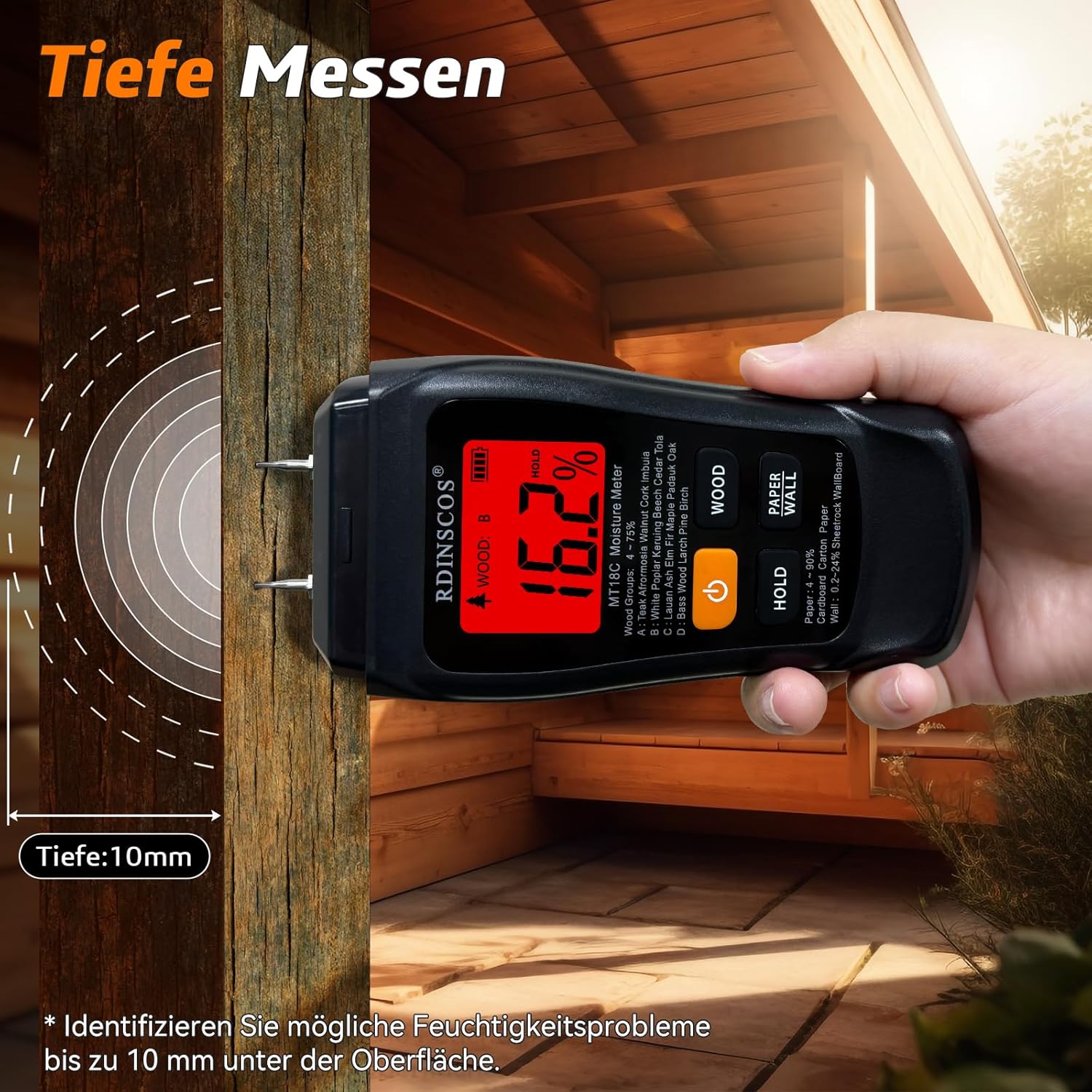
- Accurate Pin-Type Measurement: Equipped with two high-precision probes that penetrate up to 12mm into the surface to quickly measure internal moisture levels. Ideal for materials like wood, concrete, bricks, and plaster.
- Clear LCD Display with Color Backlight: The clear LCD screen displays real-time moisture percentage. The backlight changes color (Red, Orange, Green) to indicate high, medium, or low moisture levels, respectively. An automatic alarm activates for high readings.
- Four Measurement Modes: Supports measurement for various materials including wood (multiple types), paper (corrugated cardboard, carton), and walls (drywall, wall panels, floors).
- Extended Battery Life: Operates on AAA batteries, providing prolonged use without frequent replacements.
- Ergonomic Design: Compact and easy to handle for comfortable use.
4. Setup
4.1 Battery Installation
- Locate the battery compartment on the back of the device.
- Open the battery cover.
- Insert two AAA batteries, ensuring correct polarity (+/-).
- Close the battery cover securely.
4.2 Initial Power On
Press the power button (ON/OFF) to turn on the device. The LCD screen will light up, and the device will perform a brief self-test before displaying a reading.
5. Operating Instructions
5.1 Power On/Off
- To turn on: Press the ON/OFF button.
- To turn off: Press and hold the ON/OFF button for a few seconds, or the device will automatically shut off after 5 minutes of inactivity to conserve battery.
5.2 Mode Selection
The MT18C1 offers four measurement modes for different materials. Press the MODE button to cycle through the options:
- Wood Mode (A, B, C, D): For various types of wood. Refer to the device's label or manual for specific wood groups.
- Paper Mode: For corrugated cardboard and carton.
- Wall Mode: For drywall, wall panels, and floors.

5.3 Taking a Measurement
- Select the appropriate material mode using the MODE button.
- Carefully press the two metal probes into the material you wish to measure. Ensure both probes are fully inserted and make good contact.
- The moisture percentage will be displayed on the LCD screen.
- To hold the current reading, press the HOLD button. Press again to release.

5.4 Understanding the Display and Alarms
The LCD display provides a clear digital reading of the moisture content. Additionally, the backlight color and an audible alarm provide quick visual and auditory feedback:
- Green Backlight: Indicates low moisture levels.
- Orange Backlight: Indicates medium moisture levels.
- Red Backlight: Indicates high moisture levels. An audible alarm will also sound.

6. Understanding Moisture Levels
The following table provides reference ranges for moisture levels across different materials, corresponding to the display's color indicators:
| Moisture Level | Wood (A,B) (4-75%) | Wood (C,D) (4-75%) | Paper (4-90%) | Wall (1.5-30%) |
|---|---|---|---|---|
| Green Display | <12% | <20% | <12% | <7% |
| Yellow Display | 12%-16% | 20%-26% | 12%-16% | 7%-10% |
| Red Display | >16% | >26% | >16% | >10% |

7. Maintenance
- Cleaning: Wipe the device with a soft, dry cloth. Do not use abrasive cleaners or solvents.
- Storage: Store the device in a cool, dry place away from direct sunlight and extreme temperatures. If storing for extended periods, remove the batteries.
- Probe Care: Ensure the probes are clean and free from debris after each use to maintain accuracy.
8. Troubleshooting
- Device does not turn on: Check if the batteries are correctly installed and have sufficient charge. Replace if necessary.
- Reading shows 0%: A 0% reading typically indicates extremely dry material or no contact with the material. Ensure probes are fully inserted and the material is not completely dry. This is normal operation, not a malfunction.
- Inaccurate readings: Ensure the correct material mode is selected. Clean the probes if they appear dirty.
9. Specifications
| Feature | Detail |
|---|---|
| Product Name | Pin-Type Moisture Meter |
| Model Number | MT18C1 |
| Measurement Range (Wood) | 4-75% |
| Measurement Range (Paper) | 4-90% |
| Measurement Range (Wall) | 1.5-30% |
| Accuracy | ±0.5% |
| Resolution | 0.1% |
| Automatic Shut-off | 5 minutes |
| Probe Length | 10mm (0.4") |
| Probes | Integrated |
| Audible Alarm | Wood >12%, Paper >12%, Wall >7% |
| Display | Color Backlit LCD |
| Operating Temperature | 0-40°C (32-104°F) |
| Product Dimensions | 145 x 67 x 32mm (5.7" x 2.6" x 1.3") |
| Weight | 160g (5.6 oz) |
| Batteries | 2 x AAA (included) |
| Material | ABS Plastic |
| Color | Black |
10. Safety Information
- Keep the device out of reach of children.
- The probes are sharp; handle with care to avoid injury.
- Do not attempt to measure live electrical circuits.
- Do not expose the device to water or high humidity.
- Do not disassemble or modify the device.
11. Product Video
This video provides a brief overview of the RDINSCOS MT18C1 moisture meter's features and operation.
12. Warranty and Support
For warranty information or technical support, please refer to the contact details provided with your purchase or visit the official RDINSCOS website. Keep your purchase receipt as proof of purchase.


