
1. Introduction
Thank you for choosing the ODK L-Shaped Gaming Desk, Model ZJZ-1004. This versatile desk is designed to enhance your gaming or work setup with its spacious L-shaped surface, integrated LED lighting, convenient power outlets, USB ports, and ample storage solutions. Its reversible design allows for flexible configuration to suit your space. This manual provides essential information for safe assembly, operation, and maintenance of your new desk.
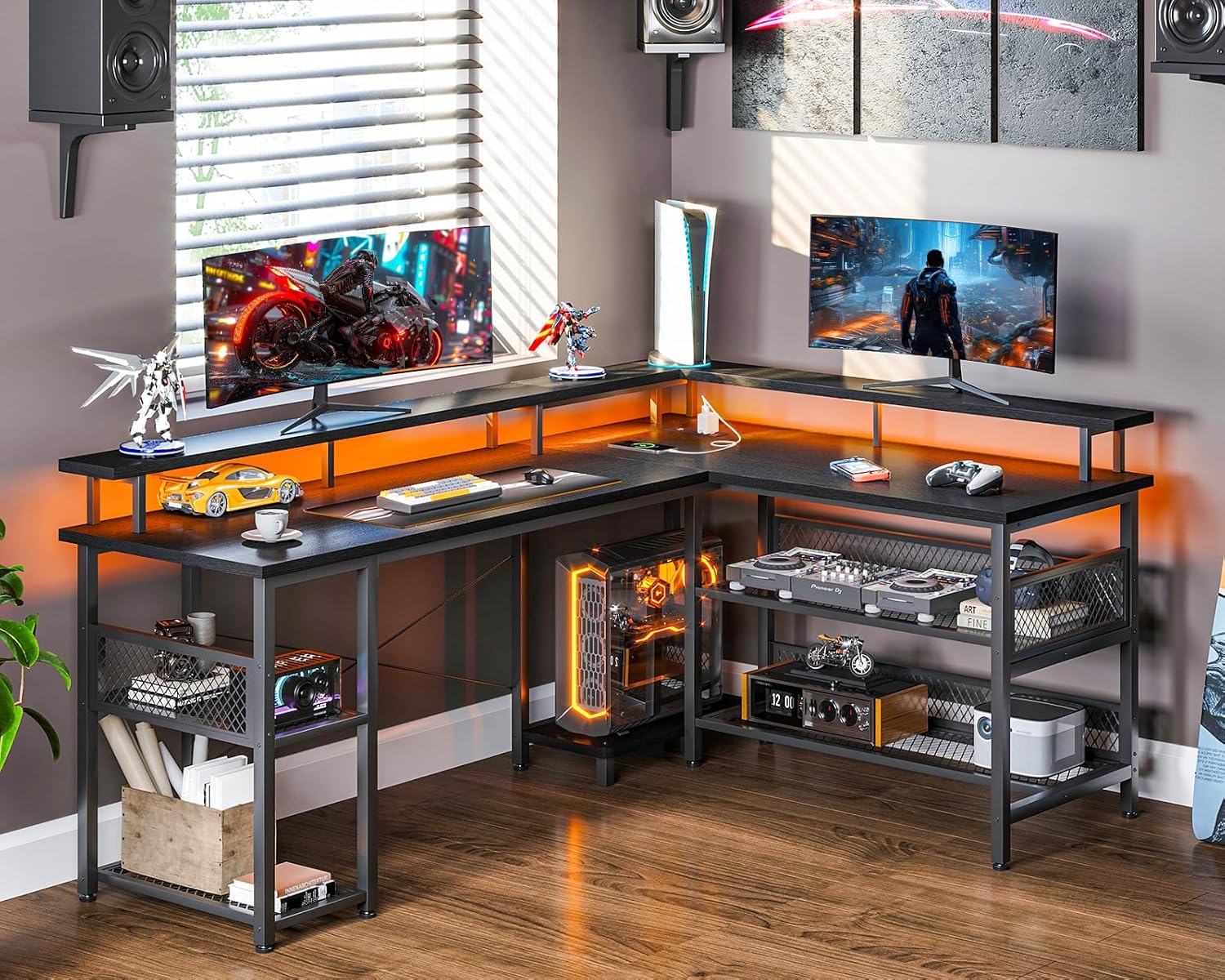
This image displays the ODK L-Shaped Gaming Desk in a complete setup, showcasing its spacious design, integrated LED lighting, and elevated monitor shelves. The desk is configured with multiple monitors, gaming peripherals, and decorative items, highlighting its functionality for a gaming or home office environment.
2. Safety Instructions
- Read all instructions carefully before assembly and use.
- Keep all packaging materials away from children to prevent choking hazards.
- Ensure all screws and fasteners are securely tightened during assembly. Periodically check and re-tighten as necessary.
- Do not exceed the maximum weight capacity of the desk surfaces or shelves.
- Place the desk on a flat, stable surface to prevent tipping.
- For electrical components (power outlets, USB ports, LED lights), ensure proper connection to a grounded power source. Do not overload the outlets.
- Keep liquids away from electrical components to prevent electric shock or damage.
- Avoid using harsh chemicals or abrasive cleaners on the desk surfaces.
3. Package Contents
Before beginning assembly, verify that all parts listed below are present and undamaged. If any parts are missing or damaged, please contact customer support.
- Desktop Panels (Main, Side, Monitor Stands)
- Metal Frame Components (Legs, Support Bars)
- Storage Shelf Panels and Mesh Grids
- Integrated Power Strip with AC Outlets and USB Ports
- LED Light Strip with Controller
- Assembly Hardware (Screws, Bolts, Allen Wrench)
- Instruction Manual
4. Setup and Assembly
Follow these steps carefully to assemble your ODK L-Shaped Gaming Desk. It is recommended to assemble the desk with two people for easier handling, though it can be done by one person.
4.1 Reversible Configuration
The ODK L-Shaped Gaming Desk features a reversible design, allowing you to configure the longer side of the 'L' to either the left or right, depending on your room layout and preference. Plan your desired orientation before starting assembly.
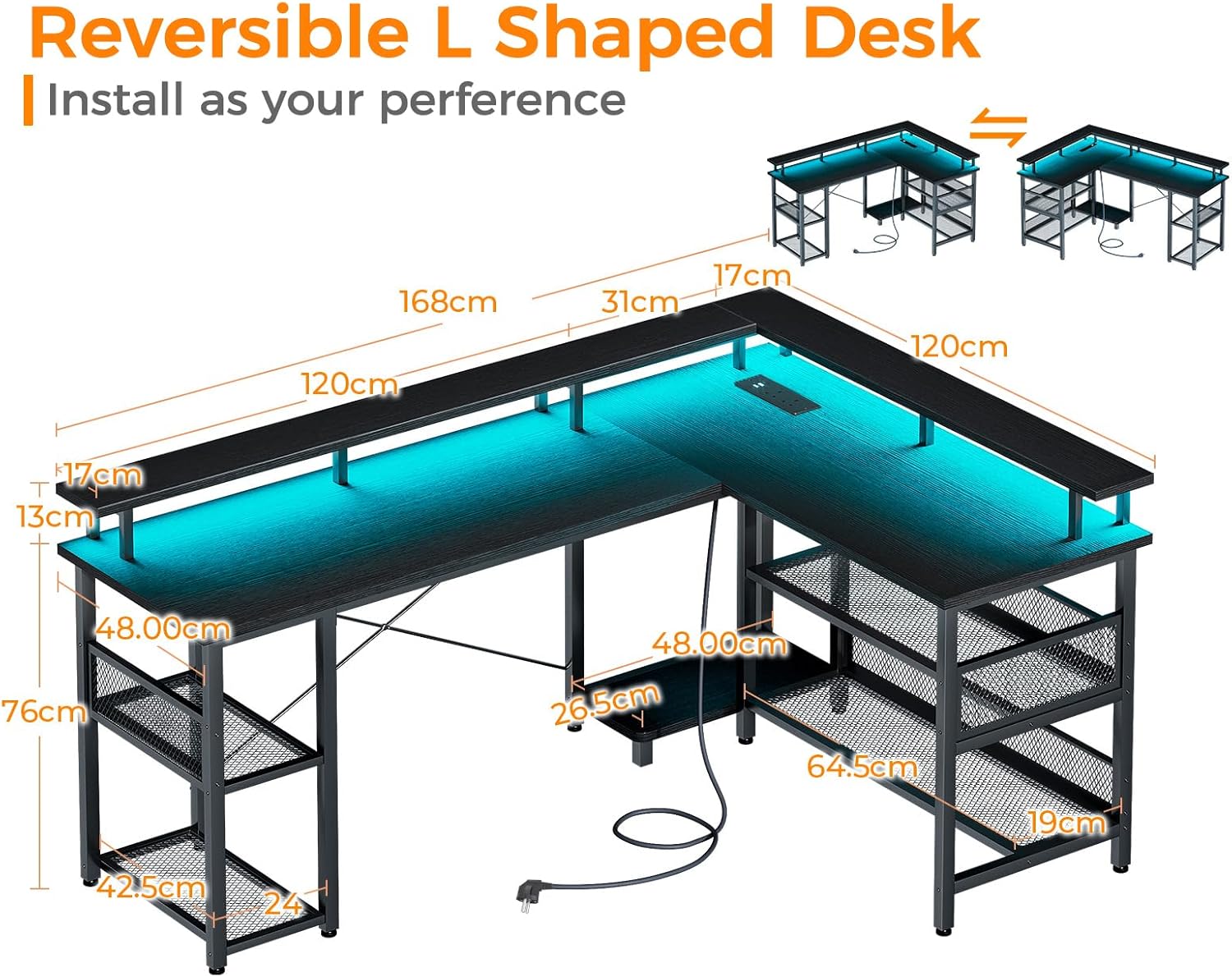
This diagram shows the ODK L-Shaped Gaming Desk's reversible design, allowing it to be assembled as a left or right-facing L-shape. Key dimensions in centimeters are provided for the desktop panels, monitor stands, and storage shelves, aiding in assembly and space planning.
4.2 Assembly Steps (General Guidelines)
- Unpack and Identify: Carefully unpack all components and lay them out on a clean, soft surface to prevent scratches. Identify each part using the provided parts list.
- Assemble Frame: Begin by assembling the metal frame components according to the diagrams in your specific assembly guide (not provided here, refer to the physical manual). Ensure all connections are aligned before tightening screws.
- Attach Desktop Panels: Secure the main and side desktop panels to the assembled frame. Important: Do not overtighten screws into the desktop panels, as this may cause cracking. Tighten until snug.
- Install Monitor Stands: Attach the elevated monitor stand panels to the designated frame supports.
- Assemble Storage Shelves: Install the storage shelf panels and mesh grids into their respective positions on the desk frame. The two-tier storage on one side is adjustable for flexibility.
- Install Power Strip: Secure the integrated power strip into its recessed location on the desktop.
- Apply LED Lights: Adhere the LED light strip to the underside of the monitor stand or desired location using its adhesive backing. Connect the LED controller.
- Final Check: Once assembled, gently lift and move the desk to its desired location. Ensure all connections are stable and the desk is level.

This diagram illustrates the flexible storage solutions offered by the ODK L-Shaped Gaming Desk, including two-tier shelves on both sides and a dedicated computer tower space. Different sections are highlighted to demonstrate potential storage arrangements for various items.
5. Operating Instructions
5.1 Integrated Power Outlet and USB Ports
The desk is equipped with a built-in power strip for convenient access to power.
- AC Outlets: The power strip includes two standard AC outlets (110-240V/6A). Plug your computer, monitors, or other AC-powered devices directly into these outlets.
- USB Ports: Two USB ports (5V/2A) are provided for charging smartphones, tablets, gaming controllers, and other USB-powered devices.
- Power Cord: Connect the desk's power cord to a wall outlet. Ensure the wall outlet is properly grounded.
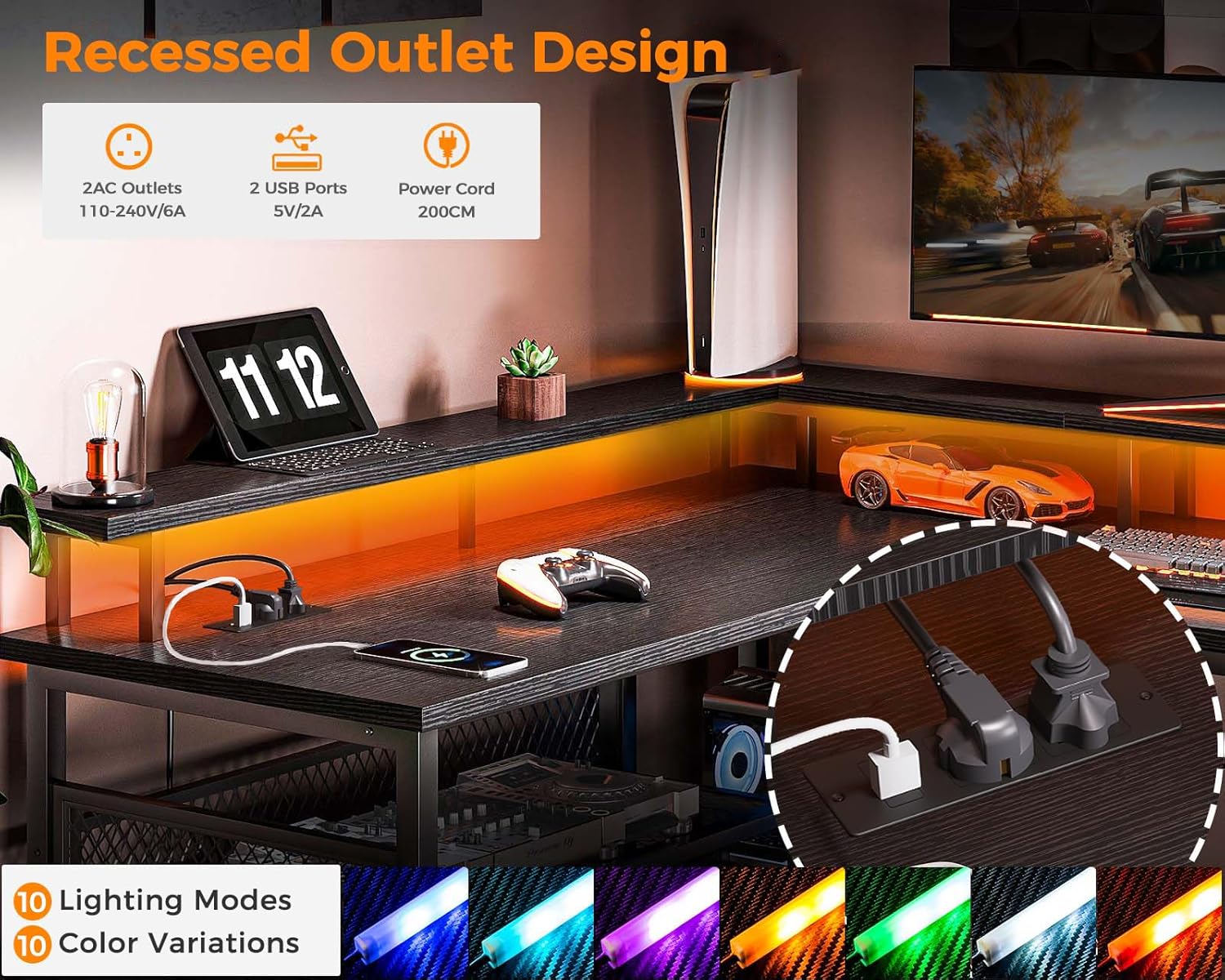
This image highlights the built-in power strip of the ODK L-Shaped Gaming Desk, featuring two standard AC outlets and two USB ports for convenient device charging. It also shows the LED light strip and various color options available.
5.2 LED Lights
The integrated LED lights offer customizable ambiance for your setup.
- Power On/Off: Use the inline controller or remote (if included) to turn the LED lights on or off.
- Color Selection: Cycle through 7 available colors to match your mood or setup.
- Lighting Modes: Choose from 13 different lighting modes, which may include static colors, fading, flashing, or other dynamic effects.
- Memory Function: The LED lights feature a memory function, which will recall the last selected color and mode when powered on again.
6. Maintenance
- Cleaning: Wipe desk surfaces with a soft, damp cloth. For stubborn marks, use a mild, non-abrasive cleaner. Dry immediately with a clean cloth.
- Avoid Harsh Chemicals: Do not use abrasive cleaners, solvents, or ammonia-based products, as these can damage the finish.
- Check Connections: Periodically inspect all screws and fasteners to ensure they remain tight. Re-tighten if any looseness is detected.
- Electrical Care: Ensure the power cord and connections for the LED lights and power strip are free from damage. Do not attempt to repair damaged electrical components yourself.
7. Troubleshooting
- Desk is wobbly: Ensure all assembly screws are fully tightened. Check that the desk is placed on a level surface. Adjust leveling feet if present.
- LED lights are not working: Verify that the power cord for the desk is securely plugged into a working wall outlet. Check the connection of the LED light strip to its controller and power source. Ensure the LED controller is functioning correctly.
- Power outlets/USB ports are not working: Confirm the desk's main power cord is plugged in. Check if the wall outlet itself is functional by plugging in another device. Ensure no circuit breaker has tripped.
- Missing or damaged parts: If you discover any missing or damaged parts upon unboxing, do not proceed with assembly. Contact ODK customer support immediately for assistance.
8. Specifications
| Feature | Detail |
|---|---|
| Brand | ODK |
| Model Number | ZJZ-1004 |
| Color | Black |
| Dimensions (L x W x H) | 168 x 48 x 76 cm (66.1 x 18.9 x 29.9 inches) |
| Item Weight | 27.8 Kilograms (61.3 lbs) |
| Material | Iron, Wood (MDF) |
| Special Features | Integrated USB Socket, Reversible Design, Monitor Stand, LED Lights |
| Power Outlets | 2 Standard AC Outlets (110-240V/6A) |
| USB Ports | 2 USB Ports (5V/2A) |
| LED Lights | 7 Colors, 13 Lighting Modes, Memory Function |
9. Warranty and Support
Specific warranty information for the ODK L-Shaped Gaming Desk (Model ZJZ-1004) is not provided in this document. For details regarding warranty coverage, terms, and conditions, please refer to the product packaging or contact ODK customer support directly. For technical assistance, replacement parts, or any other inquiries, please reach out to the manufacturer's customer service department.


