
Ohniyou GLX063
Ohniyou 52" Flush Mount Ceiling Fan User Manual
Model: GLX063
1. Product Overview
The Ohniyou 52-inch Flush Mount Ceiling Fan with Lights is designed for both indoor and outdoor use, offering a blend of aesthetic appeal and functional performance. This fan features remote and APP control, dimmable LED lighting, a quiet DC motor, and reversible airflow for year-round comfort.
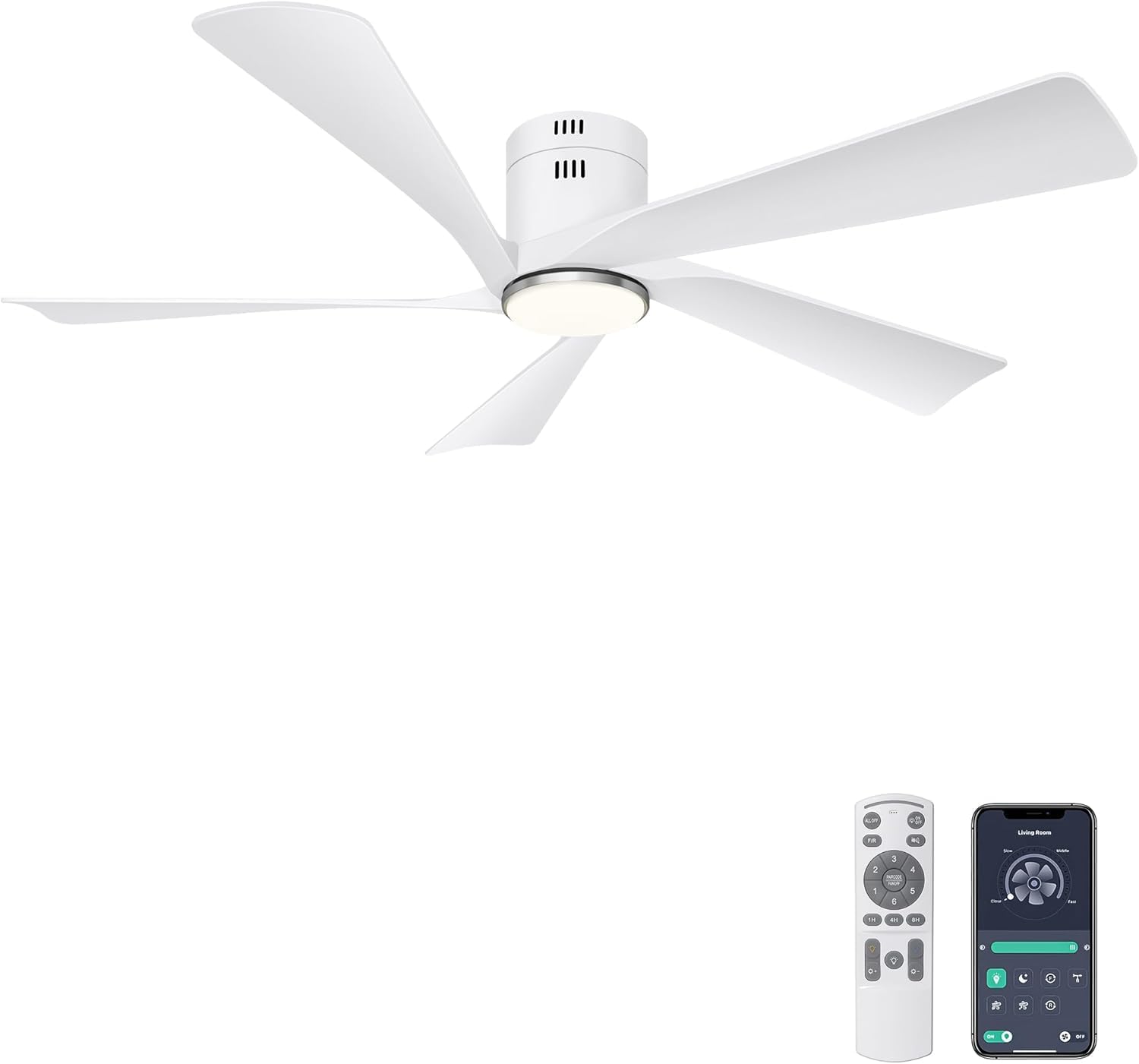
Image: Ohniyou 52-inch Flush Mount Ceiling Fan with Lights, showcasing its modern design and five white blades.
2. Key Features
- Remote & APP Control: The fan can be conveniently operated via the included remote control or a dedicated smartphone application, allowing for easy adjustments of fan speed, light settings, and other functions.
- Dimmable LED Light: Integrated LED lighting offers three color temperature options (3000K Warm Light, 4500K Natural Light, 6000K Cold Light) and adjustable brightness from 10% to 100%.
- Quiet DC Motor: Equipped with a pure copper DC motor, the fan operates at a low noise level (below 30dB), ensuring a peaceful environment. It also offers high energy efficiency, reducing power loss by up to 85%.
- Reversible Airflow: Features a reversible function for year-round use. In summer, it provides a downward airflow for cooling. In winter, it can be reversed to circulate warm air.
- 6 Fan Speeds: Multiple speed settings (1-6) allow for personalized comfort, from a gentle breeze to strong airflow.
- Timer Function: The fan can be set to automatically turn off after 2, 4, or 8 hours, promoting energy savings and convenience.
- Durable Construction: Features plastic blades and a pure copper motor for durability and long-lasting performance.
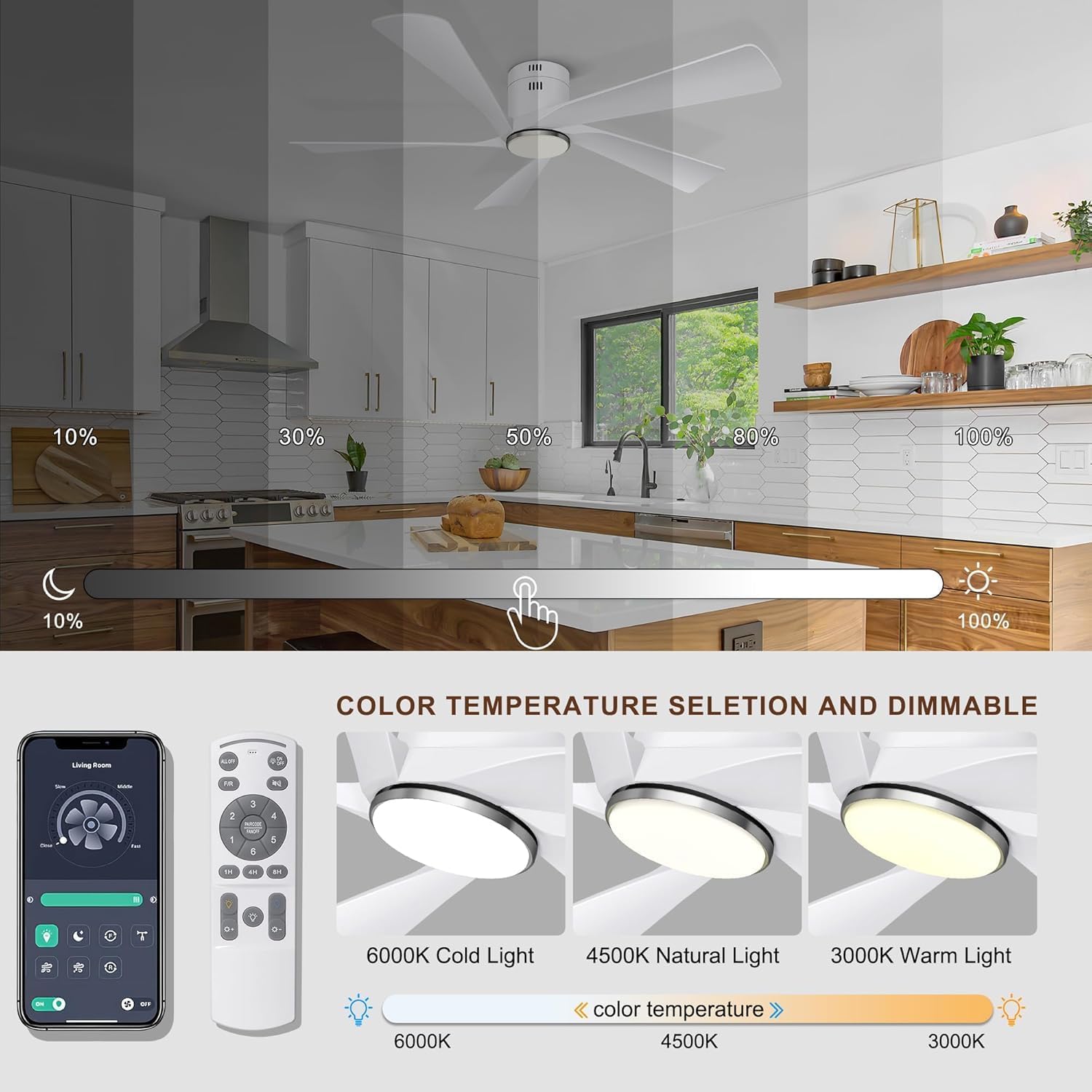
Image: The included remote control and a smartphone screen showing the fan's APP interface, highlighting dual control options.
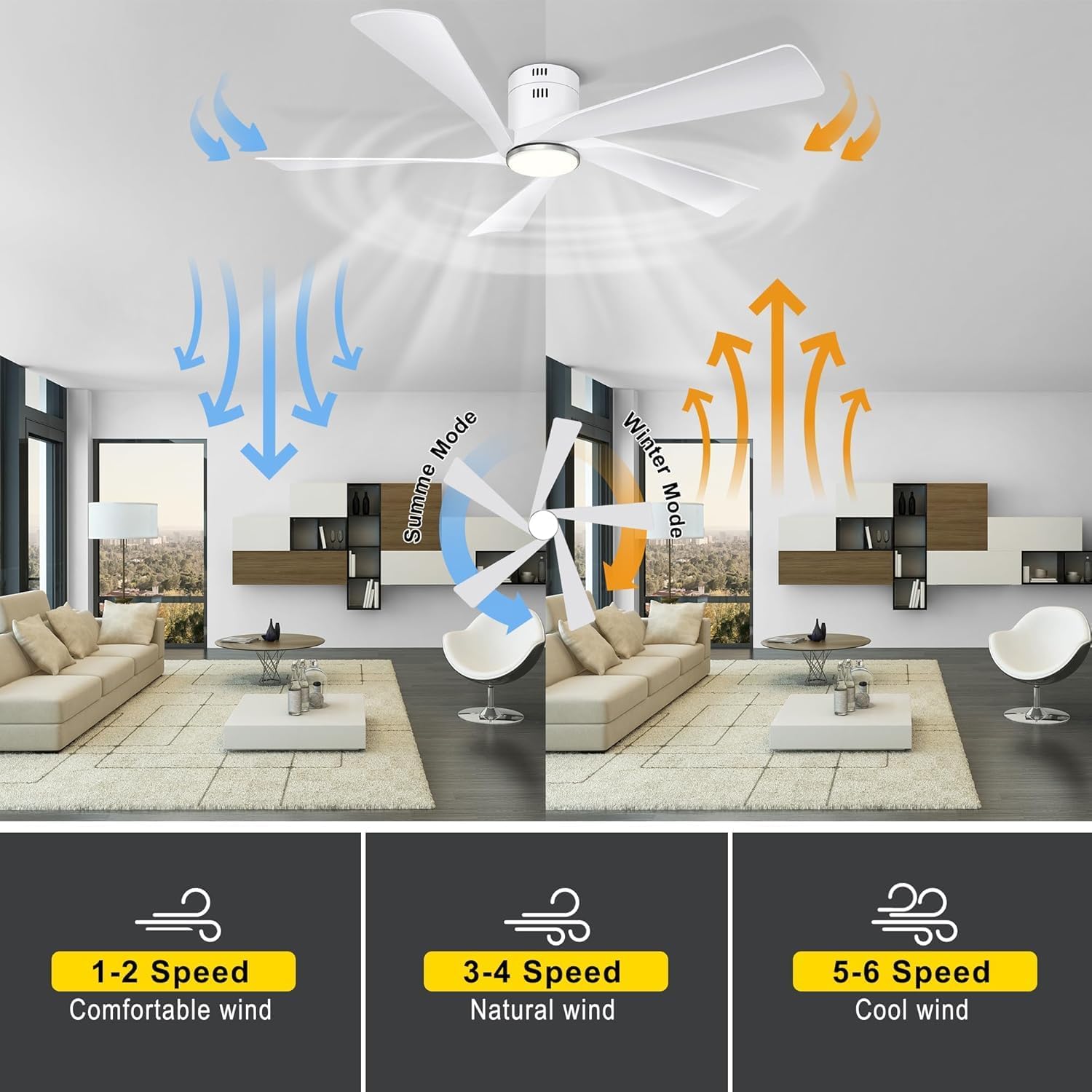
Image: Visual representation of the dimmable light feature, showing brightness levels from 10% to 100%, and three distinct color temperatures: 6000K Cold Light, 4500K Natural Light, and 3000K Warm Light.
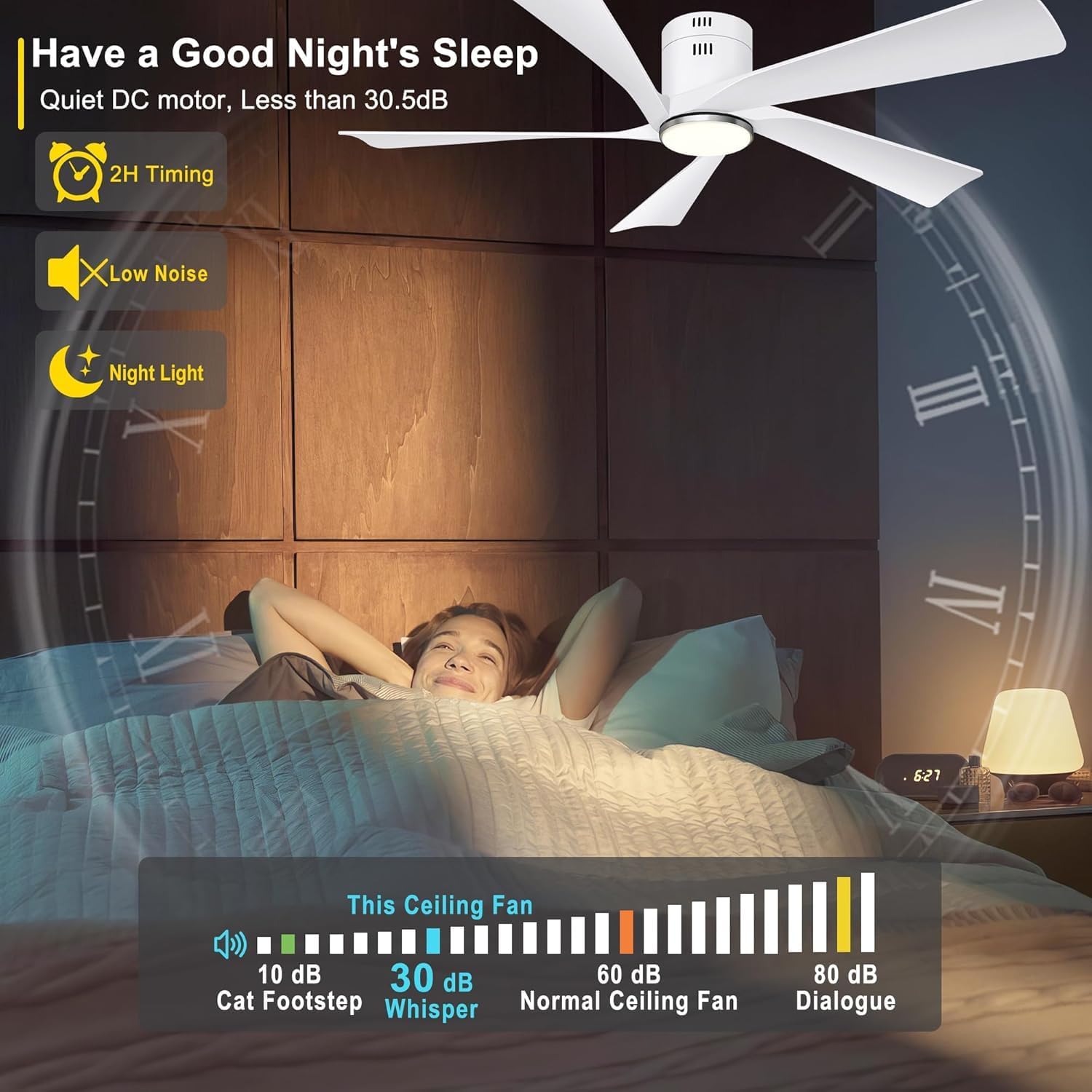
Image: Diagram illustrating the reversible airflow function, with blue arrows indicating downward summer mode for cooling and orange arrows indicating upward winter mode for circulating warm air.
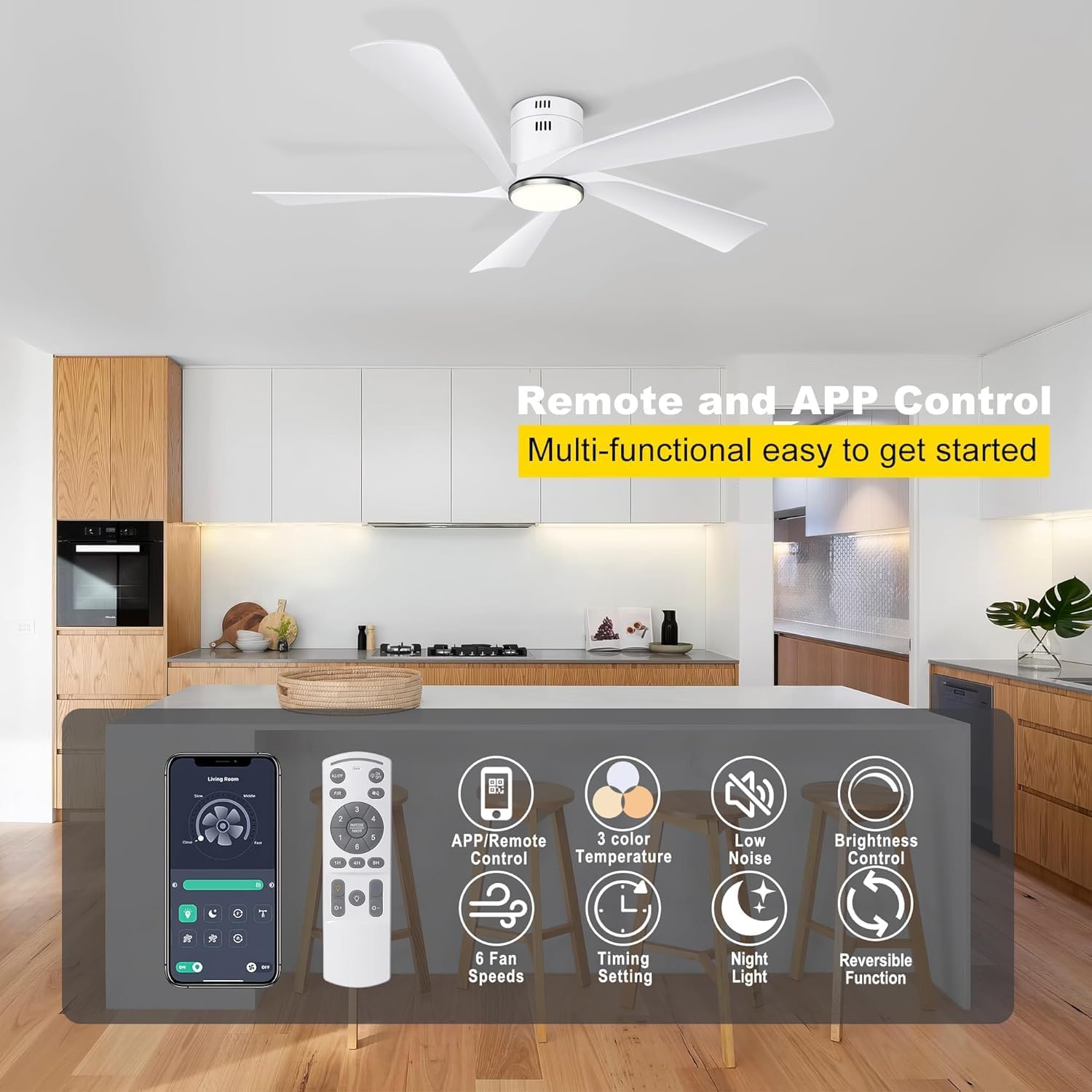
Image: A graphic demonstrating the low noise level of the fan's DC motor, comparing its 30dB operation to common sounds like a cat's footsteps (10dB) and normal ceiling fans (60dB).
3. Installation
Installation of the Ohniyou 52-inch Flush Mount Ceiling Fan is designed to be straightforward. It is suitable for flat ceilings and can be installed in various indoor and outdoor spaces, including bedrooms, dining rooms, living rooms, and outdoor patios.
3.1 Pre-Installation Checklist
- Ensure power is disconnected at the circuit breaker before beginning installation.
- Verify all components are present as per the packing list.
- Prepare necessary tools (e.g., screwdriver, wire strippers, ladder).
3.2 Mounting the Fan
The fan is designed for flush mounting. Follow the detailed instructions provided in the physical manual for secure attachment to your ceiling. Ensure the mounting location can support the fan's weight (approximately 11 pounds).
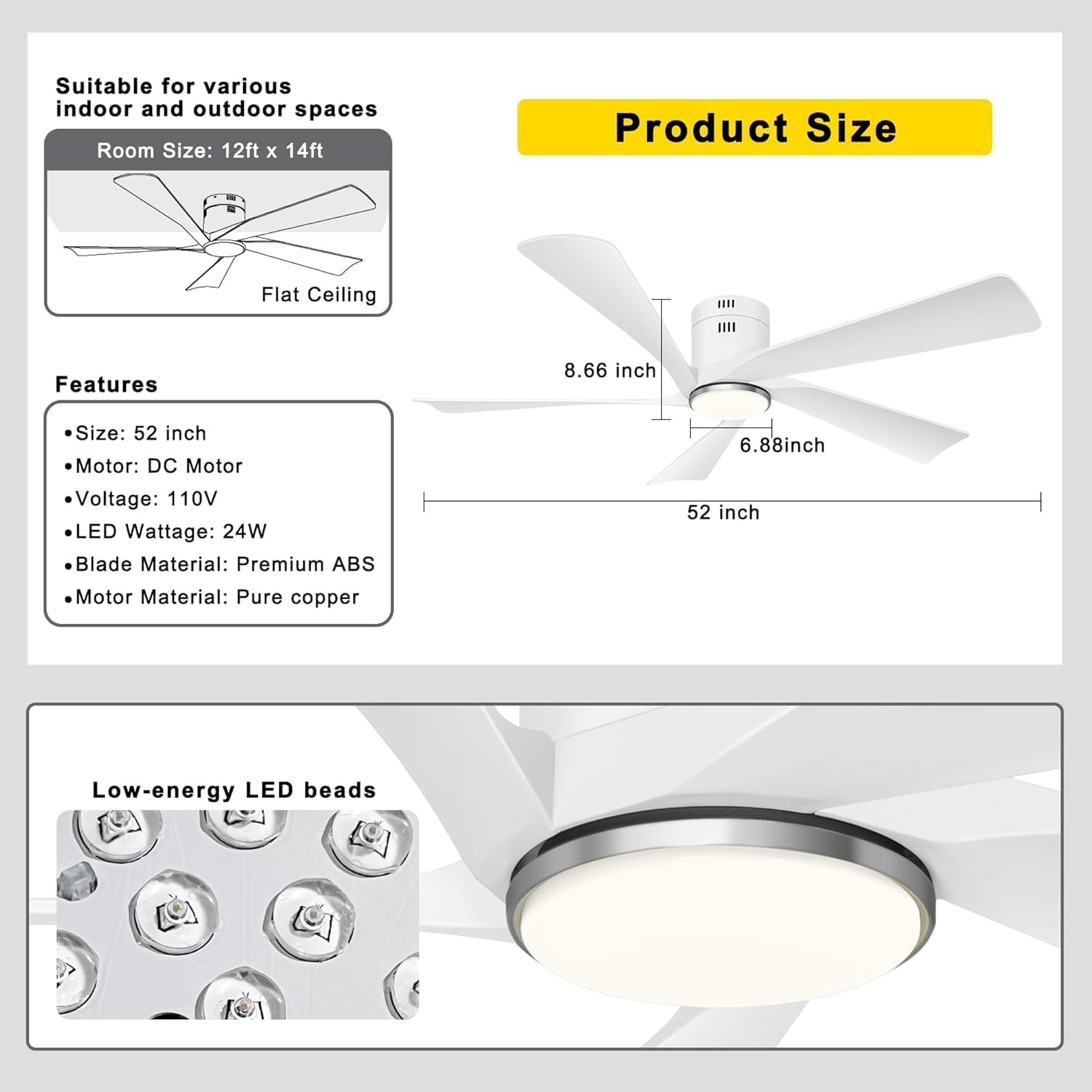
Image: A diagram showing the fan's dimensions (52 inches diameter, 8.66 inches height) and indicating suitability for rooms sized 12ft x 14ft with flat ceilings.
4. Operation
The Ohniyou ceiling fan offers versatile control options via both a dedicated remote and a smartphone application.
4.1 Remote Control Functions
The remote control allows for comprehensive management of the fan and light features. It requires 2 AAA batteries (not included).
- Fan / Light ALL/OFF: Turns both fan and light on/off.
- LIGHT ON/OFF: Toggles the light on or off independently.
- Reversible Motor (F/R): Changes the direction of fan rotation for summer or winter mode.
- Sound Switch: Toggles sound feedback for button presses.
- 6 Speed Button (1-6): Adjusts fan speed from low (1-2) to natural (3-4) to cool (5-6).
- Natural Light / Yellow Light / White Light: Cycles through the three color temperature options (3000K, 4500K, 6000K).
- Luminance +/-: Adjusts the brightness of the light.
- Timer Setting (1H, 4H, 8H): Sets the fan to turn off automatically after the selected duration.
- SETUP: Press and hold to learn the code for remote pairing. Press again to stop the fan.
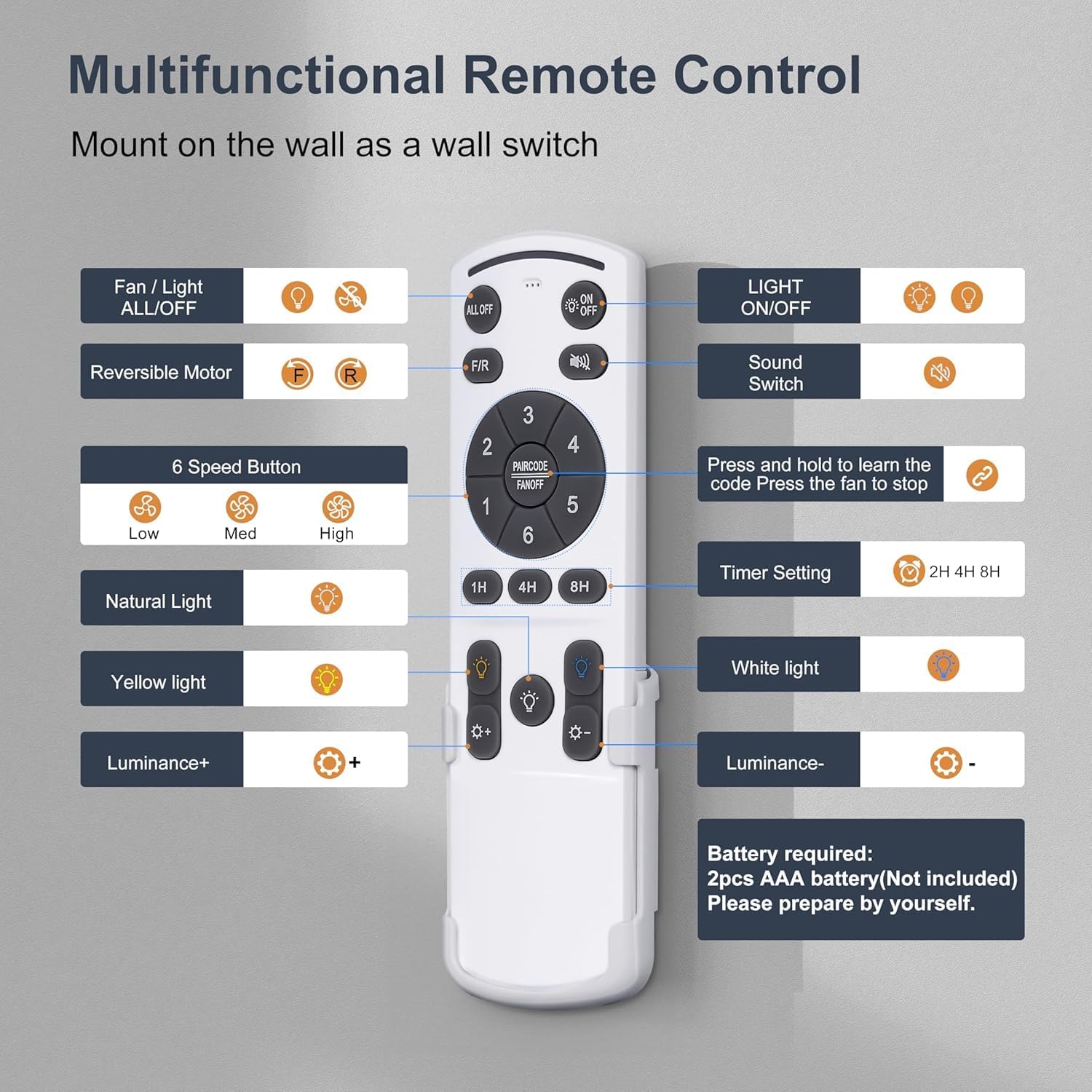
Image: A detailed view of the remote control, labeling each button and its corresponding function for easy reference.
4.2 APP Control
The fan can also be controlled via a smartphone application. This provides an intuitive interface for managing all fan and light features, including light color temperature, brightness, wind speed, wind direction, night light mode, and timing.
- How to use the APP: After opening the APP, you can see the function introduction through the directory guide.
- APP Control Matching: Turn on your phone's Bluetooth. The ceiling fan needs to be turned on and off 5 times before matching.
- Remote Control Matching: When matching, you need to press and hold the "SETUP" button for 3 seconds.

Image: Screenshots of the mobile application interface for controlling the fan, along with a QR code for easy download. The image also provides brief instructions on APP usage and pairing.
For more details on the APP, visit: http://www.jasonghost.com/fanlamppro/index-en.html
5. Maintenance
Regular maintenance ensures the longevity and optimal performance of your Ohniyou ceiling fan.
- Cleaning: Periodically wipe the fan blades and motor housing with a soft, damp cloth. Do not use abrasive cleaners or solvents.
- Blade Inspection: Check fan blades for any signs of damage or warping. Ensure all blade screws are securely tightened.
- Light Source: The integrated LED light source is designed for long life. If replacement is ever needed, consult a qualified electrician or contact customer support.
- Motor Lubrication: The DC motor is permanently lubricated and does not require additional oiling.
6. Troubleshooting
If you encounter issues with your Ohniyou ceiling fan, refer to the following common troubleshooting steps:
- Fan Does Not Operate:
- Check if the power supply is connected and the wall switch is on.
- Ensure the remote control batteries are correctly installed and not depleted.
- Verify the remote control is paired with the fan (refer to APP Control section for pairing instructions).
- Light Does Not Work:
- Confirm the light switch on the remote or APP is turned on.
- Check electrical connections to the light kit.
- Fan Wobbles:
- Ensure all blade screws are tightened.
- Check that the mounting bracket is securely fastened to the ceiling.
- Verify blades are balanced.
- Remote/APP Not Responding:
- Replace remote batteries.
- Re-pair the remote or APP with the fan.
- Ensure Bluetooth is enabled on your device for APP control.
For persistent issues, contact Ohniyou customer support.
7. Specifications
| Feature | Detail |
|---|---|
| Brand | Ohniyou |
| Model Name | GLX063 |
| Product Dimensions | 52"D x 52"W x 8.66"H |
| Color | White |
| Number of Blades | 5 |
| Blade Material | Plastic |
| Motor Type | DC Motor (Pure Copper) |
| Power Source | AC/DC |
| Voltage | 110 Volts |
| Wattage | 50 watts |
| Light Type | LED (Dimmable, 3 CCT options) |
| Noise Level | 30 dB |
| Control Method | App, Remote |
| Indoor/Outdoor Usage | Indoor, Outdoor |
| Item Weight | 11 Pounds |
8. Warranty and Support
Ohniyou products are manufactured to high-quality standards. For information regarding warranty coverage, product registration, or technical support, please refer to the warranty card included with your product or visit the official Ohniyou website.
For direct assistance, you may contact Ohniyou customer service through the contact information provided in your product packaging or on their official Amazon store page.
Note: Specific warranty terms and conditions may vary. Please retain your proof of purchase for warranty claims.
Related documentsGLX063


Ask a question about this manual
Ask about setup, troubleshooting, compatibility, parts, safety, or missing instructions. Manuals+ will review the question and use this page’s manual context to help answer it.