
GEEKERA R01
GEEKERA Charging Dock for Meta Quest 3/Oculus Quest 3
Model: R01
Product Overview
The GEEKERA Charging Dock is designed to provide an efficient and organized charging solution for your Meta Quest 3 VR headset and its controllers. This dock features simultaneous charging capabilities for both the headset and controllers, integrated RGB LED ambient lighting, and includes rechargeable batteries for the controllers, eliminating the need for frequent battery replacements. Its stable design ensures secure placement during charging.

Image: The GEEKERA Charging Dock with a Meta Quest 3 VR headset and two controllers securely placed on it. Various accessories such as rechargeable batteries, magnetic Type-C adapters, a QC 3.0 adapter, and a USB-C charging cable are displayed alongside the dock.
Package Contents
Verify that all items listed below are included in your package:
- 1 * VR Charging Dock for Quest 3
- 2 * Rechargeable Batteries (1800mAh)
- 2 * Battery Covers (L & R) for controllers
- 4 * Magnetic Type-C Adapters
- 1 * QC 3.0 18W Adapter
- 1 * Type-C Charging Cable
- 1 * Connector
- 1 * Instructions Manual

Image: A visual representation of all components included in the GEEKERA Charging Dock package, neatly arranged and labeled.
Setup Guide
- Assemble the Charging Dock:
Carefully attach the vertical headset stand piece to the main base unit. Ensure it clicks securely into place.
- Prepare Controllers for Charging:
Remove the original battery covers from your Meta Quest 3 controllers. Insert the provided rechargeable batteries into the controllers, ensuring correct polarity. Replace the original covers with the two specialized battery covers (L & R) included in the package. These covers are designed to allow magnetic charging on the dock.
- Connect Power:
Connect one end of the provided Type-C Charging Cable to the input port on the back of the charging dock. Connect the other end of the cable to the QC 3.0 18W Adapter. Plug the adapter into a standard wall outlet.
- Initial Battery Activation (Important):
Due to transportation, the rechargeable batteries may be in a low power state. Before first use, ensure the controllers with the new rechargeable batteries are placed on the charging dock and allowed to charge fully for activation.
Operating Instructions
Charging Your Devices
- Charging the VR Headset:
Place your Meta Quest 3 VR headset onto the designated stand on the charging dock. Ensure the headset's charging port aligns with the connector on the dock. The headset should begin charging automatically.
A full charge for the VR headset takes approximately 3 hours.
- Charging the Controllers:
Gently place each controller into its respective slot on either side of the charging dock. The magnetic connection will secure them in place and initiate charging. Ensure the controllers are fitted correctly for optimal contact.
A full charge for the controllers takes approximately 4 hours.

Image: The GEEKERA Charging Dock with a Meta Quest 3 headset connected, illustrating the fast charging capability with a "3h for VR Headset" indicator.
Adjusting RGB LED Ambient Light
The charging dock features colorful RGB ambient lights to enhance your gaming environment. A dedicated button allows you to cycle through different lighting modes:
- RGB Mode: Cycles through various colors.
- Blue Breathing Light Mode: A pulsating blue light effect.
- Blue Light Mode: A steady blue light.
- You can also turn off the light by pressing the button until the lights are off.
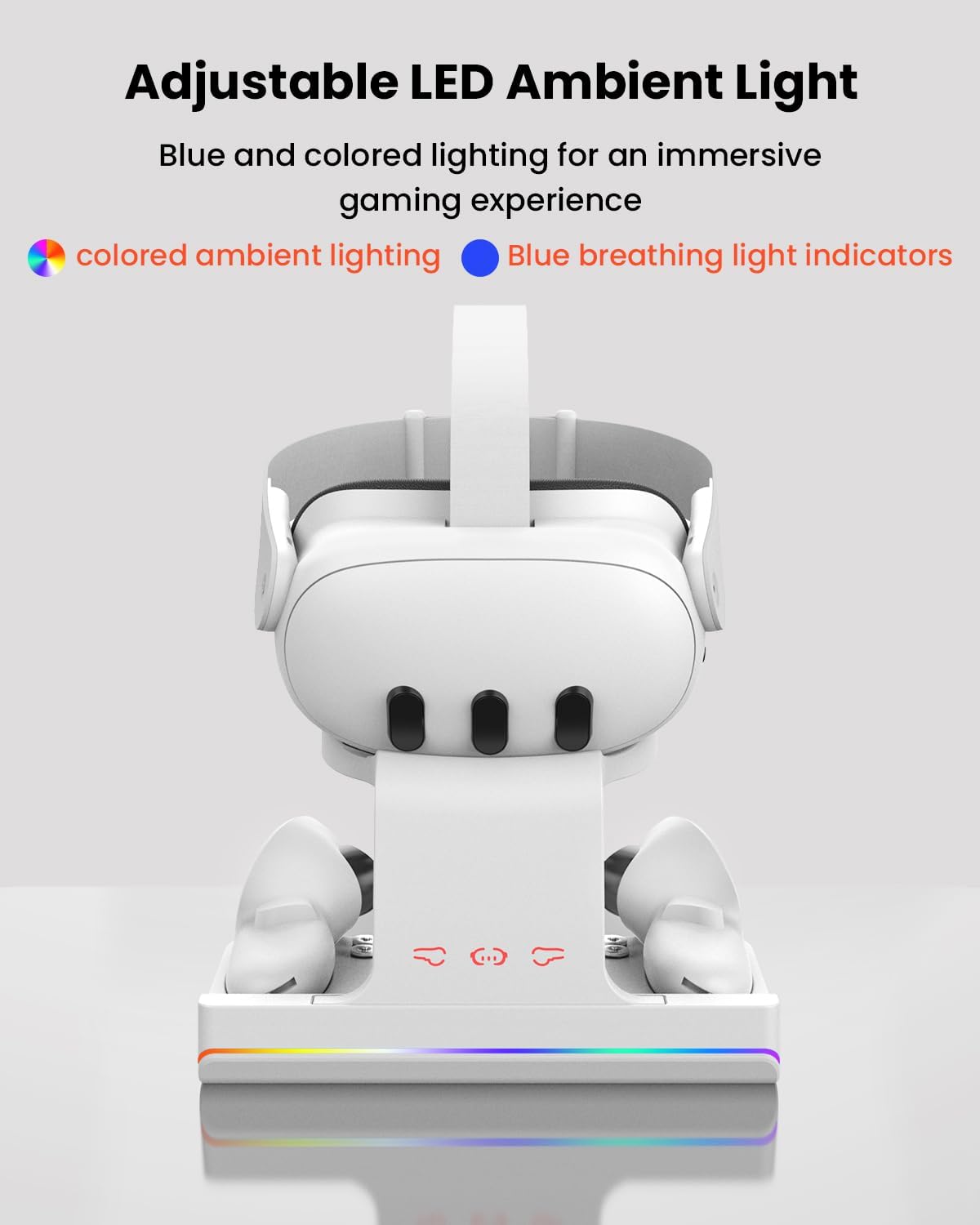
Image: The GEEKERA Charging Dock with the Meta Quest 3 headset, highlighting the adjustable LED ambient light feature with options for colored ambient lighting and blue breathing light indicators.
Maintenance
- Cleaning: Disconnect the power before cleaning. Use a soft, dry cloth to wipe down the charging dock. Avoid using abrasive cleaners, solvents, or strong chemicals, as these may damage the surface.
- Storage: When not in use for extended periods, store the charging dock in a cool, dry place away from direct sunlight and extreme temperatures.
- Cable Care: Avoid bending or crimping the charging cable excessively to prevent damage.
Troubleshooting
| Problem | Possible Cause | Solution |
|---|---|---|
| Device not charging |
|
|
| LED light not working |
|
|
| Slow charging |
|
|
If issues persist, please refer to the Warranty & Support section for further assistance.
Specifications
| Feature | Detail |
|---|---|
| Brand | GEEKERA |
| Model Number | R01 |
| Compatible Devices | Meta Quest 3, Virtual Reality Headset |
| Connectivity Technology | USB Type C |
| VR Headset Charging Time | Approx. 3 hours |
| Controller Charging Time | Approx. 4 hours |
| Safety Features | Overheating, Overcharging, Short Circuit Protection |
| Special Features | RGB Ambient Light, Rechargeable Batteries Included, Stable Charging Design |
| Package Dimensions | 9.21 x 5.47 x 4.21 inches |
| Item Weight | 1.67 pounds |
Warranty & Support
GEEKERA stands behind the quality of its products. This Charging Dock for Meta Quest 3 comes with a 24-month warranty from the date of purchase.
For any product inquiries, technical assistance, or warranty claims, please contact GEEKERA customer support through the retailer's platform or visit the official GEEKERA website for contact information.
Please retain your proof of purchase for warranty validation.
Related documentsR01


Ask a question about this manual
Ask about setup, troubleshooting, compatibility, parts, safety, or missing instructions. Manuals+ will review the question and use this page’s manual context to help answer it.