
Bukumo KB-F98P-SHSE
Bukumo 6.0 Cuft Large Home Safe User Manual
Model: KB-F98P-SHSE
1. Introduction
This manual provides detailed instructions for the proper installation, operation, and maintenance of your Bukumo 6.0 Cuft Large Home Safe. Please read this manual thoroughly before using the safe to ensure optimal performance and security. Keep this manual for future reference.

Image 1.1: The Bukumo 6.0 Cuft Large Home Safe, open to display its spacious interior and removable shelves.
2. Safety Information
- Do not store the emergency keys inside the safe. Keep them in a secure, separate location.
- Ensure the safe is placed on a stable, level surface.
- Keep children away from the safe, especially during operation, to prevent accidental lockout or injury.
- Do not attempt to force the safe open if the lock mechanism malfunctions. Contact customer support.
- Regularly check battery levels to avoid being locked out due to depleted batteries.
3. Package Contents
Verify that all items listed below are included in your package:
- 1 x Bukumo Home Safe
- 1 x User Manual (this document)
- 2 x Emergency Keys
- 4 x Expansion Screws (for mounting)
- 1 x Floor Mat

Image 3.1: Visual representation of the Bukumo safe and its included accessories.
4. Setup
4.1 Initial Opening and Battery Installation
- Locate the emergency keyhole, typically concealed behind the digital keypad cover or a small plate.
- Insert one of the provided emergency keys into the keyhole and turn it.
- While the key is turned, rotate the handle to open the safe door.
- Inside the safe door, locate the battery compartment.
- Insert four (4) AA batteries (not included) into the compartment, ensuring correct polarity.
- Close the battery compartment cover.

Image 4.1: Illustration of the two unlocking methods: digital keypad and emergency key, along with the external battery box.
4.2 Mounting the Safe
For enhanced security, it is recommended to anchor the safe to a wall or floor. The safe features pre-drilled holes for this purpose.
- Choose a suitable location for the safe, ensuring it is stable and secure.
- Open the safe door and locate the pre-drilled holes on the back or bottom panel.
- Mark the drilling points on the wall or floor through the pre-drilled holes.
- Drill pilot holes at the marked locations using an appropriate drill bit for your wall/floor material.
- Align the safe with the drilled holes.
- Insert the provided expansion screws through the safe's holes and into the wall/floor.
- Tighten the screws securely to anchor the safe in place.

Image 4.2: Step-by-step guide for securely mounting the safe to a wall or floor.
5. Operating Instructions
5.1 Setting/Changing the Passcode
- With the safe door open, press the red reset button located on the inside of the door (usually near the hinge). The keypad will beep, and the indicator light will flash.
- Enter your desired 3-8 digit passcode on the keypad.
- Press the "ENTER" button to confirm. The keypad will beep again, and the indicator light will confirm successful programming.
- Test the new passcode with the door open before closing it.
5.2 Opening the Safe with the Digital Keypad
- Enter your programmed passcode on the digital keypad.
- Press the "ENTER" button. The indicator light will turn green, and you will hear a click.
- Within 5 seconds, rotate the handle clockwise to open the safe door.
5.3 Opening the Safe with Emergency Keys
Use the emergency keys if you forget your passcode or if the batteries are depleted.
- Locate the emergency keyhole.
- Insert an emergency key and turn it.
- Rotate the handle to open the safe door.
5.4 Anti-Theft Alarm System
The safe is equipped with an anti-theft alarm system:
- If an incorrect passcode is entered three (3) consecutive times, the alarm will activate, and the safe will lock for 20 seconds.
- The alarm can also be triggered by violent vibrations or unauthorized movement if the safe is disturbed while locked.

Image 5.1: The safe's alarm system is designed to deter unauthorized access and tampering.
5.5 Silent Mode (Mute Function)
To operate the safe in silent mode (without keypad beeps):
- Long press the "I" key on the keypad to toggle silent mode on or off.

Image 5.2: The safe features a built-in sensor light and a mute function for discreet operation.
5.6 Removable Shelf
The safe includes a removable shelf to customize the interior storage space.
- To remove the shelf, simply lift it slightly and pull it out from its supports.
- To reinsert, align the shelf with the desired supports and lower it into place.

Image 5.3: The removable shelf allows for flexible organization of items within the safe.
6. Maintenance
6.1 Battery Replacement
When the batteries are low, the keypad indicator light may flash red or the safe may not respond. Replace batteries promptly.
- Locate the external battery box on the keypad unit.
- Slide open the battery box cover.
- Remove the old AA batteries.
- Insert four (4) new AA batteries, observing correct polarity.
- Close the battery box cover.

Image 6.1: The external battery box design facilitates easy battery replacement without needing to open the safe.
6.2 Cleaning
- Wipe the exterior of the safe with a soft, damp cloth.
- Do not use abrasive cleaners or solvents, as they may damage the finish.
7. Troubleshooting
| Problem | Possible Cause | Solution |
|---|---|---|
| Keypad does not light up or respond. | Dead or incorrectly installed batteries. | Replace batteries with new AA batteries, ensuring correct polarity. Use emergency key to open if necessary. |
| Safe does not open after entering correct passcode. | Handle not turned within 5 seconds; mechanical obstruction. | Re-enter passcode and turn handle immediately after the green light appears. Check for obstructions around the door. |
| Alarm activates unexpectedly. | Incorrect passcode entered multiple times; physical impact. | Wait for the alarm to reset (20 seconds). Ensure correct passcode entry. Avoid bumping or moving the safe while locked. |
| Forgotten passcode. | Passcode not remembered. | Use the emergency key to open the safe. Reset the passcode following the instructions in Section 5.1. |
8. Specifications
| Feature | Detail |
|---|---|
| Brand | Bukumo |
| Model Number | KB-F98P-SHSE |
| Capacity | 6 Cubic Feet |
| Product Dimensions | 12.2"D x 14.96"W x 27.6"H |
| Material | Alloy Steel |
| Lock Type | Electronic Combination Lock |
| Special Features | Alarm System, Combination Lock, Fire Resistant, Sensor Light |
| Mounting Type | Floor Mount |
| Water Resistance Level | Waterproof |
| Item Weight | 49.9 pounds |
| Batteries Required | 4 x AA (not included) |
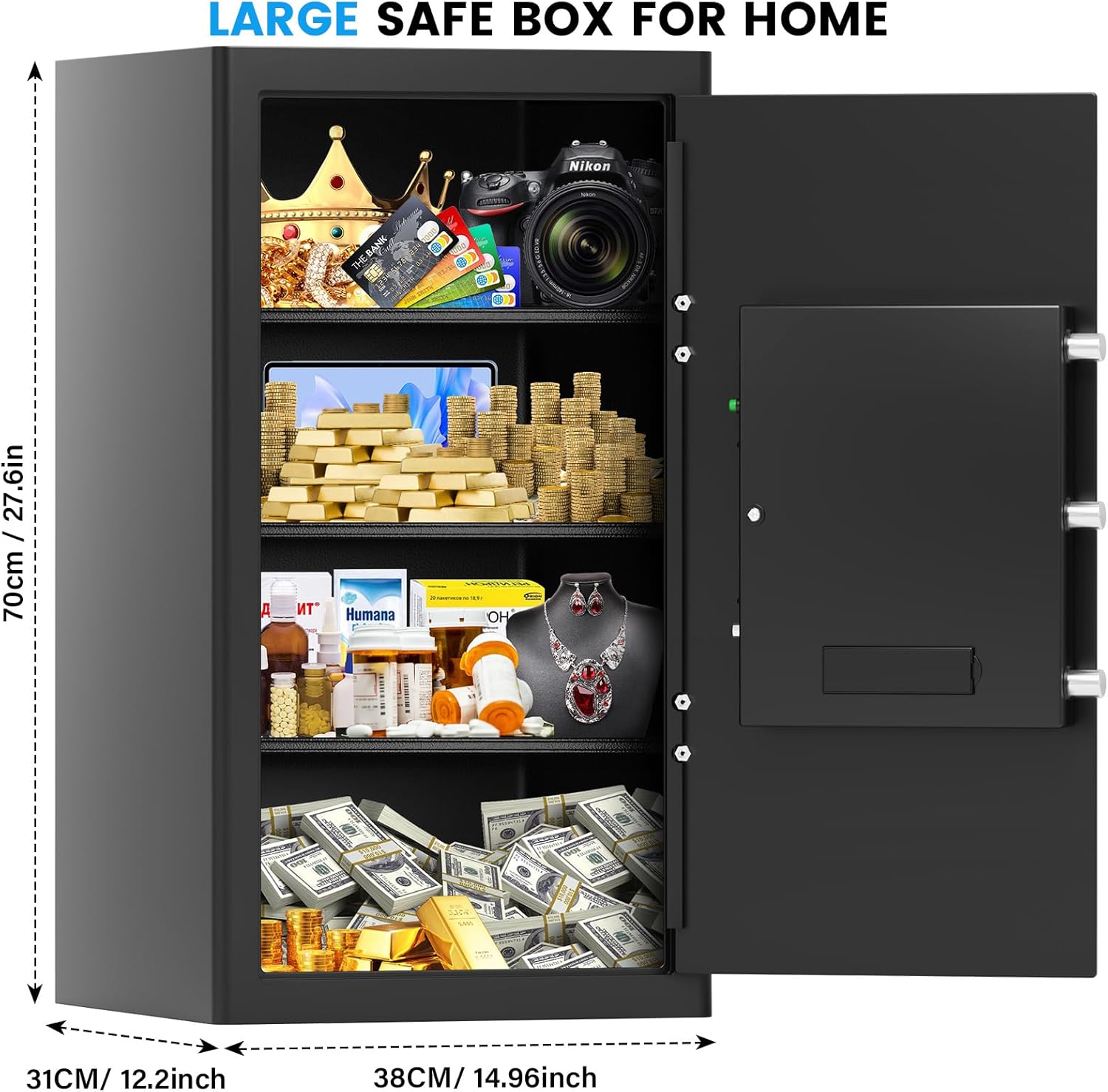
Image 8.1: Key dimensions of the Bukumo 6.0 Cuft Large Home Safe.
9. Warranty and Support
Bukumo provides a 5-year warranty for this product. For any inquiries, technical assistance, or parts replacement, please contact Bukumo customer support. When contacting support, please have your model number (KB-F98P-SHSE) and purchase information ready.
- Warranty: 5 Years
- Support: Quick Response, Parts Replacement

Image 9.1: Bukumo Care commitment, including warranty and support services.
Ask a question about this manual
Ask about setup, troubleshooting, compatibility, parts, safety, or missing instructions. Manuals+ will review the question and use this page’s manual context to help answer it.