
1. Introduction
The PCE-HVAC 10 Digital Pressure Gauge is a robust measuring instrument engineered for daily use in refrigeration systems and heat pumps. It accurately determines pressure and temperature, supporting commissioning, servicing, and maintenance tasks. The device features a durable metal casing, a 2-way valve block, and comes with two NTC clamp-on temperature sensors and refrigerant hoses for comprehensive measurement capabilities. With 83 preloaded refrigerants and functions like automatic heat pump mode and temperature-compensated density testing, it simplifies complex operations.
2. Safety Information
Please read this manual thoroughly before operating the PCE-HVAC 10 Digital Pressure Gauge. Failure to follow safety instructions may result in injury or damage to the device. Keep this manual for future reference.
- Always wear appropriate personal protective equipment (PPE) when working with refrigeration systems.
- Ensure all connections are secure before applying pressure.
- Do not expose the device to extreme temperatures, moisture, or corrosive environments beyond its specified operating conditions.
- Only use the specified battery type (4 x 1.5V AA) and ensure correct polarity during installation.
- Do not attempt to repair or modify the device. Refer servicing to qualified personnel.
- Dispose of batteries and the device according to local regulations.
3. Package Contents
Verify that all items listed below are present in your package:
- 1 x PCE-HVAC 10 Digital Pressure Gauge
- 3 x Refrigerant Hoses (Red, Blue, Yellow)
- 2 x Clamp-On NTC Temperature Sensors
- 1 x Carrying Case
- 1 x User Manual
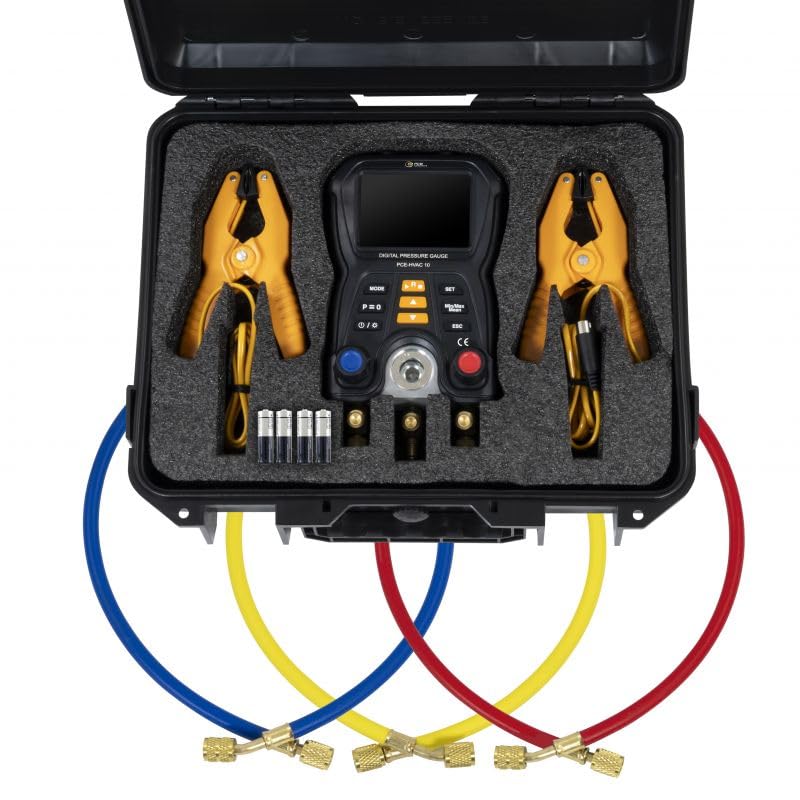
Image of the PCE-HVAC 10 Digital Pressure Gauge kit, including the main unit, refrigerant hoses, and NTC clamp sensors, neatly arranged in a protective carrying case.
4. Product Overview
The PCE-HVAC 10 is designed for precision and ease of use in demanding HVAC/R environments. Its robust metal casing ensures durability, while the intuitive interface provides clear readings.
Key Features:
- Material and Design: Features a robust metal casing, a 2-way valve block with 3 connectors, and includes 2 NTC clamp-on temperature sensors for a functional design.
- Measurement Range and Accuracy: Measures pressure from -1 to +60 bar and temperature from -10 to +200°C / 14 to 392°F. Pressure accuracy is 0.5% FS, and temperature resolution is 0.1°C / 0.18°F.
- User-friendly Features: Equipped with an LCD display, automatic shut-off after 30 minutes, and a hanging fixture. Supports multiple units: MPa, kPa, psi, bar, °F, and °C.
- Power and Protection: Powered by 4 x 1.5V AA batteries and features an IP42 protection class, offering resistance to dust and water splashes.
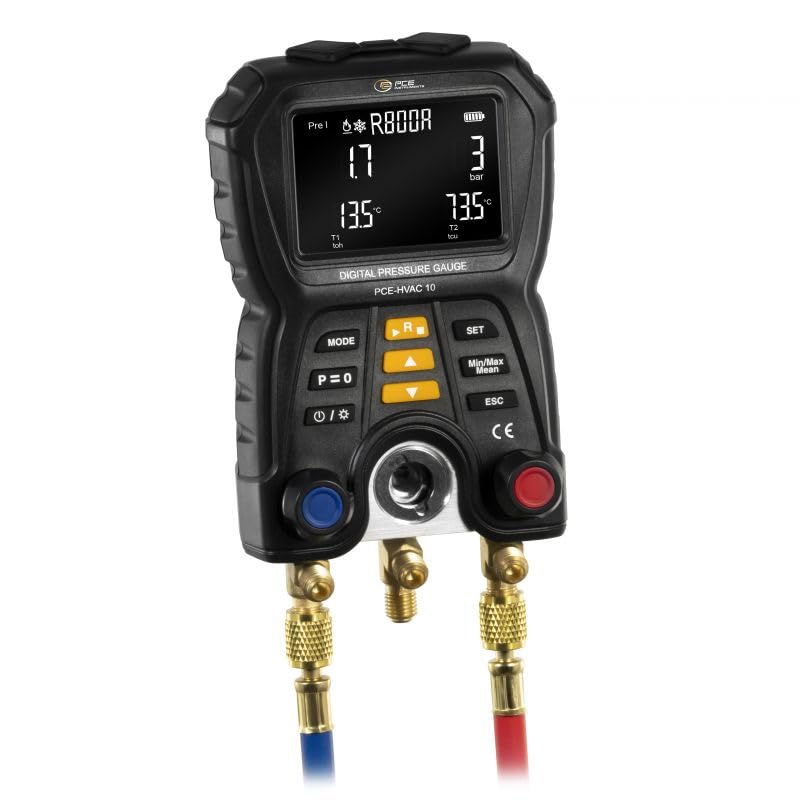
Front view of the PCE-HVAC 10 Digital Pressure Gauge, showcasing its robust casing and clear LCD display.
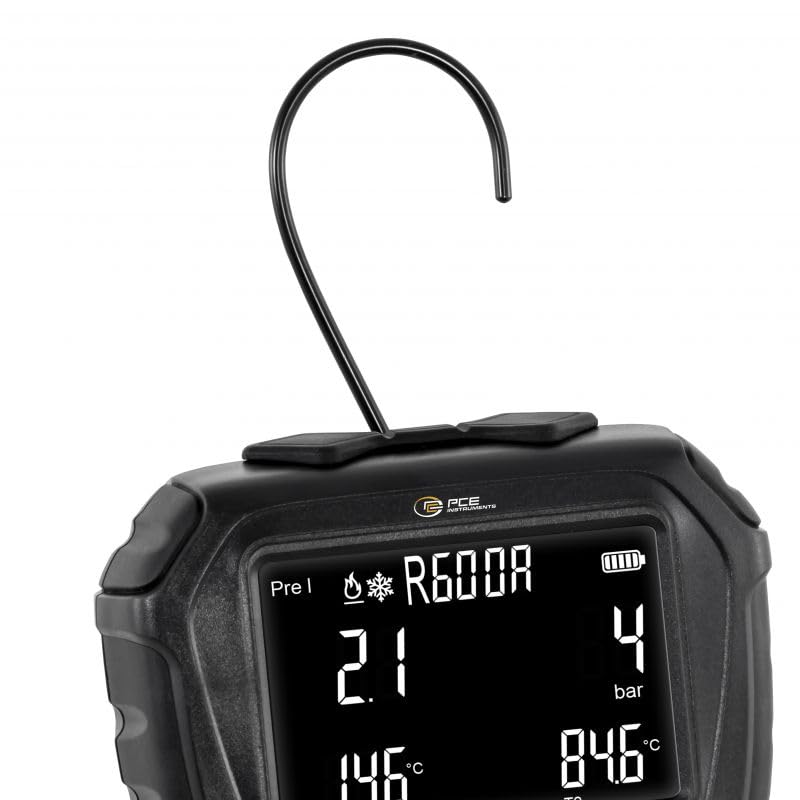
Close-up of the PCE-HVAC 10 display, showing measurement readings and the integrated hanging hook for convenient placement.
5. Setup
5.1 Battery Installation
- Locate the battery compartment on the rear of the device.
- Open the compartment cover.
- Insert 4 x 1.5V AA batteries, ensuring correct polarity.
- Close the battery compartment cover securely.
5.2 Connecting Sensors and Hoses
The PCE-HVAC 10 utilizes a 2-way valve block with three connectors for refrigerant hoses and dedicated ports for NTC clamp sensors.
- Connect the NTC clamp sensors to their respective ports on the device.
- Attach the refrigerant hoses (red, blue, yellow) to the corresponding connectors on the 2-way valve block. Ensure a tight seal to prevent leaks.
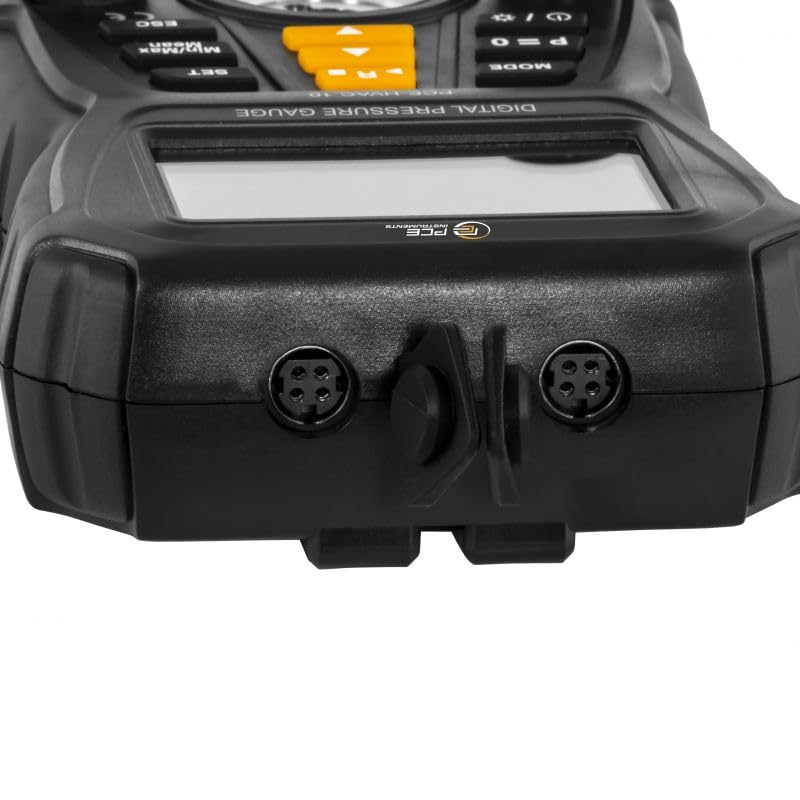
Detailed view of the PCE-HVAC 10's connection ports for NTC clamp sensors and refrigerant hoses.
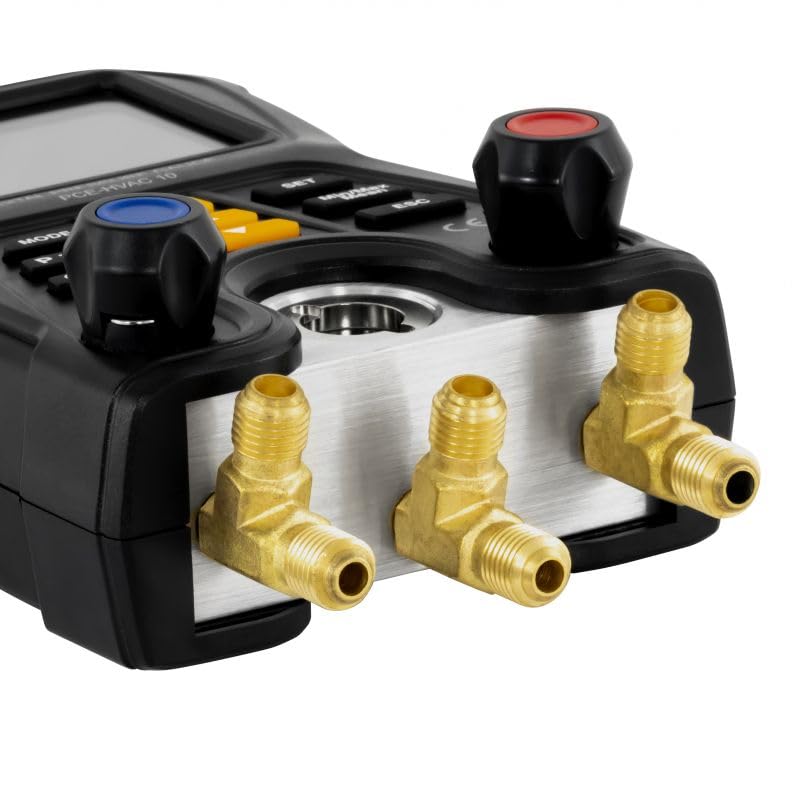
Side view of the PCE-HVAC 10 showing the metal 2-way valve block with three connectors for refrigerant hoses.
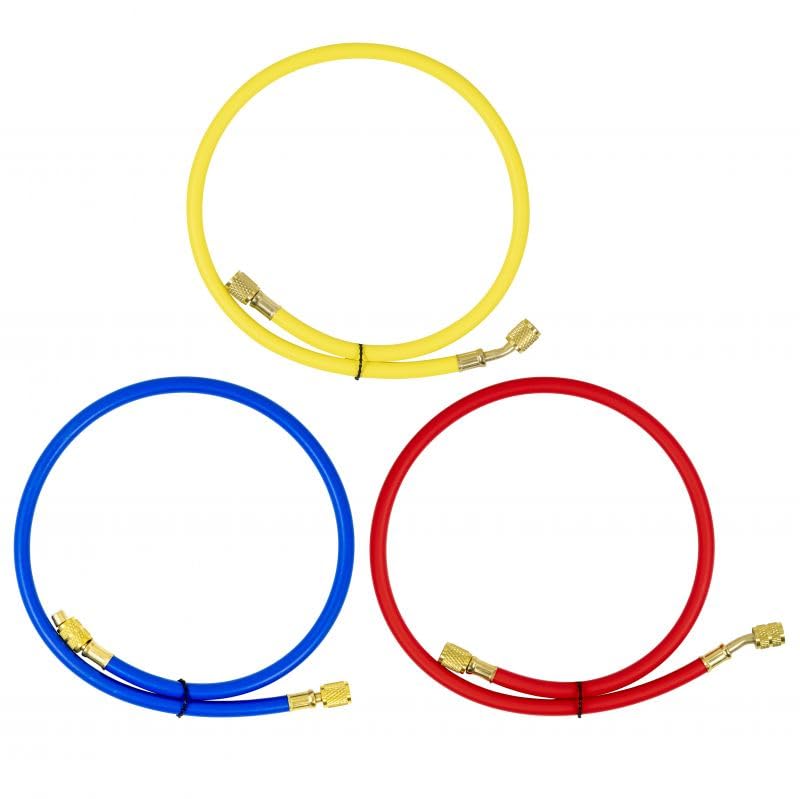
The three color-coded refrigerant hoses (red, blue, yellow) included with the PCE-HVAC 10, used for connecting to HVAC systems.
6. Operating Instructions
6.1 Power On/Off
Press and hold the power button (usually marked with /) to turn the device on or off.
6.2 Menu Navigation
Use the MODE button to cycle through different measurement modes or display screens. The SET button is used to confirm selections or enter settings menus. Use the arrow buttons (/) to navigate options or adjust values. The ESC button allows you to exit a menu or cancel an operation.
6.3 Refrigerant Selection
The PCE-HVAC 10 has 83 preloaded refrigerants. To select the appropriate refrigerant for your system:
- Enter the refrigerant selection menu (refer to the device's on-screen prompts or specific button combination).
- Use the arrow buttons to scroll through the list of refrigerants.
- Press SET to confirm your selection. The selected refrigerant will be displayed on the measurement screen.
6.4 Performing Measurements
Once the sensors and hoses are connected and the refrigerant is selected, the device will display real-time pressure and temperature readings. Ensure proper connection to the HVAC/R system for accurate measurements.
6.5 Using the 2-Way Valve Block
The metal 2-way valve block allows for controlled charging, evacuation, and testing of refrigeration systems. Operate the valves carefully to manage refrigerant flow and pressure.
6.6 Special Functions
- Automatic Heat Pump Mode: This feature eliminates the need to swap refrigerant hoses for measurements, streamlining the process for heat pump systems.
- Temperature-Compensated Density Testing: Provides accurate density readings adjusted for temperature variations, crucial for precise system analysis.
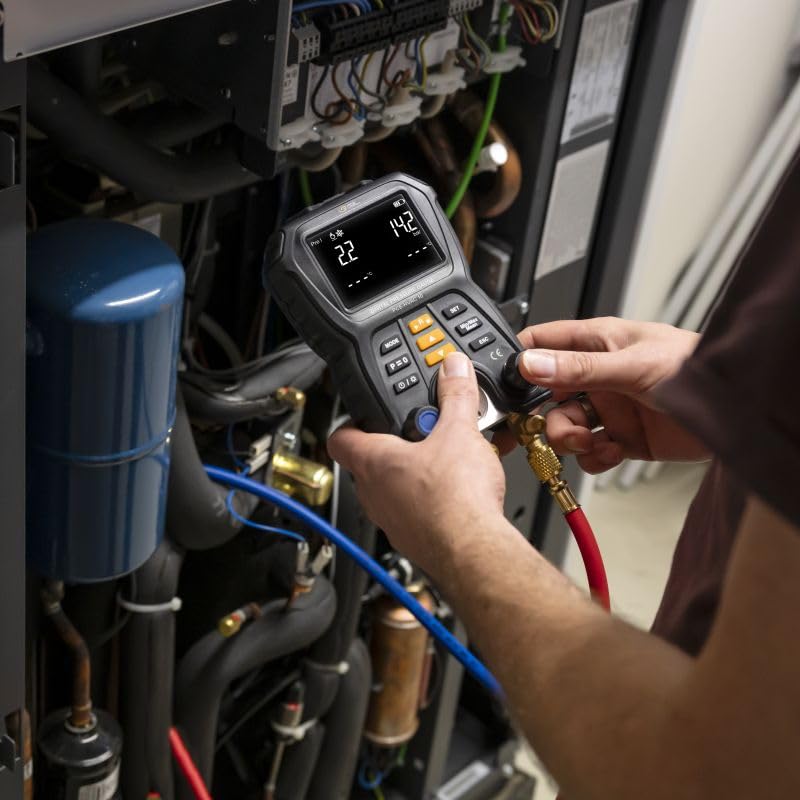
A technician using the PCE-HVAC 10 Digital Pressure Gauge to monitor an HVAC system, with hoses connected.
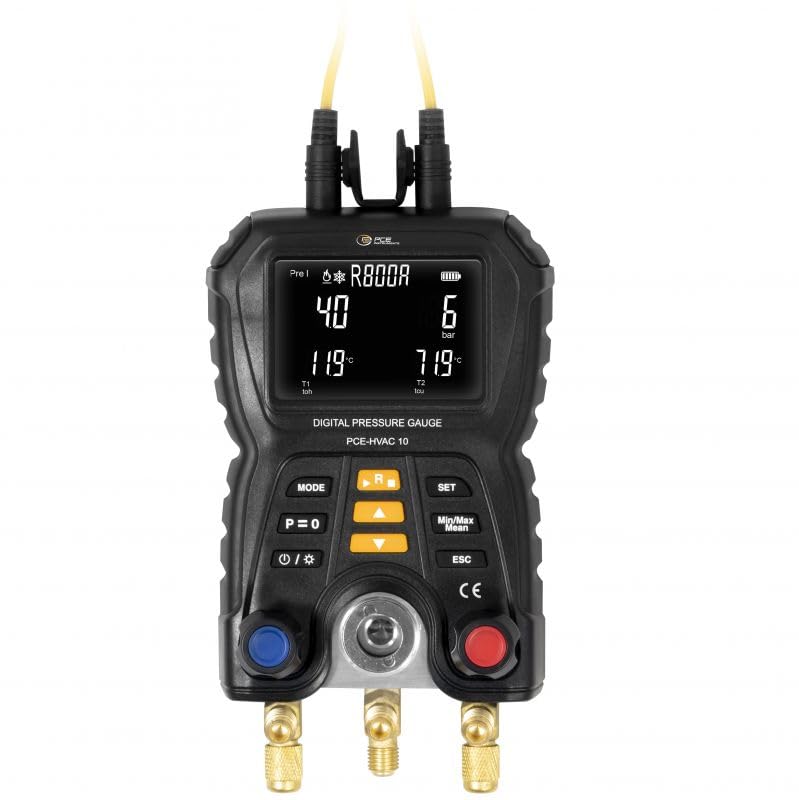
Close-up of the PCE-HVAC 10 display showing real-time pressure and temperature readings for a selected refrigerant.
7. Maintenance
7.1 Cleaning
Wipe the device with a soft, dry cloth. Do not use abrasive cleaners or solvents. Ensure no moisture enters the device openings.
7.2 Battery Replacement
Replace the batteries when the low battery indicator appears on the display. Follow the battery installation steps outlined in Section 5.1.
7.3 Storage
When not in use, store the PCE-HVAC 10 in its protective carrying case in a dry environment. The recommended storage temperature range is -20 to 60°C / -4 to 140°F with a relative humidity of 10% to 95%.
8. Troubleshooting
If you encounter issues with your PCE-HVAC 10, consider the following common solutions:
- Device does not power on: Check battery installation and ensure batteries are not depleted. Replace if necessary.
- Inaccurate readings: Verify all sensor and hose connections are secure and free from leaks. Ensure the correct refrigerant is selected.
- Display issues: Ensure the device is within its specified operating temperature range.
- No response from buttons: Try restarting the device by powering it off and on.
For persistent issues, contact PCE Instruments customer support.
9. Specifications
| Parameter | Value |
|---|---|
| Product Dimensions | 8.03 x 4.57 x 2.56 inches |
| Item Weight | 1.7 pounds (768g) |
| Pressure Measurement Range | -1 to +60 bar |
| Pressure Accuracy | 0.5% FS |
| Temperature Measurement Range | -10 to +200°C / 14 to 392°F |
| Temperature Resolution | 0.1°C / 0.18°F |
| Power Supply | 4 x 1.5V AA batteries |
| Protection Class | IP42 |
| Operating Temperature | 0 to 45°C / 32 to 113°F |
| Operating Humidity | 10% to 95% RH (non-condensing) |
| Storage Temperature | -20 to 60°C / -4 to 140°F |
| Storage Humidity | 10% to 95% RH (non-condensing) |
10. Warranty and Support
PCE Instruments products are manufactured under strict quality control. This product is covered by a manufacturer's warranty against defects in materials and workmanship. Please refer to the warranty card included with your product or visit the PCE Instruments website for detailed warranty terms and conditions.
For technical support, service, or calibration, please contact PCE Instruments directly. Our qualified technicians are available to assist you with any questions or issues you may have regarding the PCE-HVAC 10 Digital Pressure Gauge.
PCE Instruments Contact Information:
Please visit www.pce-instruments.com for contact details specific to your region.


