
XINLEI ML1350
XINLEI Mobile TV Cart ML1350 User Manual
Model: ML1350 | Brand: XINLEI
Product Overview
The XINLEI Mobile TV Cart ML1350 is a versatile and portable TV stand designed for flat or curved screens ranging from 13 to 50 inches. It supports TVs weighing up to 44 lbs and is compatible with VESA patterns from 75x75mm to 200x200mm. This stand offers features such as height adjustment, tilt functionality, 90-degree screen rotation, and lockable casters for easy mobility and stability.

Figure 1: XINLEI Mobile TV Cart ML1350 in a living environment, showcasing its ability to hold a TV screen.
Key Features
- Wide Compatibility: Fits most 13" to 50" flat or curved TV screens/monitors with VESA 75x75mm to 200x200mm, supporting up to 44lbs.
- Adjustable Tilt: Allows tilting the TV up by 30° and down by 10° to optimize viewing angles and reduce glare.
- Height Adjustment: Features unlimited point adjustable height, with a maximum height of 52.95 inches, for comfortable eye-level viewing.
- Space-Saving Design: Front long and back short leg base design enables placement closer to walls, saving space.
- Mobility with Lockable Casters: Easily move the TV between rooms or swivel it, with casters that can be locked for stability and safety.
- 90° Rotation: Switch the screen from horizontal (landscape) to vertical (portrait) orientation, ideal for various applications like presentations or social media.
Setup and Assembly
Before beginning assembly, ensure all parts are present and undamaged. Refer to the included hardware pack for specific components. It is recommended to assemble the stand on a soft, clean surface to prevent scratches.
Step 1: Assemble the Base
Attach the four leg components to the central base column. Ensure all screws are securely tightened. Install the lockable casters into the designated holes at the end of each leg. Verify that the casters roll smoothly and the locking mechanism functions correctly.

Figure 2: Illustration of the stable base design, highlighting its robust structure.

Figure 3: Detail of the lockable casters, essential for both mobility and stability.
Step 2: Attach the Main Support Column
Secure the main vertical support column to the assembled base. Use the provided bolts and tools to ensure a firm connection. This column will bear the weight of the television.
Step 3: Install the TV Mounting Bracket
Attach the VESA mounting bracket to the top of the main support column. This bracket allows for height adjustment and screen rotation. Ensure the mechanism for height adjustment is accessible and functional.

Figure 4: The flexible height adjustment mechanism of the XINLEI TV cart.
Step 4: Mount the Television
Carefully attach your television to the VESA mounting bracket using the appropriate screws for your TV's VESA pattern. Ensure the TV is centered and securely fastened. Double-check all connections before releasing the TV.
Note: The TV cart is compatible with VESA patterns including 75x75mm, 100x100mm, 100x200mm, 200x100mm, and 200x200mm. Always verify your TV's VESA pattern before mounting.

Figure 5: Guide to VESA pattern compatibility and measurement.
Operating Instructions
Adjusting Height
To adjust the height of your television, locate the height adjustment mechanism on the main support column. Loosen the securing knob or lever, carefully slide the TV to the desired height, and then firmly tighten the knob/lever to secure it in place. The ML1350 offers unlimited point height adjustment up to 52.95 inches.

Figure 6: Visual representation of the height adjustment feature.
Tilting the Screen
The TV cart allows for a tilt range of +30° upwards and -10° downwards. To adjust the tilt, loosen the tilt locking mechanism behind the TV mounting plate, set the screen to your preferred angle, and then re-tighten the mechanism to secure the tilt. This feature helps in reducing glare and optimizing viewing from different positions.

Figure 7: Demonstrating optimal viewing angles with the tilt feature.

Figure 8: Detailed view of the tilt adjustment mechanism.
Rotating the Screen (90°)
The ML1350 allows for a full 90-degree rotation of the screen, enabling you to switch between landscape and portrait orientations. To rotate, gently turn the TV until it clicks into the desired position. This is particularly useful for presentations, video calls, or viewing vertical content.

Figure 9: Demonstrating the 90-degree screen rotation for versatile use.
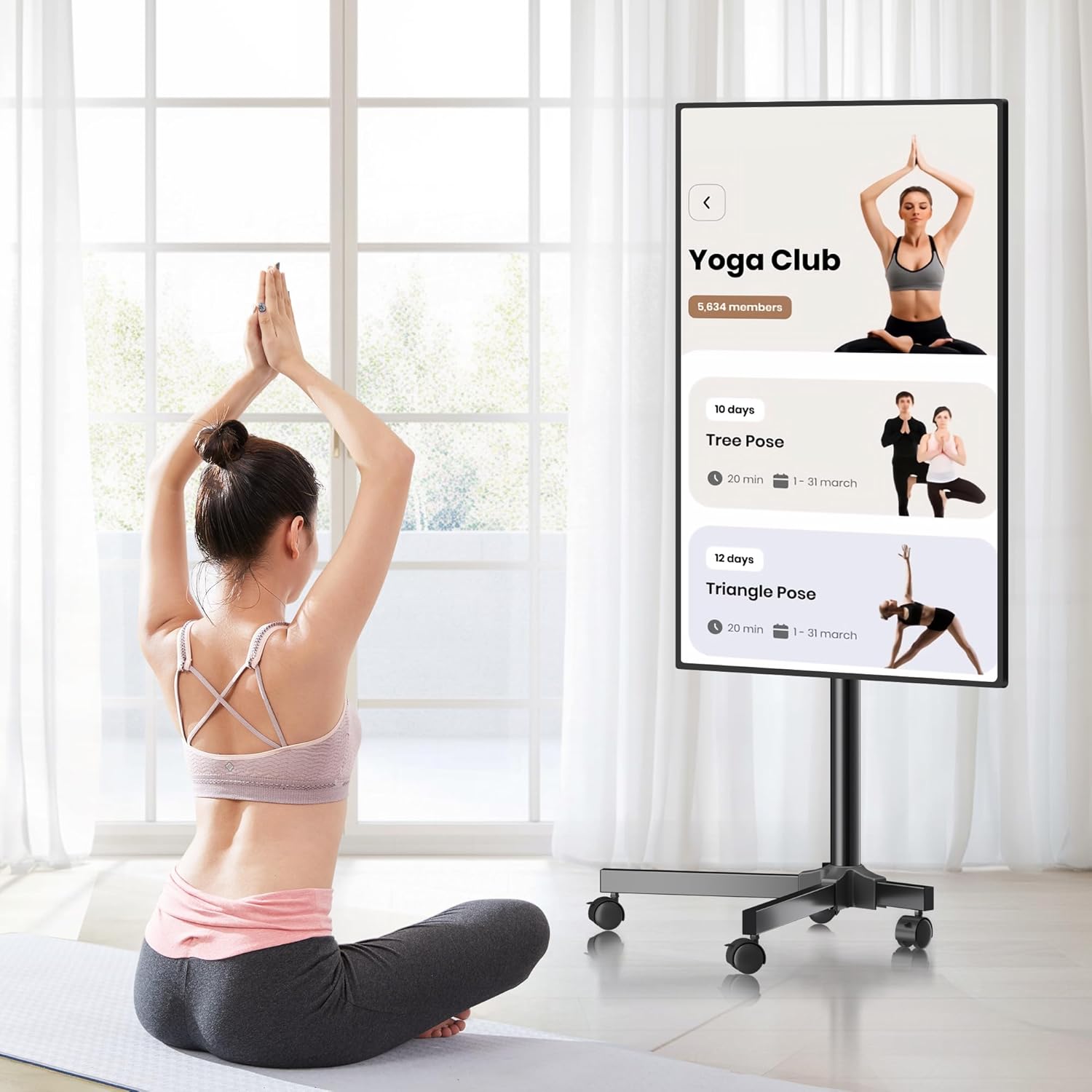
Figure 10: Example of portrait mode usage for fitness or vertical content.
Moving the TV Cart
To move the TV cart, ensure the casters are unlocked. Gently push or pull the stand to its new location. Once positioned, engage the locking mechanism on all casters to prevent accidental movement and ensure stability.

Figure 11: The mobility features of the TV cart, including 360-degree smooth rolling and lockable casters.
Maintenance
Regular maintenance ensures the longevity and safe operation of your XINLEI Mobile TV Cart ML1350.
- Cleaning: Wipe the stand with a soft, dry cloth. For stubborn marks, a slightly damp cloth can be used, followed by immediate drying. Avoid abrasive cleaners or solvents.
- Fastener Check: Periodically check all screws and bolts to ensure they remain tight. Loose fasteners can compromise stability. Re-tighten as necessary.
- Caster Inspection: Ensure casters are free of debris (hair, lint, etc.) that could impede smooth rolling. Lubricate if necessary, using a silicone-based lubricant.
- Weight Limit: Do not exceed the maximum weight capacity of 44 lbs (20 kg) or the maximum screen size of 50 inches. Overloading can lead to instability and damage.
Troubleshooting
| Problem | Possible Cause | Solution |
|---|---|---|
| Stand is wobbly or unstable. | Loose fasteners; uneven floor; overloaded. | Check and tighten all screws and bolts. Move to a level surface. Ensure TV weight is within limits. |
| Casters do not roll smoothly. | Casters are locked; debris in wheels; lack of lubrication. | Unlock casters. Remove any debris from wheels. Apply a small amount of silicone lubricant to the caster axles. |
| Cannot adjust TV height. | Securing knob/lever is too tight; mechanism jammed. | Loosen the securing knob/lever completely. If jammed, gently wiggle the TV while attempting to adjust. Do not force. |
| TV does not tilt or rotate. | Locking mechanism is engaged. | Ensure the tilt/rotation locking mechanism is fully disengaged before attempting to adjust. |
Specifications
| Feature | Detail |
|---|---|
| Model Number | ML1350 |
| Compatible TV Sizes | 13 - 50 inches |
| Maximum Weight Capacity | 44 lbs (20 kg) |
| VESA Compatibility | 75x75mm, 100x100mm, 100x200mm, 200x100mm, 200x200mm |
| Height Adjustment | Unlimited point adjustable, max height 52.95 inches |
| Tilt Angle | Up 30°, Down 10° |
| Rotation | 90° (Landscape to Portrait) |
| Material | Stainless Steel |
| Color | Black |
| Item Weight | 13.29 pounds |
| Package Dimensions | 17.56 x 8.07 x 5.28 inches |

Figure 12: Key measurements and specifications of the ML1350 TV cart.

Figure 13: Detailed base dimensions for space planning.
Warranty and Support
Specific warranty details for the XINLEI Mobile TV Cart ML1350 are typically provided with the product packaging or can be obtained by contacting XINLEI customer support directly. Please retain your proof of purchase for warranty claims.
For technical support, assembly assistance, or any product-related inquiries, please refer to the contact information provided by XINLEI in your product documentation or visit the official XINLEI website.
Note: No specific warranty period or direct support contact information was available in the provided product data. Please consult the manufacturer's official resources.
Ask a question about this manual
Ask about setup, troubleshooting, compatibility, parts, safety, or missing instructions. Manuals+ will review the question and use this page’s manual context to help answer it.