
Introduction
The Asfrost Solar Automatic Chicken Coop Door is designed to simplify poultry management by automating the opening and closing of your chicken coop door. It features multiple operating modes, including light sensing and timer functions, an anti-pinch mechanism for safety, and durable construction for reliable performance in various weather conditions. This manual provides detailed instructions for installation, operation, and maintenance to ensure optimal use of your automatic chicken coop door.

Image: The Asfrost automatic chicken coop door system, showing the main unit, solar panel, and a chicken.
Safety Information
Please read and understand all safety instructions before installing and operating the device.
- Do not overtighten screws: Overtightening screws can cause frame distortion, which may prevent the door from opening or closing properly.
- Ensure the installation area is clear of obstructions that could interfere with the door's movement.
- Keep children and pets away from the moving door to prevent injury.
- In extreme cold weather, snow and ice accumulation may affect door operation. Regularly check and clear any obstructions.
- The anti-pinch function is designed to protect poultry, but always monitor initial operations.
Product Features
- Dual Power Source: Integrated 2000 mAh battery rechargeable via 7W solar panel or included USB Type-C cable.
- Multiple Operating Modes: Features Timer, Light Sensor, Remote Control, and Manual modes for flexible operation.
- Anti-Pinch Function: Intelligently stops and reopens when pressure is detected, preventing harm to poultry. An alarm beeps if the door does not close completely.
- Durable Construction: Made from robust, weather-resistant aluminum alloy and ABS materials, designed to withstand temperatures from -26°C to 60°C (-10°F to 140°F).
- Easy Installation: Simple and direct setup with no complicated wiring required.
- Wide Compatibility: Suitable for most chicken coops, poultry houses, and small poultry weighing under 4.5 kg (e.g., ducks, geese, rabbits, turkeys).
- Clear Display: Easy-to-use screen for programming time, light sensitivity, and date.
- Energy Saving: Features like screen timeout contribute to efficiency.
Setup and Installation
The installation process is designed to be straightforward. Ensure you have all components before beginning.
Components Included:
- 1 x Automatic Chicken Door Unit
- 1 x Remote Control
- 1 x Solar Panel (7W)
- 8 x Screws
- 1 x USB Type-C Power Cable
Installation Steps:
- Prepare the Coop Opening: Ensure your chicken coop has a pre-cut opening suitable for the door unit. The recommended opening size is approximately 8.3" x 9.5" (21.1 cm x 24.1 cm).
- Position the Door Unit: Place the automatic door unit over the pre-cut opening on the exterior of your chicken coop.
- Secure the Door Unit: Use the provided screws to fasten the door unit securely to the coop. Remember the safety instruction: Do not overtighten screws to avoid frame distortion.
- Mount the Solar Panel: Choose a location for the solar panel where it can receive maximum direct sunlight throughout the day. The solar panel cable is approximately 9.8 ft (3 meters) long.
- Connect the Solar Panel: Plug the solar panel cable into the designated port on the automatic door unit.
- Initial Charge (Optional but Recommended): Before first use, you may connect the USB Type-C cable to fully charge the internal battery, especially if solar exposure is limited initially.
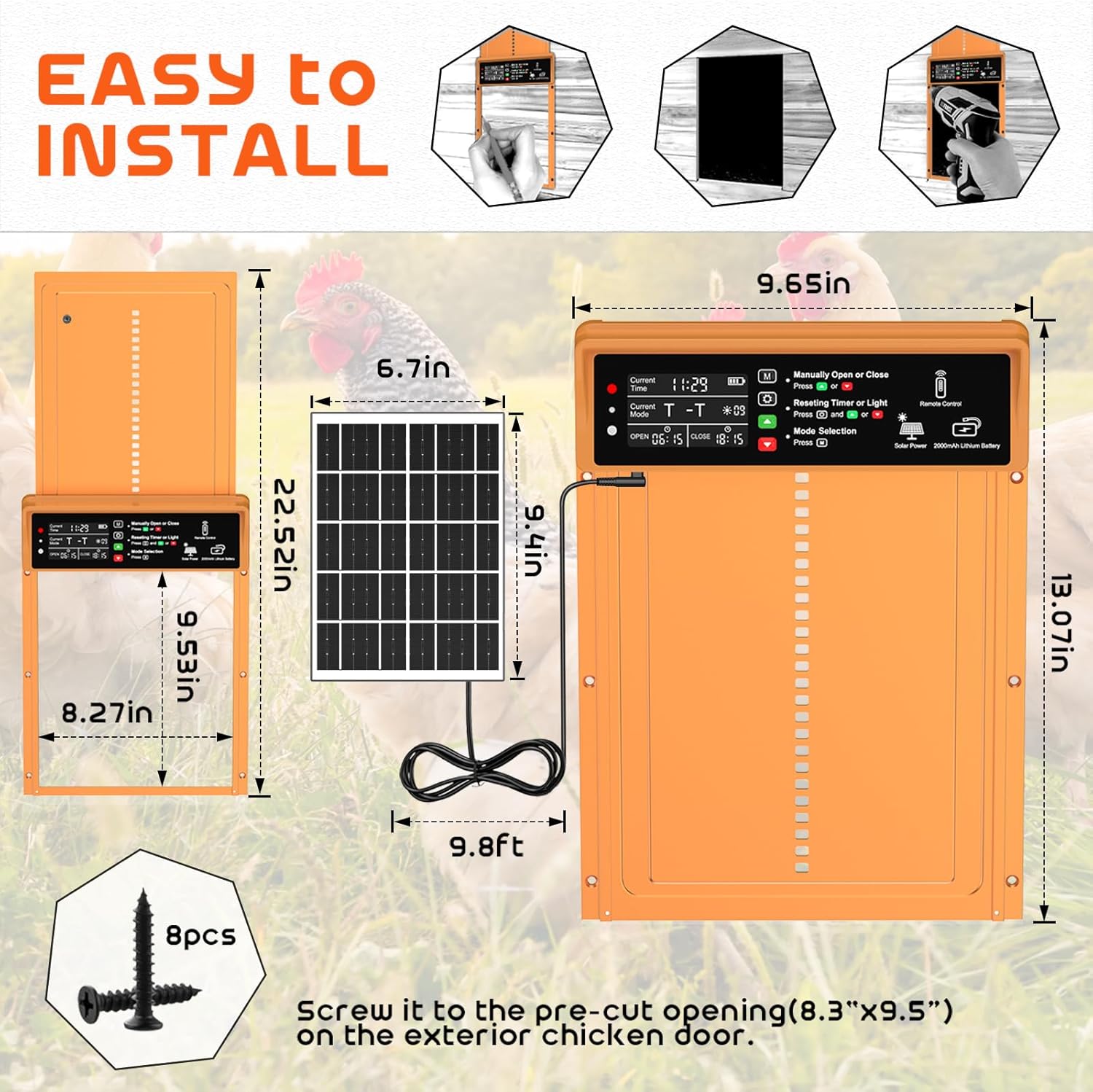
Image: Installation diagram with product dimensions and components.
Operating Modes
The Asfrost automatic chicken coop door offers four convenient operating modes to suit your needs.

Image: Visual representation of the four available operating modes.
1. Light Sensor Mode
In this mode, the door automatically opens at dawn and closes at dusk, based on the intensity of ambient light. This is ideal for natural light cycles and adapts to changing seasons.
- The door unit has a sensitive light sensor.
- When light levels are sufficient (daytime), the door opens.
- When light levels drop (nighttime), the door closes.
- The sensitivity of the light sensor can be adjusted via the display settings.
2. Timer Mode
Allows you to set specific opening and closing times for the door. This provides precise control over when your poultry enters and exits the coop.
- Access the timer settings on the display.
- Set the desired opening time (e.g., 06:00 AM).
- Set the desired closing time (e.g., 08:00 PM).
- The door will operate according to the programmed schedule daily.
3. Remote Control Mode
Use the included remote control to manually open or close the door from a distance.
- Ensure the remote control has working batteries.
- Point the remote control towards the door unit.
- Press the designated open or close button on the remote.
4. Manual Control Mode
Allows for direct manual operation of the door using buttons on the unit itself.
- Locate the manual control buttons on the door unit's display panel.
- Press the appropriate button to open or close the door.
Power and Charging
The Asfrost chicken coop door is designed for energy efficiency and convenience with dual charging options.
- Solar Charging: The included 7W solar panel continuously charges the built-in 2000 mAh lithium-polymer battery during daylight hours. Ensure the solar panel is positioned to receive maximum sunlight.
- USB Type-C Charging: For periods of low sunlight or initial setup, the door can be charged via the included USB Type-C cable. Connect the cable to a standard USB power adapter (not included).
- The display will indicate the current battery level.
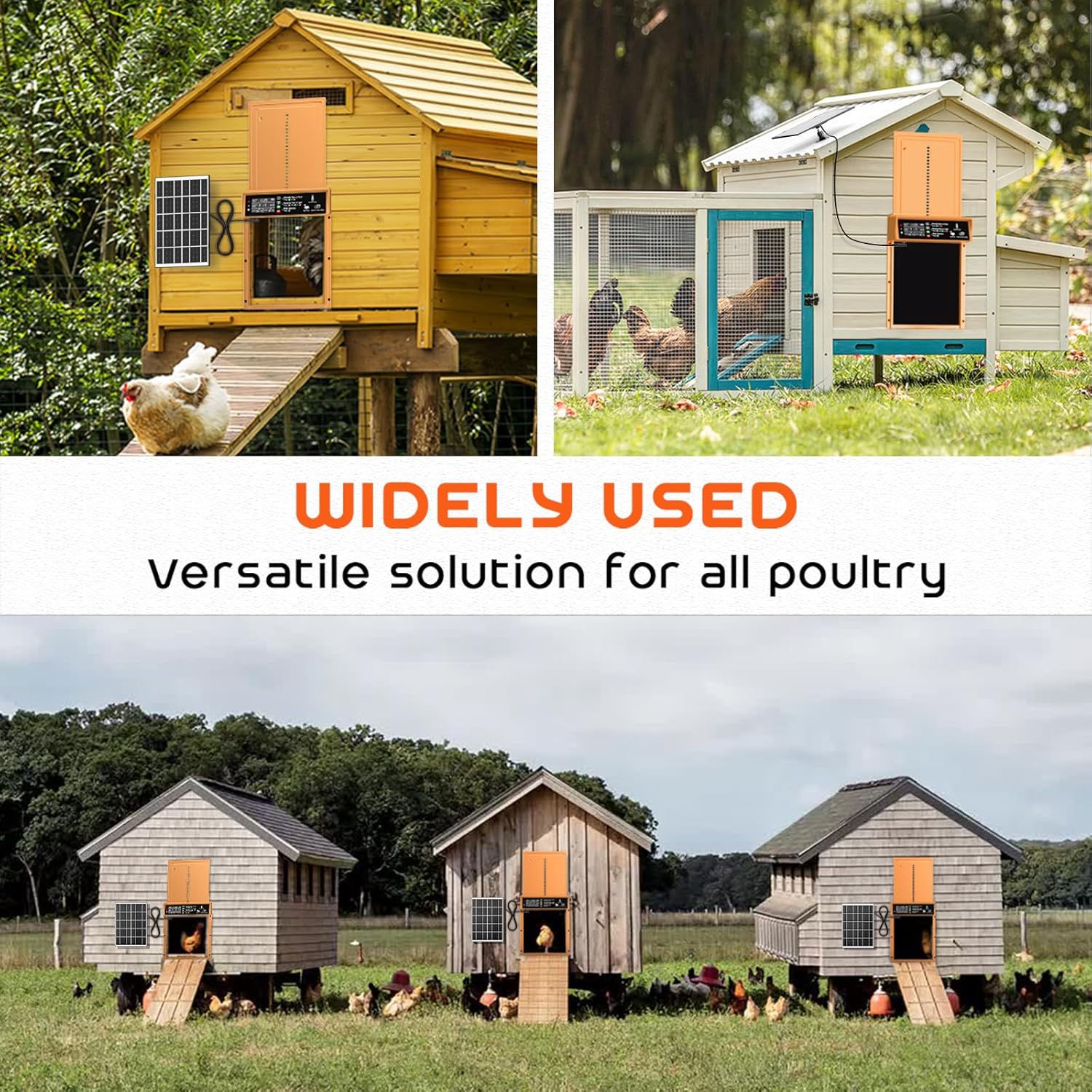
Image: The solar panel connected to the automatic door unit, highlighting the Type-C charging port.
Anti-Pinch Function
A key safety feature of the Asfrost door is its intelligent anti-pinch mechanism, designed to protect your poultry.
- The door is equipped with a smart IC that detects pressure.
- If an obstruction (like a chicken) is detected during closing, the door will immediately stop and reopen.
- After 5 seconds, the door will attempt to close again. This allows the poultry to pass through safely.
- An audible alarm will sound if the door fails to close completely, alerting you to a potential issue.

Image: Visual explanation of the anti-pinch safety feature in action.
Durability and Weather Resistance
Constructed with high-quality aluminum alloy and ABS materials, the Asfrost door is built to withstand various environmental conditions.
- Temperature Range: Operates reliably in temperatures from -26°C to 60°C (-10°F to 140°F).
- Weatherproof: Designed to resist snow, rain, and dust.
- Scratch-Proof: The materials are resistant to scratches, maintaining the door's appearance and functionality over time.

Image: The door's ability to function in extreme weather conditions, highlighting its robust design.
Maintenance
Regular maintenance ensures the longevity and optimal performance of your automatic chicken coop door.
- Clean Regularly: Periodically wipe down the door unit and tracks to remove dirt, dust, and debris that could impede smooth operation. Use a damp cloth; avoid harsh chemicals.
- Check for Obstructions: Regularly inspect the door's path for any physical obstructions, especially in adverse weather conditions (e.g., snow, ice, mud).
- Solar Panel Cleaning: Keep the solar panel clean to ensure efficient charging. Dust or dirt on the panel can reduce its charging capability.
- Battery Health: While the battery is designed for long life, ensure it receives adequate charging. If the door frequently runs on low battery, check solar panel placement or use USB-C charging.
- Screw Tightness: Occasionally check that all mounting screws are snug, but avoid overtightening.
Troubleshooting
Here are some common issues and their potential solutions:
| Problem | Possible Cause | Solution |
|---|---|---|
| Door not opening/closing |
|
|
| Door closes partially then reopens (anti-pinch activated) |
|
|
| Solar panel not charging effectively |
|
|
| Door freezes in cold weather |
|
|
Technical Specifications
| Brand | AsFrost |
| Model Number | 01089 |
| Product Dimensions (L x W x H) | 35.05 x 6.81 x 26.8 cm (13.8 x 2.68 x 10.55 inches) |
| Product Weight | 902.65 grams (1.99 lbs) |
| Material | Aluminum Alloy, Acrylonitrile Butadiene Styrene (ABS) |
| Color | Orange |
| Battery Type | 1 Lithium-polymer (included) |
| Battery Capacity | 2000 mAh |
| Solar Panel Power | 7W |
| Operating Temperature Range | -26°C to 60°C (-10°F to 140°F) |
| Recommended Poultry Weight | Under 4.5 kg (10 lbs) |
| Special Features | Automatic, Durable, Waterproof, Easy Assembly, Environmentally Friendly, Anti-Pinch |
| Specific Uses | Chicken Coop, Outdoor, Poultry Farm |
Warranty and Support
For warranty information and customer support, please refer to the contact details provided with your product packaging or visit the official AsFrost website. Keep your purchase receipt as proof of purchase for any warranty claims.


