
1. Introduction
The TOA TS-822 Y is an Infrared Delegate Station designed for use with the TOA TS-820 Central Unit in conference systems. This unit facilitates discussion and provides audio monitoring capabilities for delegates. It offers flexible power options and individual audio controls for an enhanced user experience.
Key Features:
- Operates on either battery (BP-900A lithium-ion) or AC adapter (AD-0910).
- Equipped with a 0.2W monitor speaker.
- Features two headphone jacks with independent volume control.
- Provides approximately 10 hours of continuous operation with a fully charged lithium-ion battery.
- Includes a remaining battery indicator for convenience.
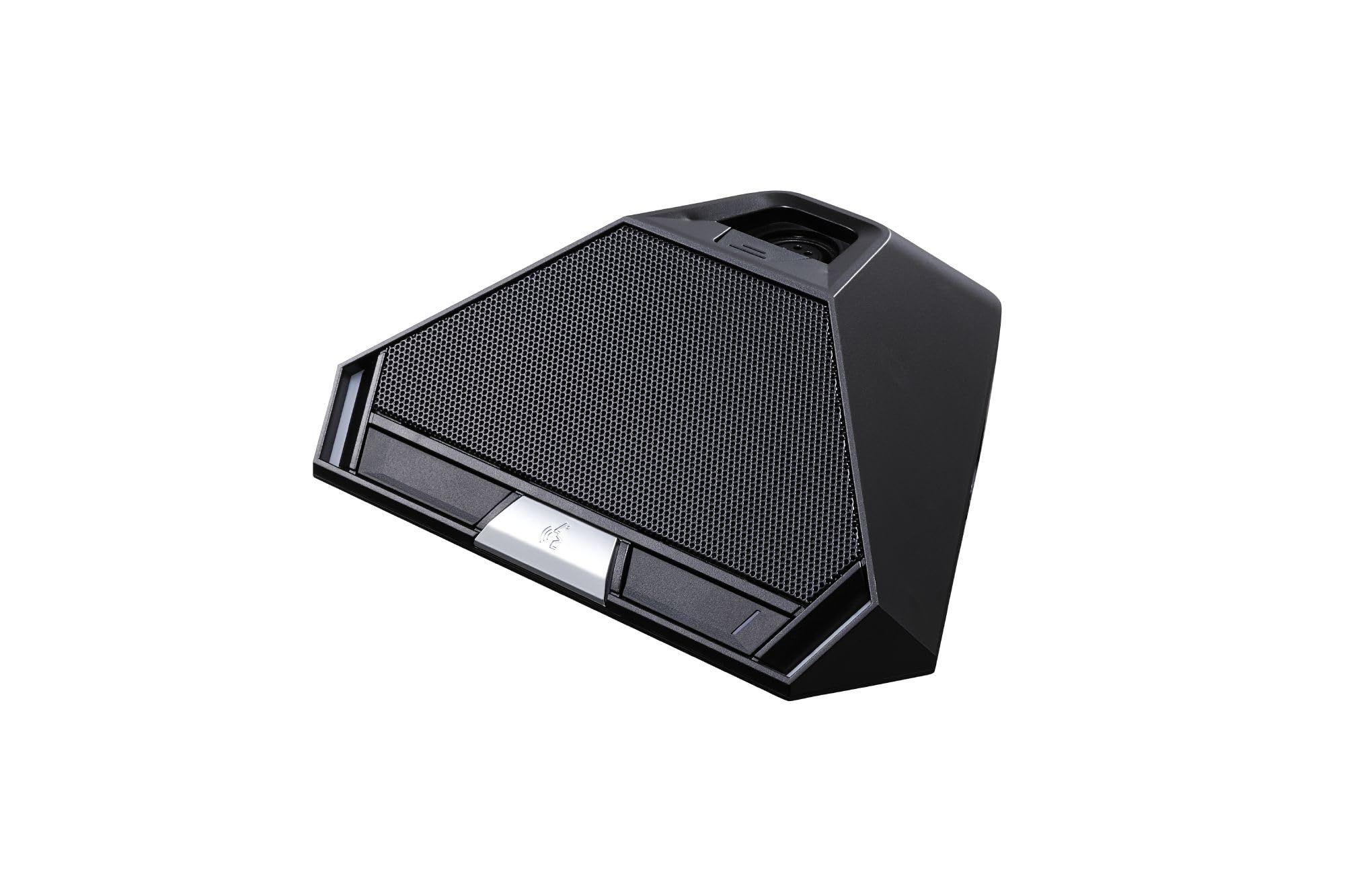
Figure 1: TOA TS-822 Y Infrared Delegate Station. This image displays the compact design of the delegate unit, highlighting its controls and connection ports.
2. Package Contents and Required Accessories
Before setting up your TS-822 Y Delegate Station, ensure you have the following components:
- TOA TS-822 Y Infrared Delegate Station (main unit)
- Required (Sold Separately):
- Microphone: TS-923 (standard type) or TS-924 (long type).
- Power Source: BP-900A lithium-ion battery or AD-0910 AC adapter.
- TOA TS-820 Central Unit (for system operation).
3. Setup
3.1 Power Connection
The TS-822 Y can be powered by either a lithium-ion battery or an AC adapter.
- Battery Operation:
- Insert the BP-900A lithium-ion battery into the designated battery compartment on the underside of the unit. Ensure it clicks into place securely.
- The unit will automatically power on if the battery has sufficient charge.
- AC Adapter Operation:
- Connect the AD-0910 AC adapter to the DC input jack on the rear of the TS-822 Y.
- Plug the AC adapter into a standard electrical outlet.
- The unit will power on. If a battery is also installed, the unit will draw power from the AC adapter and charge the battery if needed.
3.2 Microphone Connection
Connect the chosen microphone (TS-923 or TS-924) to the XLR-4-31 type microphone terminal on the TS-822 Y unit. Ensure the connection is firm.
3.3 System Integration
The TS-822 Y Delegate Station communicates wirelessly via infrared with the TOA TS-820 Central Unit. Ensure the Central Unit is powered on and properly configured according to its own instruction manual. Position the delegate station within the 7-meter (22.97 ft) radius covering range of the Central Unit for optimal performance.
4. Operation
4.1 Basic Discussion Function
Once powered on and connected to the system, the delegate unit is ready for use. Press the microphone activation button (if present on the connected microphone or unit) to speak. Refer to the TS-820 Central Unit manual for specific discussion modes and controls.
4.2 Monitor Speaker
The integrated 0.2W monitor speaker allows you to hear the conference audio directly from the unit. The volume can be adjusted using the monitor volume control knob.
4.3 Headphone Jacks and Volume Control
Two φ3.5 mm mini headphone jacks are provided for private listening. Connect your headphones to either jack. Each jack has an independent volume control knob, allowing delegates to set their preferred listening level without affecting others.
4.4 Battery Indicator
The unit is equipped with a battery indicator. Monitor this indicator to determine the remaining charge of the BP-900A lithium-ion battery. Recharge or replace the battery when the indicator shows low charge to ensure uninterrupted operation.
5. Specifications
The following table details the technical specifications of the TOA TS-822 Y Infrared Delegate Station:
| Feature | Specification |
|---|---|
| Power Source | 7.2 V DC (lithium-ion battery), 9 V DC (AC adapter) |
| Current Consumption | Max. 390 mA |
| Infrared Emitter / Detector Wavelength | 870 nm (AM) |
| Modulation Method | Frequency modulation |
| Carrier Frequency Transmission | Channel 1: 7.35 MHz, Channel 2: 8.10 MHz, Channel 3: 8.55 MHz, Channel 4: 9.15 MHz, Control channel: 6.45 MHz |
| Reception Audio Channel | 1.95 MHz |
| Covering Range | 7 m (22.97 ft) radius |
| Input | Microphone terminal: XLR-4-31 type |
| Output | Monitor speaker: 8 Ω, 0.2 W; Headphone: φ3.5 mm mini Jack (3P:mono) × 2 |
| Function | Monitor volume control, Headphone volume control |
| Battery Life | 10 hours (with BP-900A lithium-ion battery) |
| Operating Temperature | 0 °C to +40 °C (32 °F to 104 °F) |
| Operating Humidity | 90 %RH or less (no condensation) |
| Finish | Case: PC resin, black; Speaker Net: Black, matte finish, paint |
| Dimensions (W × H × D) | 205.7 × 70.3 × 164.2 mm (8.1" × 2.77" × 6.46") |
| Weight | 525 g (1.16 lb) |
6. Maintenance
Proper maintenance ensures the longevity and optimal performance of your TS-822 Y Delegate Station.
- Cleaning: Use a soft, dry cloth to wipe the exterior of the unit. For stubborn dirt, slightly dampen the cloth with water. Avoid using abrasive cleaners, solvents, or strong chemicals, as these can damage the finish.
- Storage: When not in use for extended periods, store the unit in a cool, dry place, away from direct sunlight and extreme temperatures. If using battery power, remove the battery to prevent leakage.
- Handling: Handle the unit with care. Avoid dropping it or subjecting it to strong impacts, which can damage internal components.
7. Troubleshooting
If you encounter issues with your TS-822 Y Delegate Station, refer to the following common troubleshooting steps:
- No Power:
- Check if the AC adapter is securely connected to both the unit and the power outlet.
- If using battery, ensure the BP-900A battery is correctly inserted and fully charged. Check the battery indicator.
- No Audio from Speaker/Headphones:
- Verify that the monitor volume control and headphone volume controls are not set to minimum.
- Ensure the TS-820 Central Unit is powered on and functioning correctly.
- Check the connection of your headphones.
- Microphone Not Working:
- Ensure the microphone (TS-923 or TS-924) is securely connected to the unit's microphone terminal.
- Confirm that the microphone activation button is pressed or enabled.
- Check the settings on the TS-820 Central Unit for microphone activation and channel assignment.
- Intermittent Connection/Poor Audio Quality:
- Ensure the delegate station is within the specified 7-meter (22.97 ft) radius of the TS-820 Central Unit.
- Check for any obstructions between the delegate station and the Central Unit that might block the infrared signal.
- Minimize strong light sources (e.g., direct sunlight, high-frequency lighting) that could interfere with infrared communication.
If the problem persists after attempting these steps, please contact TOA technical support or your authorized dealer for further assistance.
8. Warranty and Support
This product is covered by a manufacturer's warranty. Please refer to the warranty card included with your purchase or visit the official TOA website for detailed warranty terms and conditions. Keep your proof of purchase for warranty claims.
For technical support, service, or inquiries regarding your TOA TS-822 Y Infrared Delegate Station, please contact your local TOA distributor or visit the TOA official website for contact information.


