
FOREO F1894
FOREO PEACH 2 go IPL Hair Removal Device
User Manual
Introduction
The FOREO PEACH 2 go is a compact and powerful Intense Pulsed Light (IPL) device designed for effective and comfortable at-home hair removal. It utilizes advanced IPL technology to disrupt the hair regrowth cycle, leading to visibly smoother skin over time. This manual provides essential information for safe and optimal use of your device.

Image: The FOREO PEACH 2 go device in lavender, shown with its packaging, highlighting its compact design.
Safety Information
Please read all safety warnings and instructions thoroughly before using the FOREO PEACH 2 go device. Failure to follow these instructions could result in injury or damage to the device.
- Do NOT use if you have medical conditions such as skin cancer, lesions, epilepsy, vascular disorders, immunosuppressive disorders, skin allergies to light, or diabetes.
- Do NOT use if you are pregnant or breastfeeding.
- Avoid use near damaged skin, piercings, tattoos, injection sites, pacemakers, or implants.
- Always perform a patch test before full treatment to check for adverse reactions.
- Keep the device out of reach of children.

Image: A chart illustrating suitable skin tones and hair colors for effective and safe IPL treatment. Darker skin tones and very light or grey hair colors are generally not suitable.
Setup
Before first use, you must unlock and register your FOREO PEACH 2 go device via the FOREO For You mobile app.
- Download the FOREO For You app on your mobile phone.
- Log in to your existing account or sign up for a new one.
- Add your device within the app (usually found at the top of the screen).
- Select your device series.
- Follow the on-screen instructions in the app and fill in the required purchase information.
Once these steps are completed, your device is ready for use.

Image: A visual guide detailing the steps to unlock and register your FOREO device using the mobile application.
Operating Instructions
Preparation for Treatment
- Shave the area of skin you wish to treat.
- Apply FOREO PEACH Cooling Prep Gel to the shaved area. This gel helps cool and calm the skin while enabling the device to glide smoothly.

Image: A woman applying the FOREO PEACH Cooling Prep Gel to her arm before starting the IPL treatment.
Performing the Treatment
- Plug in your PEACH 2 go device.
- Select the desired treatment intensity. This can be adjusted via the FOREO app or directly on the device. Start with the lowest intensity level and gradually increase as tolerated.
- For smaller, precise areas (e.g., bikini zone, underarms, face), use Stamp Mode by pressing the device firmly against the skin and flashing.
- For larger areas (e.g., legs, arms), use Glide Mode by holding the flash button and slowly gliding the device across the skin, ensuring continuous contact. The device delivers up to 120 flashes per minute for quick coverage.

Image: A user demonstrating the application of the FOREO PEACH 2 go device on their leg, highlighting its ease of use for full-body treatments.
The device features a 360° skin-cooling system to ensure comfort during treatment by cooling the treated skin and pre-cooling the upcoming area.
Treatment Schedule
For optimal results, follow this recommended treatment schedule:
- Phase 1: Initial Treatments (6 Treatments)
Treat each desired area once every 2 weeks for a total of 12 weeks.
- Phase 2: Maintenance
After the initial 12 weeks, use the device once a month, or as required, until desired results are achieved.
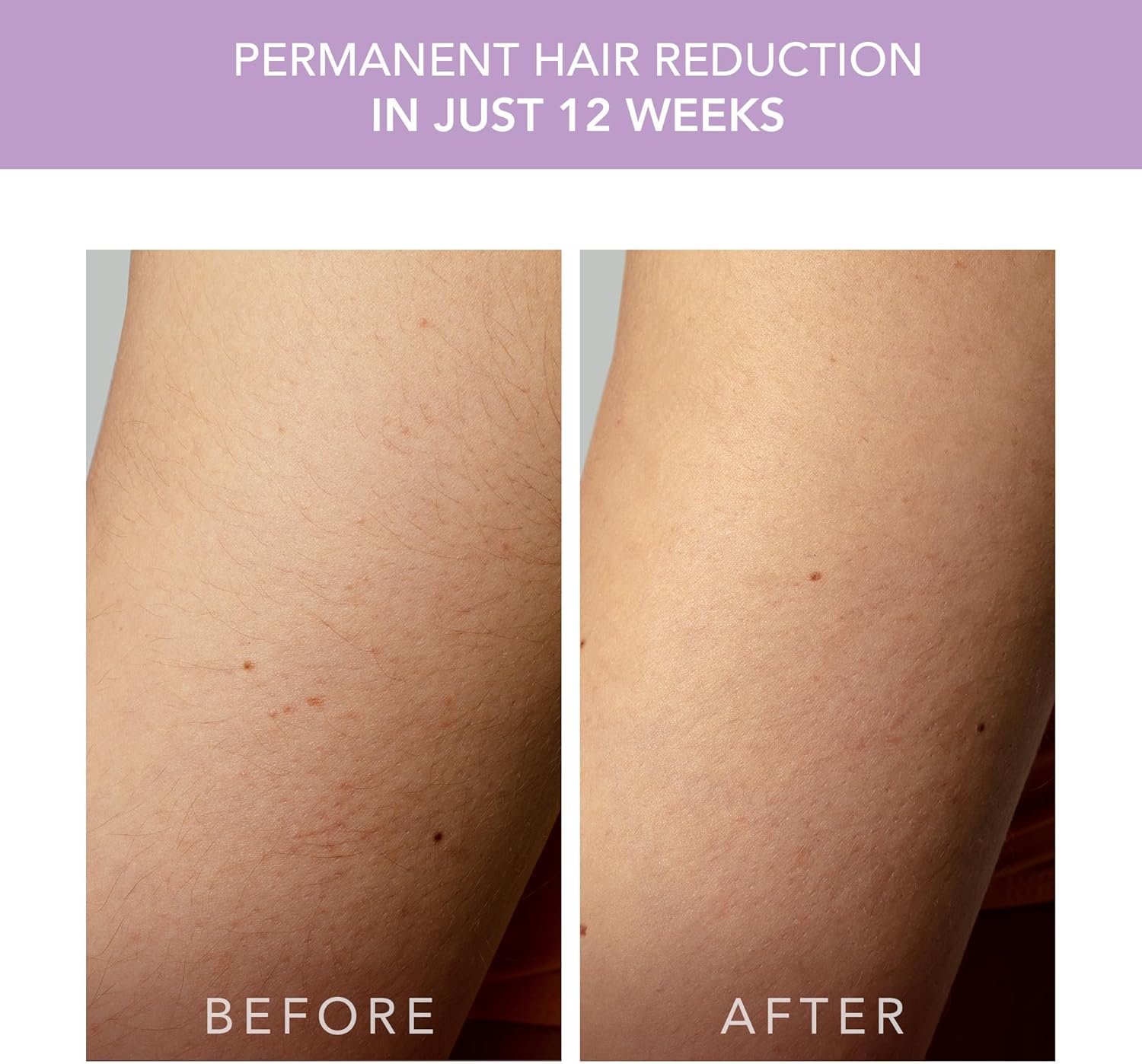
Image: Before and after comparison demonstrating visible hair reduction after consistent use of the device over 12 weeks.
Typical treatment times for a full body session are approximately 10 minutes, with specific areas taking less time:
- Legs: 3 minutes
- Arms: 3 minutes
- Armpits: 2 minutes
- Bikini: 1 minute
- Face: 1 minute
Maintenance
To ensure the longevity and optimal performance of your FOREO PEACH 2 go device, follow these maintenance guidelines:
- After each use, wipe the treatment window and the device body with a soft, damp cloth. Ensure no gel residue remains.
- Do not use abrasive cleaners or alcohol-based solutions, as these can damage the device.
- Store the device in a cool, dry place away from direct sunlight and extreme temperatures.
- Keep the device and its power supply clean and free from dust.
Troubleshooting
If you encounter any issues with your FOREO PEACH 2 go, refer to the following common problems and their solutions:
| Problem | Solution |
|---|---|
| The device does not turn on. |
|
| The flash button does not respond. |
|
| The device won't sync to the FOREO app. |
|
| The device, treatment window, power supply, or cable are damaged, broken, cracked, or appear defective. | DO NOT USE. If you are in any doubt about the safety of the device or suspect it is damaged in any way, it must not be used. Refer to the official FOREO website for support or contact customer service. |
Specifications
- Product Dimensions: 2.76 x 7.09 x 7.87 inches; 1.76 Pounds
- Item Model Number: F1894
- Batteries: 1 Lithium Ion battery required (included)
- Manufacturer: FOREO
- ASIN: B0CNKDFS5R
- Flashes: Up to 500,000 flashes (estimated 35 years of use)
- Treatment Window: 9 cm²
- Flash Speed: 120 flashes/min
Warranty and Support
For warranty information, product registration, and customer support, please visit the official FOREO website or contact their customer service directly. Keep your proof of purchase for warranty claims.
You can find more information and support on the FOREO Brand Store.
For product authenticity verification, you may use the UPC: 7350120791894.
Related documentsF1894


Ask a question about this manual
Ask about setup, troubleshooting, compatibility, parts, safety, or missing instructions. Manuals+ will review the question and use this page’s manual context to help answer it.