
1. Introduction
The Henry Quick is a powerful, high-capacity, and dust-free cordless stick vacuum cleaner designed for convenient and efficient cleaning across various surfaces. Its innovative pod technology ensures hygienic, mess-free emptying and powerful suction.
Key Features:
- 1-hour run time for extended cleaning sessions.
- Powerful suction for effective dirt and dust removal.
- Large 1-quart pod capacity, with 26 pods included for ample use.
- Lightweight, slim, and ergonomic design for comfortable handling.
- Hygienic, dust-free emptying: simply pop out one pod and add a new one.
- Power on/off light and full pod indicator light for ease of use.
- Battery life/charge status indicator.
- Includes crevice tools for detailed and high-level cleaning.
- Stores neatly on a wall dock with on-board accessories.
- Detachable brush head design for effortless stair cleaning.

Figure 1: The NaceCare Henry Quick Cordless Stick Vacuum in red.
2. What's in the Box
Your NaceCare Henry Quick Cordless Stick Vacuum package includes the following components:
- Henry Quick Main Unit
- Motorized Brush Head
- Extended-use Handle
- 2-in-1 Combi Tool
- Crevice Tool
- Wall Dock, Charger & Battery
- 26 Filter Pods

Figure 2: All components included with the Henry Quick Cordless Stick Vacuum.
3. Setup
- Charge the Battery: Before first use, fully charge the 25.2V Lithium-Ion battery. The battery can be charged while attached to the main unit or separately. A full charge takes approximately 2.5 hours. The battery life/charge status is indicated by lights on the main unit.
- Assemble the Vacuum:
- Attach the Extended-use Handle to the main unit until it clicks securely into place.
- Connect the Motorized Brush Head to the bottom of the Extended-use Handle. Ensure it clicks firmly.
- Insert a Filter Pod into the main unit. Refer to the "Maintenance" section for detailed instructions on pod insertion.
- Install Wall Dock (Optional): The included wall dock allows for neat storage and convenient charging. Choose a suitable location near a power outlet. Secure the wall dock to the wall using appropriate fasteners (not included). The vacuum unit, with the battery, can then be placed on the dock for storage and charging.
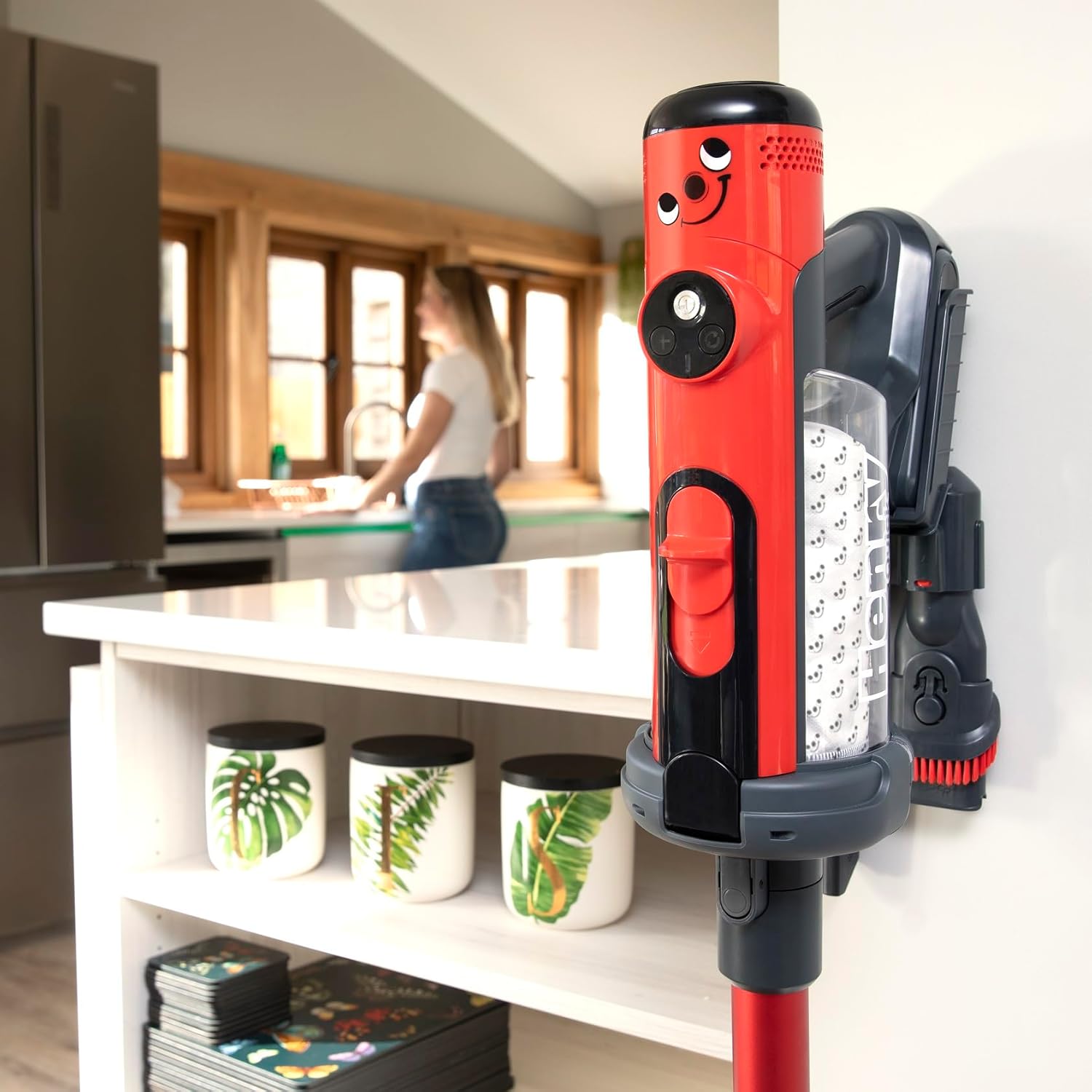
Figure 3: Henry Quick stored neatly on its wall dock with accessories.
4. Operating Instructions
The Henry Quick is designed for versatile cleaning across various surfaces. Follow these steps for optimal performance:
- Power On/Off: Press the power button on the main unit to turn the vacuum on or off. The power on/off light will illuminate.
- Select Cleaning Mode: The Henry Quick offers different power modes. Press the mode selection button to switch between standard and boost modes. Boost mode provides powerful suction for stubborn dirt and debris.

Figure 4: Using the Henry Quick for powerful cleaning of spills.
- Cleaning Different Surfaces:
- Floors and Carpets: Use the Motorized Brush Head for effective cleaning of both hard floors and carpets. The brush head is designed to agitate and lift dirt from various floor types.
- Stairs: The detachable brush head allows for effortless cleaning of stairs. Simply detach the main handle and use the motorized head directly for precise cleaning.

Figure 5: Detachable brush head makes stair cleaning effortless.
- Detail and High-Level Cleaning: Utilize the included 2-in-1 Combi Tool and Crevice Tool for reaching tight spaces, corners, and high areas like ceilings or shelves.

Figure 6: Handy accessories like the crevice tool make hard-to-reach cleaning easy.
Official Product Video: Henry Quick Cordless Stick Vacuum
Video Description: This official product video demonstrates the features and benefits of the Henry Quick Cordless Stick Vacuum, including its powerful suction and ease of use.
5. Maintenance
Regular maintenance ensures your Henry Quick vacuum operates at its best. The unique pod system simplifies dust disposal.
- Emptying the Filter Pod:
- When the full pod indicator light illuminates, it's time to replace the pod.
- Position the main unit directly over a waste bin.
- Press the release button to eject the used pod directly into the bin. This ensures hygienic, dust-free disposal without direct contact with dirt.
- Insert a new filter pod into the main unit until it clicks into place.
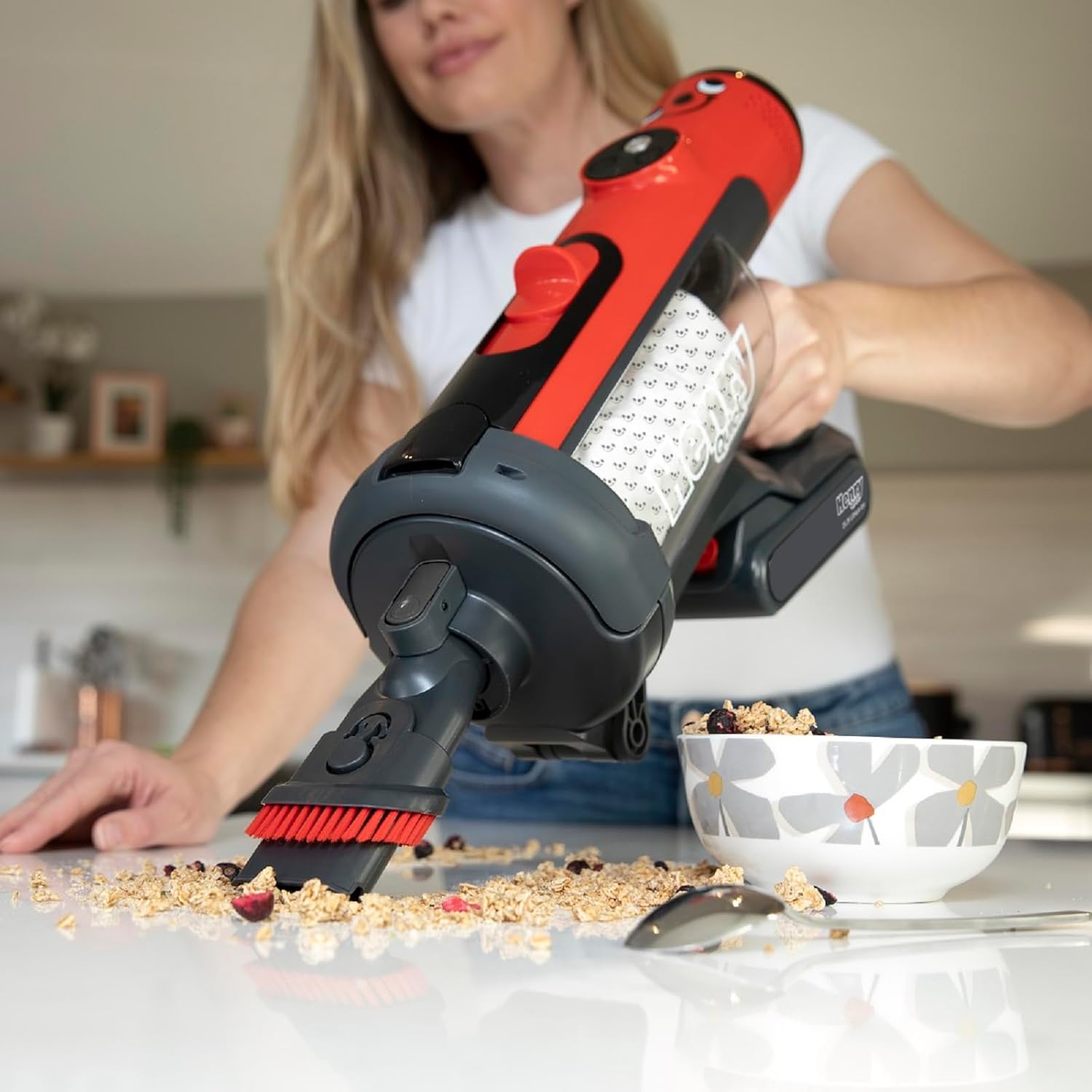
Figure 7: The hygienic, dust-free method for emptying the filter pod.

Figure 8: Replacement filter pods for the Henry Quick vacuum.
- Cleaning the Brush Head: Periodically inspect the Motorized Brush Head for tangled hair or debris. Detach the brush head from the handle and carefully remove any obstructions. The brush bar can be removed for thorough cleaning if necessary.
6. Troubleshooting
If you encounter any issues with your Henry Quick vacuum, please refer to the following common solutions:
- No Power: Ensure the battery is fully charged and properly inserted. Check the battery indicator lights.
- Reduced Suction: Check if the filter pod is full and needs replacement. Inspect the brush head and hose for any blockages. Ensure all parts are securely assembled.
- Brush Head Not Spinning: Verify that the brush head is clean and free of obstructions. Ensure it is correctly attached to the handle.
- Unusual Noises: Turn off the vacuum immediately and check for any foreign objects lodged in the brush head or main unit.
For persistent issues not covered here, please contact NaceCare customer support.
7. Specifications
| Feature | Detail |
|---|---|
| Product Dimensions | 9.44 x 48 x 10.63 inches; 7 Pounds |
| Item Model Number | 915615 |
| Manufacturer | NaceCare |
| Brand | NaceCare |
| Special Feature | Cordless |
| Filter Type | Pods |
| Is Cordless? | Yes |
8. Warranty and Support
The NaceCare Henry Quick Cordless Stick Vacuum comes with a 2-year parts and labor warranty, ensuring peace of mind for your purchase.
For any support needs, including troubleshooting, parts replacement, or warranty claims, please contact NaceCare customer service through their official website or the retailer where you purchased the product.
Return Policy: This product has a 30-day return policy for refund or replacement, as per the retailer's terms.