
1. Introduction and Overview
The Loewe. Klang bar i TV Soundbar Speaker is designed to enhance your audio experience, providing powerful and immersive sound for your home entertainment system. This soundbar is specifically crafted to complement the Loewe. bild i TV range, offering a seamless integration and superior sound quality.
Featuring 8 integrated drivers and 80 watts of total music power, the Klang bar i delivers rich, well-balanced audio with clear vocals and warm low tones. Its compact and elegant design ensures it fits discreetly under your TV, making it an ideal addition to any living room, home cinema, bedroom, or family area.

Image: The Loewe Klang bar i soundbar seamlessly integrated with a Loewe bild i TV, showcasing its compact design within a modern living room environment.

Image: A close-up view of the Loewe Klang bar i soundbar positioned directly beneath a Loewe bild i TV, highlighting its sleek profile and perfect fit.
2. Safety Information
Please read all safety instructions carefully before using the device. Keep this manual for future reference.
- Electrical Safety: Do not open the device. Risk of electric shock. Refer all servicing to qualified service personnel.
- Placement: Ensure the soundbar is placed on a stable surface or securely mounted to prevent falls.
- Moisture: Do not expose the device to rain or moisture to prevent fire or shock hazards.
- Ventilation: Do not block any ventilation openings. Ensure adequate space around the device for proper airflow.
- Cleaning: Disconnect from power before cleaning. Use a dry cloth only.
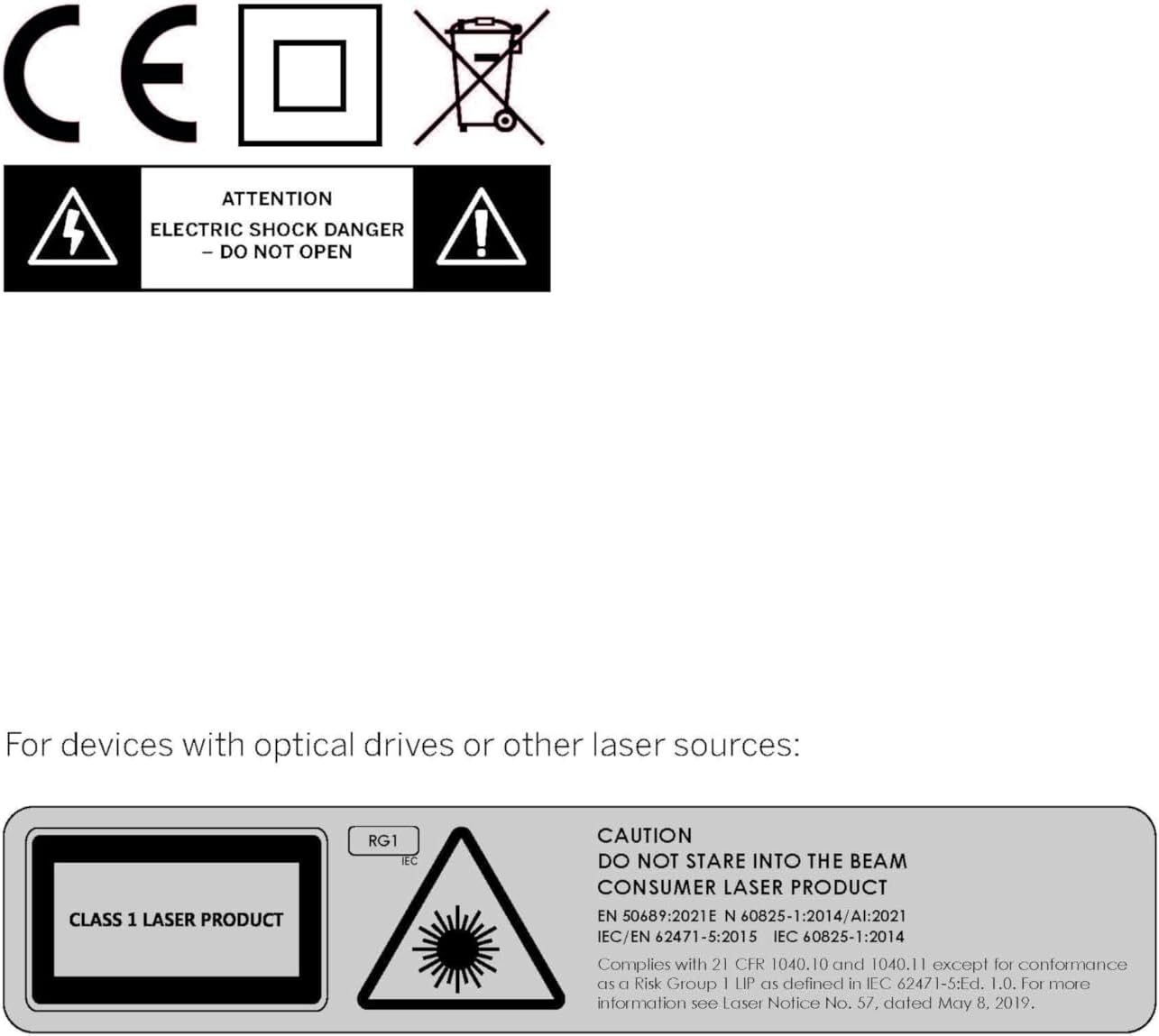
Image: Various safety and compliance symbols, including the CE mark, WEEE directive symbol, double insulation symbol, and a warning for electric shock danger, indicating that the device should not be opened.
3. Package Contents
Please check that all items are present and in good condition:
- Loewe. Klang bar i Soundbar
- User Manual
4. Setup
The Loewe. Klang bar i is designed for simple and straightforward installation, particularly with the Loewe. bild i TV range.
4.1 Placement
Position the soundbar directly under your Loewe. bild i TV screen. Its compact design ensures a perfect fit, creating a visually integrated audio solution.

Image: A detailed view of the Loewe Klang bar i soundbar, illustrating how it is designed to be mounted directly beneath a compatible TV screen for a clean, integrated look.
4.2 Connections
Connect the soundbar to your TV using an HDMI cable for optimal audio transmission. The soundbar supports HDMI connectivity for a high-quality sound experience.

Image: The rear perspective of the Loewe Klang bar i soundbar, clearly displaying its mounting brackets and various connection ports for setup.

Image: An angled rear view of the Loewe Klang bar i soundbar, providing a comprehensive look at its structural design and available connection interfaces.

Image: A full-length rear view of the Loewe Klang bar i soundbar, detailing its complete design and the integrated mounting mechanism.
5. Operating Instructions
5.1 Power On/Off
The soundbar typically powers on and off automatically with your connected Loewe. bild i TV. If manual control is needed, use the buttons on the soundbar or your TV remote if configured.
5.2 Volume Control
Adjust the volume using your TV remote. The soundbar's volume will synchronize with your TV's master volume.
5.3 Bluetooth Connectivity
The soundbar features Bluetooth V4.2 for wireless audio streaming from compatible devices. To pair, activate Bluetooth on your device and select the Klang bar i from the list of available devices. Refer to your device's manual for specific pairing instructions.
6. Maintenance
To ensure the longevity and optimal performance of your Loewe. Klang bar i soundbar, follow these maintenance guidelines:
- Cleaning: Gently wipe the surface of the soundbar with a soft, dry, lint-free cloth. Do not use liquid cleaners, aerosols, or abrasive materials.
- Dust Removal: Regularly dust the speaker grilles to prevent accumulation that could affect sound quality.
- Storage: If storing the soundbar for an extended period, disconnect it from power and store it in a cool, dry place away from direct sunlight and extreme temperatures.
7. Troubleshooting
If you encounter issues with your soundbar, try the following troubleshooting steps:
- No Sound:
- Ensure the soundbar is properly connected to the TV via HDMI.
- Check that the TV's audio output is set to the correct source (e.g., HDMI ARC).
- Verify that the volume on both the soundbar and TV is not muted or set too low.
- Distorted Sound:
- Check for loose cable connections.
- Reduce the volume to see if distortion persists.
- Ensure no objects are obstructing the speaker drivers.
- Bluetooth Pairing Issues:
- Ensure the soundbar is in pairing mode.
- Move the Bluetooth device closer to the soundbar.
- Clear previous Bluetooth connections on your device and try pairing again.
- No Power:
- Check that the power cable is securely connected to both the soundbar and a working power outlet.
- Try a different power outlet.
If the issue persists after trying these steps, please contact Loewe customer support.
8. Specifications
| Feature | Specification |
|---|---|
| Brand | Loewe |
| Model Name | 59212D00 |
| Model Number | 59212D10 |
| Speaker Type | Soundbar |
| Connectivity Technology | HDMI |
| Audio Output Mode | Surround |
| Frequency Response | 20 Hz |
| Max Speaker Output Power | 80 Watts |
| Power Source | Corded Electric |
| Material Type | Plastic |
| Amplifier Type | Active |
| Color | Light Grey |
| Item Weight | 1.9 Kilograms |
| Product Dimensions | 91.6D x 18W x 5.2H cm |
| Included Components | Loewe. Klang bar i, Manual |
| Recommended Uses For Product | For Televisions |
| Compatible Devices | Television |
| Number of Units | 1 Count |
| Controller Type | Button |
| Age Range (Description) | Adult |
| Water Resistant | Yes |
| Special Feature | Multi-room audio |
9. Warranty and Support
9.1 Warranty Information
This product comes with a limited warranty. Please refer to the warranty card included in your package for detailed terms and conditions, including the duration and coverage of the warranty.
9.2 Customer Support
For technical assistance, troubleshooting, or warranty claims, please contact Loewe customer support. Contact information can typically be found on the Loewe official website or on the product packaging.


