Introduction
This manual provides instructions for the ALLIMITY RMT-D245P replacement remote control. This remote is designed to function as a direct replacement for the original Sony RMT-D245P, RMT-D247P, and RMT-D246P remote controls, offering full compatibility with Sony DVD Harddisk Recorder models RDR-HX950, RDR-GX350, RDR-HX650, and RDR-HX750.
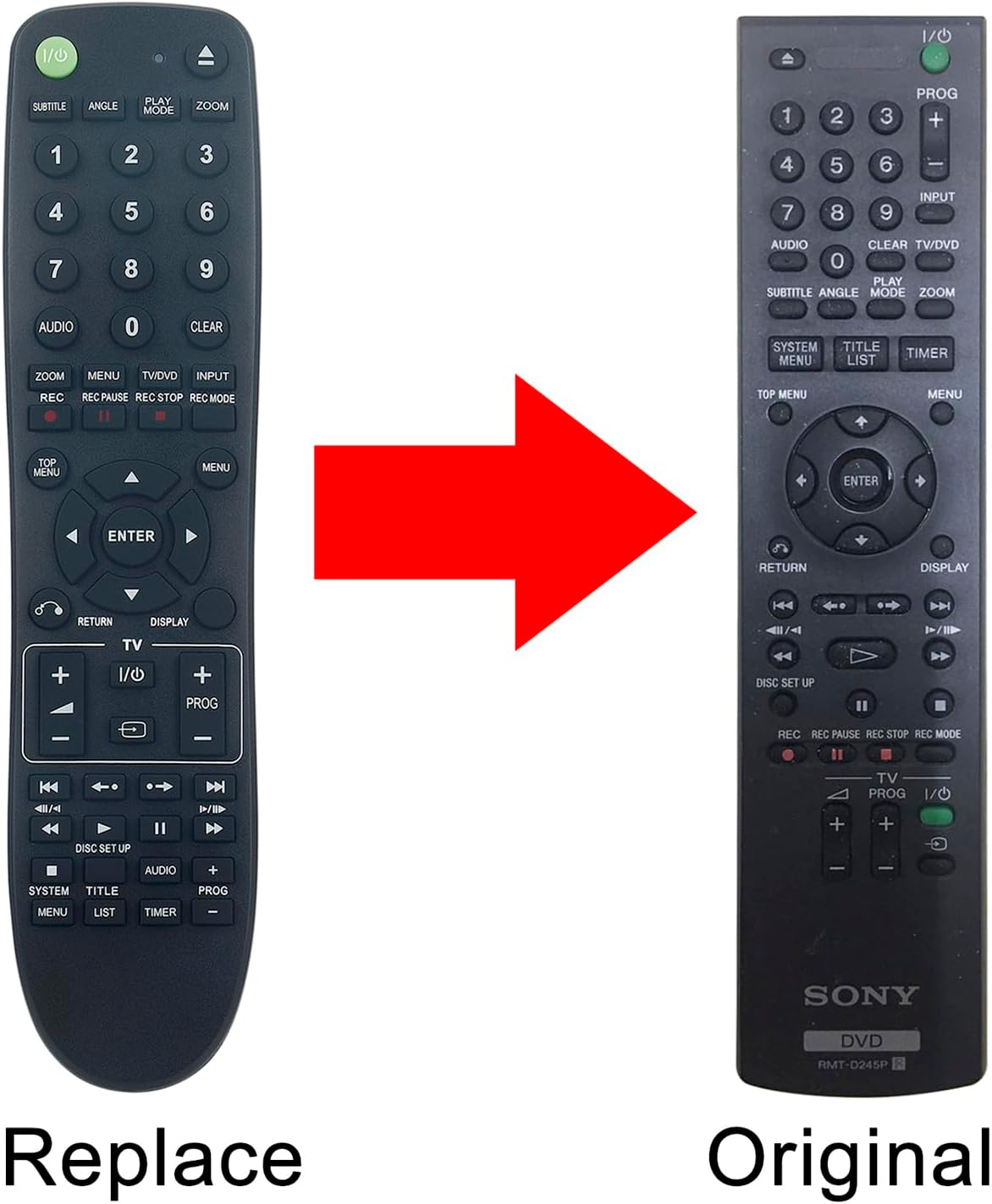
Image: The ALLIMITY RMT-D245P replacement remote control shown alongside an original Sony remote, illustrating their similar appearance and button layout.
Setup
Installing Batteries
The ALLIMITY RMT-D245P replacement remote control does not require any programming or setup. To begin using the remote, simply install two AAA alkaline batteries (not included) into the battery compartment.
- Locate the battery compartment cover on the back of the remote control.
- Slide the cover downwards or press the latch to open it.
- Insert two AAA alkaline batteries, ensuring the positive (+) and negative (-) terminals align correctly with the markings inside the compartment.
- Replace the battery compartment cover by sliding it back into position until it clicks securely.

Image: The rear view of the remote control, showing the open battery compartment and the cover detached, ready for battery insertion.
Operating the Remote Control
Once batteries are installed, the remote control is ready for immediate use with your compatible Sony DVD Harddisk Recorder. Point the remote directly at the infrared sensor on your device.
Basic Functions
- Power (I/O): Turns the DVD Harddisk Recorder on or off.
- Number Buttons (0-9): Used for direct track selection, chapter selection, or inputting numerical data.
- Navigation Buttons (Up, Down, Left, Right, ENTER): Used to navigate menus and confirm selections.
- Play (►), Stop (■), Pause (⏸⏸), Fast Forward (►►), Rewind (◄◄): Standard playback controls.
- REC (●): Initiates recording.
- MENU / TOP MENU: Accesses the main menu or top menu of the DVD.
- RETURN: Returns to the previous screen or menu.
- AUDIO: Changes audio tracks or modes.
- SUBTITLE: Toggles or selects subtitle options.
- ZOOM: Adjusts the screen zoom level.
- INPUT: Selects input source.
- PROG (+/-): Navigates through program channels or menu items.

Image: An angled view of the front of the ALLIMITY RMT-D245P remote control, displaying all buttons and their labels for easy identification.

Image: A user holding the remote control, pointing it towards a television screen, demonstrating typical usage.
Maintenance
Battery Replacement
Replace the batteries when the remote control's response becomes sluggish or stops functioning. Always replace both batteries at the same time with new AAA alkaline batteries. Do not mix old and new batteries, or different types of batteries.
Cleaning
To clean the remote control, use a soft, dry cloth. For stubborn dirt, lightly dampen the cloth with water or a mild, non-abrasive cleaner. Avoid using harsh chemicals, solvents, or abrasive materials, as these can damage the remote's surface or internal components.
Troubleshooting
Common Issues and Solutions
- Remote not responding:
- Check if the batteries are inserted correctly with the correct polarity (+/-).
- Replace the batteries with fresh AAA alkaline batteries.
- Ensure there is a clear line of sight between the remote control and the infrared sensor on your DVD Harddisk Recorder. Remove any obstructions.
- Verify that the DVD Harddisk Recorder is powered on.
- Buttons not working:
- Clean the remote control, especially around the buttons, to ensure no debris is interfering with button presses.
- If only specific buttons are not working, the remote may be damaged.
- Interference:
- Bright light sources, such as direct sunlight or fluorescent lighting, can sometimes interfere with the remote's infrared signal. Try operating the remote in a different lighting condition.
Specifications
| Model Number | BJKJ-RMT-D245P-JKJB (Replacement for RMT-D245P, RMT-D247P, RMT-D246P) |
| Compatible Devices | Sony DVD Harddisk Recorders (RDR-HX950, RDR-GX350, RDR-HX650, RDR-HX750) |
| Power Source | 2 x AAA Alkaline Batteries (not included) |
| Color | Black |
| Special Feature | No Programming Required |
| Product Dimensions | 6 x 2 x 0.6 inches |
| Item Weight | 2 ounces |
Support
For any questions, concerns, or issues regarding your ALLIMITY RMT-D245P replacement remote control, please contact the seller or manufacturer directly. We are committed to ensuring your satisfaction and will provide assistance as needed.


