
1. Introduction
This manual provides detailed instructions for the installation, operation, and maintenance of your SURFOU Wireless Doorbell Set. Please read this manual thoroughly before use to ensure proper function and longevity of the product. Keep this manual for future reference.
2. Product Overview
The SURFOU Wireless Doorbell Set (Model N82K) offers a reliable and convenient solution for your home or office. Key features include:
- Ultra-Long Wireless Range: Operates up to 1300 feet (400 meters) in open areas, ensuring you never miss a visitor.
- Durable & Waterproof: The doorbell button is IP55 dustproof and waterproof, designed to withstand harsh weather conditions from -4°F to 140°F (-20°C to 60°C).
- Customizable Chimes: Choose from 55 diverse melodies and 5 adjustable volume levels (0dB to 110dB). Includes a silent mode with LED flash for quiet environments or individuals with hearing impairments.
- Effortless Installation: No wiring required. Transmitters can be mounted with included adhesive tapes or screws, and receivers simply plug into a standard outlet.
- Expandable & Smart Memory: The system remembers your last set melody and volume even after a power outage. Easily expand your system by adding more SURFOU receivers or buttons.
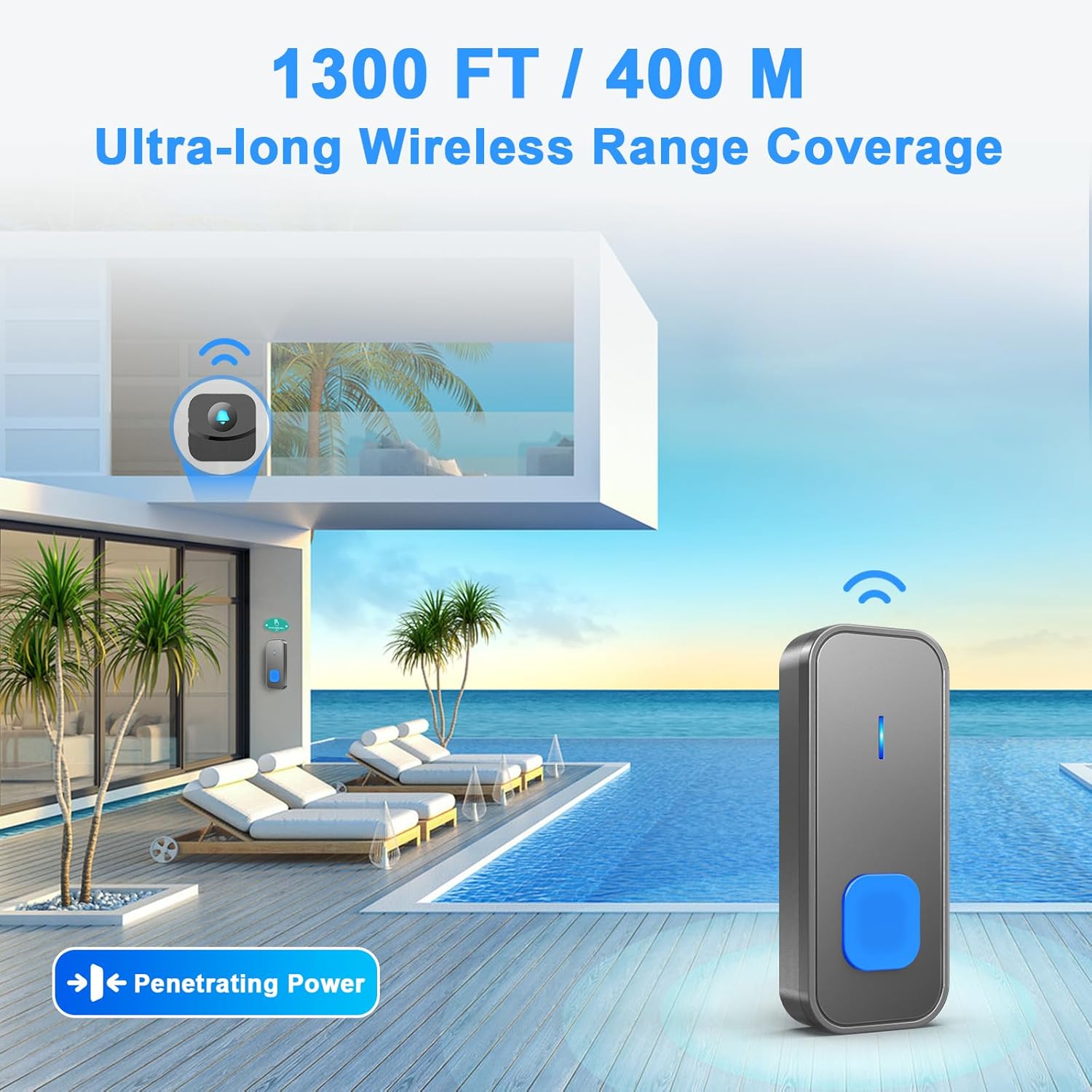
Image: Illustration of the doorbell's 1300ft / 400m ultra-long wireless range coverage.

Image: The doorbell button is IP55 dustproof and waterproof, suitable for various weather conditions.
3. Package Contents
Verify that all items are present in your package:
- 2 × Transmitter (Push Button) with battery included
- 2 × Plug-in Receiver
- 2 × Door Sign
- 3 × Adhesive Tape
- 2 × Screwdriver Kit
- 1 × User Manual (this document)
4. Setup and Installation
4.1 Transmitter (Push Button) Installation
Choose a suitable location for your transmitter, such as near your front door. Ensure the surface is clean and dry.
- Using Adhesive Tape:
- Clean the mounting area thoroughly.
- Peel off one side of the adhesive tape and attach it to the back of the transmitter.
- Peel off the other side of the tape and firmly press the transmitter onto the desired surface for 30 seconds.
- Using Screws:
- Open the back cover of the transmitter using the provided screwdriver.
- Mark the screw holes on the wall.
- Drill holes and insert wall anchors if necessary.
- Secure the back cover to the wall with screws.
- Reattach the transmitter to its back cover.
4.2 Receiver Installation
Plug the receiver into a standard electrical outlet in a location where the chime can be easily heard. For optimal range, avoid placing the receiver near large metal objects or thick walls.

Image: Installation instructions for the transmitter using adhesive tape or screws.

Image: The plug-in receiver features 55 melodies, LED indication, memory function, and 5 volume levels.
5. Operating Instructions
5.1 Changing Volume Levels
The receiver has 5 adjustable volume levels, ranging from 0dB (silent with LED flash) to 110dB. To adjust the volume:
- Locate the volume button on the side of the receiver.
- Press the volume button repeatedly to cycle through the 5 volume levels until your desired level is reached.
5.2 Changing Melodies
The receiver offers 55 different melodies. To change the melody:
- Locate the melody selection button on the side of the receiver.
- Press the melody selection button repeatedly to cycle through the available tunes.
- Once you hear a melody you like, stop pressing the button. The receiver will save this selection automatically.
5.3 Silent Mode (LED Flash Only)
To activate silent mode, press the volume button until the volume reaches 0dB. In this mode, the receiver will only flash its LED indicator when the doorbell button is pressed, providing a visual alert without sound. This is ideal for sleeping babies or individuals with hearing impairments.
Video: Demonstrates how to change the volume and melodies on the SURFOU Wireless Doorbell receiver.
6. Maintenance
6.1 Battery Replacement (Transmitter)
The transmitters are powered by 12V batteries (included). If the transmitter stops working or the signal weakens, it may be time to replace the battery.
- Open the back cover of the transmitter using the provided screwdriver.
- Carefully remove the old battery.
- Insert a new 12V battery, ensuring correct polarity.
- Close the back cover securely.

Image: The transmitter battery offers an ultra-long service life of 1-3 years, reducing the need for frequent changes.
6.2 Cleaning
Wipe the doorbell units with a soft, dry cloth. Do not use abrasive cleaners or solvents, as these can damage the surface or internal components.
6.3 Environmental Considerations
While the transmitter is waterproof, prolonged submersion or exposure to extreme conditions beyond the specified temperature range (-4°F to 140°F) may affect its performance. Ensure the receiver is kept indoors and away from moisture.
7. Troubleshooting
| Problem | Possible Cause | Solution |
|---|---|---|
| Receiver does not chime. | Receiver unplugged or power outage. Volume set to 0dB (silent mode). Transmitter battery is low or dead. Distance between transmitter and receiver is too far or obstructed. | Ensure receiver is plugged in and powered. Increase volume level. Replace transmitter battery. Relocate receiver closer to transmitter or remove obstructions. |
| Doorbell range is reduced. | Interference from other wireless devices. Thick walls or metal objects obstructing signal. Low transmitter battery. | Move receiver away from other electronics. Adjust placement of units to minimize obstructions. Replace transmitter battery. |
| Doorbell chimes unexpectedly. | Interference from nearby devices. Accidental button press. | Try changing the melody to reset the signal. Ensure the button is not being pressed inadvertently. |
8. Specifications
- Model Number: N82K
- Brand: SURFOU
- Wireless Range: Up to 1300ft / 400m (open area)
- Melodies: 55 options
- Volume Levels: 5 levels (0dB - 110dB)
- Waterproof Rating (Transmitter): IP55
- Operating Temperature: -4°F to 140°F (-20°C to 60°C)
- Power Source (Receiver): AC 120 Volts
- Power Source (Transmitter): 2 x 12V Alkaline Batteries (included)
- Material: ABS
- Product Dimensions: 4 x 3 x 3.7 inches (overall package dimensions, individual unit dimensions are smaller)
- Item Weight: 9 ounces

Image: Dimensions of the mini-sized, space-saving doorbell receiver and transmitter.
9. Warranty and Support
Your SURFOU Wireless Doorbell Set is covered by a standard return policy. For specific warranty details, returns, or technical support, please refer to the purchase platform or contact SURFOU customer service directly. Keep your purchase receipt for warranty claims.


