
Introduction
The Fotopro MH-4L portable video head is a professional-grade tool designed for video shooting enthusiasts. It is compact yet robust, offering a range of features that make it an ideal choice for both indoor and outdoor shooting scenarios. With its high-quality construction and versatile compatibility, it stands out as a reliable companion for photographers and videographers.

Image: The Fotopro MH-4L Fluid Head, showcasing its compact design and quick release plate.
Key Features
- Comprehensive Compatibility: Features a universal Arca-Swiss quick release plate, compatible with various devices including mirrorless SLRs, SLRs, DVs, small video cameras, pocket movie players, and phones. The quick leveling base allows for easy angle adjustments.
- Portability: With a lightweight design of 0.36kg (0.79 lbs), the MH-4L is highly portable. The universal 3/8" and 1/4" interfaces at the bottom ensure compatibility with various tripods, providing stability in diverse shooting environments.
- Ergonomic Design: The MH-4L features a thoughtfully designed handle with two telescopic sections, allowing users to adjust its length for personal comfort. The anti-slip surface ensures a secure grip, even in challenging conditions.
- Durability: Meticulously crafted from high-quality aluminum alloy, this video head is strong, durable, and resistant to impacts, abrasions, and corrosion, extending its lifespan. It supports a maximum load of 3kg (6.61 lbs).
- Smooth Operation: Knobs for horizontal and pitch adjustments ensure long-term stability and reliable performance, offering precise control for every shot.
Setup Instructions
- Attach to Tripod: Securely screw the MH-4L video head onto your tripod using the universal 3/8" or 1/4" interface at its base. Ensure it is tightened firmly to prevent wobbling.
- Mount Camera:
- Locate the Arca-Swiss quick release plate. Attach it to the bottom of your camera or device by screwing the camera screw into the tripod mount thread.
- Slide the quick release plate with your camera into the receiver on the MH-4L head. Ensure it clicks into place and then tighten the locking knob to secure the camera.
- Adjust Leveling Base: Use the quick leveling base (if applicable to your specific model variant) to achieve a perfectly level horizon for your shots. Refer to the integrated leveling bubble for accuracy.

Image: The MH-4L Fluid Head securely mounted on a tripod, ready for camera attachment.
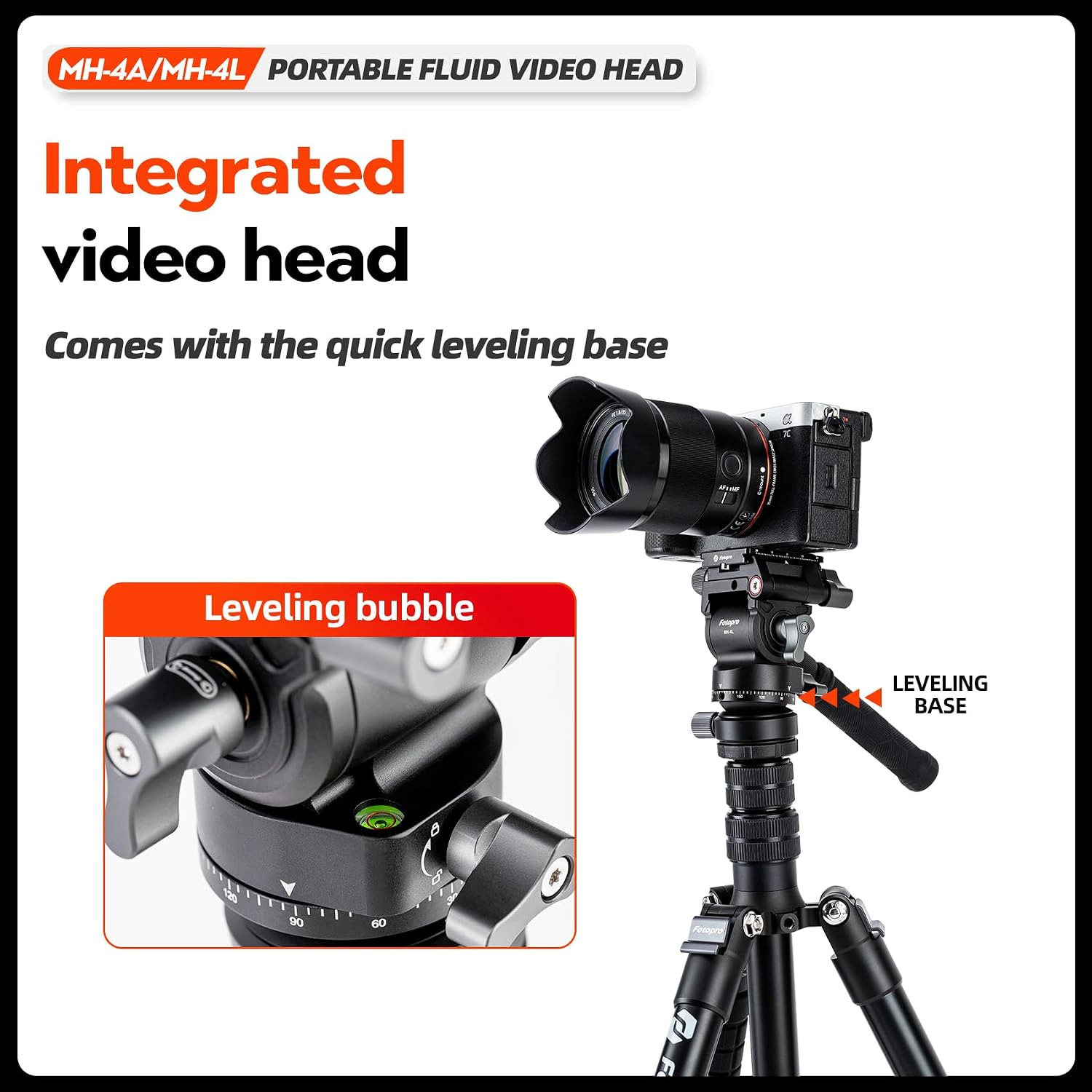
Image: Detail of the leveling bubble and adjustment knobs on the MH-4L, indicating the quick leveling base.
Operating Instructions
- Pan Adjustment: Loosen the horizontal locking knob to allow the head to rotate smoothly 360 degrees. Tighten the knob to lock the pan position.
- Tilt Adjustment: Loosen the tilt locking knob to adjust the vertical angle of your camera. Use the handle for precise control. Tighten the knob to secure the tilt position. The head supports a pitch angle of Down 90° / Up 55°.
- Handle Adjustment: The handle consists of two telescopic sections. Pull or push to extend or retract the handle to your desired length for comfortable operation.
- Panoramic Shooting: The platform features a laser-engraved size chart for precise panoramic shots. Use this guide in conjunction with the pan adjustment for accurate multi-shot panoramas.
- Vertical Shooting: The design supports vertical shooting for content like short videos and social media platforms.

Image: The MH-4L head demonstrating its capability for panoramic shots with an engraved size chart.
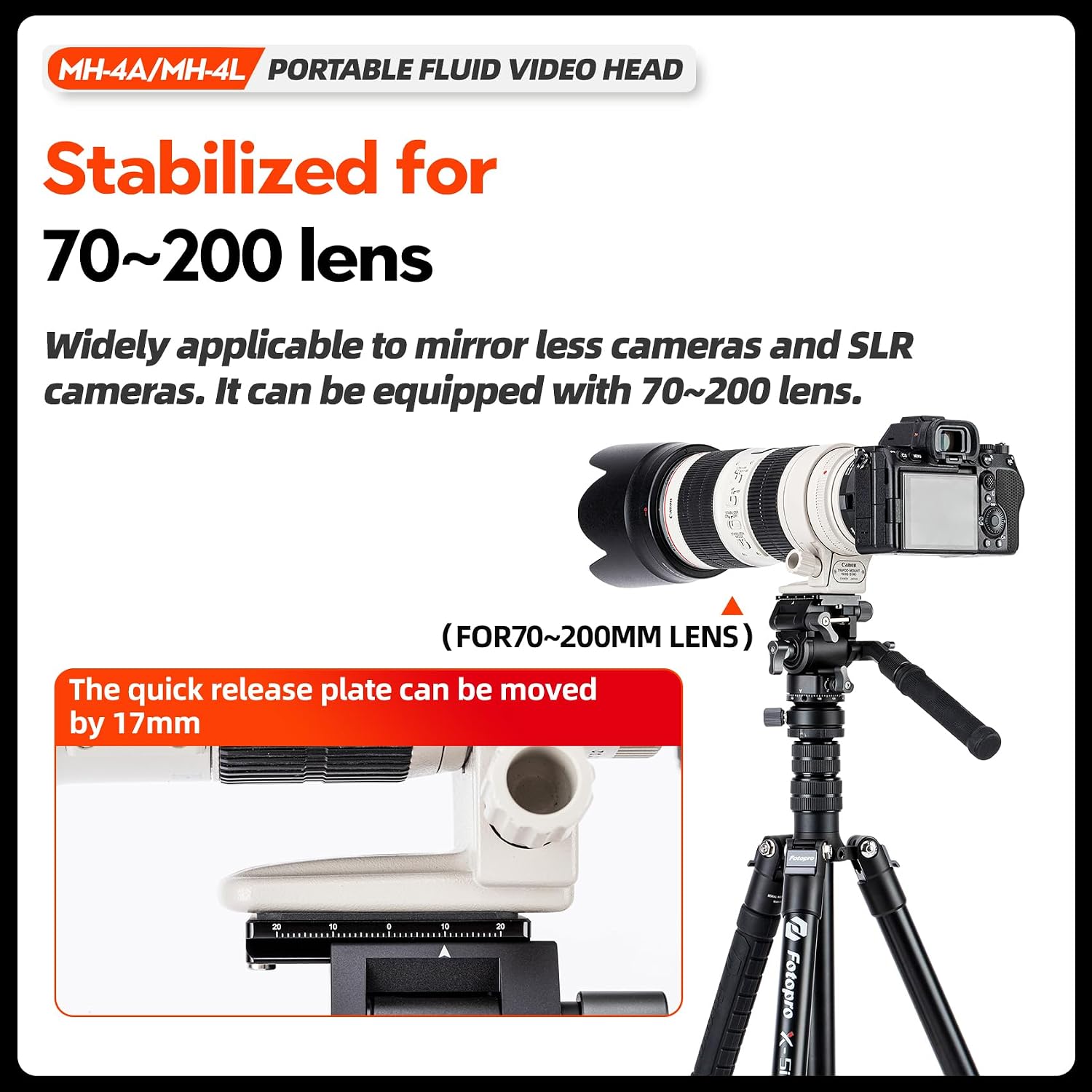
Image: The MH-4L head supporting a camera with a 70-200mm lens, highlighting the 17mm quick release plate adjustment.
Official Product Video
Video: An official demonstration of the Fotopro MH-4L Portable Fluid Video Head in use, showcasing its smooth panning and tilting capabilities.
Maintenance
- Cleaning: Use a soft, dry cloth to wipe down the video head after each use. For stubborn dirt, a slightly damp cloth can be used, followed by immediate drying. Avoid harsh chemicals or abrasive materials.
- Lubrication: The fluid head mechanism is designed for smooth operation and typically does not require user lubrication. If you notice any stiffness, contact customer support.
- Storage: Store the video head in a clean, dry environment, away from extreme temperatures and humidity. It is recommended to store it in a protective bag or case when not in use.
- Inspection: Periodically check all screws and knobs to ensure they are tight. Do not overtighten.
Troubleshooting
| Problem | Possible Cause | Solution |
|---|---|---|
| Camera unstable or wobbling | Quick release plate not fully secured; tripod connection loose; camera weight exceeds maximum load. | Ensure quick release plate is locked. Tighten the video head to the tripod. Verify camera weight is within the 3kg limit. |
| Pan or tilt movement is stiff | Locking knobs are too tight; dirt or debris in mechanism. | Loosen the respective locking knobs. Clean the head thoroughly. If problem persists, contact support. |
| Leveling bubble not centered | Tripod legs uneven; quick leveling base not adjusted. | Adjust tripod leg lengths. Use the quick leveling base to fine-tune the head's level. |
Specifications (MH-4L)
| Feature | Detail |
|---|---|
| Model Number | MH-4L |
| Net Weight | 0.36 kg (0.79 lbs) |
| Base Diameter | 43 mm (1.69 inches) |
| Dimensions (including handle) | 182 × 91 × 96 mm (7.17 × 3.58 × 3.78 inches) |
| Length of Hand Bar | 158-248 mm (6.22-9.76 inches) |
| Maximum Load Capacity | 3 kg (6.61 lbs) |
| Pitch Angle | Down 90° / Up 55° |
| Quick Release Plate | Universal Arca-Swiss compatible |
| Bottom Interface | 3/8" and 1/4" threads |
| Material | Aluminum Alloy |
| Color | Black |
Note: Specifications are subject to change without prior notice.
Warranty and Support
Fotopro products are manufactured to high-quality standards. For warranty information, technical support, or service inquiries, please refer to the official Fotopro website or contact your local distributor. Keep your purchase receipt as proof of purchase for any warranty claims.
For further assistance, please visit the Fotopro Official Store on Amazon.