
Philco 1018BT-GR
PHILCO Dual Clock User Manual
Model: 1018BT-GR
1. Introduction
This manual provides detailed instructions for the setup, operation, and maintenance of your PHILCO Dual Clock (Model: 1018BT-GR). This device features a 1.8" green display, Bluetooth connectivity, dual alarm functionality, FM radio, and a USB charging port. Please read this manual thoroughly before using the product to ensure proper operation and to maximize its features.
2. Product Features
- Crystal-Clear FM Radio: Enjoy a personalized listening experience with 20 preset stations.
- 1.8" Green Display: A captivating and easy-to-read green LED display for time and settings.
- Bluetooth Connectivity: Seamlessly sync with your devices to use the clock as an audio output.
- Dual Alarm Functionality: Set two independent alarms for different wake-up times.
- 2.1A USB Charging Port: Conveniently charge your essential devices directly from the clock.
3. Product Overview and Components
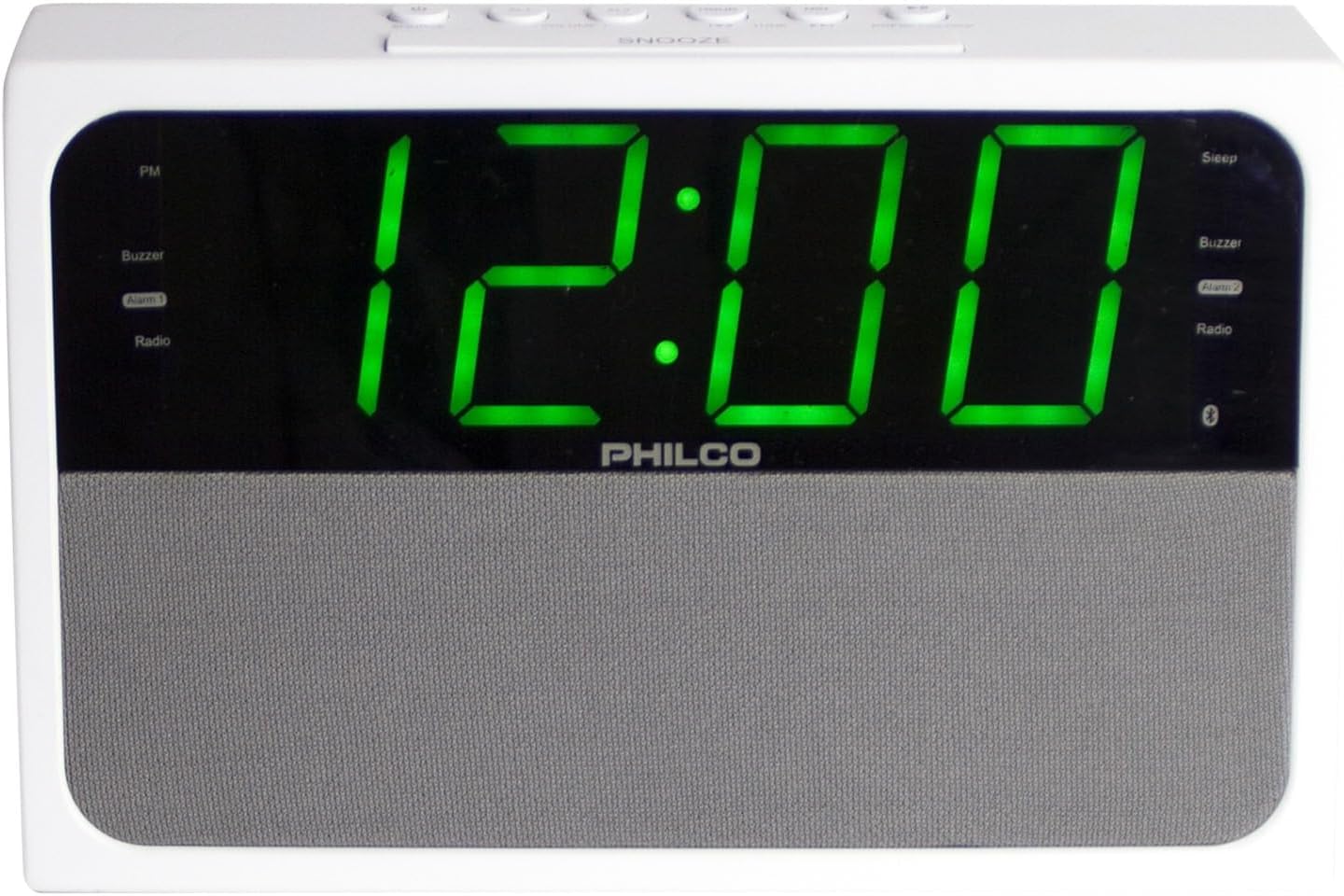
Figure 1: Front view of the PHILCO Dual Clock. This image displays the large green digital time display, the Philco brand name, and the speaker grille.

Figure 2: Angled view of the PHILCO Dual Clock. This perspective highlights the top control buttons, including SNOOZE, TIME, ALARM 1, ALARM 2, and others, along with the green digital display.
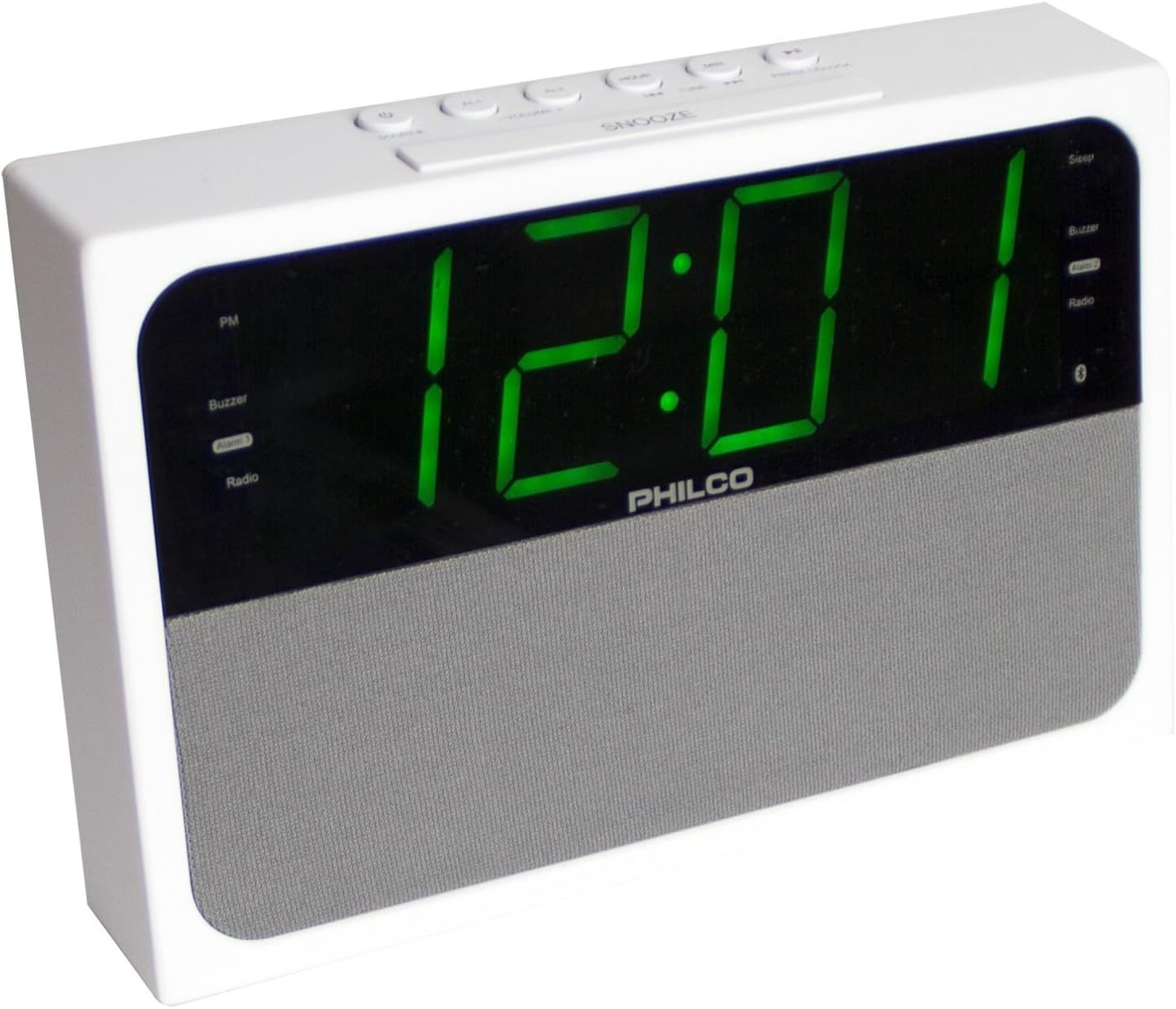
Figure 3: Side angled view of the PHILCO Dual Clock. This image provides a different angle of the clock, showcasing its overall form factor and the clarity of the green digital display.
Control Buttons and Indicators:
- SNOOZE/SLEEP/DIMMER Button: Activates snooze, sets sleep timer, or adjusts display brightness.
- TIME SET Button: Enters time setting mode.
- ALARM 1 Button: Sets or activates Alarm 1.
- ALARM 2 Button: Sets or activates Alarm 2.
- TUNING/HOUR/MIN Buttons: Adjusts radio frequency, hour, or minute.
- MODE Button: Switches between FM Radio, Bluetooth, and AUX modes.
- PRESET/PLAY/PAUSE Button: Saves/recalls radio presets, plays/pauses Bluetooth audio.
- VOLUME +/- Buttons: Adjusts audio volume.
- USB Charging Port: For charging external devices.
- FM Antenna: For radio reception.
- Power Cord: For connecting to an electrical outlet.
4. Setup
4.1 Power Connection
- Unpack the PHILCO Dual Clock and all its components.
- Extend the FM antenna fully for optimal radio reception.
- Plug the power cord into a standard AC electrical outlet (120V, 60Hz). The display will light up, and the clock will be ready for initial setup.
4.2 Setting the Time
- Press and hold the TIME SET button until the hour digits begin to flash on the display.
- Press the HOUR button repeatedly to adjust the hour. Observe the PM indicator to ensure correct AM/PM setting.
- Press the TIME SET button again. The minute digits will begin to flash.
- Press the MINUTE button repeatedly to adjust the minutes.
- Press the TIME SET button one more time to confirm and save the time. The display will stop flashing.
5. Operating Instructions
5.1 FM Radio Operation
- Press the MODE button to select FM Radio mode. The FM frequency will appear on the display.
- Manual Tuning: Press the TUNING +/- buttons briefly to adjust the frequency step by step.
- Auto Scan: Press and hold the TUNING +/- buttons for 2 seconds to automatically scan for the next available station.
- Saving Presets:
- Tune to your desired station.
- Press and hold the PRESET/PLAY/PAUSE button until "PXX" (XX being the preset number) flashes on the display.
- Use the TUNING +/- buttons to select the desired preset number (P01-P20).
- Press the PRESET/PLAY/PAUSE button again to confirm and save the station.
- Recalling Presets: Briefly press the PRESET/PLAY/PAUSE button to cycle through saved stations.
- Adjust volume using the VOLUME +/- buttons.
5.2 Bluetooth Operation
- Press the MODE button to select Bluetooth mode. The Bluetooth indicator will flash on the display, indicating it's in pairing mode.
- On your Bluetooth-enabled device (smartphone, tablet, etc.), enable Bluetooth and search for available devices.
- Select "PHILCO 1018BT" (or similar name) from the list of devices.
- Once paired, the Bluetooth indicator on the clock's display will stop flashing and remain solid. You can now play audio from your device through the clock.
- Use your device's controls or the clock's PRESET/PLAY/PAUSE and VOLUME +/- buttons to control playback.
5.3 Setting and Using Alarms (Alarm 1 & Alarm 2)
- Setting Alarm Time:
- Press and hold the ALARM 1 or ALARM 2 button until the alarm hour digits flash.
- Use the HOUR button to set the desired alarm hour.
- Press the ALARM 1 or ALARM 2 button again. The minute digits will flash.
- Use the MINUTE button to set the desired alarm minutes.
- Press the ALARM 1 or ALARM 2 button again to select the alarm source: Buzzer or FM Radio. The corresponding indicator will light up.
- Press the ALARM 1 or ALARM 2 button one more time to confirm and save the alarm setting. The alarm indicator will appear on the display.
- Activating/Deactivating Alarm: Briefly press the ALARM 1 or ALARM 2 button to toggle the alarm ON or OFF. The alarm indicator will appear when active and disappear when inactive.
- Snooze Function: When the alarm sounds, press the SNOOZE button to temporarily silence it for approximately 9 minutes. The alarm will sound again after the snooze period.
- Stopping Alarm: To turn off the alarm completely until the next day, press any button other than SNOOZE.
5.4 USB Charging
- Connect your USB charging cable (not included) to the USB charging port on the back of the clock.
- Connect the other end of the cable to your smartphone, tablet, or other USB-powered device.
- The clock will provide 2.1A output for charging. Charging speed may vary depending on your device and cable.
5.5 Display Dimmer
- Briefly press the DIMMER button (often integrated with SNOOZE) to cycle through different brightness levels for the display.
6. Maintenance
- Cleaning: Disconnect the power before cleaning. Use a soft, dry cloth to wipe the surface of the clock. Do not use abrasive cleaners, waxes, or solvents as they may damage the finish.
- Placement: Place the clock on a stable, flat surface. Avoid placing it in direct sunlight, near heat sources, or in areas with high humidity or dust.
- Ventilation: Ensure adequate ventilation around the unit. Do not block ventilation openings.
- Power Cord: Regularly inspect the power cord for any damage. If damaged, do not use the device and contact customer support.
7. Troubleshooting
| Problem | Possible Cause | Solution |
|---|---|---|
| No power/Display off | Power cord not connected; Power outlet not active. | Ensure the power cord is securely plugged into a working electrical outlet. Try a different outlet. |
| Poor FM reception | FM antenna not extended; Weak signal. | Fully extend the FM wire antenna. Reposition the clock or antenna for better reception. |
| Bluetooth not pairing | Clock not in pairing mode; Device Bluetooth off; Device too far. | Ensure the clock is in Bluetooth mode (flashing indicator). Turn Bluetooth off/on on your device. Move device closer to the clock (within 30 feet). |
| Alarm not sounding | Alarm not set or activated; Volume too low. | Verify alarm time and ensure the alarm indicator is visible on the display. Increase the volume if the alarm source is radio. |
| USB charging not working | Cable faulty; Device not compatible; Clock not powered. | Try a different USB cable. Ensure the clock is powered on. Some devices may not be compatible or require more power than provided. |
8. Specifications
| Brand | Philco |
| Model Number | 1018BT-GR |
| Display Type | Digital LED (Green) |
| Product Dimensions | 8.23"W x 5.24"H |
| Item Weight | 1.26 pounds |
| Power Source | Corded Electric |
| Connectivity Technology | Bluetooth, USB |
| Radio Bands Supported | FM |
| USB Charging Output | 2.1A |
| Frame Material | Stainless Steel |
| UPC | 850041387215 |
9. Warranty and Support
9.1 Limited Warranty
This PHILCO product is covered by a limited warranty against defects in material and workmanship for a period specified by the manufacturer from the original date of purchase. Please retain your proof of purchase for warranty claims. This warranty does not cover damage resulting from accident, misuse, abuse, improper installation or operation, lack of reasonable care, or unauthorized modification.
9.2 Customer Support
For technical assistance, warranty inquiries, or service, please contact PHILCO customer support. Refer to the product packaging or the official PHILCO website for the most current contact information.
Note: Product specifications and features are subject to change without notice.
Ask a question about this manual
Ask about setup, troubleshooting, compatibility, parts, safety, or missing instructions. Manuals+ will review the question and use this page’s manual context to help answer it.