
HJM LAGAN 500
HJM LAGAN 500W Thermal Fluid Radiator User Manual
Model: LAGAN 500
1. Introduction and Safety Information
Thank you for choosing the HJM LAGAN 500W Thermal Fluid Radiator. This manual provides essential information for the safe and efficient operation of your new heating appliance. Please read all instructions carefully before installation and use, and retain this manual for future reference.
Important Safety Instructions:
- Always ensure the radiator is installed by a qualified professional and in accordance with local electrical regulations.
- Do not cover the radiator. Covering can lead to overheating and fire risk.
- Keep flammable materials, such as curtains and furniture, at a safe distance from the appliance.
- Do not insert objects into any openings of the radiator.
- This appliance is not intended for use by persons (including children) with reduced physical, sensory or mental capabilities, or lack of experience and knowledge, unless they have been given supervision or instruction concerning use of the appliance by a person responsible for their safety.
- Children should be supervised to ensure that they do not play with the appliance.
- If the supply cord is damaged, it must be replaced by the manufacturer, its service agent, or similarly qualified persons to avoid a hazard.
- Ensure the voltage indicated on the rating label corresponds to your mains voltage.
2. Product Overview and Key Features
The HJM LAGAN 500W is a thermal fluid radiator designed for efficient and consistent heating. Its injected aluminum body and high-temperature internal fluid provide excellent thermal inertia, allowing the unit to continue emitting heat even after reaching the desired temperature and cycling off. This design promotes continuous comfort and optimal energy consumption.
Key Features:
- High Thermal Inertia: Utilizes a high-temperature fluid for prolonged heat emission and stable room temperature.
- Advanced Programming: Features 24/7 daily and weekly programming with 4 customizable programs and 9 pre-installed automatic programs for flexible heating schedules.
- Programmable Turbo Mode: Provides an extra injection of heat for rapid room warming when needed.
- Energy-Saving Functions: Includes an open window detector, intelligent early start system, consumption meter, and keyboard lock for enhanced efficiency and safety.
- Easy Installation: Supplied with a complete kit and wall bracket for straightforward wall mounting.

Figure 2.1: Front view of the HJM LAGAN 500W Thermal Fluid Radiator, showcasing its sleek, white design.

Figure 2.2: The HJM LAGAN 500W Radiator seamlessly integrated into a modern living room setting, demonstrating its compact and aesthetic design.
3. Setup and Installation
The HJM LAGAN 500W radiator is designed for wall mounting. Please ensure you have the necessary tools and follow these instructions carefully. If you are unsure, consult a qualified electrician or installer.
3.1 Package Contents:
- HJM LAGAN 500W Thermal Fluid Radiator
- Wall mounting kit (brackets, screws, wall plugs)
- User Manual
3.2 Wall Mounting Instructions:
- Choose Location: Select a suitable wall location, away from windows and doors where heat loss is high, and ensuring adequate clearance from furniture and curtains. Avoid placing directly under electrical outlets.
- Mark Drilling Points: Use the provided wall bracket as a template to mark the drilling points on the wall. Ensure the points are level.
- Drill Holes: Drill holes at the marked points using an appropriate drill bit for your wall type. Insert the wall plugs.
- Attach Brackets: Securely fasten the wall brackets to the wall using the provided screws. The brackets allow for a +2.5 cm clearance from the wall.
- Mount Radiator: Carefully lift the radiator and hook it onto the installed wall brackets. Ensure it is securely seated and stable.
3.3 Electrical Connection:
- The HJM LAGAN 500W is a corded electric appliance. Ensure the power outlet is easily accessible and rated for the radiator's power consumption (500W).
- Plug the radiator into a grounded electrical outlet. Do not use extension cords or adapters unless absolutely necessary and rated for the appliance's power.
- Ensure the power cord is not pinched or routed in a way that could cause damage or a tripping hazard.
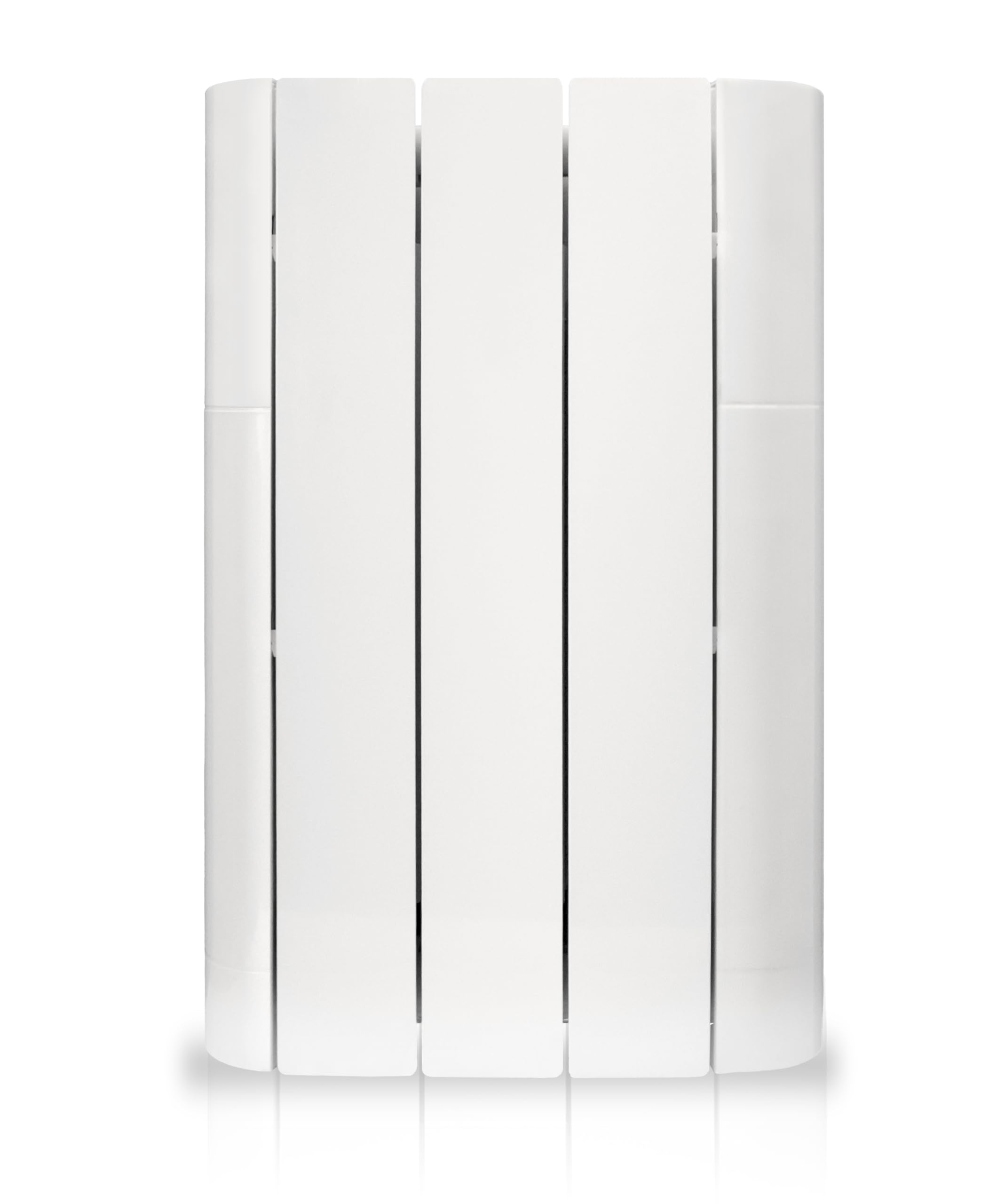
Figure 3.1: Dimensions of the HJM LAGAN 500W Radiator, showing height (59 cm), width (36 cm), and depth (9.5 cm + 2.5 cm for mounting brackets).
4. Operating Instructions
Your HJM LAGAN 500W radiator features an intuitive control panel for easy operation and programming.
4.1 Control Panel Overview:

Figure 4.1: Close-up view of the HJM LAGAN 500W control panel with digital display and control buttons.
The control panel typically includes a digital display, power button, temperature adjustment buttons (+/-), mode selection, and programming buttons. Refer to the display for current temperature, mode, and program status.
4.2 Basic Operation:
- Power On/Off: Press the power button (usually indicated by a ⏻ symbol) to turn the radiator on or off.
- Set Temperature: Use the '+' and '-' buttons to adjust the desired room temperature. The display will show the set temperature.
- Mode Selection: Press the mode button (often a 'M' or similar icon) to cycle through available modes such as Comfort, Economy, Anti-freeze, or Programmed mode.
4.3 Programming (24/7):
The radiator offers flexible programming options to suit your lifestyle and optimize energy consumption.
- Pre-installed Programs: The unit comes with 9 pre-installed automatic programs for quick setup. Consult the on-screen menu or specific programming section in the full manual for details on selecting and activating these.
- Customizable Programs: You can create up to 4 personalized daily and weekly programs. This typically involves setting desired temperatures for specific time slots throughout the day and week. Access the programming menu via the control panel and follow the on-screen prompts.
4.4 Special Functions:
- Turbo Mode: Activate Turbo mode for a temporary boost in heating power, quickly raising the room temperature. This mode usually has a timer and will revert to the previous setting after a set period.
- Open Window Detector: When enabled, the radiator automatically detects a sudden drop in temperature (e.g., from an open window) and temporarily pauses heating to prevent energy waste. Heating resumes once the window is closed or after a set time.
- Intelligent Early Start System: This feature learns the thermal characteristics of your room and activates the heating slightly before your programmed time to ensure the desired temperature is reached precisely when scheduled.
- Consumption Meter: The display can show your energy consumption, helping you monitor and manage your heating costs.
- Keyboard Lock: To prevent accidental changes or tampering (e.g., by children), activate the keyboard lock function. Refer to the control panel instructions for activation/deactivation.
5. Maintenance
Regular maintenance ensures the longevity and efficient operation of your HJM LAGAN 500W radiator.
5.1 Cleaning:
- Always disconnect the radiator from the power supply before cleaning.
- Allow the radiator to cool down completely before cleaning.
- Wipe the exterior surfaces with a soft, damp cloth. Do not use abrasive cleaners, solvents, or harsh chemicals, as these can damage the finish.
- Ensure no water enters the internal components.
- Dust accumulation can reduce efficiency. Periodically vacuum or wipe dust from the fins and air outlets.
5.2 Storage:
If storing the radiator for an extended period, ensure it is clean, dry, and stored in a cool, dry place, protected from dust and direct sunlight.
6. Troubleshooting
If you encounter issues with your radiator, refer to the following common problems and solutions before contacting customer support.
| Problem | Possible Cause | Solution |
|---|---|---|
| Radiator does not turn on. | No power supply. Power button not pressed. Keyboard lock activated. | Check if the power cord is securely plugged in and the outlet is functional. Check your circuit breaker. Press the power button. Deactivate the keyboard lock. |
| Radiator is on but not heating. | Temperature setting too low. Open window detected. In Anti-freeze mode. | Increase the set temperature above the current room temperature. Close any open windows or doors. The radiator will resume heating. Change the operating mode to Comfort or Programmed. |
| Radiator heats intermittently. | Normal operation (thermostat cycling). Programmed schedule. | This is normal as the radiator maintains the set temperature. It will cycle on and off. Check your programmed schedule to ensure it aligns with your desired heating times. |
| Unusual noises from the radiator. | Expansion/contraction of materials. Air in the system (unlikely for sealed fluid radiators). | Minor clicking or creaking sounds are normal as the metal heats and cools. If loud or persistent, contact customer support. |
| Display shows an error code. | Internal fault. | Note the error code and consult the full product manual or contact customer support. |
7. Technical Specifications
| Feature | Specification |
|---|---|
| Brand | HJM |
| Model | LAGAN 500 |
| Power Source | Corded Electric |
| Mounting Type | Wall Mount |
| Heat Output | 500 Watts |
| Voltage | 230 Volts |
| Minimum Temperature Setting | 5 Degrees Celsius |
| Item Weight | 7.4 Kilograms |
| Dimensions (approx.) | 59 cm (Height) x 36 cm (Width) x 9.5 cm (Depth) + 2.5 cm for brackets |
8. Warranty and Support
For specific warranty terms and conditions, please refer to the warranty card included with your product or visit the official HJM website. Keep your proof of purchase for warranty claims.
Customer Support:
If you have any questions, require technical assistance, or need to report a fault, please contact HJM customer support. Contact details can typically be found on the manufacturer's website or in your product documentation.
Website: www.hjm.es (Example, please refer to actual manufacturer website)
Ask a question about this manual
Ask about setup, troubleshooting, compatibility, parts, safety, or missing instructions. Manuals+ will review the question and use this page’s manual context to help answer it.