
1. Important Safety Instructions
Please read all instructions carefully before using the appliance. Keep this manual for future reference.
- Electrical Safety: Ensure the oven is properly grounded. Do not operate with a damaged power cord or plug. Disconnect power before servicing.
- Burn Hazard: Oven surfaces become hot during operation. Use oven mitts when handling hot items. Keep children away from the oven.
- Fire Hazard: Do not store flammable materials in or near the oven. Clean grease and food spills regularly to prevent fires.
- Installation: Installation must be performed by a qualified technician in accordance with local codes and this manual.
- Ventilation: Ensure adequate ventilation around the oven as specified in the installation section.
2. Product Overview and Features
The Kumtel B66-SF2 is a high-performance built-in electric oven designed for efficient and versatile cooking. It features a sleek design and user-friendly controls.
Key Features:
- 2000 Watt power for rapid heating and consistent cooking.
- Four distinct cooking functions to suit various culinary needs.
- Integrated turbo fan (convection) for even heat distribution.
- Adjustable timer with an audible bell alarm for precise cooking control.
- Adjustable thermostat for accurate temperature management.
- Durable wire rack system for flexible placement of dishes.
- Easily removable inner glass for convenient cleaning.
- Simple-to-clean glass control panel.
- Powerful interior lighting for clear visibility of food during cooking.
- Non-rust enamel tray for durability and easy maintenance.
- Chrome grid for additional cooking options.
- Energy efficient design.
3. Installation Instructions
Proper installation is crucial for the safe and efficient operation of your Kumtel B66-SF2 oven. Refer to the diagrams below for precise measurements and cabinet requirements.
Cabinet Dimensions:
- Minimum Width: 560 mm
- Minimum Depth: 570 mm
- Height: 600 mm
Electrical Connection:
The oven requires a 220V electrical supply. Ensure the electrical circuit is capable of handling a 2000W appliance and is protected by an appropriate circuit breaker. All electrical connections must comply with local electrical codes.
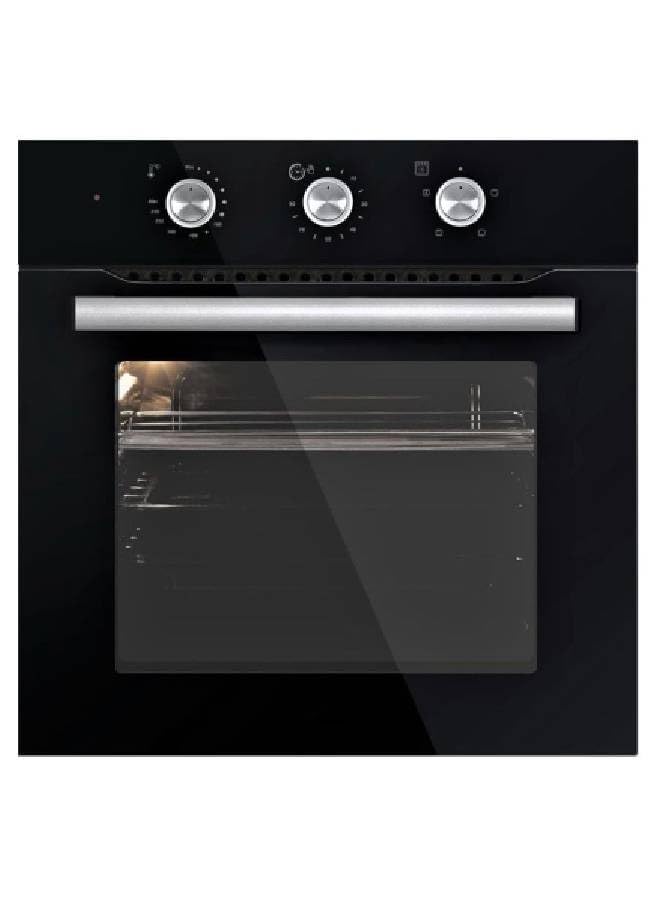
Image Description: This diagram illustrates the necessary cabinet dimensions for installing the Kumtel B66-SF2 built-in oven. It shows the minimum width (Min. 560), minimum depth (Min. 570), and height (600) required for the oven cavity. Additional views provide detailed measurements of the oven's front (595mm width, 598.3mm height), side (566.2mm depth, 575.2mm height), and an isometric view showing the overall structure. These measurements are critical for ensuring a proper and secure fit within your kitchen cabinetry.
4. Operating Your Oven
Familiarize yourself with the control panel before first use.
Control Panel:
The oven features control knobs for function selection, temperature adjustment, and a digital timer display.
Cooking Functions:
Select one of the four available cooking functions using the function selector knob. These functions typically include:
- Conventional Heating: Top and bottom heating elements for traditional baking and roasting.
- Convection (Turbo Fan): Utilizes the turbo fan to circulate hot air, ensuring even cooking and faster results. Ideal for multiple dishes.
- Grill: Top heating element for grilling and browning.
- Bottom Heating: For dishes requiring more heat from the base.
Temperature Adjustment:
Turn the thermostat knob to set the desired cooking temperature. The oven will preheat to this temperature.
Timer Setting:
Use the timer controls to set the cooking duration. An audible bell alarm will sound once the set time has elapsed.
5. Maintenance and Cleaning
Regular cleaning and maintenance will ensure the longevity and optimal performance of your oven.
Interior Cleaning:
- Allow the oven to cool completely before cleaning.
- The inner glass can be easily removed for thorough cleaning. Refer to the specific instructions for glass removal in the full manual (if applicable).
- Use a soft cloth and non-abrasive oven cleaner for the interior surfaces and enamel tray.
- Wipe down the chrome grid and wire racks with warm, soapy water.
Exterior Cleaning:
- Clean the glass control panel and exterior surfaces with a soft, damp cloth and mild detergent.
- Avoid using abrasive cleaners or scouring pads, as they can scratch the surface.
6. Troubleshooting Guide
Before contacting customer service, please check the following common issues:
| Problem | Possible Cause | Solution |
|---|---|---|
| Oven does not turn on | No power supply; Door not closed properly | Check power connection and circuit breaker; Ensure oven door is fully closed. |
| Uneven cooking | Incorrect rack position; Overcrowding; Fan malfunction | Adjust rack position; Avoid overcrowding; Contact service if fan is not working. |
| Oven light not working | Bulb burnt out | Replace oven light bulb (ensure oven is unplugged). |
7. Technical Specifications
| Feature | Detail |
|---|---|
| Brand | Kumtel |
| Model Number | B66-SF2 (Part No: 362-10-B66-SF2) |
| Power | 2000 Watt |
| Voltage | 220 Volt |
| Installation Type | Built-in |
| Heating Method | Electric |
| Material | Stainless Steel |
| Finish Type | Polished |
| Product Dimensions (D x W x H) | 62 cm x 63 cm x 62 cm |
| Item Weight | 1 Kilogram |
| Special Features | Turbo fan, Time setting |
| Included Components | Built-in oven |
| Batteries Required | No |
8. Warranty and Support
For warranty information, service requests, or technical support, please refer to the warranty card included with your product or contact Kumtel customer service. Keep your purchase receipt as proof of purchase.
For further assistance, visit the official Kumtel website or contact your local authorized service center.