
Introduction
Thank you for choosing the ACTFLAME Walking Pad Under Desk Treadmill. This manual provides essential information for the safe and effective operation, maintenance, and troubleshooting of your new fitness equipment. Please read this manual thoroughly before initial use and retain it for future reference.
The ACTFLAME Walking Pad is designed for both home and office use, offering a compact and portable solution for daily exercise. It features a quiet 2.5HP motor, a 5-layer anti-slip belt, and an LED display for tracking your workout data.
Safety Instructions
Always follow basic safety precautions when using electrical appliances to reduce the risk of fire, electric shock, and injury.
- Ensure the treadmill is placed on a flat, stable surface.
- Keep children and pets away from the treadmill during operation.
- Do not operate the treadmill if it has a damaged cord or plug, or if it is not working properly.
- Wear appropriate athletic footwear.
- Do not use the treadmill outdoors or in damp environments.
- Maximum user weight capacity: 265 lbs (120 kg).
- Always unplug the treadmill before cleaning or maintenance.
Product Components
The ACTFLAME Walking Pad includes the following main components:
- Walking Pad Unit
- Remote Control
- Power Cord
- Lubricant (included)

Image: The ACTFLAME Walking Pad, showcasing its compact design and included remote control.
Setup
- Unpacking: Carefully remove the walking pad and all accessories from the packaging.
- Placement: Place the walking pad on a firm, level surface. Ensure there is adequate clear space around the unit for safe operation (at least 2 feet behind and 1 foot on each side).
- Power Connection: Connect the power cord to the treadmill and then plug it into a grounded electrical outlet.
- Remote Control Battery: Insert the required batteries into the remote control. (1 Lithium Metal battery included).
- Initial Lubrication: The belt is pre-lubricated from the factory. For optimal performance and longevity, refer to the maintenance section for future lubrication instructions.

Image: A user setting up the ACTFLAME Walking Pad under a standing desk, demonstrating its intended use in a home or office environment.
Operating Instructions
Powering On/Off
- To turn on, press the power button on the treadmill or the remote control. The LED display will illuminate.
- To turn off, press and hold the power button on the remote control or the treadmill until the display shuts off.
Using the Remote Control
The remote control allows you to adjust speed and view workout data.
- Start/Stop: Press the Start/Stop button to begin or pause your workout.
- Speed Adjustment: Use the '+' and '-' buttons to increase or decrease the speed. The speed range is 0.6-3.8 mph.
- Mode Selection: The remote may have a mode button to cycle through display data (Time, Distance, Calories, Speed).

Image: A detailed view of the ACTFLAME Walking Pad's integrated LED display showing workout metrics and the accompanying remote control for easy adjustments.
Understanding the LED Display
The large LED display shows real-time workout data:
- Speed: Current walking speed in miles per hour (mph).
- Time: Duration of your workout.
- Distance: Total distance covered during the workout.
- Calories: Estimated calories burned.
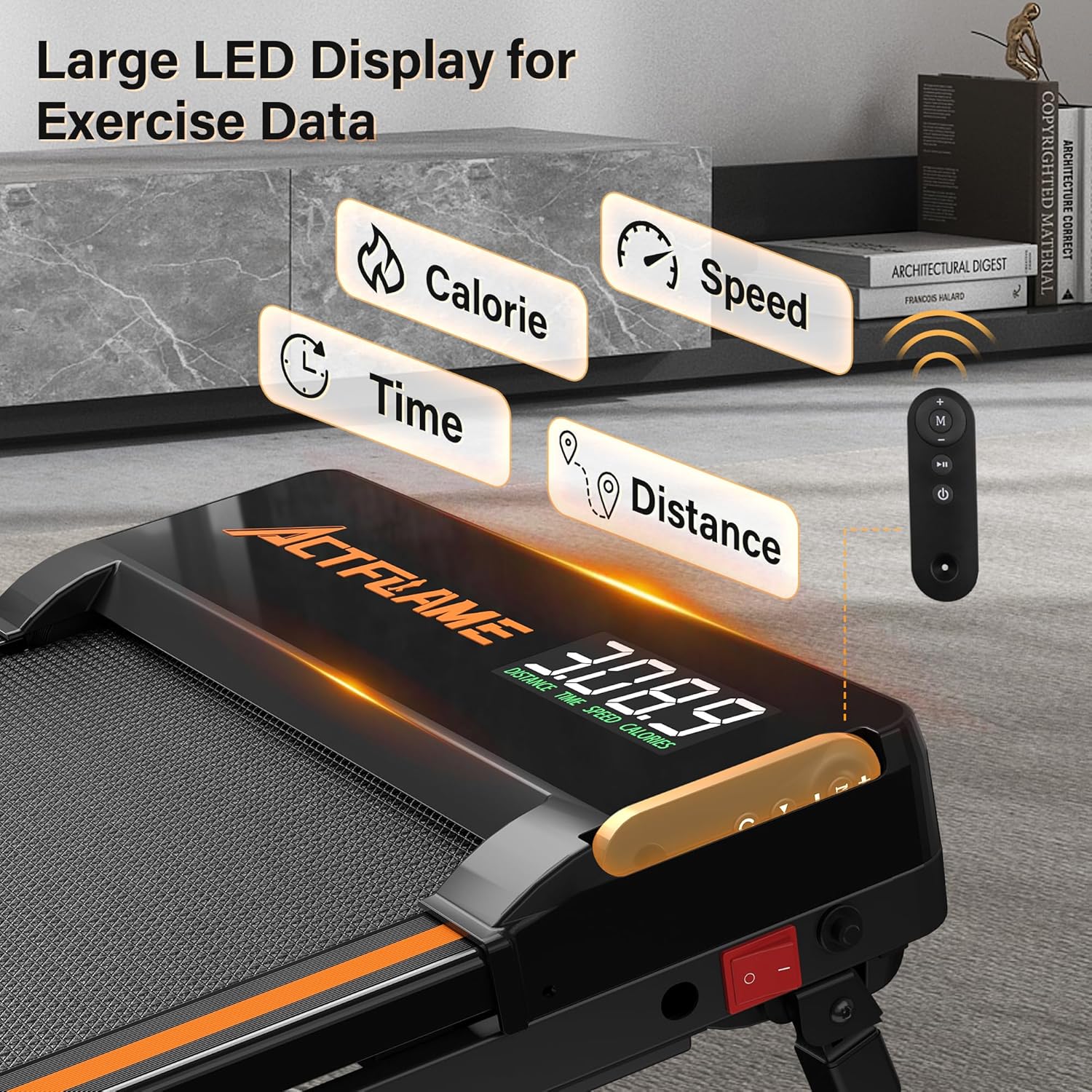
Image: The ACTFLAME Walking Pad's LED display clearly showing various exercise data points such as calories, speed, time, and distance.
Using the Manual Incline Feature
The walking pad features a manual incline adjustment to increase workout intensity.
- Ensure the treadmill is powered off and unplugged.
- Locate the adjustable feet at the front of the treadmill.
- Flip the front feet forward to engage the incline. Ensure both feet are securely in the forward position.
- To return to a flat position, flip the feet back to their original position.

Image: The ACTFLAME Walking Pad demonstrating its 15-degree manual incline capability, illustrating how it can increase workout intensity.
Maintenance
Lubrication of the Running Belt
Regular lubrication is crucial for the longevity and smooth operation of your walking pad. Use only the provided lubricant or a treadmill-specific silicone lubricant.
- Frequency: Lubricate every 3 months or after 50 hours of use, whichever comes first.
- Procedure:
- Turn off and unplug the treadmill.
- Lift one side of the running belt.
- Apply a small amount of lubricant (approx. 5-10ml) evenly along the center of the deck, underneath the belt.
- Repeat on the other side.
- Plug in the treadmill and run it at a low speed (e.g., 0.6 mph) for 2-3 minutes to distribute the lubricant.
Cleaning
- Wipe down the treadmill surface with a damp cloth after each use.
- Do not use abrasive cleaners or solvents.
- Keep the area around the motor clean and free of dust.
Belt Adjustment
If the running belt shifts to one side or slips, it may need adjustment.
- Centering the Belt: If the belt drifts to the left, turn the left adjustment bolt clockwise a quarter turn. If it drifts to the right, turn the right adjustment bolt clockwise a quarter turn. Run the treadmill at a low speed and observe. Repeat if necessary until the belt is centered.
- Tightening the Belt: If the belt slips during use, turn both adjustment bolts clockwise a quarter turn simultaneously. Test for slipping. Repeat if necessary. Do not overtighten.
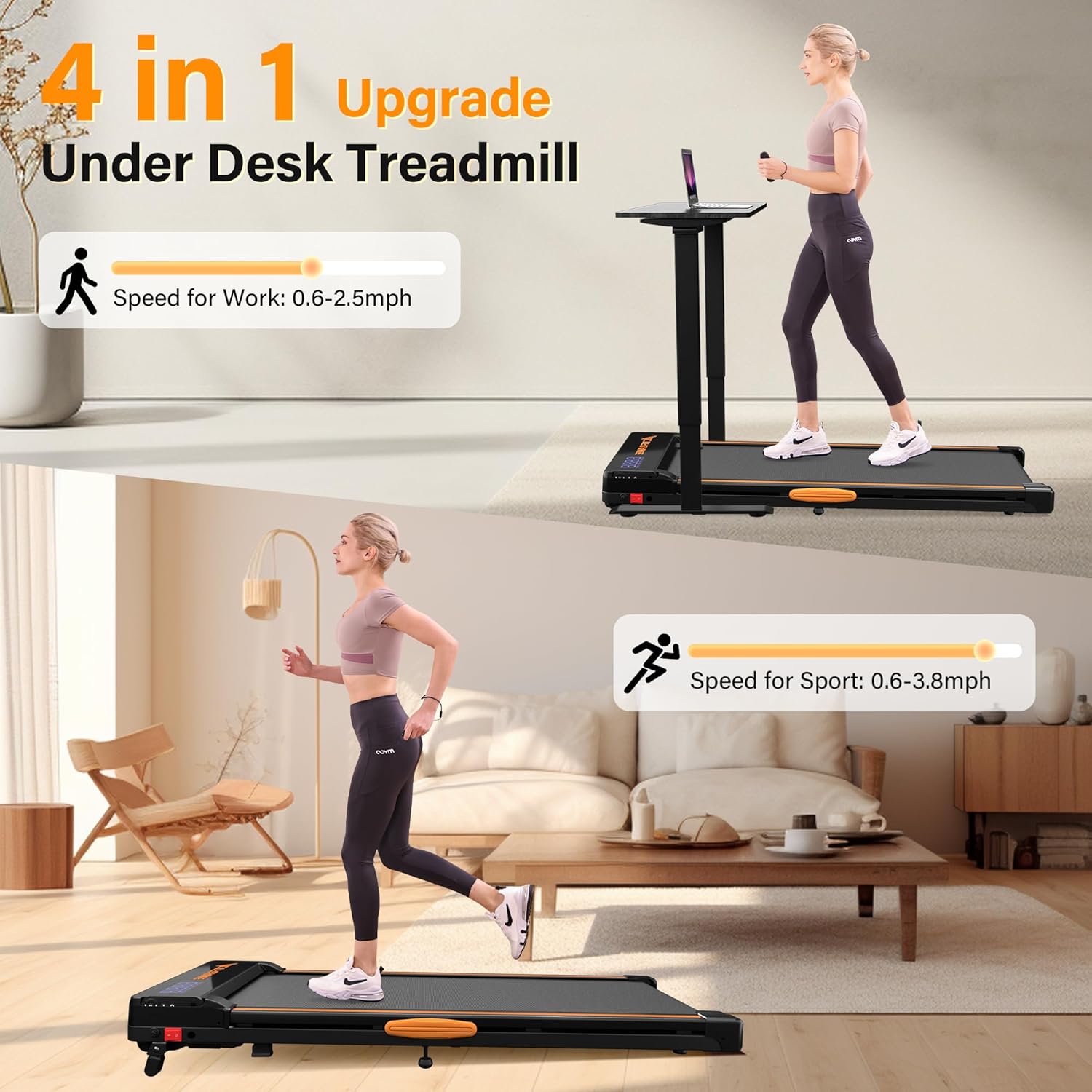
Image: An exploded view illustrating the five-layer durable anti-slip belt construction of the ACTFLAME Walking Pad, designed for comfort and safety.
Troubleshooting
| Problem | Possible Cause | Solution |
|---|---|---|
| Treadmill does not power on. | Power cord not plugged in; power switch off; circuit breaker tripped. | Ensure power cord is securely plugged in. Check the power switch on the treadmill. Reset the household circuit breaker if tripped. |
| Running belt slips. | Belt too loose; insufficient lubrication. | Tighten the running belt (refer to Maintenance section). Apply lubricant if needed. |
| Running belt drifts to one side. | Belt alignment issue. | Adjust the running belt (refer to Maintenance section). |
| Unusual noise during operation. | Loose components; lack of lubrication; foreign object. | Check for loose screws. Lubricate the belt. Inspect for any foreign objects under the belt or near the motor. |
| Remote control not responding. | Dead batteries; remote not paired. | Replace remote control batteries. Refer to the product's quick start guide for remote pairing instructions if applicable. |
If you encounter issues not listed here or if problems persist, please contact ACTFLAME customer support.
Specifications
| Feature | Detail |
|---|---|
| Model Number | TM600 |
| Product Dimensions | 127 x 60 x 14 cm (50 x 23.6 x 5.5 inches) |
| Item Weight | 20.4 kg (45 lbs) |
| Maximum Weight Capacity | 265 lbs (120 kg) |
| Motor Horsepower | 2.5 HP |
| Speed Range | 0.6 - 3.8 mph |
| Display Type | LED (Speed, Time, Distance, Calories) |
| Running Belt Layers | 5 Layers, Anti-slip |
| Special Features | Lightweight, Manual Incline, Shock Absorb Cushions |
| Power Source | Corded Electric |
| Included Components | Lubricant |

Image: The ACTFLAME Walking Pad being easily stored under a sofa, highlighting its space-saving and portable design.
Warranty and Support
ACTFLAME offers a 1-year manufacturer guarantee for this walking pad. This warranty covers defects in materials and workmanship under normal use.
For warranty claims, technical support, or any questions regarding your ACTFLAME Walking Pad, please contact ACTFLAME customer service. Please have your model number (TM600) and purchase information ready when contacting support.
Contact Information: Refer to your purchase documentation or the ACTFLAME official website for the most current contact details.

