
1. Introduction
The BANTI 43"x24" Electric Standing Desk is designed to enhance your workspace by allowing seamless transitions between sitting and standing positions. This desk features electric height adjustment, memory presets, and a robust design to support your daily work needs. This manual provides essential information for assembly, operation, maintenance, and troubleshooting to ensure optimal performance and longevity of your desk.

Image 1.1: The BANTI 43"x24" Electric Standing Desk in a typical setup.
2. Safety Information
- Ensure all components are securely fastened before use.
- Keep children and pets away from the desk during operation.
- Do not overload the desk; refer to the specifications for maximum weight capacity.
- Avoid placing liquids directly on the control panel or motor components.
- Disconnect power before cleaning or performing any maintenance.
3. Package Contents
Verify that all the following components are present in your package:
- Desktop (Splice Board)
- Desk Frame (Legs and Crossbar)
- Control Panel
- Power Adapter and Cable
- Cup Holder
- Headphone Hook
- Cable Management Clips/Bundle Clamps
- Assembly Hardware (screws, Allen wrench, etc.)
- Instruction Manual
4. Assembly Instructions
The BANTI Electric Standing Desk is designed for straightforward assembly. Detailed step-by-step instructions and all necessary tools are included in the product package. Please refer to the separate assembly guide provided with your desk for visual aids and specific fastening sequences.
General Assembly Steps:
- Unpack all components and verify against the package contents list.
- Attach the lifting columns to the desk feet.
- Connect the crossbar to the lifting columns.
- Secure the desktop to the assembled frame.
- Install the control panel, cup holder, headphone hook, and cable management accessories.
- Connect the power adapter to the control box and plug into a power outlet.

Image 4.1: An assembled BANTI Electric Standing Desk.
5. Operating Instructions
5.1. Height Adjustment
The desk features an electric lifting system for smooth height adjustments. Use the control panel located on the front edge of the desk to operate.
- Up Button (▲): Press and hold to raise the desk to your desired standing height.
- Down Button (▼): Press and hold to lower the desk to your desired sitting height.

Image 5.1: The convenient control panel for height adjustment.
5.2. Memory Presets
The control panel includes two memory preset buttons (labeled '1' and '2' or with sitting/standing icons) to store and recall your preferred sitting and standing heights.
- Adjust the desk to your desired height using the Up/Down buttons.
- Press and hold one of the memory preset buttons (e.g., '1' for sitting height) until you hear a beep or the display flashes, indicating the height has been saved.
- Repeat for the second memory preset (e.g., '2' for standing height).
- To recall a saved height, simply press the corresponding memory preset button once. The desk will automatically move to the stored position.
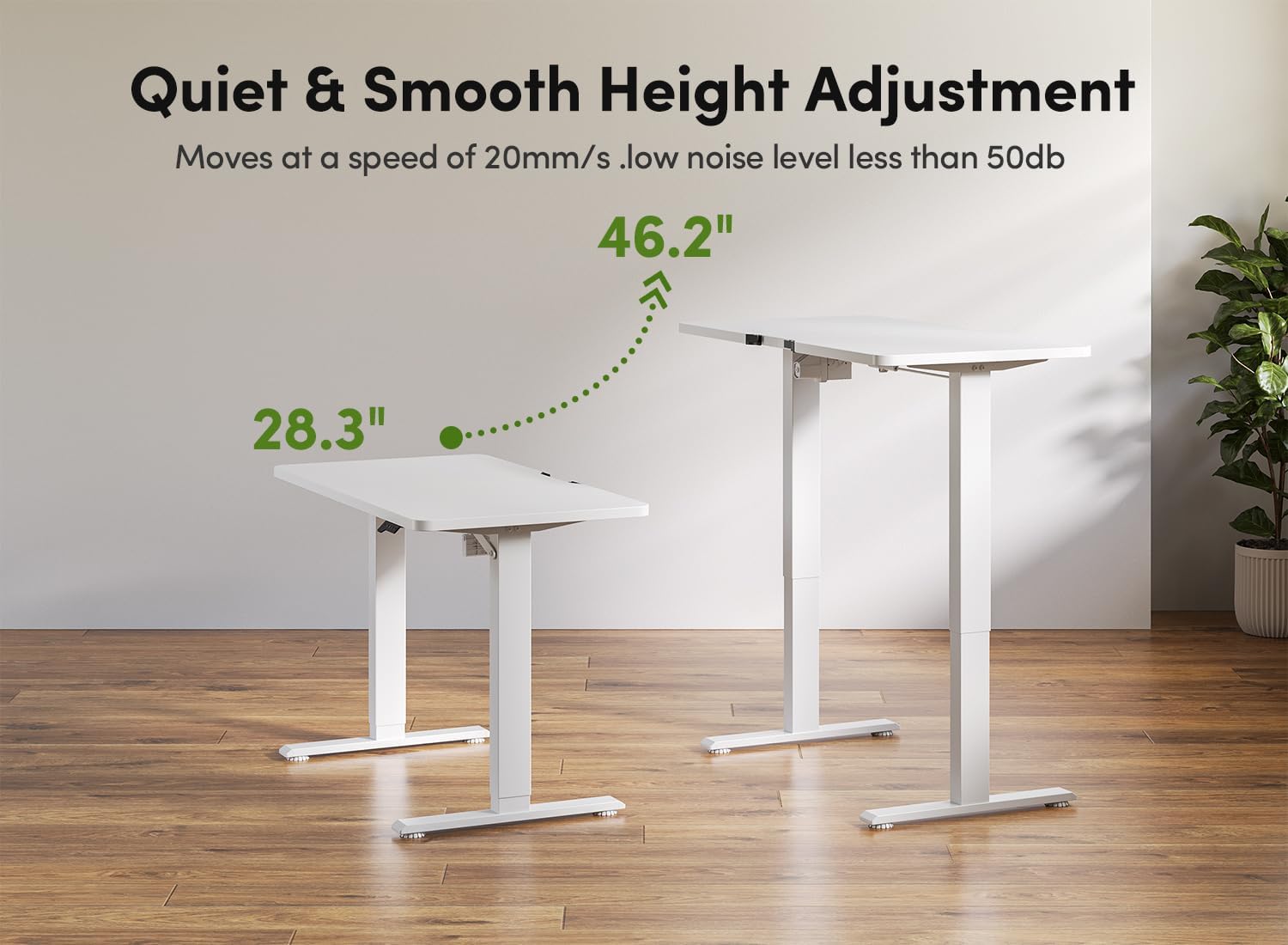
Image 5.2: The desk's height adjustment range from 28.3" to 46.2".
5.3. Reset Function
If the desk encounters an error or does not operate correctly, a reset may be required.
- Reset Button (↺): Press and hold the reset button until the desk moves to its lowest position and then slightly rises, indicating a successful reset. Release the button.

Image 5.3: Using the reset button on the multi-function intelligent keypad.
6. Features and Accessories
Your BANTI Electric Standing Desk comes with several useful accessories to enhance your workspace organization:
- Cup Holder: A convenient holder to keep your beverage secure and prevent spills.
- Headphone Hook: A hook for hanging headphones, keeping them easily accessible and off the desk surface.
- Cable Management Clips/Bundle Clamps: Designed to organize and route cables neatly, reducing clutter.

Image 6.1: Various accessories including cup holder, bundle clamp, cable management, and storage hook.
7. Maintenance
To ensure the longevity and proper functioning of your BANTI Electric Standing Desk, follow these simple maintenance guidelines:
- Cleaning: Wipe the desk surface and frame with a soft, damp cloth. Avoid abrasive cleaners or harsh chemicals that could damage the finish.
- Cable Management: Periodically check and reorganize cables to prevent tangling or damage.
- Fasteners: Occasionally check all screws and bolts to ensure they are tight. Retighten if necessary.
- Motor Care: Keep the motor and control box free from dust and debris. Do not attempt to open or service the motor components yourself.
8. Troubleshooting
8.1. Smart Anti-Collision System
The desk is equipped with a smart anti-collision system. If the desk encounters an obstacle during height adjustment, it will automatically stop and reverse slightly to prevent damage.
- If the anti-collision system is triggered frequently, ensure there are no obstructions in the desk's path.
- If the desk stops unexpectedly without an apparent obstacle, perform a reset as described in Section 5.3.

Image 8.1: Demonstration of the Smart Anti-Collision System.
8.2. General Issues
- Desk Not Moving:
- Check if the power cable is securely connected to both the desk and the wall outlet.
- Ensure the wall outlet is functioning.
- Perform a reset (Section 5.3).
- Uneven Height:
- Perform a reset (Section 5.3) to re-synchronize the lifting columns.
- Ensure the desk is placed on a level surface.
- Unusual Noises:
- Verify all assembly screws are tight.
- Ensure no cables or objects are interfering with the lifting mechanism.
9. Specifications
| Feature | Specification |
|---|---|
| Brand | BANTI |
| Model Number | B-SDE-STDJJX |
| Product Dimensions (D x W x H) | 24"D x 44"W x 28.3"H |
| Height Adjustment Range | 28.3" to 46.2" |
| Color | White |
| Base Material | Alloy Steel |
| Top Material Type | Alloy Steel |
| Maximum Weight Recommendation | 155 Pounds |
| Special Features | Adjustable Height, Electric, Ergonomic, Anti-Collision System, Memory Presets |
| Included Components | Cup Holder, Headphone Hook, Cable Management Clips |
| Lifting Mechanism | Electric |
| Noise Level | < 50dB |
10. Warranty and Support
BANTI is committed to providing quality products and customer satisfaction. The assembly steps for this table have been optimized for user convenience. The package includes all necessary assembly tools and a detailed instruction manual.
For any questions, warranty concerns, or technical support during assembly and use, please do not hesitate to contact BANTI customer service. Refer to the contact information provided in your product packaging or visit the official BANTI website for assistance.
For more information about BANTI products, you can visit the BANTI Store.


