
Introduction
The Bose QuietComfort Wireless Noise Cancelling Headphones are designed to provide an immersive audio experience with advanced noise cancellation technology. These over-ear headphones offer comfort, high-fidelity sound, and up to 24 hours of battery life, making them suitable for various listening environments.
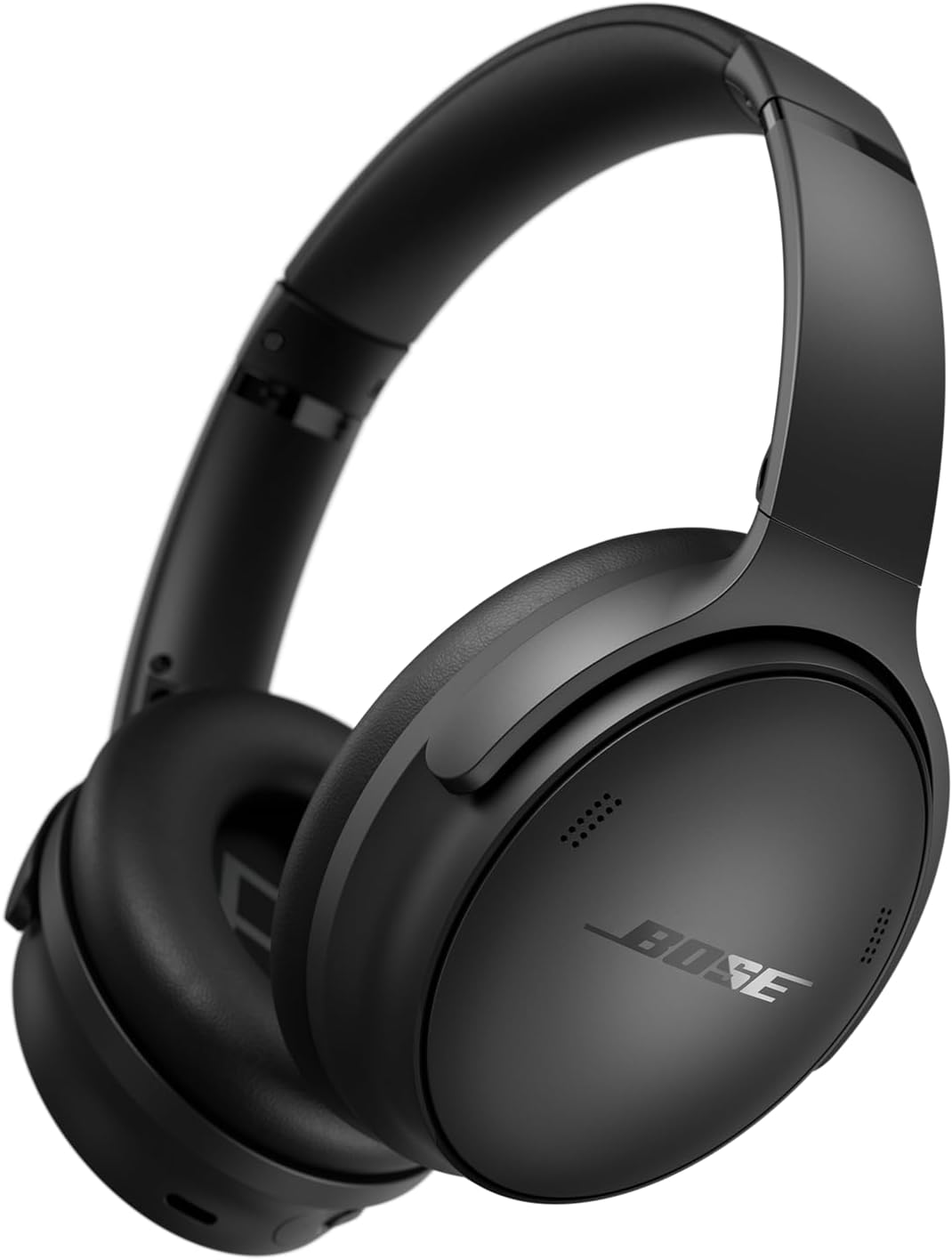
Image: Bose QuietComfort Wireless Noise Cancelling Headphones, showcasing their sleek black design and over-ear form factor.
What's in the Box
Verify that all components are present in the packaging:
- Bose QuietComfort Wireless Noise Cancelling Headphones
- Protective Case
- Audio Cable (3.5 mm)
- USB-C Charging Cable
- User Manual (this document)

Image: The complete package contents, including the headphones, a protective carrying case, a USB-C charging cable, and a 3.5mm audio cable.
Setup
1. Charging the Headphones
Before initial use, fully charge your headphones. A full charge takes approximately 2.5 hours.
- Connect the small end of the USB-C charging cable to the USB-C port on the right earcup.
- Connect the other end of the cable to a USB wall charger (not included) or a computer that is powered on.
- The battery indicator light will glow amber during charging and turn solid white when fully charged.
2. Powering On/Off
- To power on, slide the Power/Bluetooth switch on the right earcup to the 'On' position.
- To power off, slide the Power/Bluetooth switch to the 'Off' position.
3. Bluetooth Pairing
Pair your headphones with a Bluetooth-enabled device to enable wireless audio.
- With the headphones powered on, slide the Power/Bluetooth switch to the Bluetooth symbol and hold until the Bluetooth indicator light blinks blue.
- On your device, enable Bluetooth and select "Bose QuietComfort" from the list of available devices.
- Once connected, the Bluetooth indicator light will glow solid blue.
4. Bose Music App
For full control over features like adjustable EQ, noise cancellation levels, and firmware updates, download the Bose Music app from your device's app store.
Operating the Headphones

Image: A detailed view of the control buttons located on the earcup, including volume and multi-function buttons.
1. Noise Cancellation Modes
The headphones feature two primary listening modes:
- Quiet Mode: Provides maximum noise cancellation, reducing ambient sounds for focused listening.
- Aware Mode: Allows you to hear your surroundings while still enjoying your audio, useful for situational awareness.
Toggle between these modes using the dedicated button on the left earcup or through the Bose Music app.

Image: The Bose QuietComfort Headphones illuminated with a soft glow, representing the active noise cancellation feature.
2. Audio Playback Controls
Use the buttons on the right earcup to control audio playback:
- Volume Up/Down: Press the '+' or '-' buttons.
- Play/Pause: Press the multi-function button once.
- Skip Track Forward: Press the multi-function button twice.
- Skip Track Backward: Press the multi-function button three times.
3. Call Management
Manage phone calls using the multi-function button:
- Answer/End Call: Press the multi-function button once.
- Decline Call: Press and hold the multi-function button.
4. Wired Connection
Connect the headphones to devices without Bluetooth using the included 3.5mm audio cable. This allows for continued listening even if the battery is depleted.
5. Equalizer (EQ) Adjustment
Customize your audio experience by adjusting the equalizer settings through the Bose Music app. This allows you to fine-tune bass, mid-range, and treble levels.

Image: A person wearing the Bose QuietComfort Headphones while standing on a rooftop in a city, demonstrating their use in various environments.
Charging and Battery
The Bose QuietComfort headphones offer extended listening times and efficient charging:
- Battery Life: Up to 24 hours on a single charge.
- Quick Charge: A 15-minute charge provides up to 2.5 hours of additional play time.
- Charging Time: Approximately 2.5 hours for a full charge.
- Charging Port: USB-C.
Maintenance
Cleaning
- Wipe the surfaces of the headphones with a soft, dry cloth.
- Do not use liquid cleaners or solvents.
- Ensure no moisture enters the earcup openings or charging port.
Storage
- When not in use, store the headphones in their protective carrying case to prevent damage.
- Avoid storing in extreme temperatures or high humidity.

Image: A top-down perspective of the Bose QuietComfort Headphones, emphasizing the plush earcups and padded headband designed for comfort during extended use.
Troubleshooting
| Issue | Possible Solution |
|---|---|
| Headphones do not power on | Ensure the battery is charged. Connect to a power source using the USB-C cable. |
| Cannot pair via Bluetooth | Ensure headphones are in pairing mode (blinking blue light). Check your device's Bluetooth settings and try reconnecting. Turn off and on both devices. |
| No sound | Check volume levels on both headphones and connected device. Ensure headphones are properly paired or the audio cable is fully inserted. |
| Noise cancellation not effective | Ensure Quiet Mode is selected. Adjust earcups for a proper seal around your ears. |
Specifications
| Feature | Detail |
|---|---|
| Model Name | Bose QuietComfort Wireless Noise Cancelling Headphones |
| Connectivity Technology | Wired, Wireless (Bluetooth 5.0) |
| Headphones Jack | 3.5 mm Jack |
| Ear Placement | Over Ear |
| Noise Control | Active Noise Cancellation |
| Battery Life | Up to 24 Hours |
| Charging Time | 2.5 Hours |
| Item Weight | 8.3 ounces (235 grams) |
| Product Dimensions | 3.15 x 6.18 x 7.68 inches |
| Material | Plastic |
| Control Type | Media Control, Touch |
| Frequency Range | 20 Hz - 20,000 Hz |
| UPC | 732262048246 |
| Item Model Number | 884367-0100-cr |
Safety Information
Please read and follow these safety guidelines to ensure proper use and prevent damage:
- Do not expose the headphones to water or moisture.
- Avoid prolonged exposure to high volume levels to prevent hearing damage.
- Keep out of reach of children.
- Do not attempt to disassemble or modify the headphones.
- Use only the provided charging cable or a certified equivalent.
Support and Warranty
For technical support, warranty information, or additional assistance, please visit the official Bose website or contact Bose customer service. Product registration may be available for updates and support.
Online Support: www.bose.com/support


