
Introduction
Thank you for choosing the Remax RP-W20 10W Wireless Charging Pad. This device provides a convenient and efficient way to charge your Qi-compatible smartphones without the need for cables. Please read this manual carefully before use to ensure proper operation and to maximize the lifespan of your product.
Product Overview
The Remax RP-W20 is a compact and lightweight wireless charging pad designed for ease of use and portability. It features a sleek black design and a non-slip surface to keep your device secure during charging. The integrated large coils ensure efficient and stable power delivery.
- Efficient and Cable-Free Charging: Experience convenient power delivery without physical cable connections.
- Qi Compatibility: Works with any mobile phone supporting Qi wireless charging technology, including iPhone and Android devices.
- Sleek Design: The black finish complements various environments, from office desks to home setups.
- Stable Charging: A non-slip surface helps prevent accidental disconnections and ensures your device stays in place.
- Portable: Its lightweight and compact form factor makes it suitable for travel and everyday use.
- Fast Charging Capability: Equipped with integrated large coils for a stable magnetic field, supporting faster charging speeds up to 10W.
- Foreign Object Detection: Enhances safety by detecting metallic objects that could interfere with charging.
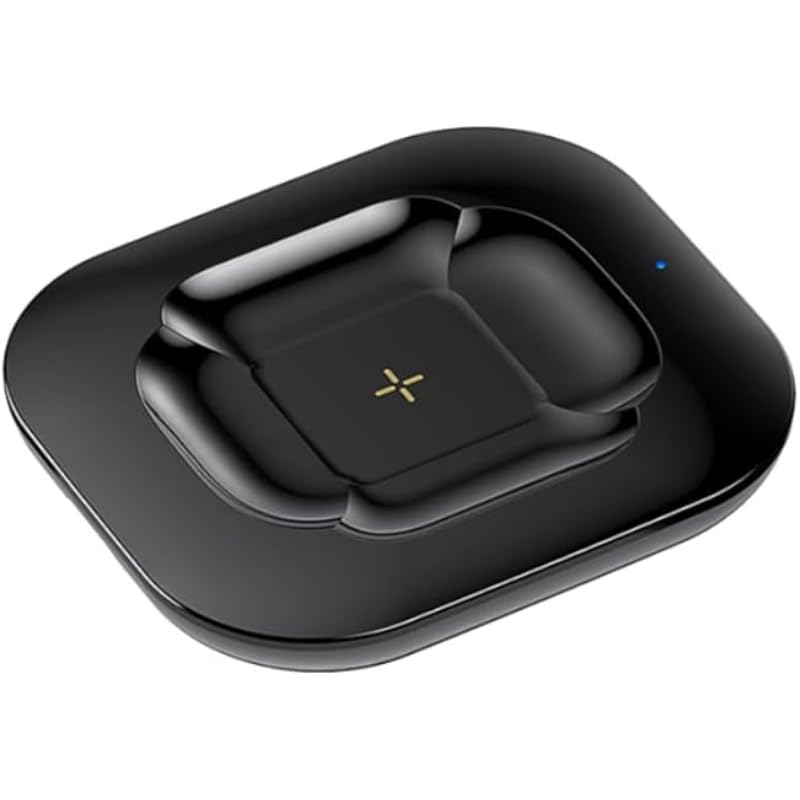
Image: Retail packaging of the Remax RP-W20 Wireless Charging Pad, showing the product and its key features like 10W output.

Image: Top-down view of the Remax RP-W20 Wireless Charging Pad, highlighting its sleek, minimalist design and the charging indicator symbol.
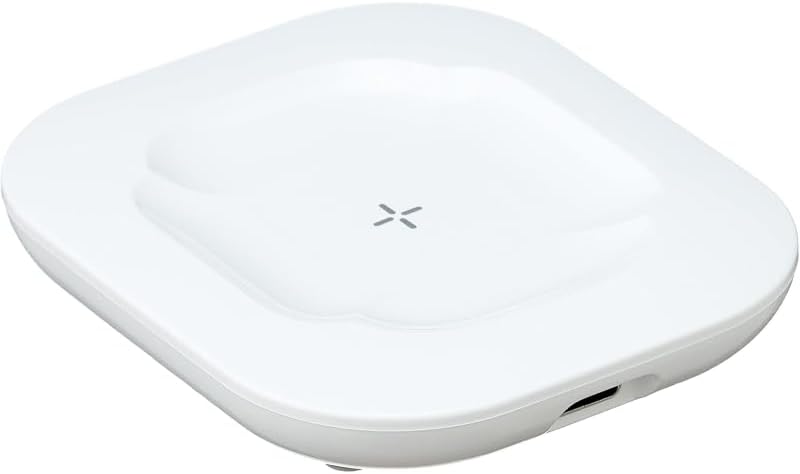
Image: Side view of the Remax RP-W20 Wireless Charging Pad, showing the USB Type-C input port for power connection.

Image: The Remax Wireless Charging Pad with a smartphone, highlighting key features such as safe fast charging, compact portability, and foreign object detection.
Setup
- Unpack: Carefully remove the wireless charging pad and the USB charging cable from the packaging.
- Connect Power: Insert the USB Type-C end of the included cable into the charging pad's port. Connect the standard USB-A end of the cable to a compatible USB wall adapter (not included). Ensure the wall adapter has a power output of at least 10W for optimal charging performance.
- Power On: Plug the USB wall adapter into a power outlet. The charging pad's indicator light may briefly illuminate to confirm it is powered on and ready for use.
- Placement: Place the charging pad on a flat, stable surface, away from direct sunlight, heat sources, and metallic objects.
Operating Instructions
- Initiate Charging: Place your Qi-compatible smartphone directly onto the center of the charging pad. Ensure the phone is properly aligned with the charging coil for efficient power transfer.
- Charging Indication: The charging pad's indicator light will illuminate (e.g., blue or green) to confirm that charging has begun. Your phone's screen should also display a charging icon or notification.
- Foreign Object Detection (FOD): If a metallic object (e.g., keys, coins, credit cards) is placed on the charging pad, the indicator light may flash or turn off, and charging will not initiate. Remove the foreign object to proceed with charging.
- Charging Completion: Once your device is fully charged, the charging pad may stop charging or switch to trickle charging mode, and the indicator light may change color or turn off, depending on the model.

Image: A smartphone placed on the Remax RP-W20 Wireless Charging Pad, illustrating the active wireless charging process with a visual effect.

Image: An internal diagram of the charging pad, highlighting the integrated large coils responsible for efficient and faster power transfer, with an 80% electricity conversion rate indicated.
Maintenance
- Cleaning: Disconnect the charger from the power source before cleaning. Use a soft, dry cloth to wipe the surface of the charging pad. Do not use liquid cleaners, aerosols, or harsh chemicals.
- Storage: When not in use, store the charging pad in a cool, dry place, away from extreme temperatures and humidity.
- Handling: Avoid dropping the device or subjecting it to strong impacts. Do not disassemble or attempt to repair the charger yourself.
Troubleshooting
| Problem | Possible Cause | Solution |
|---|---|---|
| Device not charging. |
|
|
| Slow charging. |
|
|
| Indicator light flashing. |
|
|
Specifications
| Brand | Remax |
| Model | RP-W20 |
| Power Output | 10 Watts |
| Connector Type | USB Type C (for input) |
| Compatible Devices | Cellular Phones (Qi-compatible) |
| Compatible Phone Models | All Mobile Phone Models (supporting Qi wireless charging) |
| Special Features | Wireless Charging, Foreign Object Detection |
| Color | Black |
| Included Components | Wireless Charging Pad, USB Type-C Cable |
| Input Voltage (Adapter) | 100 Volts (Minimum for compatible wall adapter) |
Safety Information
Please observe the following safety precautions to prevent damage to the device or injury to yourself:
- Do not expose the charger to water, moisture, or extreme temperatures.
- Avoid placing metallic objects, magnetic cards, or sensitive medical devices (e.g., pacemakers) on the charging pad during operation.
- Do not use the charger if it has been damaged or modified.
- Keep out of reach of children.
- Use only certified and compatible USB wall adapters.
- Unplug the charger during lightning storms or when unused for long periods.
Warranty and Support
For warranty information and customer support, please refer to the documentation provided at the point of purchase or visit the official Remax website. Keep your purchase receipt as proof of purchase for any warranty claims.


