
ELECOM LBT-TWS16BK
ELECOM LBT-TWS16BK Wireless Earphones User Manual
Model: LBT-TWS16BK
1. Introduction
Thank you for purchasing the ELECOM LBT-TWS16BK Wireless Earphones. These compact and lightweight Bluetooth 5.3 earphones are designed to provide a comfortable listening experience with clear audio and low latency, suitable for various activities including music playback, calls, and telework. This manual provides essential information on how to set up, operate, and maintain your earphones.
2. Package Contents
Please ensure all items listed below are included in your package:
- ELECOM LBT-TWS16BK Wireless Earphones (Left and Right)
- Charging Case
- USB Charging Cable (USB-A to USB Type-C™)
- Earcaps (S, M, L sizes; M size pre-installed on earphones) - 1 set each
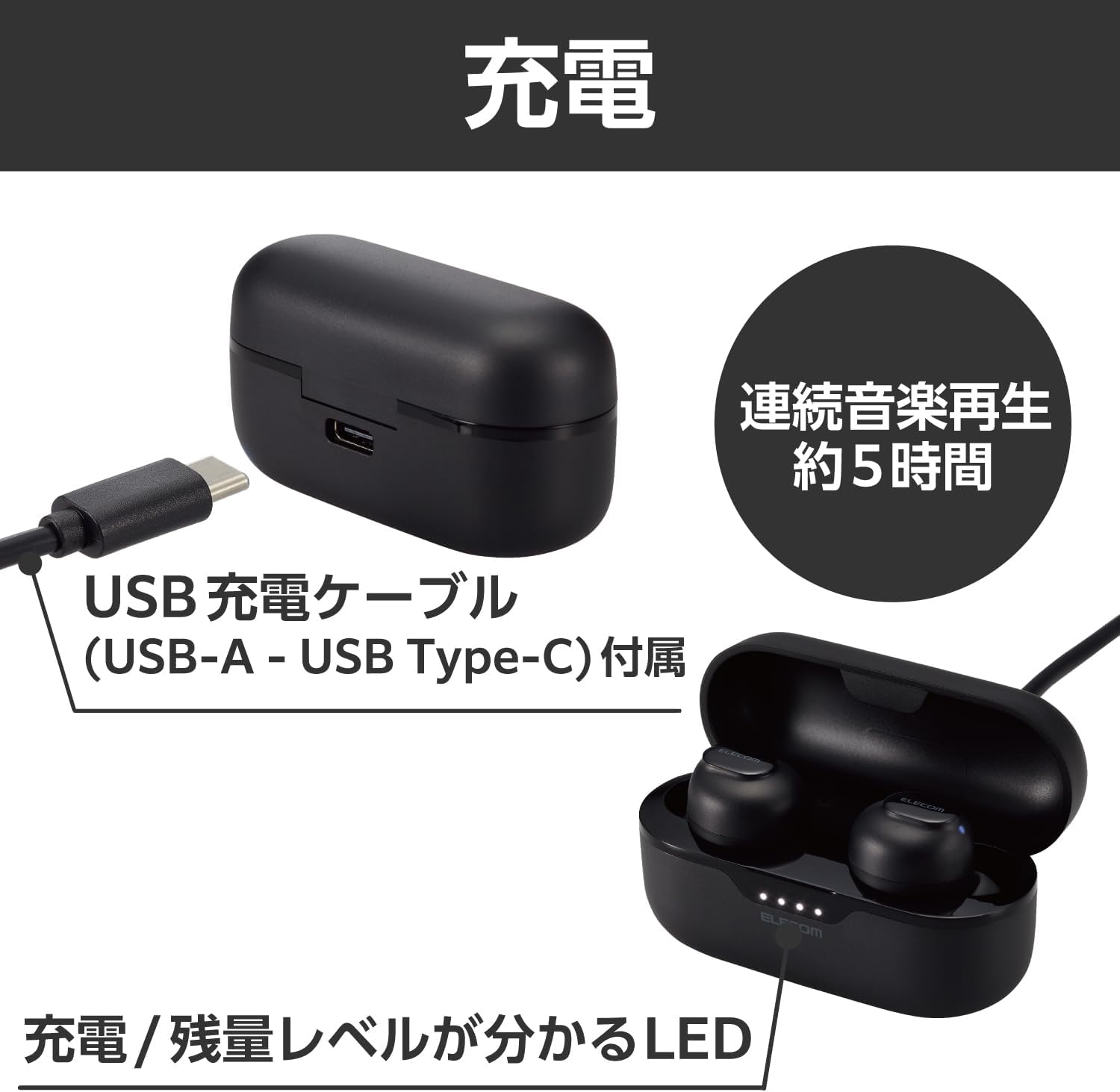
Image: The package contents including the earphones, charging case, USB-A to USB Type-C charging cable, and three sizes of earcaps (S, M, L).
3. Product Overview
The ELECOM LBT-TWS16BK earphones feature a sleek, compact design with intuitive touch controls and a portable charging case.
3.1 Earphone Design and Comfort
The earphones are ergonomically designed to fit the shape of your ear, providing a secure and comfortable fit. Each earphone weighs approximately 3.6g, ensuring ultra-lightweight wear. Three sizes of earcaps (S, M, L) are included to help you find the perfect fit, reducing the risk of them falling out.

Image: Illustration showing the ergonomic design of the earphones and the three included earcaps sizes (S, M, L) for optimal fit.
3.2 Audio Quality and Technology
These earphones support the high-quality AAC codec, delivering clear and crisp sound, especially when paired with AAC-compatible devices like iPhones. They are equipped with a φ8.0mm external magnetic dynamic driver (Micro ETEM Driver) for powerful and wide-range audio performance. A low-latency mode is also available to minimize audio-visual synchronization issues during video playback or gaming.

Image: The earphones and charging case, illustrating the clear sound capabilities and low latency feature for an enhanced audio experience.
3.3 Charging Case and Portability
The compact charging case is designed to fit comfortably in your palm, making it easy to carry in a bag or pocket without bulk. It features a built-in battery to recharge the earphones on the go, extending total usage time. The case is equipped with a USB Type-C™ port for convenient charging, compatible with many modern smartphone cables.
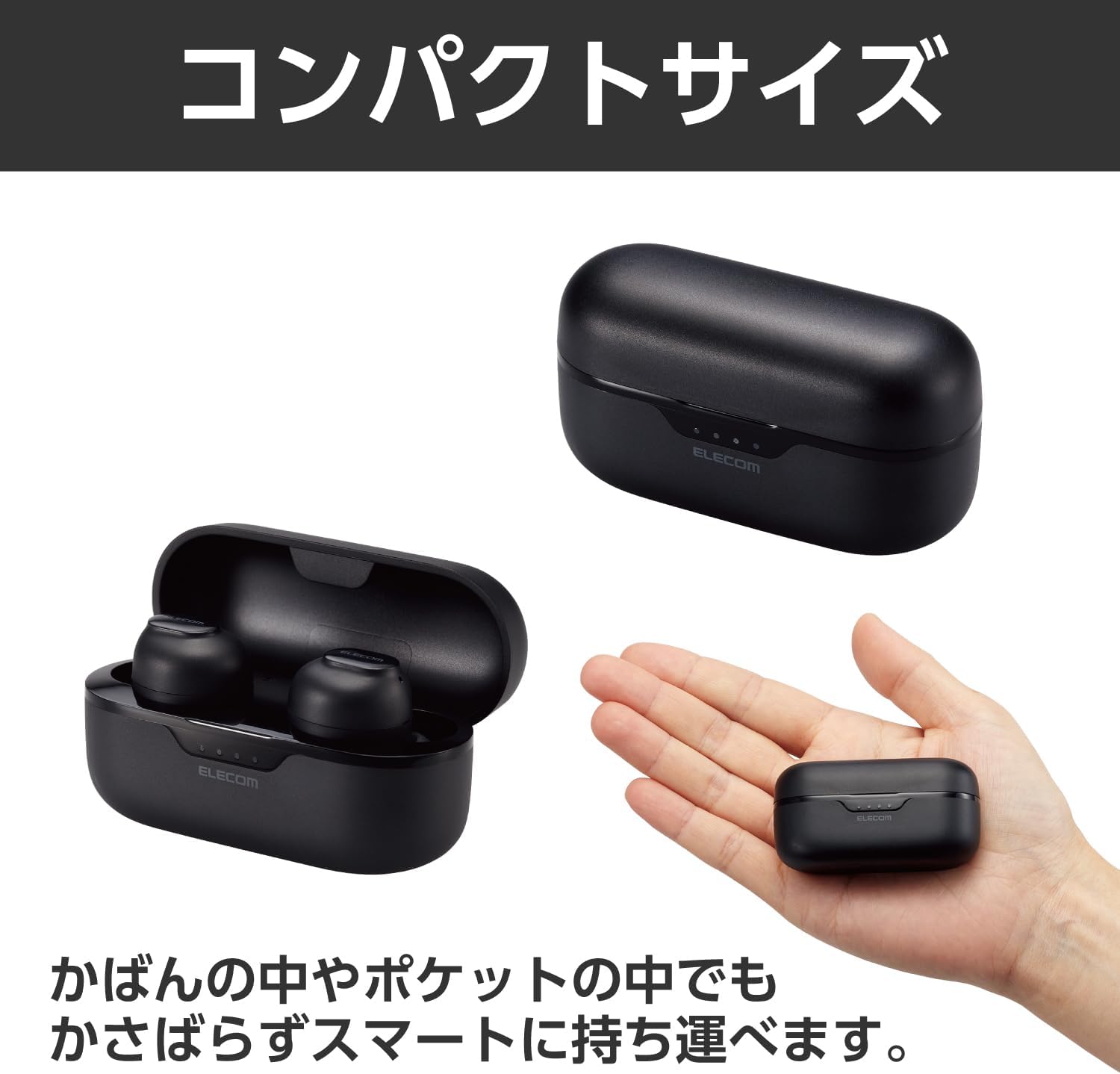
Image: The compact charging case held in a hand, emphasizing its small and portable design.
4. Setup
4.1 Initial Charging
Before first use, fully charge the earphones and the charging case. Connect the provided USB-A to USB Type-C™ cable to the charging case and a USB power source. The LED indicators on the charging case will show the charging status and battery level.
Image: The charging case with the USB-C cable connected, illustrating the charging process and the LED battery indicators.
4.2 Pairing with a Device
After initial registration, the earphones will automatically pair with your device simply by taking them out of the charging case.
- Ensure the earphones are charged.
- Open the charging case and take out both earphones. They will automatically enter pairing mode.
- On your smartphone, tablet, or other Bluetooth-enabled device, go to the Bluetooth settings.
- Select "LBT-TWS16BK" from the list of available devices.
- Once connected, you will hear a confirmation tone, and the earphones will be ready for use.

Image: A user removing an earphone from its charging case, with a smartphone in the background, illustrating the automatic pairing process.
5. Operating the Earphones
5.1 Touch Sensor Controls
The earphones are equipped with touch sensors for easy control of various functions:
- Volume Adjustment: Tap the touch sensor to adjust volume.
- Track Control: Tap the touch sensor to skip tracks.
- Call Management: Answer or end calls.
- Voice Assistant: Activate Siri or Google Assistant.
Refer to the detailed instructions in the full online manual for specific tap patterns for each function.
5.2 Single Earphone Use
You can use either the left or right earphone independently. If using only one earphone, please ensure the other earphone is either powered off or stored in the charging case.
5.3 Low Latency Mode
To reduce audio delay during video playback or gaming, activate the low latency mode. This feature helps synchronize audio with visuals for a more immersive experience.
6. Maintenance
To ensure the longevity and optimal performance of your earphones, follow these maintenance guidelines:
- Keep the earphones and charging case clean and dry.
- Wipe with a soft, dry cloth. Do not use abrasive cleaners or solvents.
- Regularly clean the earcaps and earphone nozzles to prevent wax buildup, which can affect sound quality.
- Store the earphones in their charging case when not in use to protect them and keep them charged.
- Avoid exposing the product to extreme temperatures, humidity, or direct sunlight.
7. Troubleshooting
If you encounter issues with your ELECOM LBT-TWS16BK earphones, please refer to the following common solutions:
| Problem | Possible Cause / Solution |
|---|---|
| Earphones do not turn on or connect. |
|
| Only one earphone connects or produces sound. |
|
| Poor sound quality or intermittent connection. |
|
| Earphones do not pair with a new device. |
|
| Touch controls are unresponsive. |
|
8. Specifications
| Feature | Detail |
|---|---|
| Communication Method | Bluetooth Standard Version 5.3 |
| Output | Bluetooth Power Class 2 |
| Maximum Communication Distance | Approx. 10m (without obstacles) |
| Frequency Band | 2.4GHz band |
| Modulation Method | FHSS (Frequency Hopping Spread Spectrum) |
| Supported Bluetooth Profiles | A2DP, AVRCP, HFP |
| A2DP Supported Codecs | SBC, AAC |
| A2DP Content Protection | SCMS-T |
| Max. Registrable Devices | 8 devices |
| Continuous Playback Time | Approx. 5 hours (Approx. 20 hours with charging case) |
| Continuous Standby Time | Max. approx. 40 hours |
| Power Source | Rechargeable Lithium-ion battery |
| Rated Voltage | DC5V |
| Charging Time | Headphones: Approx. 1.5 hours; Charging Case: Approx. 2 hours |
| Microphone Type | MEMS type |
| External Dimensions (W×D×H) | Headphone (per ear): Approx. 16mm × 24mm × 24mm; Charging Case: Approx. 62mm × 25mm × 31mm |
| Weight | Headphone (per ear): Approx. 3.6g; Charging Case: Approx. 25g |
| Color | Black |
| Headphone Type | Closed type |
| Driver Unit | φ8.0mm full-range |
9. Warranty and Support
Your ELECOM LBT-TWS16BK Wireless Earphones come with a 1-year warranty period from the date of purchase.
For detailed warranty terms, technical support, or further assistance, please visit the official ELECOM website or contact their customer service. You can find more information and frequently asked questions at the ELECOM Brand Store on Amazon.
This product is designed with environmental considerations, including paperless manuals and reduced plastic packaging, aligning with ELECOM's "THINKECOLOGY" initiative.
Related documentsLBT-TWS16BK


Ask a question about this manual
Ask about setup, troubleshooting, compatibility, parts, safety, or missing instructions. Manuals+ will review the question and use this page’s manual context to help answer it.