
1. Introduction
Thank you for choosing the WIWU SE True Wireless Stereo Earbuds. This manual provides essential information for setting up, operating, and maintaining your earbuds. Please read it carefully before use to ensure optimal performance and longevity of your device.
2. Package Contents
Ensure all items are present in your package:
- WIWU SE True Wireless Earbuds (Left and Right)
- Charging Case
- USB Charging Cable
- User Manual
3. Product Overview
Familiarize yourself with the components of your WIWU SE Earbuds.
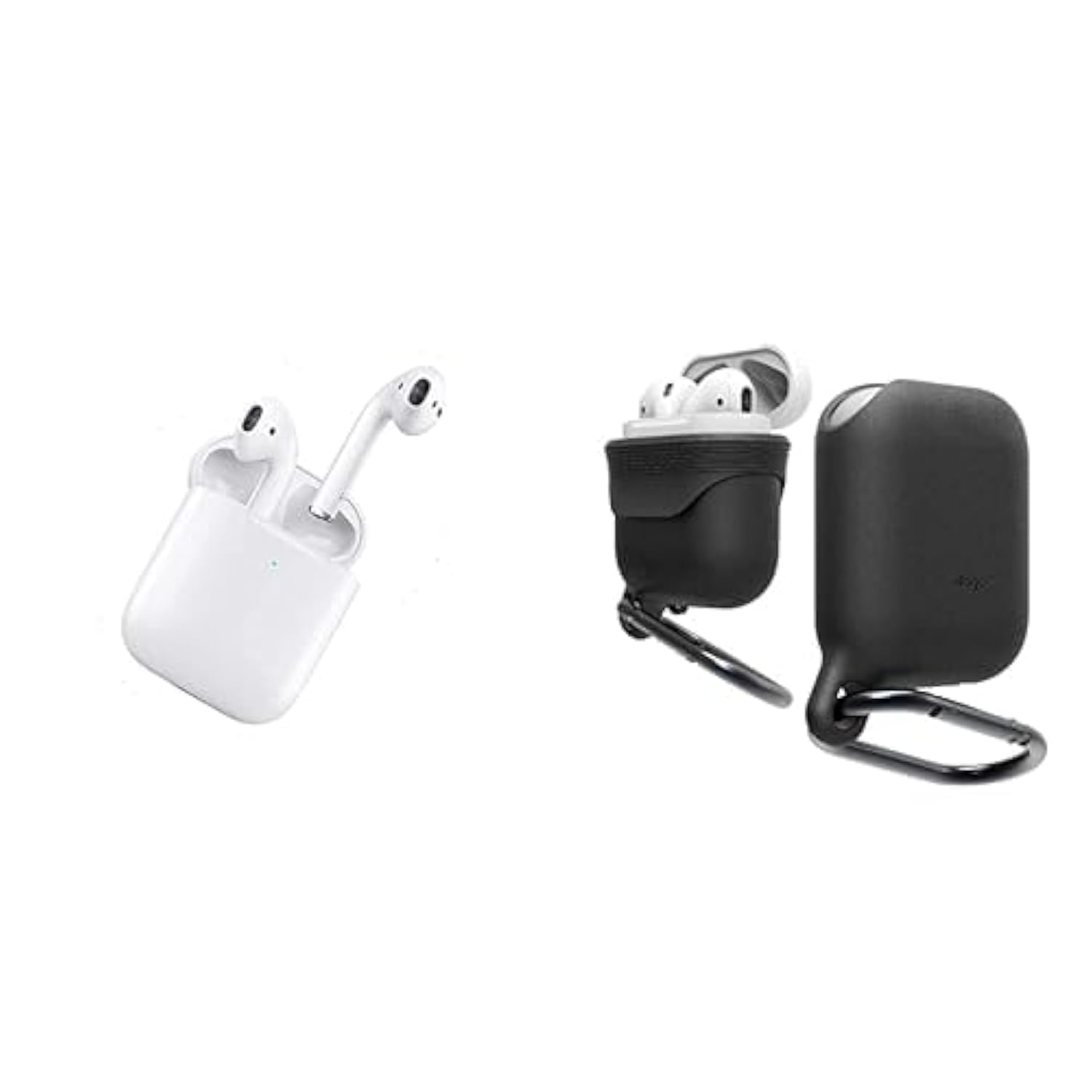
Image: WIWU SE True Wireless Stereo Earbuds and their charging case.
Key Features:
- Bluetooth 5.0: Provides stable, fast, and energy-efficient wireless connectivity.
- In-Ear Design: Offers passive noise isolation for an immersive audio experience.
- Touch Controls: Intuitive control for music playback, call management, and voice assistant activation.
- Portable Charging Case: Extends battery life, providing up to 4 hours of playback per charge.
4. Setup
4.1 Initial Charging
- Place both earbuds into the charging case.
- Connect the USB charging cable to the charging port on the case and a power source.
- The indicator lights on the case and earbuds will show charging status. Charge fully before first use.
4.2 Pairing with a Device
- Ensure the earbuds are charged and inside the charging case.
- Open the charging case. The earbuds will automatically enter pairing mode, indicated by flashing lights (refer to specific light patterns in the diagram if available).
- On your device (smartphone, tablet, etc.), enable Bluetooth.
- Search for available Bluetooth devices and select "WIWU SE" from the list.
- Once connected, the indicator lights on the earbuds will stop flashing or show a steady light.
- If pairing fails, turn off Bluetooth on your device, place earbuds back in the case, close and reopen, then repeat the steps.
5. Operating Instructions
5.1 Power On/Off
- Power On: Open the charging case, and the earbuds will power on automatically. Alternatively, long-press the touch area on both earbuds for 3 seconds.
- Power Off: Place the earbuds back into the charging case and close the lid. Alternatively, long-press the touch area on both earbuds for 5 seconds.
5.2 Music Playback
- Play/Pause: Single tap on either earbud.
- Next Track: Double tap the right earbud.
- Previous Track: Double tap the left earbud.
5.3 Call Management
- Answer/End Call: Single tap on either earbud.
- Reject Call: Long-press on either earbud for 2 seconds.
5.4 Voice Assistant
- Activate Voice Assistant (Siri/Google Assistant): Triple tap on either earbud.
6. Charging
6.1 Charging the Earbuds
Place the earbuds into the charging case. They will automatically begin charging. The indicator lights on the earbuds will show their charging status and turn off when fully charged.
6.2 Charging the Case
Connect the charging case to a power source using the provided USB cable. The indicator lights on the case will show the charging progress. A full charge provides multiple charges for the earbuds.
7. Maintenance
- Cleaning: Use a soft, dry cloth to clean the earbuds and charging case. Do not use harsh chemicals or abrasive materials.
- Storage: Store the earbuds in their charging case when not in use to protect them and keep them charged.
- Water Resistance: Note: These earbuds are NOT water resistant. Avoid exposure to water, moisture, or excessive humidity to prevent damage.
- Temperature: Avoid exposing the device to extreme temperatures (hot or cold).
8. Troubleshooting
8.1 Earbuds Not Pairing
- Ensure both earbuds are charged.
- Turn off Bluetooth on your device, then turn it back on.
- Place earbuds back in the case, close the lid, wait a few seconds, then reopen to re-enter pairing mode.
- Forget/delete "WIWU SE" from your device's Bluetooth list and try pairing again.
8.2 No Sound from One Earbud
- Ensure both earbuds are charged.
- Try placing both earbuds back in the case, closing the lid, and then taking them out again.
- Perform a factory reset if available (refer to manufacturer's website for specific instructions if not detailed here).
8.3 Charging Issues
- Check if the charging cable is securely connected to both the case and the power source.
- Try a different USB cable or power adapter.
- Ensure the charging contacts on the earbuds and inside the case are clean and free of debris.
9. Specifications
| Feature | Detail |
|---|---|
| Brand Name | WIWU |
| Model | SE |
| Compatible Devices | Bluetooth-enabled devices |
| Form Factor | In-ear with Charging Case |
| Material | Plastic |
| Special Features | Fast Charging |
| Primary Function | Music Playback, Calls |
| Water Resistance Level | Not Water Resistant |
| Included Components | Charging Case |
| Age Range Description | Adult |
| Bluetooth Version | 5.0 |
| Battery Life (Earbuds) | Up to 4 hours |
| ASIN | B0CN77FDC4 |
10. Safety Information
- Do not disassemble, repair, or modify the product.
- Keep the device away from children and pets.
- Avoid listening at high volume levels for extended periods to prevent hearing damage.
- Do not use the earbuds in situations where inability to hear ambient sounds could be dangerous (e.g., driving, cycling, walking in traffic).
- Dispose of the product and its battery responsibly according to local regulations.
11. Warranty and Support
For warranty details, technical support, or customer service inquiries, please refer to the product packaging or visit the official WIWU website. Keep your purchase receipt for warranty claims.