
Introduction
Thank you for purchasing the IVELECT E97A LED Mist Maker Purifier Electric Mini Aroma Diffuser. This manual provides essential information for the safe and efficient operation, maintenance, and troubleshooting of your device. Please read this manual thoroughly before use and retain it for future reference.
Safety Instructions
- Ensure the power supply voltage matches the device's requirements.
- Do not immerse the main unit in water or any other liquid.
- Place the diffuser on a stable, flat surface away from direct sunlight, heat sources, and electronic devices.
- Keep out of reach of children and pets.
- Unplug the device before cleaning, refilling, or when not in use for extended periods.
- Do not block the mist outlet.
- Use only clean tap water or distilled water. Avoid using corrosive liquids or strong chemicals.
- If the device emits smoke or an unusual smell, immediately unplug it and contact customer support.
Package Contents
Upon unpacking, please verify that all items are present and in good condition:
- IVELECT E97A LED Mist Maker Purifier Electric Mini Aroma Diffuser Main Unit
- USB Power Cable
- User Manual (this document)
Product Overview
Familiarize yourself with the components and controls of your aroma diffuser.

Figure 1: The IVELECT E97A LED Mist Maker Purifier Electric Mini Aroma Diffuser fully assembled, showcasing its compact and spherical design.

Figure 2: Diffuser with top cover removed, revealing the internal mist-making component and water reservoir area. This view helps in understanding how to fill water and clean the unit.

Figure 3: Top view of the diffuser, highlighting the 'ON/OFF' button for mist function and the 'LED' button for controlling the light. The mist outlet is also visible.
Components:
- Mist Outlet: Where the mist is released.
- Top Cover: Removable cover for accessing the water tank.
- Water Tank: Reservoir for water and essential oils.
- Mist Maker Component: Ultrasonic plate that generates mist.
- Base Unit: Contains electronics and control buttons.
- USB Power Port: For connecting the power cable.
Controls:
- ON/OFF Button: Press to turn the mist function on or off.
- LED Button: Press to cycle through LED light modes (e.g., color changing, fixed color, off).
Setup
- Place the diffuser on a firm, flat, and waterproof surface.
- Remove the top cover of the diffuser.
- Fill the water tank with clean tap water or distilled water up to the maximum fill line. Do not overfill.
- If desired, add 2-3 drops of essential oil directly into the water tank. Do not add more than recommended.
- Replace the top cover securely.
- Connect the USB power cable to the diffuser's power port and then to a suitable USB power adapter (not included) or a USB port.
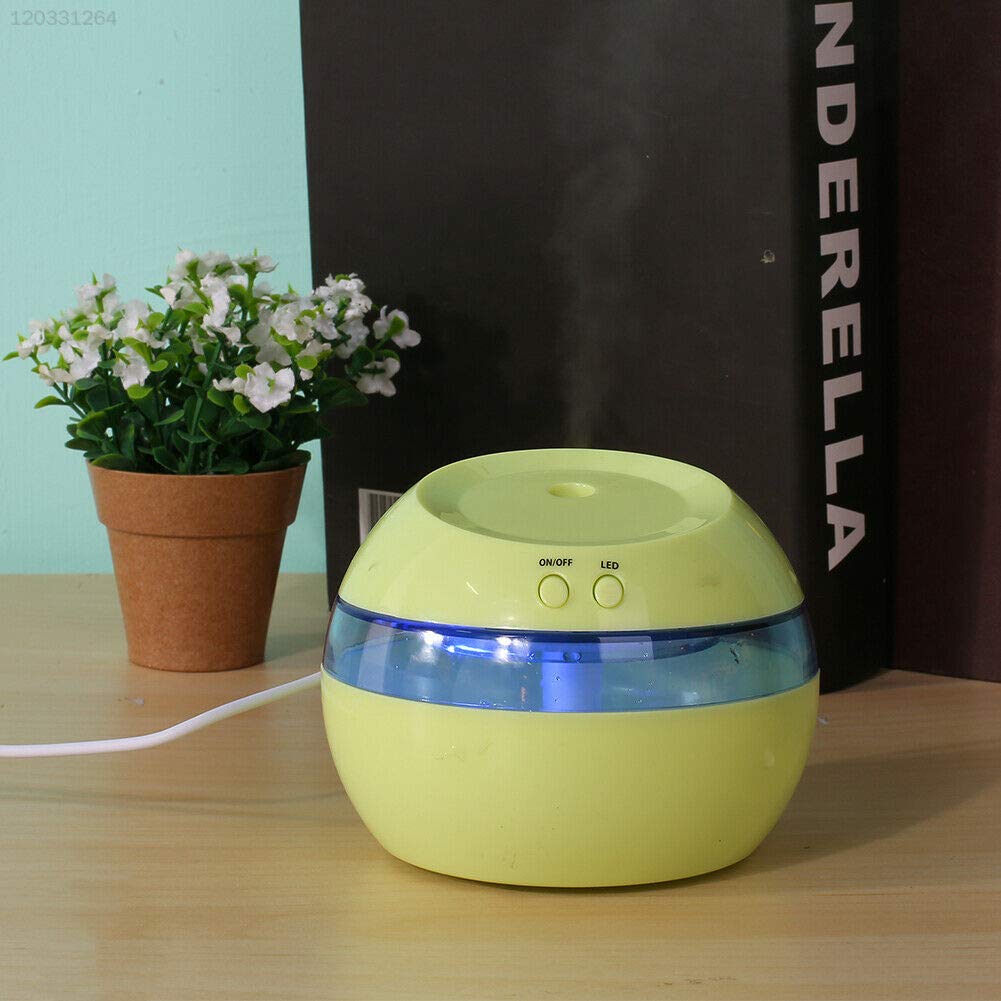
Figure 4: The diffuser set up in an environment, demonstrating its compact size and placement suitability. Ensure the unit is placed on a stable surface during operation.
Operating Instructions
- To Turn On Mist: Press the 'ON/OFF' button once. The diffuser will begin producing mist.
- To Turn Off Mist: Press the 'ON/OFF' button again.
- To Control LED Light: Press the 'LED' button. Each press will cycle through different light modes (e.g., color changing, fixed color, off).
- Automatic Shut-off: The diffuser will automatically shut off when the water level is too low.
Maintenance and Cleaning
Regular cleaning helps maintain optimal performance and extends the lifespan of your diffuser.
- Daily Maintenance: After each use, empty any remaining water from the tank. Wipe the inside of the tank with a clean, soft cloth.
- Weekly Cleaning:
- Unplug the diffuser and remove the top cover.
- Pour out any remaining water.
- Add a small amount of warm water (not hot) and a few drops of neutral detergent to the water tank.
- Gently wipe the inside of the tank and the mist maker component with a soft cloth or cotton swab. Avoid scratching the ultrasonic plate.
- Rinse thoroughly with clean water, ensuring no detergent residue remains.
- Wipe the exterior of the diffuser with a soft, dry cloth.
- Allow all parts to air dry completely before reassembling or storing.
- Important: Do not use harsh chemicals, abrasive cleaners, or sharp objects to clean the diffuser.
Troubleshooting
| Problem | Possible Cause | Solution |
|---|---|---|
| No mist is being produced. |
|
|
| Weak mist output. |
|
|
| LED light not working. |
|
|
| Unusual noise. |
|
|
Specifications
| Brand | IVELECT |
| Model Name | E97A |
| Item Model Number | FPCHD207171 |
| Product Dimensions (LxWxH) | 15 x 5 x 10 Centimeters |
| Country of Origin | China |
| Power Source | USB (Adapter not included) |
| Functionality | Mist Maker, Aroma Diffuser, LED Light |
Warranty and Support
For warranty information or technical support, please refer to the retailer's policy or contact the manufacturer directly. Keep your purchase receipt as proof of purchase.
Manufacturer: IVELECT