
1. Introduction
The Micsig VATO2004 is a high-performance 4-channel automotive oscilloscope designed for precise diagnostic measurements in automotive applications. Featuring a 200MHz bandwidth, 1GSa/s sampling rate, and 50Mpts memory depth, it provides comprehensive waveform analysis capabilities. Its compact design and USB-C connectivity allow for easy integration with Android platforms, making it a versatile tool for professionals and enthusiasts alike.
2. What's in the Box
Upon opening the package, please verify that all components are present and in good condition. The standard package for the Micsig VATO2004 Automotive Oscilloscope includes:
- Micsig VATO2004 Automotive Oscilloscope Unit
- Power Adapter and Power Cord
- USB-C Cable
- Test Leads (various types, including piercing probes and alligator clips)
- Calibration Certificate
- User Manual (this document)
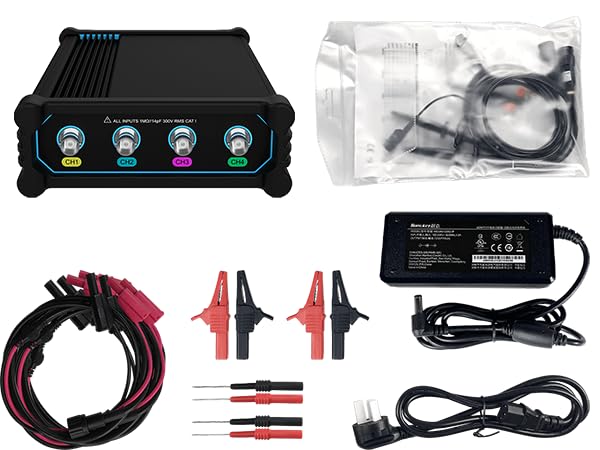
Image: Micsig VATO2004 oscilloscope unit and its various accessories, including cables, probes, and power supply.
Video: An unboxing video demonstrating the contents of the Micsig VATO2004 package, showing the main unit and all included accessories.
3. Product Overview
The VATO2004 features a robust design with clearly labeled input channels and essential ports for connectivity and power.
3.1 Front Panel
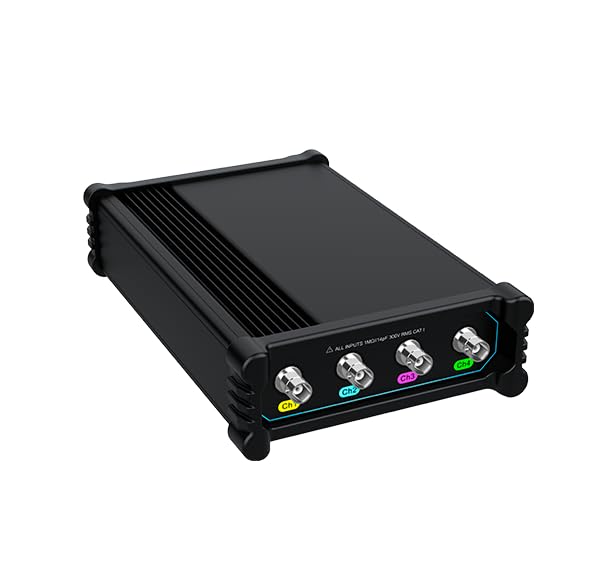
Image: The front panel of the Micsig VATO2004, showing the four BNC input channels (Ch1, Ch2, Ch3, Ch4) clearly marked with different colors.
The front panel houses the four analog input channels (Ch1, Ch2, Ch3, Ch4), each with a BNC connector. These channels are color-coded for easy identification during setup and operation.
3.2 Rear Panel and Interfaces

Image: The rear panel of the Micsig VATO2004, highlighting the power input, USB-C port for data and charging, and the probe calibration output.
The rear panel includes the power input (DC 12V-24V), a USB Type-C port for data transfer and charging, and a probe calibration output. A power lock switch is also present to prevent accidental power-off.
4. Setup
The Micsig VATO2004 is designed for easy connection and use with any Android platform or device via USB-C. Follow these steps for initial setup:
- Charge the Device: Before first use, ensure the oscilloscope's internal 7500mAh Lithium-ion battery is fully charged using the provided power adapter. Alternatively, it can be powered via the USB-C port.
- Install Application: Visit the official Micsig website (www.micsig.com/VATO) to download and install the dedicated Oscilloscope App (VATO App) on your Android device.
- Connect to Android Device: Use the supplied USB-C cable to connect the VATO2004 oscilloscope to your Android tablet or smartphone.
- Power On: Slide the POWER LOCK switch to the left to unlock, then press the power button to turn on the oscilloscope.
- App Connection: Open the VATO App on your Android device. The app should automatically detect and connect to the VATO2004. Confirm any prompts for USB access.
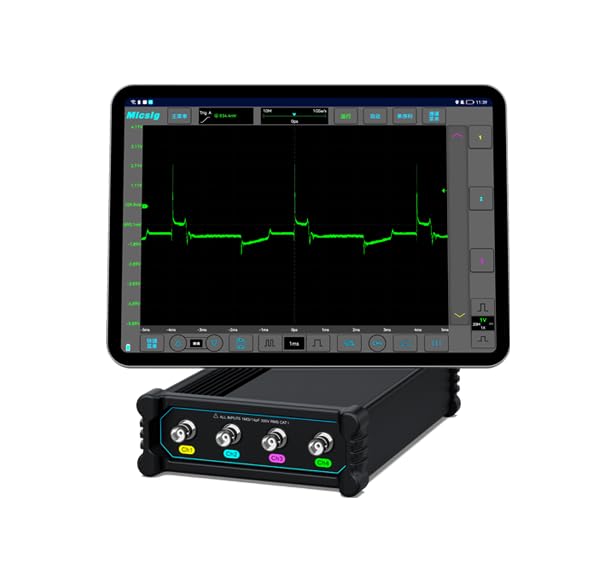
Image: The Micsig VATO2004 connected to an Android tablet, demonstrating the compact setup for mobile automotive diagnostics.
5. Operating Instructions
The VATO2004 offers a user-friendly interface through its Android application, providing powerful diagnostic capabilities.
5.1 Basic Operation
- Connecting Probes: Attach the appropriate test leads (e.g., piercing probes, alligator clips) to the BNC input channels on the oscilloscope. Ensure a secure connection.
- Grounding: Always connect the ground lead of your probe to a suitable ground point on the vehicle or circuit being tested.
- Signal Acquisition: Once connected, the VATO App will display the waveforms. Adjust the time base and vertical scale settings within the app to properly view the signal.

Image: The Micsig VATO2004 oscilloscope connected and actively measuring signals within an automotive engine bay, demonstrating its practical application.
5.2 Advanced Features
- Automotive Diagnostic Presets: Utilize the built-in automotive diagnostic presets for common tests such as Charging/Start Circuits, Sensors, Actuators, Ignition, and Network (CAN L/H, CAN FD, LIN, Flexray, K line) tests. These presets simplify setup for specific automotive signals.
- Serial Bus Decode: The VATO2004 supports decoding of CAN and LIN serial buses, allowing for detailed analysis of communication signals.
- Auto Measurements: The device supports 31 types of automated measurements. Use the one-key function within the app to select or clear measurements, providing quick analysis of waveform parameters.
- High Memory Depth: With up to 50Mpts memory depth, the oscilloscope can capture long signal sequences, crucial for analyzing intermittent events or complex automotive signals.

Image: A close-up of the Android tablet screen connected to the VATO2004, showing detailed waveform analysis with multiple channels and measurement readouts.
6. Maintenance
To ensure the longevity and optimal performance of your Micsig VATO2004 oscilloscope, follow these maintenance guidelines:
- Cleaning: Use a soft, dry cloth to clean the exterior of the device. Do not use abrasive cleaners or solvents.
- Storage: Store the oscilloscope in a cool, dry place away from direct sunlight and extreme temperatures. When not in use for extended periods, ensure the battery is partially charged (around 50%) to preserve its lifespan.
- Probe Care: Handle test leads and probes carefully. Avoid bending cables sharply or exposing them to excessive force. Clean probe tips as needed.
- Software Updates: Periodically check the Micsig website for updated versions of the VATO App to ensure you have the latest features and performance improvements.
7. Troubleshooting
If you encounter issues with your Micsig VATO2004, refer to the following common problems and solutions:
- Device Not Powering On: Ensure the power lock switch is in the 'unlocked' position and the battery is charged or the device is connected to the power adapter.
- No Connection to Android Device: Verify the USB-C cable is securely connected at both ends. Ensure the VATO App is installed and has the necessary permissions to access USB devices. Try restarting both the oscilloscope and the Android device.
- No Waveform Display: Check that probes are correctly connected to the input channels and to the circuit under test, including proper grounding. Adjust the vertical scale and time base settings in the app to ensure the signal is within the display range.
- Inaccurate Measurements: Perform a probe compensation calibration using the probe calibration output on the rear panel. Ensure the correct probe attenuation settings are selected in the VATO App.
For persistent issues or problems not listed here, please contact Micsig customer support for assistance.
8. Specifications
The following table outlines the key technical specifications for the Micsig VATO2004 Automotive Oscilloscope:
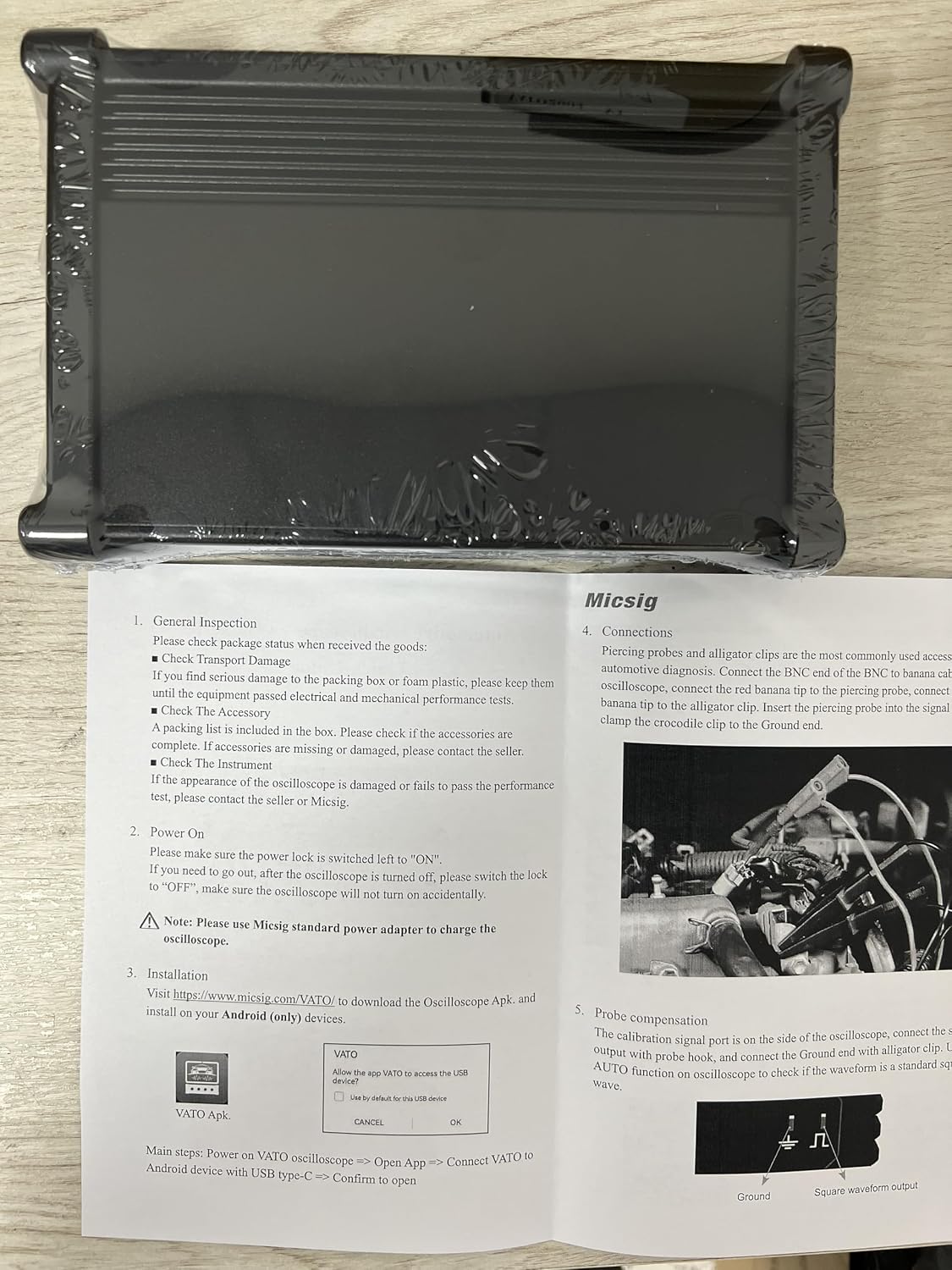
Image: A detailed table listing the technical specifications of the Micsig VATO2004, including bandwidth, channels, sampling rate, and more.
| Feature | Specification |
|---|---|
| Model | VATO2004 |
| Bandwidth | 200MHz |
| Analog Channels | 4 |
| Rise Time | ≤1.8ns |
| Sampling Rate | 1GSa/s |
| Memory Depth | 50Mpts |
| DC Gain Accuracy | ≤ 2% |
| Input Impedance | 1MΩ±1% || 14pF |
| Power Supply | USB Type-C, DC power |
| Supported Tests | Charging/Start Circuits, Sensors, Actuators, Ignition, Networks (CAN L/H, CAN FD, LIN, Flexray, K line), Combination Tests |
| Battery (Optional) | 7.4V, 7500mAh Lithium-ion battery |
| Dimensions | 140*215*52mm |
| Net Weight | 640g |
9. Warranty and Support
Micsig products are covered by a manufacturer's warranty. For detailed warranty information, technical support, or service inquiries, please refer to the warranty card included in your product packaging or visit the official Micsig website. Our customer service team is available to assist you with any questions or concerns regarding your VATO2004 oscilloscope.


