
1. Introduction
This manual provides essential information for the proper use and maintenance of your FASTWD L231-EEA Tablet. Please read it thoroughly before operating the device to ensure optimal performance and longevity. Keep this manual for future reference.
2. What's in the Box
Carefully unpack your FASTWD L231-EEA Tablet and verify that all items listed below are present and in good condition.
- FASTWD L231-EEA Tablet
- Protective Case
- Bluetooth Keyboard
- Wireless Mouse
- Stylus Pen
- Power Adapter
- OTG Adapter
- USB Data Cable
- User Manual (this document)
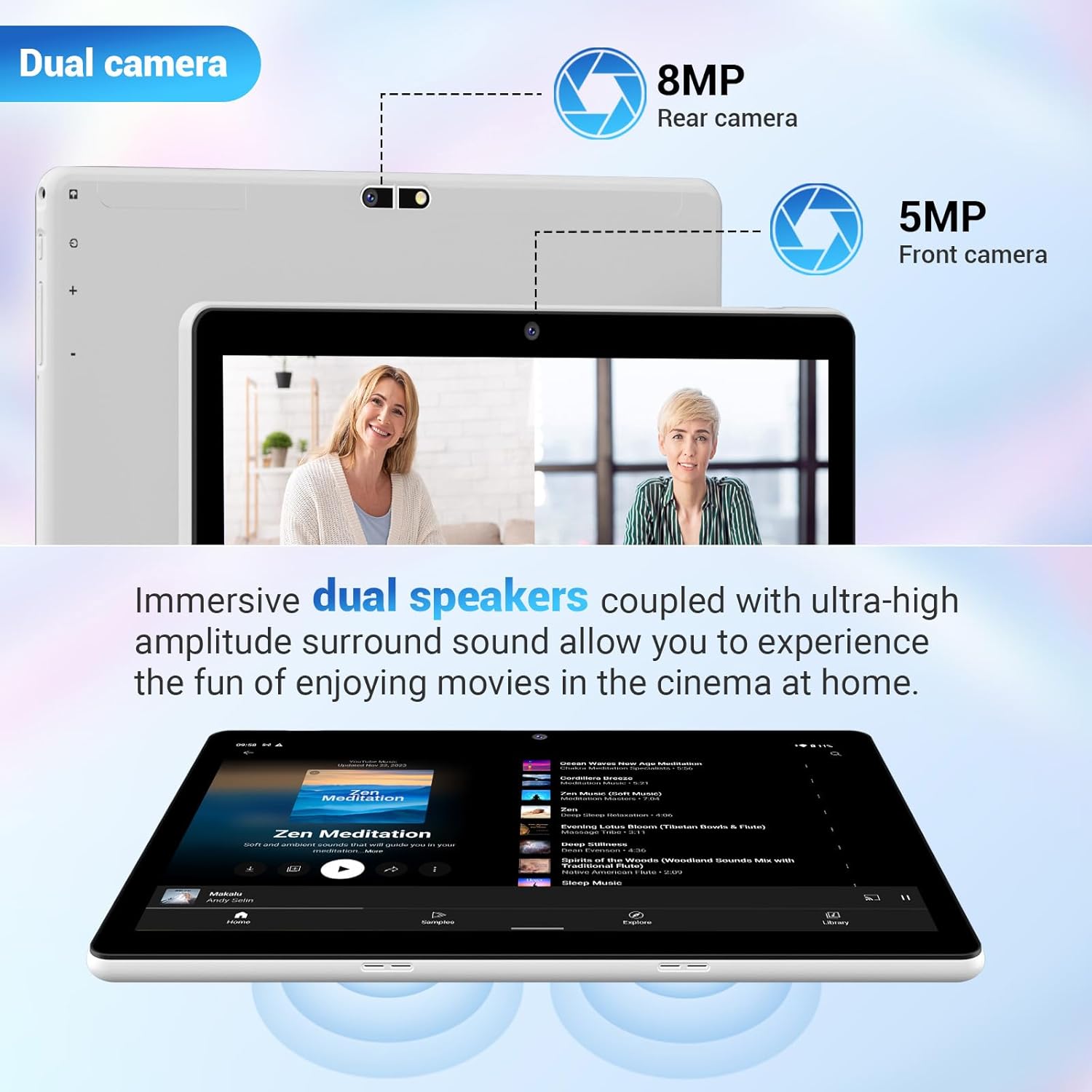
Image: The FASTWD L231-EEA Tablet displayed with its full set of accessories, including the protective case, keyboard, mouse, stylus, power adapter, OTG adapter, and USB data cable.
3. Product Overview
Familiarize yourself with the physical components of your tablet.
3.1 Front View
- 10.1-inch Display: High-definition screen for visual content.
- Front Camera (5MP): For video calls and selfies.
3.2 Rear View
- Rear Camera (8MP): For capturing photos and videos.
- FASTWD Branding: Manufacturer's logo.

Image: The back of the FASTWD L231-EEA Tablet, showing the rear camera module and the FASTWD brand logo.
3.3 Side Views (Ports and Buttons)
- Power Button: To turn the tablet on/off or put it to sleep.
- Volume Buttons: To adjust audio levels.
- USB Type-C Port: For charging and data transfer.
- MicroSD Card Slot: For expandable storage.
- 3.5mm Headphone Jack: For audio output.
- Dual Speakers: For audio playback.
4. Setup
4.1 Initial Charging
Before first use, fully charge your tablet. Connect the provided USB data cable to the tablet's Type-C port and the power adapter, then plug the adapter into a wall outlet. The charging indicator will show the charging status.

Image: The FASTWD L231-EEA Tablet connected to a charger via its Type-C port, indicating the charging process for its 8000mAh battery.
4.2 Powering On/Off
- To Power On: Press and hold the Power button until the FASTWD logo appears.
- To Power Off: Press and hold the Power button until the power options appear on the screen, then select "Power off."
- To Sleep/Wake: Briefly press the Power button.
4.3 Initial Android Setup
Upon first power-on, follow the on-screen prompts to complete the initial setup, including language selection, Wi-Fi connection, Google account login, and security settings.
4.4 Inserting a MicroSD Card
To expand storage, insert a MicroSD card into the designated slot. Ensure the tablet is powered off before insertion or removal.

Image: A close-up view of a MicroSD card being inserted into the tablet's expandable storage slot.
5. Operating Instructions
5.1 Basic Navigation (Android 14)
- Swipe: Navigate through home screens, menus, and content.
- Tap: Select items, open apps, or confirm actions.
- Pinch-to-Zoom: Enlarge or reduce content on the screen.
- Notifications Panel: Swipe down from the top of the screen to access notifications and quick settings.
5.2 Connecting Accessories
Your tablet comes with a Bluetooth keyboard, wireless mouse, and stylus pen for enhanced productivity.
5.2.1 Bluetooth Keyboard and Mouse
- Ensure the keyboard and mouse are charged and powered on.
- On your tablet, go to Settings > Connected devices > Bluetooth.
- Enable Bluetooth and scan for available devices.
- Select the keyboard and mouse from the list to pair. Follow any on-screen prompts.

Image: The FASTWD L231-EEA Tablet connected to its Bluetooth keyboard and mouse, demonstrating its capability as a 2-in-1 device.
5.2.2 Stylus Pen
The included stylus pen can be used for precise input, drawing, and navigation. No pairing is typically required for passive styluses; simply use it on the screen.
5.3 Android 14 Features
Your tablet runs on Android 14, offering various features to enhance your experience.
- Split Screen: Run two applications side-by-side for multitasking.
- PC Mode: An interface optimized for desktop-like productivity.
- Parental Control: Manage and restrict content for child users.
- Password Unlock: Secure your device with various unlock methods.
- Theme Choices: Customize the look and feel of your tablet's interface.

Image: A visual representation of key Android 14 features on the tablet, including split screen, PC mode, parental control, password unlock, and various theme options.
6. Connectivity
6.1 Wi-Fi Connection
The tablet supports 2.4G/5G dual-band Wi-Fi (802.11a/b/g/n) for fast and stable internet access.
- Go to Settings > Network & internet > Wi-Fi.
- Turn on Wi-Fi.
- Select your desired network from the list and enter the password if required.

Image: The tablet displaying various applications, illustrating its capability for fast internet connectivity via 2.4G/5G Dual-Band WiFi.
6.2 Bluetooth Connection
The tablet features Bluetooth 5.0 for connecting to wireless headphones, speakers, and other compatible devices.
- Go to Settings > Connected devices > Bluetooth.
- Turn on Bluetooth.
- Select the device you wish to pair with from the list.

Image: The tablet displaying its Bluetooth 5.0 connection status, indicating a successful pairing with another device.
7. Display Features
The FASTWD L231-EEA Tablet features a 10.1-inch high-definition display with a resolution of 1280x800 pixels. It includes an anti-blue light screen for comfortable viewing.

Image: A close-up of the tablet's 10.1-inch display, highlighting its anti-blue light technology and high-definition clarity.
8. Camera and Audio
8.1 Dual Cameras
The tablet is equipped with an 8MP rear camera for capturing photos and videos, and a 5MP front camera for video calls and selfies.
8.2 Dual Speakers
Experience enhanced audio with the tablet's immersive dual speakers, providing clear sound for media consumption.

Image: A diagram illustrating the tablet's dual camera setup (8MP rear, 5MP front) and the placement of its dual speakers for an immersive audio experience.
9. Battery and Charging
The tablet is powered by an 8000 mAh battery and supports 16W fast charging via its Type-C port.
- Standby: Up to 720 hours
- Music Playback: Up to 8 hours
- Gaming: Up to 4 hours
- Web Browsing: Up to 10 hours
Note: Battery life may vary based on usage patterns and settings.
10. Storage and Performance
The FASTWD L231-EEA Tablet features 36GB of RAM (12GB physical + 24GB virtual) and 128GB of internal storage (ROM). Storage can be expanded up to 1TB using a MicroSD card.

Image: The tablet's display highlighting its memory specifications: 36GB RAM and 128GB ROM, indicating its capacity for multitasking and storage.
11. Troubleshooting
If you encounter issues with your tablet, refer to the following common solutions:
- Tablet not turning on: Ensure the battery is charged. Connect the charger and wait a few minutes before attempting to power on again.
- Screen frozen or unresponsive: Press and hold the Power button for about 10-15 seconds to force a restart.
- Wi-Fi connectivity issues: Check if Wi-Fi is enabled in settings. Restart your router and the tablet. Forget the network and reconnect.
- Bluetooth pairing problems: Ensure both devices are in pairing mode and within range. Restart Bluetooth on both devices.
- Slow performance: Close unnecessary background applications. Clear cache from apps in Settings > Apps. Consider performing a factory reset if issues persist (back up your data first).
12. Specifications
Key technical specifications of the FASTWD L231-EEA Tablet:
| Feature | Specification |
|---|---|
| Brand | FASTWD |
| Model Name | L231-EEA |
| Operating System | Android 14 |
| Screen Size | 10.1 Inches |
| Screen Resolution | 1280 x 800 pixels |
| RAM Memory | 36 GB (12GB physical + 24GB virtual) |
| Storage Capacity | 128 GB (Expandable up to 1TB via MicroSD) |
| Processor Brand | Allwinner |
| Connectivity | Bluetooth 5.0, Wi-Fi (802.11a/b/g/n, 2.4G/5G Dual-Band) |
| Rear Camera | 8 MP |
| Front Camera | 5 MP |
| Battery Capacity | 8000 mAh |
| Charging | 16W Fast Charge, Type-C |
| Product Dimensions | 24 x 1 x 17.8 cm |
| Item Weight | 1.3 kg |
13. Warranty and Support
For warranty information and customer support, please refer to the documentation included with your purchase or contact FASTWD customer service through their official website. Keep your proof of purchase for warranty claims.
