
Introduction
This manual provides detailed instructions for the setup, operation, and maintenance of your TEKMAGIC W66-CUS-WT Digital Wristwatch. Please read this manual thoroughly to ensure proper use and to maximize the lifespan of your watch.
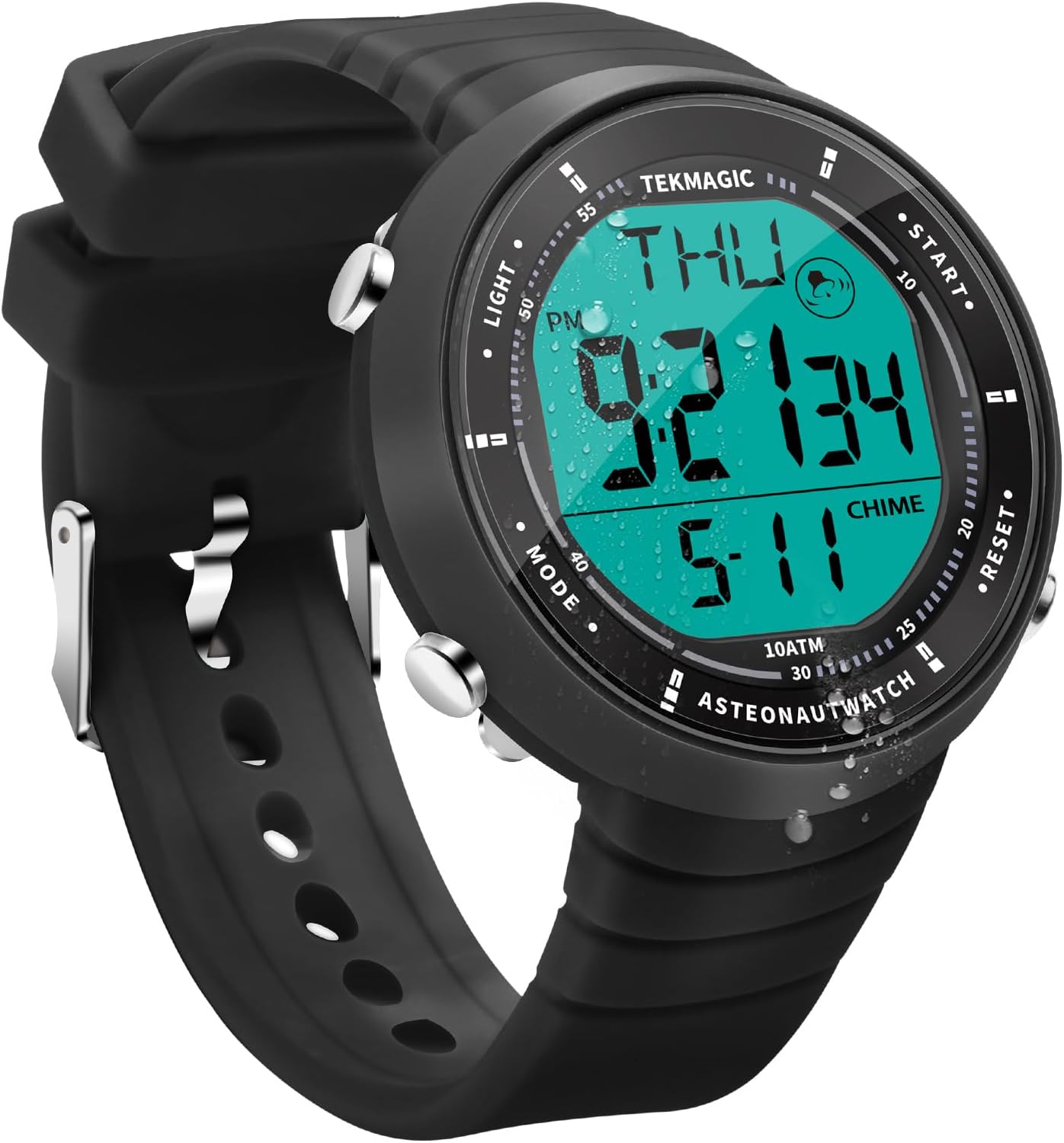
Image: Front view of the TEKMAGIC W66-CUS-WT Digital Wristwatch, showcasing its digital display and silicone band.
Key Features
- 10 ATM (100m/330ft) Water Resistance: Suitable for swimming, diving, snorkeling, and other water activities.
- Precise Time Display: Month, date, hour, minute, second, and day.
- Chronograph & Timer Functions: For accurate timing.
- Multiple Useful Functions: Alarm clock, hourly chime, calendar, and backlight.
- Dual Time Zone Display: Convenient for travel.
- 12/24 Hour Format: User-selectable display format.
- Japanese Quartz Movement: Ensures accuracy.
- Durable Construction: Silicone strap, ABS case, high transparency resin dial window, shock resistant.

Image: The wristwatch being used underwater, demonstrating its 10 ATM waterproof capability. The image shows a person swimming with the watch and close-ups of the watch submerged in water and under a shower.
Setup
Initial Power On and Time Setting
- Identify Buttons: Locate the four buttons on the watch. Typically, these are labeled or have distinct functions:
- LIGHT: Activates backlight.
- MODE: Cycles through different modes (Time, Alarm, Stopwatch, Dual Time).
- START: Used for starting/stopping functions in Stopwatch mode, or adjusting values in setting mode.
- RESET: Used for resetting functions in Stopwatch mode, or selecting items in setting mode.
- Enter Time Setting Mode: Press the MODE button repeatedly until the time display flashes or indicates a setting mode.
- Adjust Time: Use the START and RESET buttons to adjust the hours, minutes, and seconds. The MODE button typically moves to the next setting field (e.g., from hours to minutes).
- Set Date and Day: Continue using the MODE button to navigate to date and day settings, adjusting with START and RESET.
- Exit Setting Mode: Press the MODE button until the display returns to normal timekeeping, or the settings automatically save after a period of inactivity.
12/24 Hour Format Selection
While in time setting mode, or sometimes by pressing a specific button combination in timekeeping mode, you can toggle between 12-hour (with AM/PM indicator) and 24-hour formats. Refer to the display for the current format and adjust as desired.
Operating Instructions
Timekeeping Mode
This is the default mode, displaying the current time, date, and day of the week.
- Press the LIGHT button to illuminate the display for a few seconds.
Stopwatch Function
- Press the MODE button until "ST" or "STOPWATCH" appears on the display.
- Press START to begin timing.
- Press START again to pause timing.
- Press RESET to clear the stopwatch to zero.
- To record lap times, press RESET while the stopwatch is running. The lap time will display briefly, and the stopwatch will continue running in the background.

Image: The wristwatch displaying the stopwatch function (ST) with a time of 00:05:43, and the countdown timer function (TR) with a time of 00:06:21. A person is shown using the watch during exercise and water sports.
Alarm Clock Function
- Press the MODE button until "AL" or "ALARM" appears.
- Press START to toggle the alarm on/off. An alarm icon will appear when active.
- To set the alarm time, press and hold RESET (or MODE, depending on the specific model) until the alarm time flashes.
- Use START and RESET to adjust the hours and minutes.
- Press MODE to confirm and exit alarm setting.
- When the alarm sounds, press any button to stop it.
Hourly Chime
The hourly chime feature provides a short beep every hour on the hour.
- In Alarm mode, press RESET (or START) to toggle the hourly chime on/off. A chime icon will typically appear when active.
Dual Time Zone
This function allows you to track a second time zone.
- Press the MODE button until "T2" or "DUAL TIME" appears.
- To set the second time zone, press and hold RESET (or MODE) until the time flashes.
- Use START and RESET to adjust the hours and minutes for the second time zone.
- Press MODE to confirm and exit setting.

Image: The wristwatch displaying two different times, illustrating the dual time zone feature. One display shows 8:45:32 and the other 16:45:32, demonstrating the 12/24 hour format option.
Backlight
Press the LIGHT button to illuminate the display in low-light conditions.

Image: A composite image showing the watch display with backlight activated, the alarm clock setting (AL 12:00), the calendar display (WED 4:32:20 5-11), and the hourly chime indicator.
Maintenance
- Cleaning: Wipe the watch case and strap with a soft, damp cloth. Avoid harsh chemicals or abrasive materials.
- Water Resistance: While the watch is 10 ATM waterproof, avoid pressing buttons underwater to prevent water ingress. Ensure the crown (if present) is fully pushed in.
- Temperature: Avoid exposing the watch to extreme temperatures (hot or cold) for extended periods, as this can affect battery life and accuracy.
- Impact: The watch is shock-resistant, but excessive impact can still cause damage.
- Battery Replacement: The watch battery (CR2025) is replaceable. If the display becomes dim or the watch stops functioning, replace the battery promptly. It is recommended to have battery replacement performed by a qualified technician to ensure water resistance is maintained.
Troubleshooting
| Problem | Possible Cause | Solution |
|---|---|---|
| Watch not working / Display dim | Low or depleted battery. | Replace the CR2025 battery. |
| Incorrect time display | Time not set correctly after battery replacement or accidental adjustment. | Refer to the "Initial Power On and Time Setting" section to reset the time. |
| Water inside the watch | Buttons pressed underwater, or seal compromised. | Immediately take the watch to a professional for inspection and repair to prevent further damage. Avoid pressing buttons underwater. |
| Buttons unresponsive | Temporary software glitch or low battery. | Try a soft reset (if applicable, by holding all buttons for a few seconds, or removing/reinserting battery). If issue persists, replace battery. |
Specifications
| Model Number | W66-CUS-WT |
| Brand | TEKMAGIC |
| Water Resistance | 10 ATM (100 meters / 330 feet) |
| Time Accuracy | ±30 seconds per month |
| Countdown Range | 23:59'59'' to 0:0'0'' |
| Display Type | Digital |
| Movement Type | Japanese Quartz |
| Battery Code | CR2025 |
| Operating Battery Life | 1.5 to 2 years |
| Dial Window Material | High Transparency Resin |
| Watch Case Material | ABS |
| Strap Material | Silicone |
| Case Diameter | 45mm (1.8 inch) |
| Case Thickness | 12mm (0.47 inch) |
| Strap Width | 22mm (0.9 inch) |
| Min. Wrist Circumference | 160mm (6.3 inch) |
| Max. Wrist Circumference | 230mm (9.1 inch) |
| Product Weight | 53g (0.12 lb) |

Image: Technical drawing showing the dimensions of the TEKMAGIC W66-CUS-WT Wristwatch, including case diameter, thickness, and minimum/maximum wrist circumference.
Warranty and Support
For warranty information and customer support, please refer to the documentation included with your purchase or contact TEKMAGIC customer service directly. Keep your proof of purchase for warranty claims.
Manufacturer: TEKMAGIC
ASIN: B0CMZZ3S38