
1. Important Safety Instructions
Please read and save these important safety instructions before using this fan. Basic safety precautions should always be followed to reduce the risk of fire, electric shock, and injury to persons.
- Always unplug the fan before moving it, cleaning it, or when not in use.
- Do not operate the fan with a damaged cord or plug. If the cord or plug is damaged, contact qualified service personnel for repair.
- Keep the fan out of reach of children and pets.
- Do not insert fingers or any other objects through the grille when the fan is operating.
- Place the fan on a stable, level surface to prevent it from tipping over.
- Do not use the fan in wet or damp locations, such as bathrooms or laundry areas.
- Ensure the voltage indicated on the fan matches your local power supply before connecting.
- Do not block air openings or operate near curtains or other materials that may block airflow.
2. Product Overview
The PELONIS Pedestal Fan (Model FS40) is designed to provide efficient and quiet cooling for your home or office. It features three speed settings, a 7-hour timer, 90-degree oscillation, and an adjustable height for optimal air distribution.
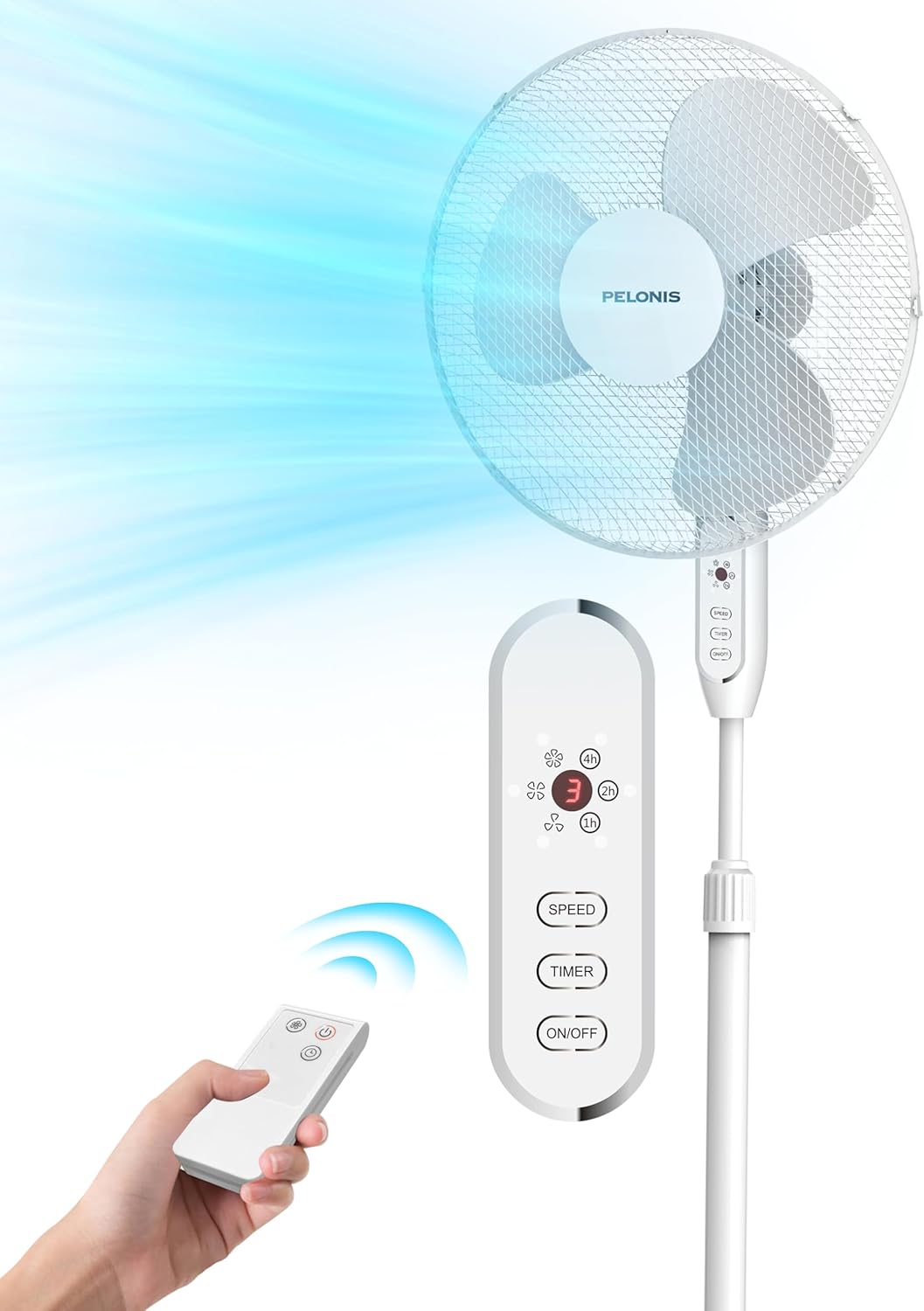
Figure 2.1: PELONIS Pedestal Fan with Remote Control. This image displays the fan's overall design, including its base, adjustable pole, fan head, and the accompanying remote control, with an illustration of airflow.

Figure 2.2: Fan Motor and Airflow. This diagram highlights the internal AC motor, emphasizing its power and efficiency in generating strong airflow, with indicators for maximum wind speed (2m/s) and air reach (6m).

Figure 2.3: Oscillation and Tilt Capabilities. This image shows the fan's ability to oscillate horizontally up to 90 degrees and tilt vertically up to 24 degrees, ensuring wide area coverage.

Figure 2.4: Remote Control Functions. A detailed view of the remote control, displaying buttons for speed adjustment, timer settings, and power on/off, along with an LED display on the fan unit.

Figure 2.5: Quiet Operation. This image depicts the PELONIS fan in a bedroom setting, illustrating its quiet operation which makes it ideal for use during sleep.
3. Setup and Assembly
Follow these steps to assemble your PELONIS Pedestal Fan. No special tools are required beyond a Phillips head screwdriver for securing the fan guards.
- Install Base: Attach the fan pole to the cross-shaped base. Ensure it is securely fastened.
Figure 3.1: Installing the fan base.
- Install Column: Insert the main column of the fan into the base assembly.
Figure 3.2: Installing the fan column onto the base.
- Install Rear Guard: Place the rear fan guard onto the motor housing, aligning the notches. Secure it with the provided retaining nut.

Figure 3.3: Attaching the rear guard to the motor housing.
- Install Blade: Slide the fan blade onto the motor shaft. Secure it with the blade cap, turning it counter-clockwise (left-hand thread).
Figure 3.4: Mounting the fan blade onto the motor shaft.
- Install Front Guard: Align the front fan guard with the rear guard and snap them together.

Figure 3.5: Attaching the front guard to complete the fan head assembly.
- Press Buckle: Secure the fan guards by pressing the buckle or tightening the screw at the bottom of the guard ring.

Figure 3.6: Securing the fan guards using the buckle mechanism.
4. Operating Instructions
Your PELONIS Pedestal Fan can be operated using the control panel on the fan unit or the included remote control.
4.1 Control Panel and Remote Control
The control panel on the fan unit and the remote control share similar functions:
- ON/OFF Button: Powers the fan on or off.
- SPEED Button: Cycles through the 3 available fan speeds (Low, Medium, High).
- TIMER Button: Sets the operating timer for up to 7 hours. Each press adds an hour to the timer.
- OSC Button (on fan unit): Activates or deactivates the 90° oscillation function.
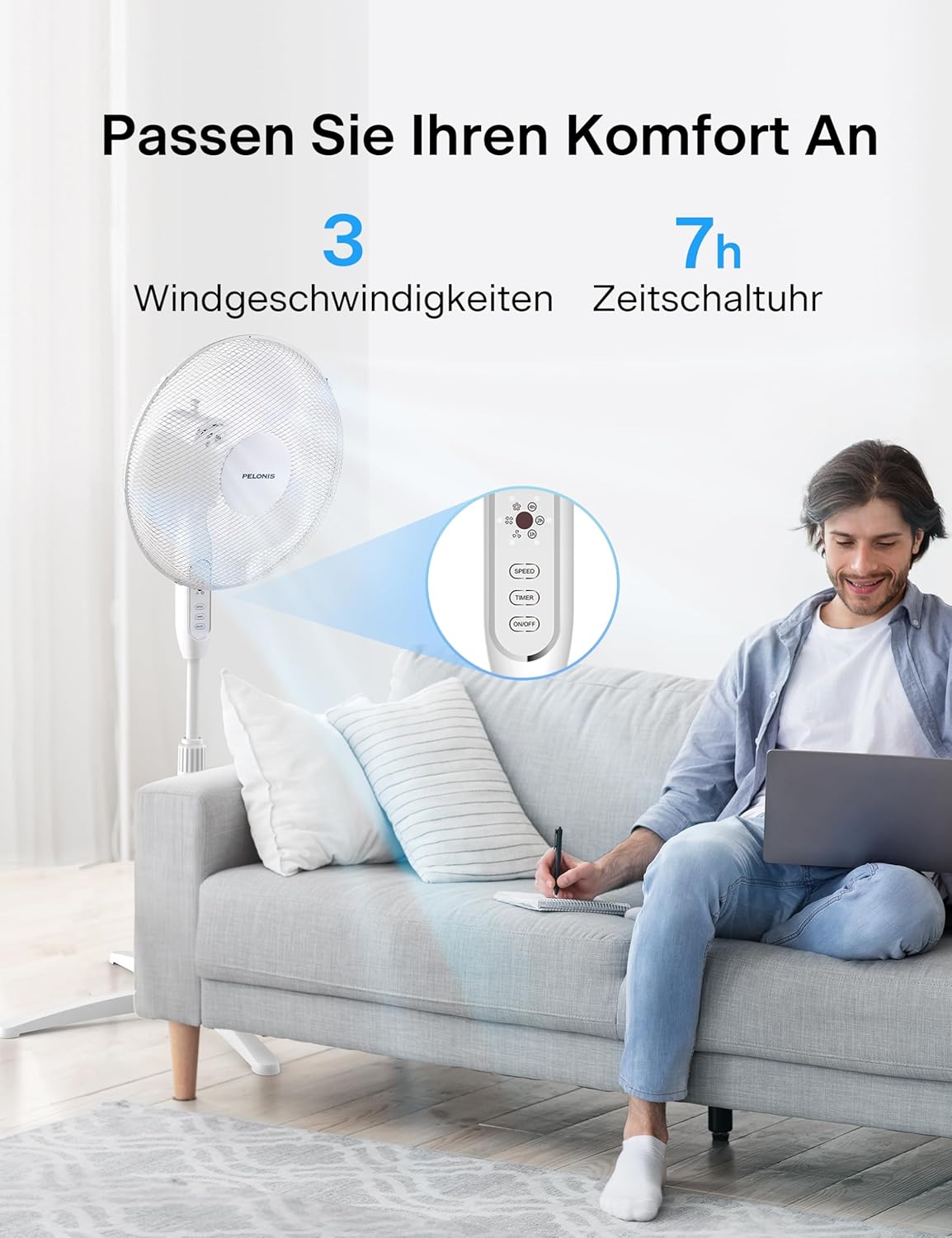
Figure 4.1: Convenient Remote Control Operation. This image shows a user comfortably operating the fan from a distance using the remote control, highlighting its ease of use in a living space.
4.2 Adjustable Height
The fan's height can be adjusted from 110 cm to 130 cm to suit your cooling needs. Loosen the height adjustment knob on the pole, extend or retract the pole to the desired height, and then tighten the knob securely.

Figure 4.2: Adjustable Height Feature. This diagram illustrates the fan's flexible height adjustment, allowing it to be set anywhere between 110 cm and 130 cm for customized airflow.
4.3 Memory Function
The fan is equipped with a power-off memory function. When you turn the fan back on, it will resume operation at the last preferred speed setting you selected before it was turned off.
5. Maintenance and Cleaning
Regular cleaning will help maintain the fan's performance and extend its lifespan.
- Before Cleaning: Always unplug the fan from the power outlet before cleaning.
- Exterior Cleaning: Use a soft, damp cloth to wipe the exterior surfaces of the fan. Do not use abrasive cleaners or solvents as they may damage the finish.
- Grille and Blades: To clean the fan blades and inside the grilles, you may need to disassemble the front guard (refer to Section 3: Setup and Assembly for reassembly). Use a soft brush or vacuum cleaner to remove dust and debris from the blades and grilles.
- Storage: If storing the fan for an extended period, cover it with a plastic bag to protect it from dust and store it in a cool, dry place.
6. Troubleshooting
If you experience issues with your fan, please refer to the following common problems and solutions:
| Problem | Possible Cause | Solution |
|---|---|---|
| Fan does not turn on. | No power supply; Fan not plugged in; Power outlet faulty. | Ensure the fan is securely plugged into a working power outlet. Check your circuit breaker. |
| Weak airflow. | Fan speed set too low; Air intake/output blocked; Dust accumulation on blades/grille. | Increase fan speed. Ensure nothing is obstructing the fan. Clean the fan blades and grilles. |
| Fan is noisy. | Loose parts; Fan not on a stable surface; Dust/debris in motor. | Check for any loose components and tighten them. Place the fan on a flat, stable surface. Clean the fan thoroughly. |
| Oscillation not working. | Oscillation function not activated. | Press the OSC button on the fan unit to activate oscillation. |
| Remote control not working. | Batteries are dead or incorrectly inserted; Obstruction between remote and fan. | Replace batteries in the remote control. Ensure there is a clear line of sight between the remote and the fan's receiver. |
7. Specifications
| Feature | Detail |
|---|---|
| Brand | Pelonis |
| Model Number | FS40 |
| Color | White |
| Power | 40 Watts |
| Product Dimensions (L x W x H) | 40.64 x 40.64 x 129.54 cm (adjustable height) |
| Item Weight | 3.96 Kilograms |
| Material | Plastic |
| Special Features | Timer, Oscillating, Remote Control, Memory Function |
| Fan Design | Floor Fan / Pedestal Fan |
| Power Source | Corded Electric |
| Adjustable Height Range | 110 cm - 130 cm |
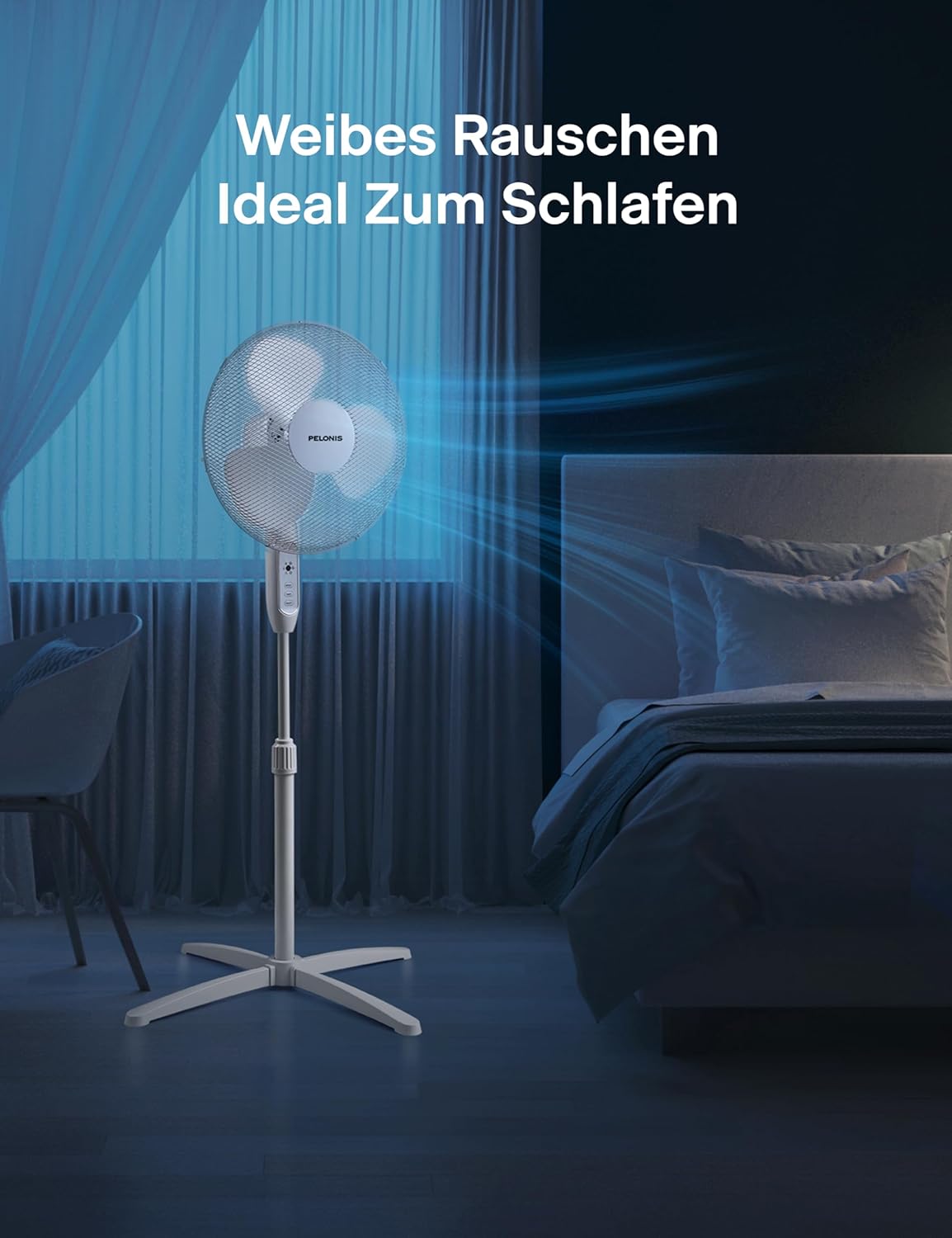
Figure 7.1: Product Dimensions. This image provides a visual representation of the fan's dimensions, including its adjustable height range and base width.
8. Warranty and Support
PELONIS products are manufactured to the highest quality standards. For warranty information, technical support, or customer service inquiries, please refer to the contact details provided with your product packaging or visit the official PELONIS website.
Please retain your proof of purchase for any warranty claims.


